Watch a related explainer
In plain English
An HTTP status code is a value in the server’s response describing how it handled a request. It is separate from the visible wording of a webpage. A browser can display a helpful explanation while the underlying response communicates whether the resource was served, redirected or unavailable.
MDN’s status-code reference groups responses into five classes: informational responses, successful responses, redirections, client errors and server errors. Individual codes have specific meanings. The maintainer needs to consider the actual request, response details and application context instead of interpreting every unfamiliar number as the same fault.
A common example is 404 Not Found, meaning the requested resource was not found. 500 Internal Server Error indicates an unexpected server condition prevented fulfilling the request. These call for different investigations and may require different customer messages.
Why it matters for a Jersey business
Customers can reach old addresses from bookmarks, printed material or external links. A website should handle the intended destination sensibly and explain an unavailable page. The response code and visible message should agree with what happened, so both people and automated clients receive useful information.
Search crawlers also use HTTP responses when processing pages. Google’s documentation on HTTP and network errors explains how different responses affect its crawling and indexing behaviour. This does not mean one code guarantees a ranking result; the site needs an appropriate response for the actual resource and situation.
A realistic Jersey example
Imagine a Jersey training business replacing an old course-information page with a relevant new page. This is a hypothetical example. The team reviews existing links and sets an appropriate redirect where there is a useful replacement. It checks the old response, destination and visible content together.
A separate retired page has no relevant replacement, so the business provides a helpful missing-page experience and an appropriate response. The owner knows which changes were intentional. The review avoids sending every unavailable address to the homepage simply to make the browser appear to find something.
How to review a response problem
Record the affected request. Note the intended address and task, with suitable non-sensitive details about when the problem occurred. A form submission and a page navigation are different operations even if they share part of the same interface. The maintainer needs to identify which request actually failed.
Check the response details. Inspect the code and relevant headers through suitable development or monitoring tools. Keep secret credentials and personal information out of ordinary reports. The number provides a starting point, while the application’s supported diagnostics help establish the cause and what should happen next.
Review the visible message. Give customers an understandable explanation and useful next step when appropriate. The website should not display success merely because an error page loaded. A reassuring message needs to reflect the application outcome it can actually confirm.
Handle moved resources deliberately. Use a redirect when the intended resource has an appropriate new destination, with behaviour suited to the change. Check that the destination works and that unnecessary chains are avoided. Keep internal links current instead of relying on a redirect for every routine visit.
Investigate application failures. A server error may involve code, configuration or a dependency. Identify who receives suitable alerts and who resolves the fault. Repeatedly refreshing or redirecting the visitor does not establish that the underlying problem has been addressed.
Verify related outcomes. An API response can affect bookings, payment status or a staff notification. Check the receiving record and workflow before deciding that a request should be repeated. Some operations need supported duplicate prevention and retry handling, which should follow the actual provider’s documentation.
Review after changes. Include relevant old addresses, expected redirects and useful failure cases in the release check. Record deliberate removals and replacement decisions. This gives the owner and maintainer a shared understanding of which responses are intended and which require further investigation.
Common myths
Visible error text sets the HTTP response. The server response needs checking separately.
A success code proves every business outcome. Verify the application and receiving record.
Every missing page should redirect to the homepage. Choose a relevant response for the actual resource.
Our take
Jersey Web’s view is to review the request, HTTP response and visible customer result together. Keep intentional redirects documented and investigate faults through the actual workflow. The code is useful evidence when its meaning is connected to the resource and task involved.
See it in a diagram
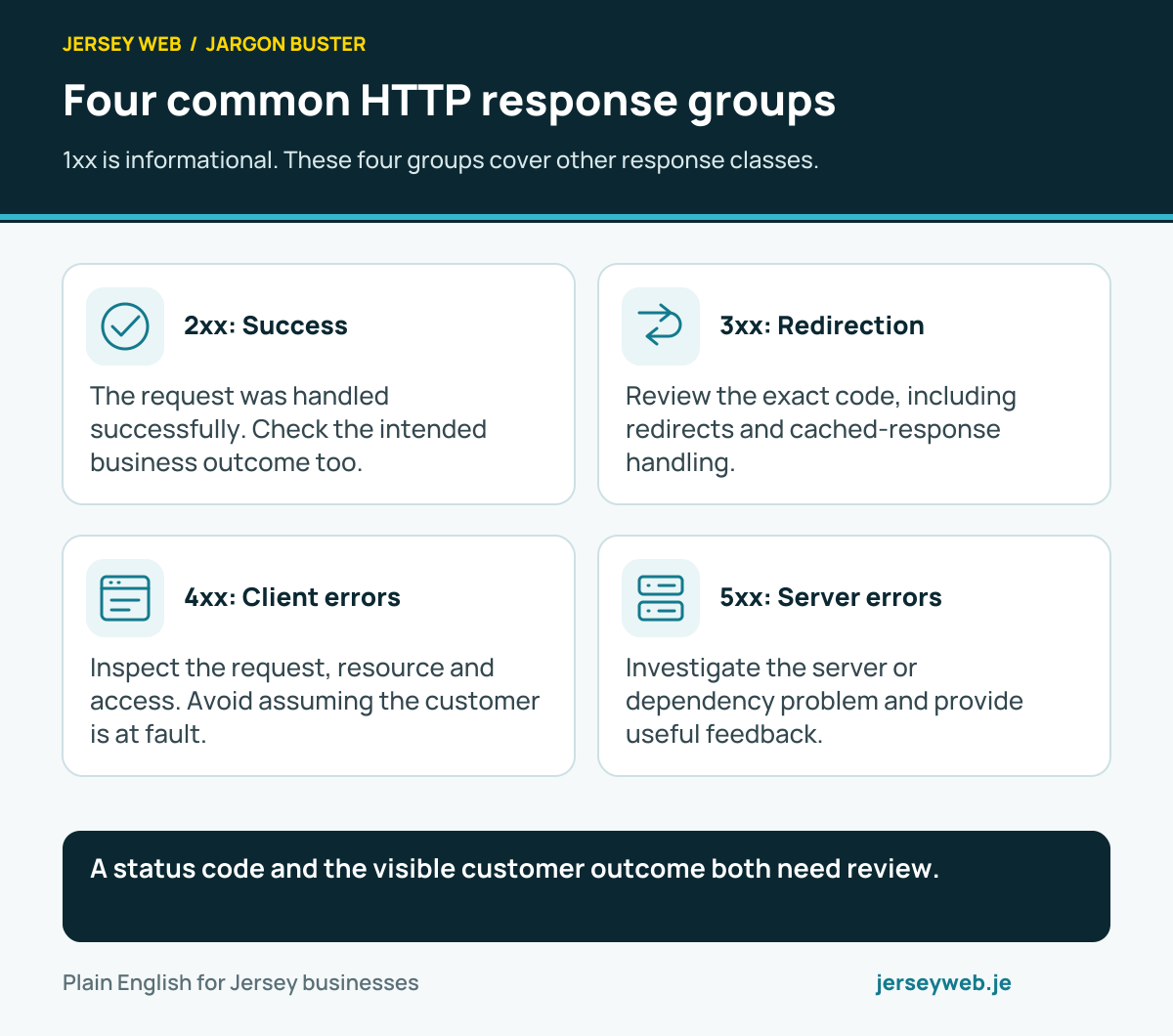
A status code and the visible customer outcome both need review.
Read the diagram in text
- 2xx: Success. The request was handled successfully. Check the intended business outcome too.
- 3xx: Redirection. Review the exact code, including redirects and cached-response handling.
- 4xx: Client errors. Inspect the request, resource and access. Avoid assuming the customer is at fault.
- 5xx: Server errors. Investigate the server or dependency problem and provide useful feedback.
Related terms
Learn more
Common questions
- Does the text on the page determine the status code?
- No. The visible page and HTTP response are separate aspects. A page can say something is missing while incorrectly returning a success response, so both need review.
- Does a 200 response prove a booking succeeded?
- Not by itself. It describes the handling of that request. The application workflow and receiving booking record need checking to establish the business outcome.
- Does a 404 mean the entire website is broken?
- No. It indicates that the requested resource was not found. Review whether the address is wrong, the page moved or the resource was deliberately removed.
- Can every error be fixed with a redirect?
- No. The appropriate response depends on the cause and intended destination. A temporary server failure or an access problem needs investigation rather than a blanket redirect.
Written by Jersey Web. Last reviewed 3 October 2026. Back to the Jargon Buster.