Watch a related explainer

In plain English
A redirect takes a request for one URL and sends it to another. Visitors often notice only that the replacement page appears. Behind that journey, the website provides an instruction that tells the browser or other requesting software where to go. This is useful when an address changes and existing links still point to the old one.
A permanent move and a temporary detour have different meanings. HTTP 301 and 308 indicate permanent moves; commonly encountered temporary options include 302 and 307. Google’s redirect documentation explains how these choices communicate the intended search destination. The implementation depends on the website platform and hosting arrangement.
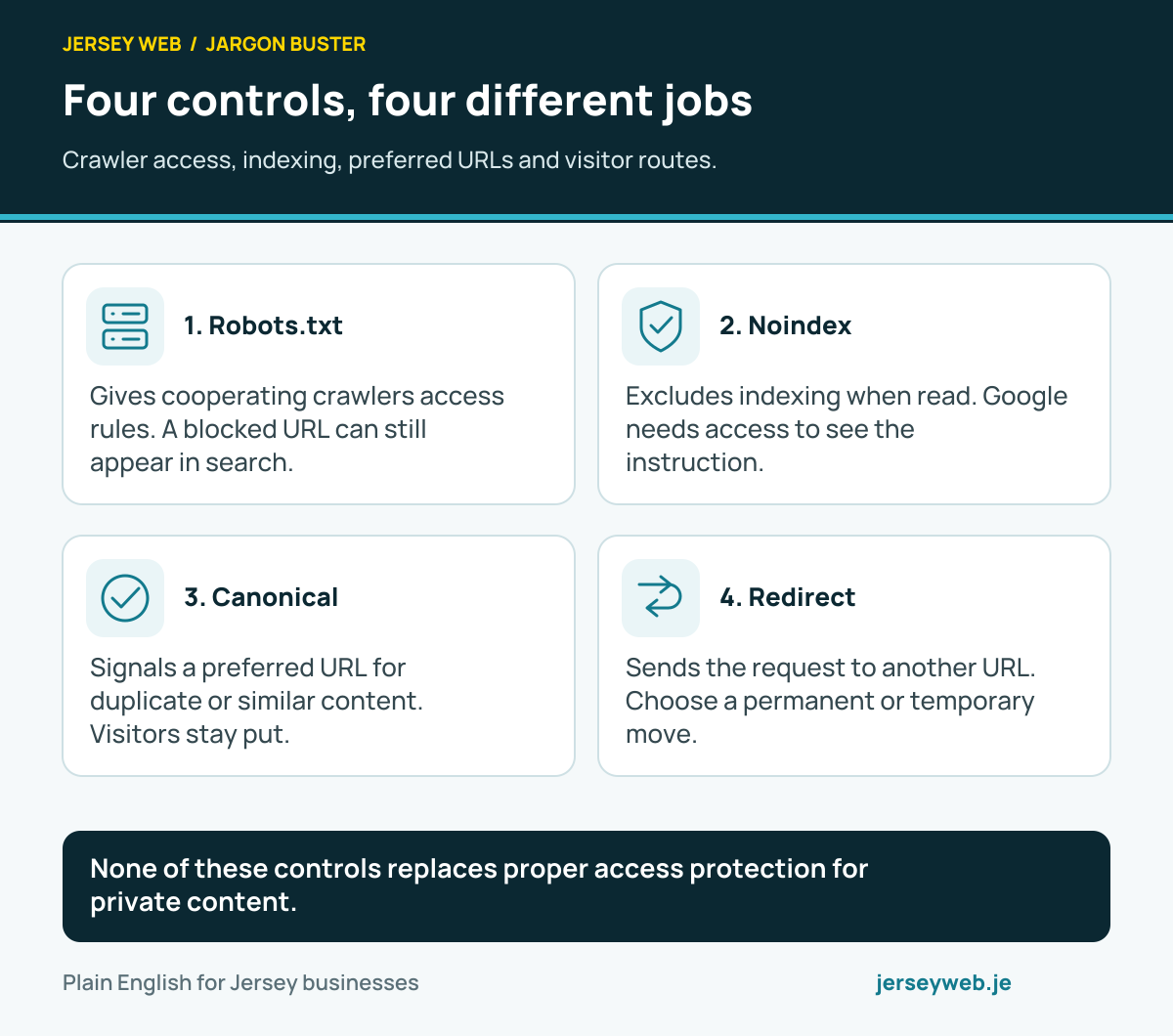
A redirect differs from a canonical signal. A canonical choice helps identify a preferred representative among duplicate or similar URLs. It does not send the visitor elsewhere by itself. Choosing the right tool starts with the intended behaviour of the old address, rather than using the two labels interchangeably.
Why it matters for a Jersey business
A Jersey website may have older addresses printed on leaflets, linked from directories or saved by customers. Replacing the design does not replace those outside links. A considered redirect plan can help those visitors reach an appropriate current page when the business changes its website structure.
The destination matters as much as the rule. Someone seeking a particular service needs a useful continuation of that journey. Sending every old address to the homepage may technically move the browser, but it can make the visitor search again for the information they expected.
A realistic Jersey example
Imagine a Jersey repair business combining two closely related service pages into one clearer explanation. This is a hypothetical example. The team records the old addresses and maps them to the new page because it actually covers the services customers were trying to find.
The owner also identifies a discontinued offer with no suitable replacement. That address receives a separate decision rather than being included blindly in the same redirect pattern. Before release, staff test the old links from their marketing materials and check that the final page answers the original request sensibly.
How to plan and check a change
Build an old-to-new map before removing pages. Include important service, guide and product addresses, plus any campaign URLs that remain in use. Record why the destination is appropriate. A simple reviewed table gives the developer a clearer instruction than asking for all broken links to be fixed later.
Choose the intended duration. A lasting URL replacement calls for a different decision from a short maintenance detour. Use the platform’s supported mechanism and ask the developer to explain the response type. The visible destination alone does not reveal whether the website communicates a temporary or permanent move.
Check the final page. Confirm that it exists, loads successfully and contains the relevant replacement information. Review its canonical and indexing settings if it is intended for search. A redirect leading to another error page has not completed the visitor’s journey.
Avoid unnecessary chains and loops. A chain sends the request through several addresses before reaching the destination. A loop sends it back into earlier steps. Test the route from the original URL through to the final response, including domain and protocol changes where they apply.
Update links you control. Change navigation, contextual links and the sitemap to the intended current URLs. Redirects support older requests, while current internal links should communicate the website’s present structure. Include booking links, email templates and downloadable material in the review where practical.
Verify after release. Hosting configuration and application settings can behave differently from a local draft. Retest the most important old addresses on the deployed site, keep the reviewed mapping and identify who investigates future problems. A redesign handover should include that practical evidence.
Common myths
Any destination solves a broken journey. Relevance and useful replacement content matter.
A redirect is the same as a canonical tag. They produce different behaviour.
The browser landing correctly proves every rule is right. Response type and intermediate steps also need review.
Our take
Jersey Web’s view is to plan redirects as part of the content change. Preserve a useful journey where a relevant replacement exists, communicate the intended move and test real old addresses. Keep the mapping understandable enough for the next person maintaining the website.
See it in a diagram
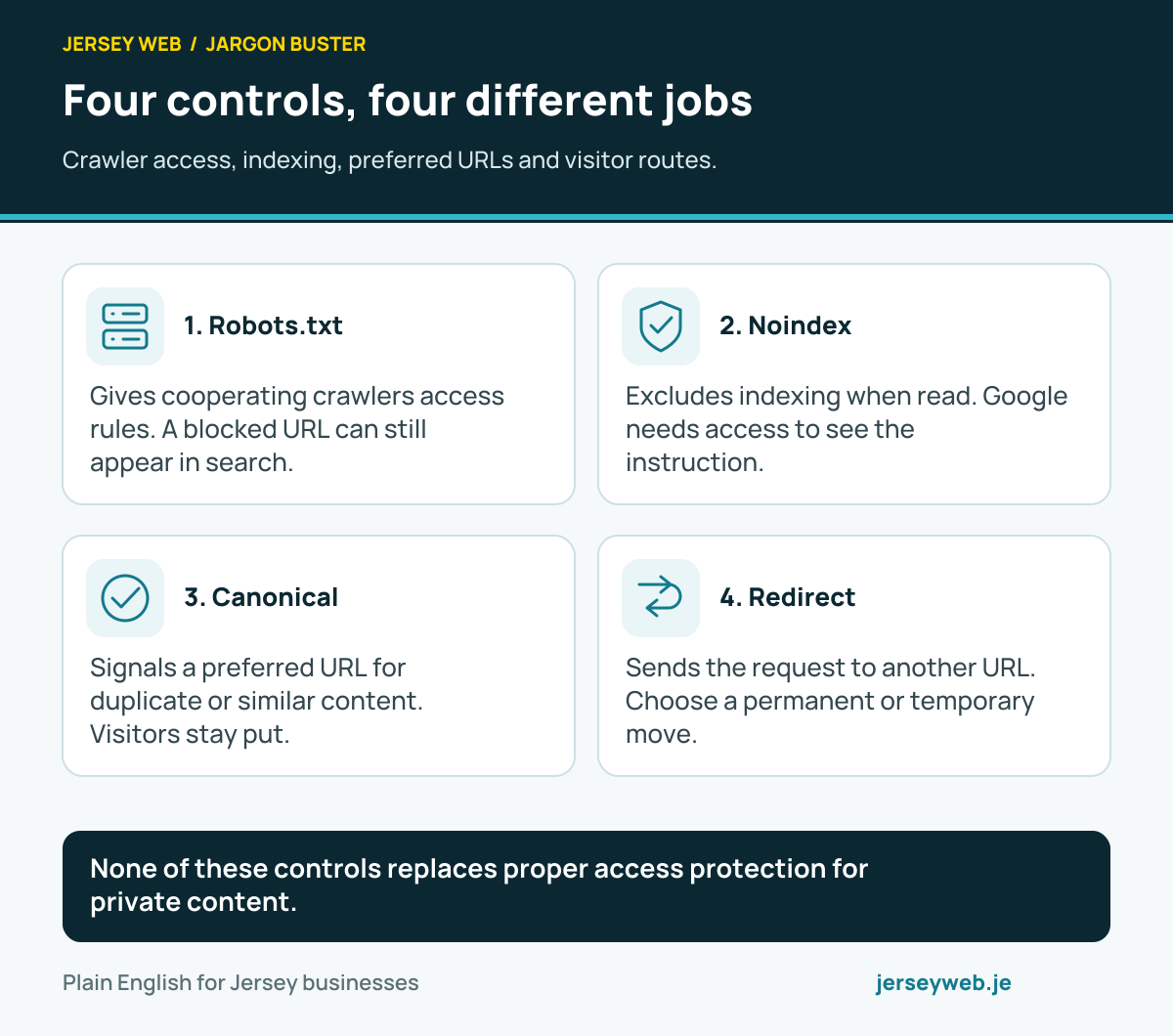
None of these controls replaces proper access protection for private content.
Read the diagram in text
- Robots.txt. Gives cooperating crawlers access rules. A blocked URL can still appear in search.
- Noindex. Excludes indexing when read. Google needs access to see the instruction.
- Canonical. Signals a preferred URL for duplicate or similar content. Visitors stay put.
- Redirect. Sends the request to another URL. Choose a permanent or temporary move.
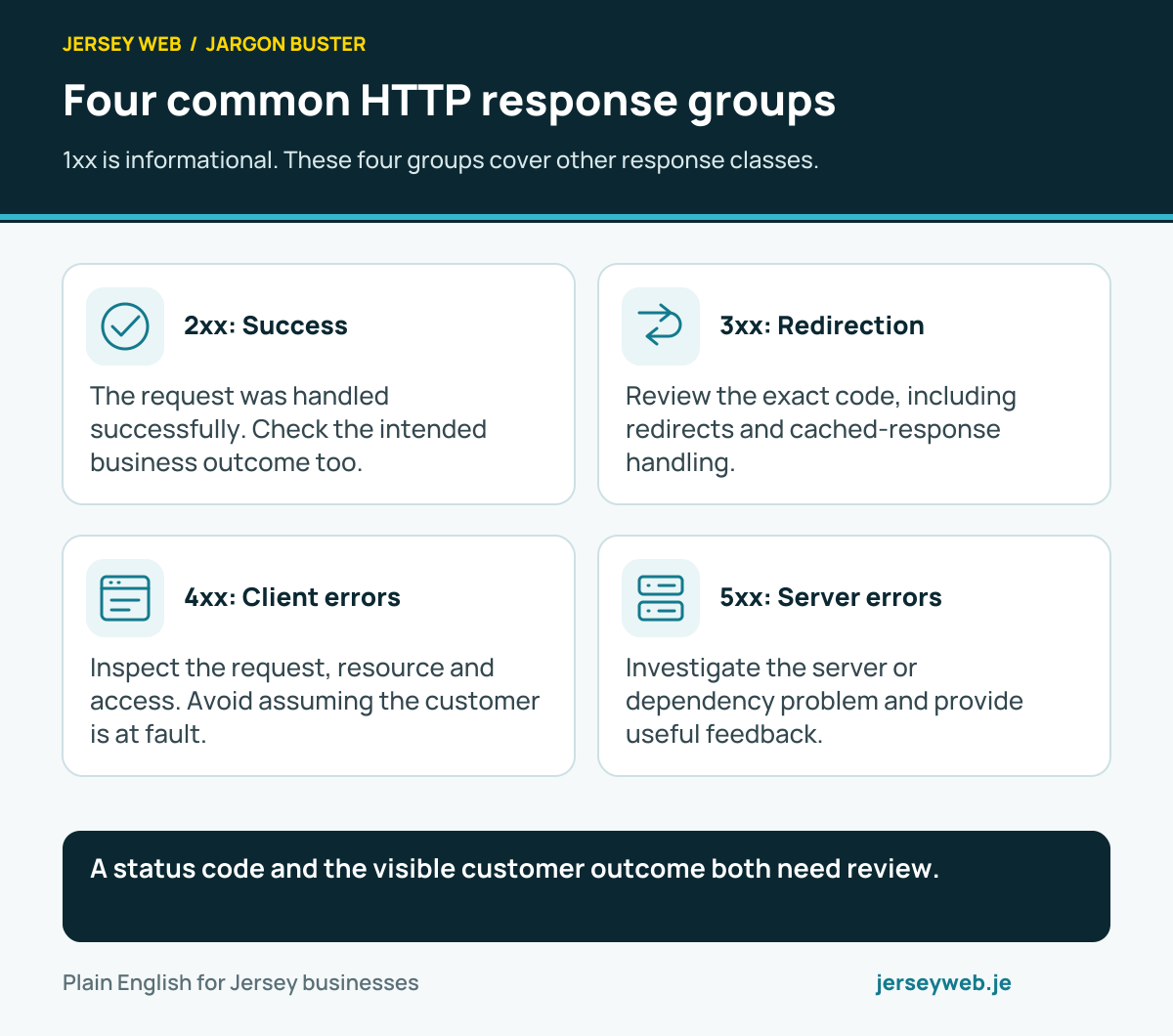
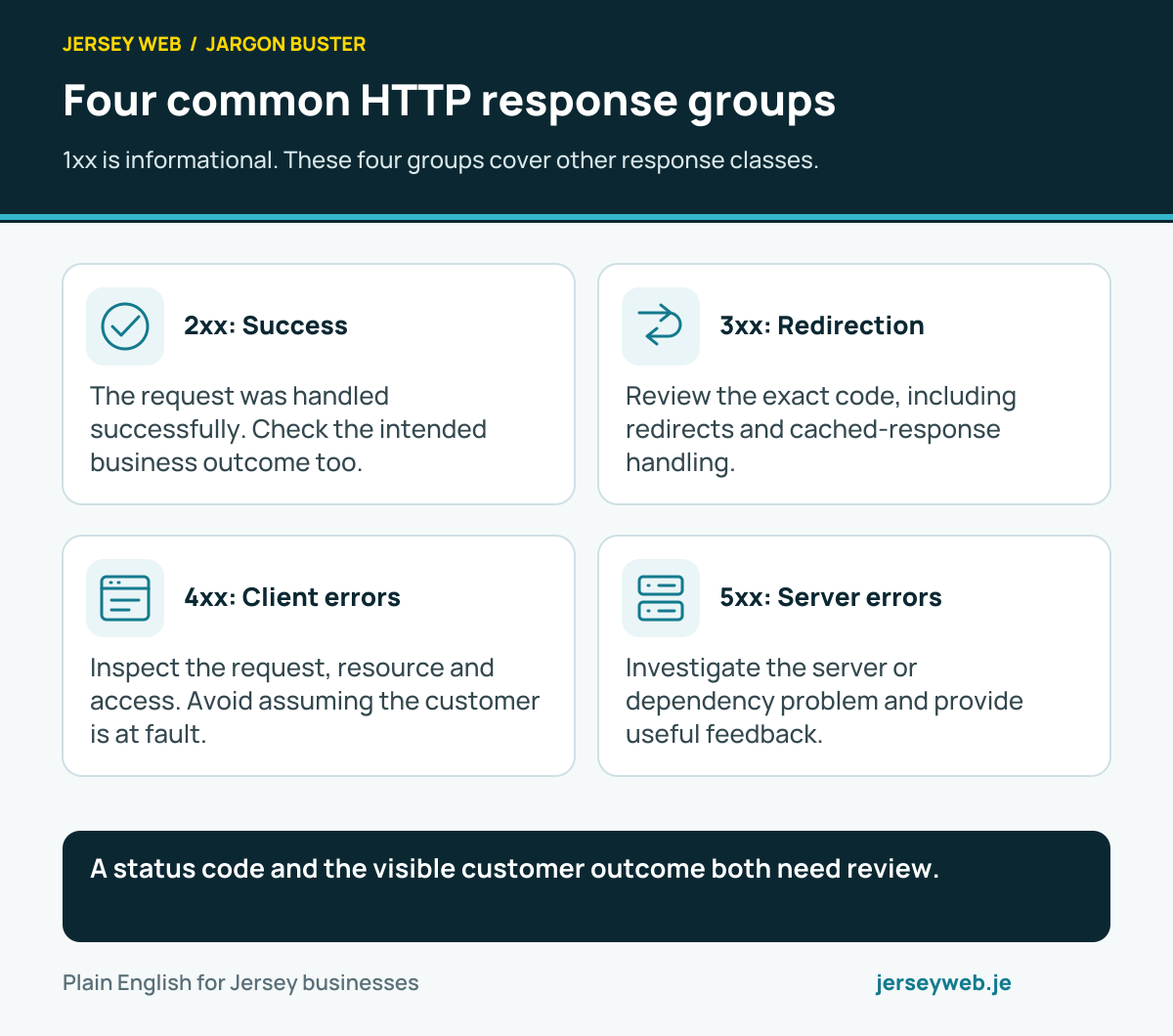
A status code and the visible customer outcome both need review.
Read the diagram in text
- 2xx: Success. The request was handled successfully. Check the intended business outcome too.
- 3xx: Redirection. Review the exact code, including redirects and cached-response handling.
- 4xx: Client errors. Inspect the request, resource and access. Avoid assuming the customer is at fault.
- 5xx: Server errors. Investigate the server or dependency problem and provide useful feedback.
Related terms
Learn more
Common questions
- What is the difference between 301 and 302?
- A 301 indicates a permanent move, while a 302 is a temporary redirect. Choose according to the actual purpose of the URL change.
- Should every removed page go to the homepage?
- Choose a relevant replacement where one exists. Sending unrelated old pages to the homepage can leave visitors confused and does not explain what happened to the requested content.
- Is a canonical tag a redirect?
- No. A canonical signal expresses a preferred representative URL for duplicate or similar content. A redirect changes where the request is sent.
- Can redirects fail after a redesign?
- Yes. Incorrect destinations, loops and missing rules can break the intended journey. Test representative old URLs and their final destinations after release.
Written by Jersey Web. Last reviewed 3 October 2026. Back to the Jargon Buster.