Character Encoding Explained: Why Text Can Display Incorrectly
Why can a name or currency symbol turn into strange characters? A character encoding defines how stored bytes are interpreted as text.
1:47 · No narration: the video shows each step as text on screen, and every step is written out below, with buttons that jump the video to it.
Prefer YouTube? Watch this video on our YouTube channel (opens in a new tab).
The six points in the video
This is a silent video. The headings, explanations and labels below reproduce the information on screen.
-
Step 1: Start with the original text
Keep an example showing the characters that should appear.
On-screen labels: Correct name; Expected symbol; Original example.
-
Step 2: Identify the chosen encoding
Find out which encoding the file or response uses.
On-screen labels: Source file; Declared encoding; Actual bytes.
-
Step 3: Check the reading system
The receiving application needs to interpret the bytes consistently.
On-screen labels: Received bytes; Expected encoding; Correct interpretation.
-
Step 4: Review document declarations
HTML can declare its text encoding using a charset setting.
On-screen labels: HTML document; Charset declaration; Consistent text.
-
Step 5: Trace exports and imports
Check the text after each system that reads or rewrites it.
On-screen labels: Source record; Transfer file; Receiving record.
-
Step 6: Retest representative characters
Use names, punctuation and symbols that matter to the business.
On-screen labels: Accented names; Currency symbols; Correct display.
A practical check for your business
Keep a known-good example of the intended text. Trace its encoding through export, transfer, import and display before changing the data or replacing incorrectly displayed characters.
Sources and further detail
See it in a diagram
Read the diagram as text
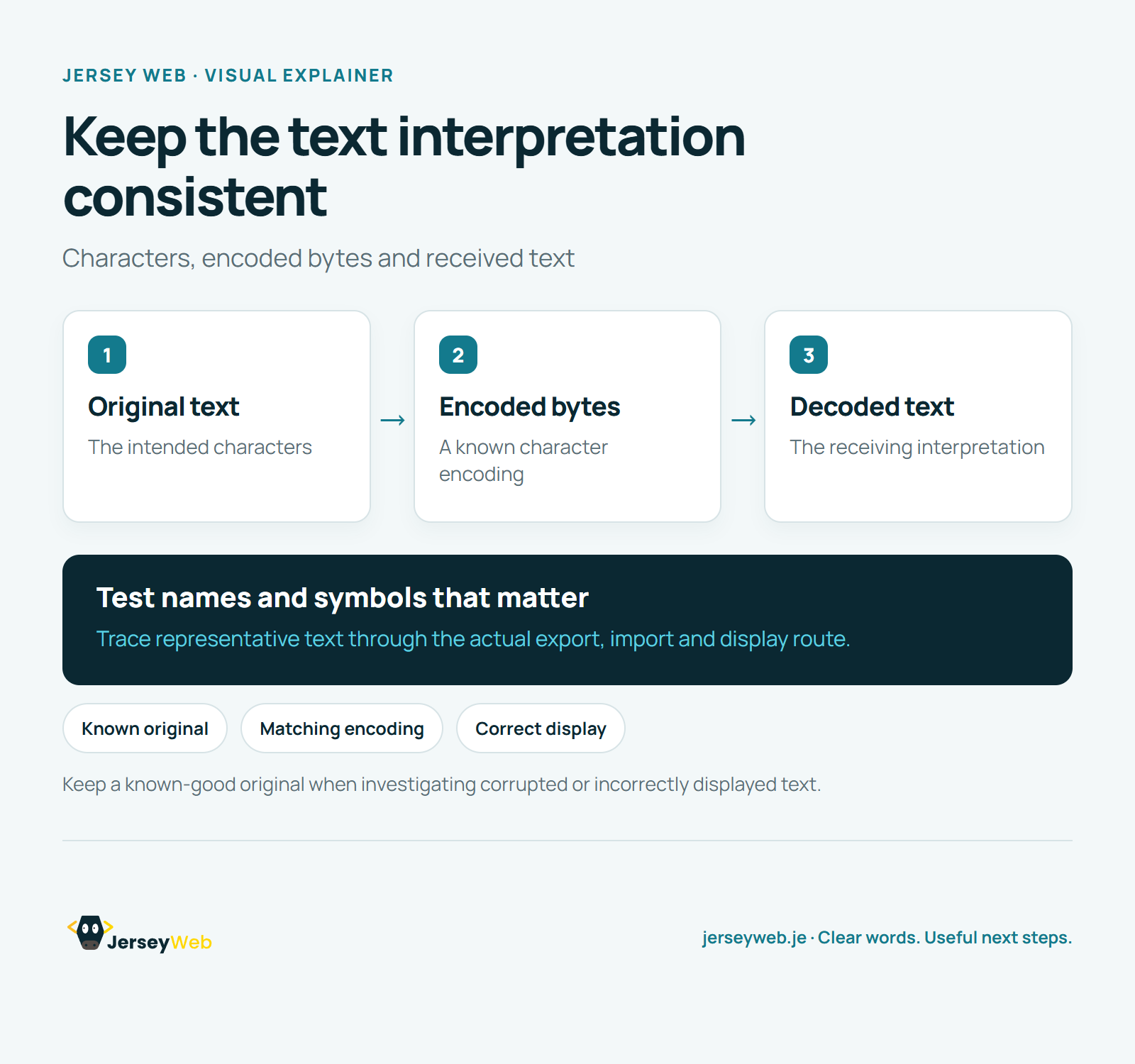
- Original text: The intended characters
- Encoded bytes: A known character encoding
- Decoded text: The receiving interpretation
Test names and symbols that matter. Trace representative text through the actual export, import and display route.
Keep a known-good original when investigating corrupted or incorrectly displayed text.
Diagram by Jersey Web. Open full size · Source and further detail (opens in a new tab)
Common questions
Why can a name or currency symbol turn into strange characters?
A character encoding defines how stored bytes are interpreted as text. Keep a known-good original and check the complete import and display route.
Go further
More video tips
All 205 videos →
Unicode Explained: A Shared Character Set for Names, Languages and Symbols
Unicode, explained.
UTF-8 Explained: Unicode Text, Bytes and Consistent Encoding
UTF-8, explained.