Video Codecs Explained: The Encoded Picture Inside a Media File
Does an MP4 filename tell you everything about a video? A video codec encodes and decodes the picture data stored inside a media container.
1:47 · No narration: the video shows each step as text on screen, and every step is written out below, with buttons that jump the video to it.
Prefer YouTube? Watch this video on our YouTube channel (opens in a new tab).
The six points in the video
This is a silent video. The headings, explanations and labels below reproduce the information on screen.
-
Step 1: Identify the video codec
Check which codec was used to encode the picture.
On-screen labels: Video stream; Codec name; Export settings.
-
Step 2: Identify the container
A container such as MP4 packages the encoded media streams.
On-screen labels: Container format; Video stream; Other tracks.
-
Step 3: Check target playback support
The actual browser or player must support the chosen combination.
On-screen labels: Target player; Supported combination; Working playback.
-
Step 4: Review the encoding settings
Resolution, frame rate and bitrate also affect the result.
On-screen labels: Picture dimensions; Frame rate; Video bitrate.
-
Step 5: Inspect the exported picture
Watch text, detail and motion in the actual output.
On-screen labels: Readable text; Useful detail; Clear motion.
-
Step 6: Test delivery as well
Review loading and playback through the intended website or host.
On-screen labels: Actual host; Viewer connection; Playback result.
A practical check for your business
Inspect the actual codec and container combination used by the export. Test readability, motion and playback through the intended hosting player and representative viewer devices.
Sources and further detail
See it in a diagram
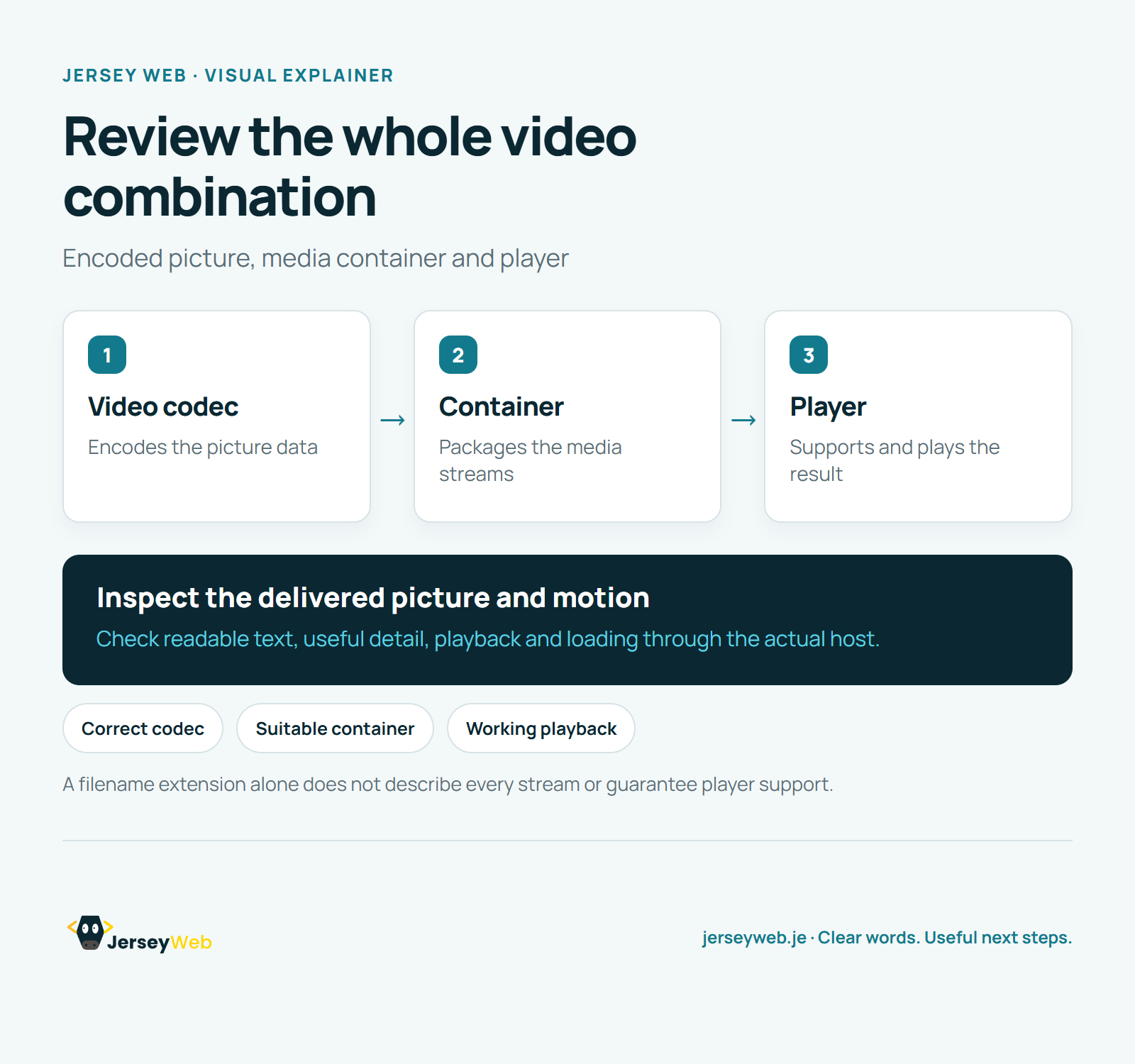
Read the diagram as text
- Video codec: Encodes the picture data
- Container: Packages the media streams
- Player: Supports and plays the result
Inspect the delivered picture and motion. Check readable text, useful detail, playback and loading through the actual host.
A filename extension alone does not describe every stream or guarantee player support.
Diagram by Jersey Web. Open full size · Source and further detail (opens in a new tab)
Common questions
Does an MP4 filename tell you everything about a video?
A video codec encodes and decodes the picture data stored inside a media container. Test the exported file in the browsers and players your viewers use.
Go further
More video tips
All 205 videos →
Video Bitrate Explained: Data Rate, Picture Quality and Playback
Video bitrate, explained.
WebVTT Explained: Timed Text Tracks for Website Video
WebVTT captions, explained.