WebVTT Explained: Timed Text Tracks for Website Video
How does caption text appear at the right moment? A WebVTT track pairs text cues with start and end times for a media player.
1:47 · No narration: the video shows each step as text on screen, and every step is written out below, with buttons that jump the video to it.
Prefer YouTube? Watch this video on our YouTube channel (opens in a new tab).
The six points in the video
This is a silent video. The headings, explanations and labels below reproduce the information on screen.
-
Step 1: Start with the right text
Prepare accurate text for the information the track represents.
On-screen labels: Accurate wording; Relevant information; Clear text.
-
Step 2: Use the expected file structure
A WebVTT file begins with the WEBVTT header and contains timed cues.
On-screen labels: WEBVTT header; Timed cues; Text content.
-
Step 3: Review cue start and end times
Each cue needs the interval when its text should appear.
On-screen labels: Start time; End time; Intended moment.
-
Step 4: Attach the track to the player
The website or hosting system needs the actual track connection.
On-screen labels: Media player; Track file; Correct connection.
-
Step 5: Identify language and purpose
Use suitable language and track labels for the content.
On-screen labels: Track language; Useful label; Caption purpose.
-
Step 6: Watch with the track enabled
Check timing, readable wording and the player controls.
On-screen labels: Track enabled; Matching timing; Usable controls.
A practical check for your business
Connect the actual text track in the hosting player and identify its language and purpose. Watch representative cues with captions enabled and confirm the displayed wording, timing and controls.
Sources and further detail
See it in a diagram
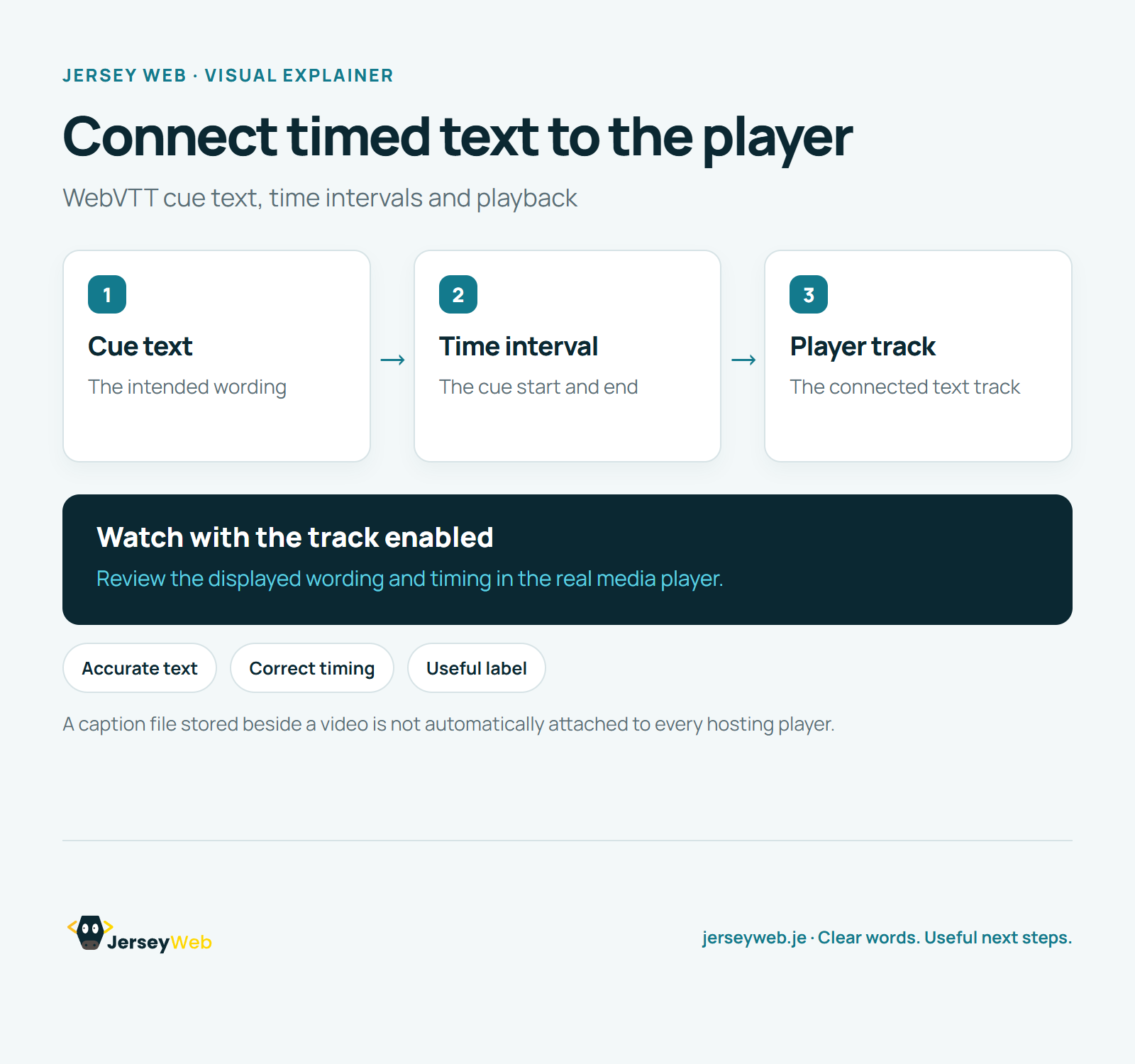
Read the diagram as text
- Cue text: The intended wording
- Time interval: The cue start and end
- Player track: The connected text track
Watch with the track enabled. Review the displayed wording and timing in the real media player.
A caption file stored beside a video is not automatically attached to every hosting player.
Diagram by Jersey Web. Open full size · Source and further detail (opens in a new tab)
Common questions
How does caption text appear at the right moment?
A WebVTT track pairs text cues with start and end times for a media player. Verify the displayed text and timing through the actual published player.
Go further
More video tips
All 205 videos →
Audio Description Explained: Making Important Visual Information Available in Audio
Audio description, explained.
How to get your Jersey business on Google Maps
Set up a free Google Business Profile, so you appear on the map when people nearby search.