Core Web Vitals Explained: LCP, INP and CLS in Plain English
A fast-looking page can still feel awkward. Core Web Vitals measure three parts of the experience.

1:47 · No narration: the video shows each step as text on screen, and every step is written out below, with buttons that jump the video to it.
Prefer YouTube? Watch this video on our YouTube channel (opens in a new tab).
The six points in the video
This is a silent video. The headings, explanations and labels below reproduce the information on screen.
-
Step 1: LCP looks at loading
It measures when the largest visible content element appears.
On-screen labels: Largest visible element; Loading experience; Main content arrival.
-
Step 2: INP looks at responsiveness
It measures how promptly the page responds to interactions.
On-screen labels: Clicks and taps; Keyboard interaction; Visual response.
-
Step 3: CLS looks at stability
Unexpected movement can make reading and tapping harder.
On-screen labels: Shifting content; Jumping buttons; Reserved image space.
-
Step 4: Separate lab and field results
A controlled test and real visits answer different questions.
On-screen labels: Lab diagnosis; Real visitor data; Different conditions.
-
Step 5: Start with important pages
Review the routes customers use to enquire or buy.
On-screen labels: Main service page; Contact journey; Mobile experience.
-
Step 6: Check after making changes
Better scores alone do not guarantee search rankings.
On-screen labels: Retest the change; Watch real visits; Keep content useful.
A practical check for your business
Choose an important page and inspect both available field data and a useful lab diagnosis. Record the specific loading, responsiveness or layout problem before changing the design. Check the same task after the change instead of treating one score as the complete result.
Sources and further detail
See it in a diagram
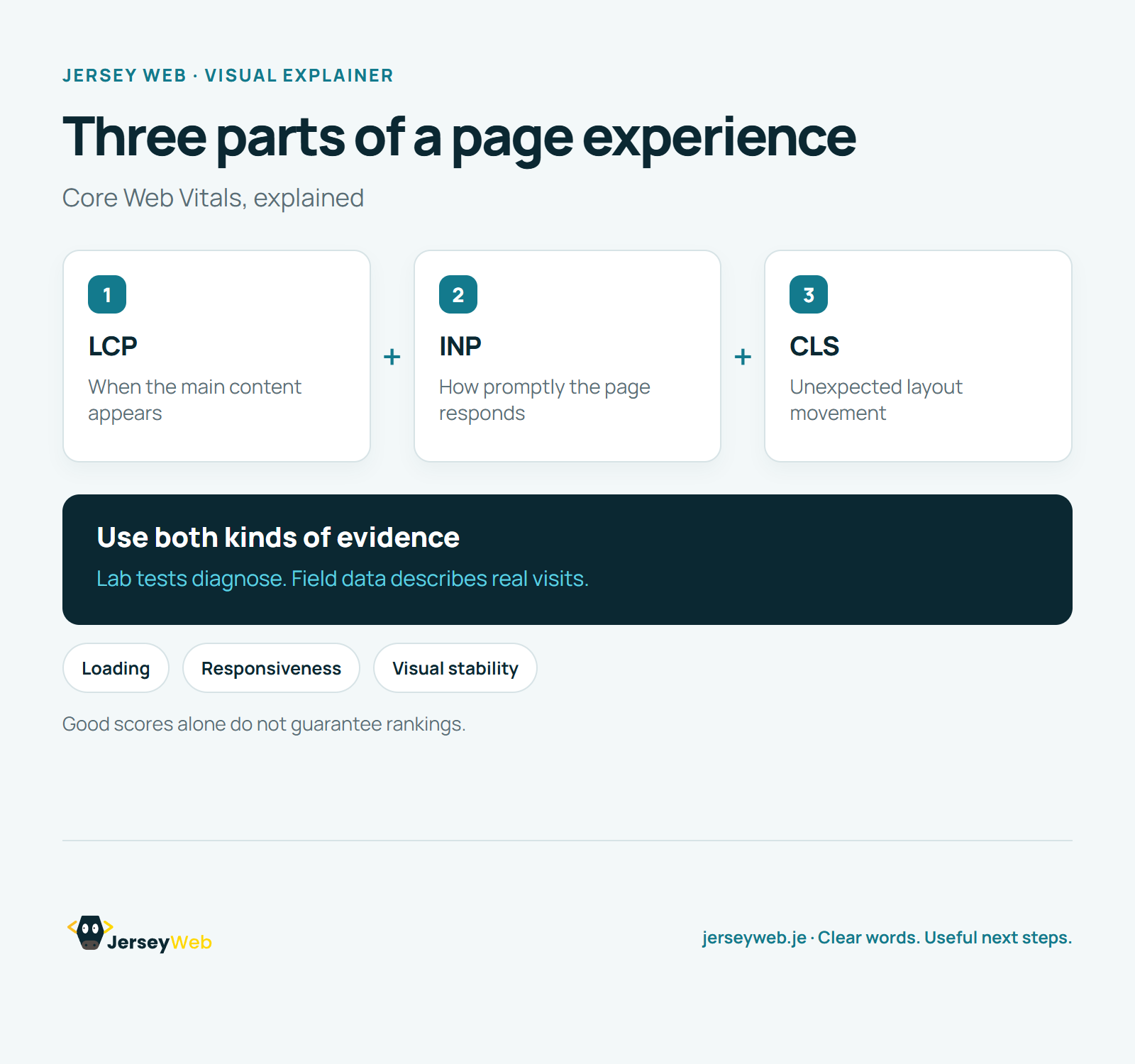
Read the diagram as text
- LCP: When the main content appears
- INP: How promptly the page responds
- CLS: Unexpected layout movement
Use both kinds of evidence. Lab tests diagnose. Field data describes real visits.
Good scores alone do not guarantee rankings.
Diagram by Jersey Web. Open full size · Source and further detail (opens in a new tab)
Common questions
A fast-looking page can still feel awkward.
Core Web Vitals measure three parts of the experience. Improve the experience, then measure again.
Go further
More video tips
All 205 videos →
Website Page Titles: 6 Checks for Clearer Search Results
Clear titles for useful pages.
Meta Descriptions Explained: Writing a Useful Search Summary
Search snippets, explained.