Canonical URLs Explained: Choosing the Main Version of a Page
Can two addresses show the same page? A canonical signal helps identify the preferred version.
1:47 · No narration: the video shows each step as text on screen, and every step is written out below, with buttons that jump the video to it.
Prefer YouTube? Watch this video on our YouTube channel (opens in a new tab).
The six points in the video
This is a silent video. The headings, explanations and labels below reproduce the information on screen.
-
Step 1: Recognise repeated versions
Filters and tracking links can create several page addresses.
On-screen labels: Main page URL; Tracking version; Filtered version.
-
Step 2: Choose a preferred address
Decide which equivalent version should be the main one.
On-screen labels: Preferred page; Equivalent content; Consistent address.
-
Step 3: A canonical is a signal
Search engines can still choose a different canonical.
On-screen labels: Suggested main URL; Search engine choice; Check the result.
-
Step 4: Keep supporting signals aligned
Internal links and sitemaps should use the preferred URL.
On-screen labels: Internal links; Sitemap entry; Canonical reference.
-
Step 5: Use redirects for actual moves
A canonical reference does not send visitors elsewhere.
On-screen labels: Moved page; Relevant redirect; Visitor destination.
-
Step 6: Inspect important examples
Use Search Console to review the selected canonical.
On-screen labels: Preferred URL; Google-selected URL; Resolve mismatches.
A practical check for your business
List the alternative URLs and identify the intended main version before changing canonical references. Check that the chosen destination works and represents the same content. A canonical reference does not itself send a visitor to another URL.
Sources and further detail
See it in a diagram
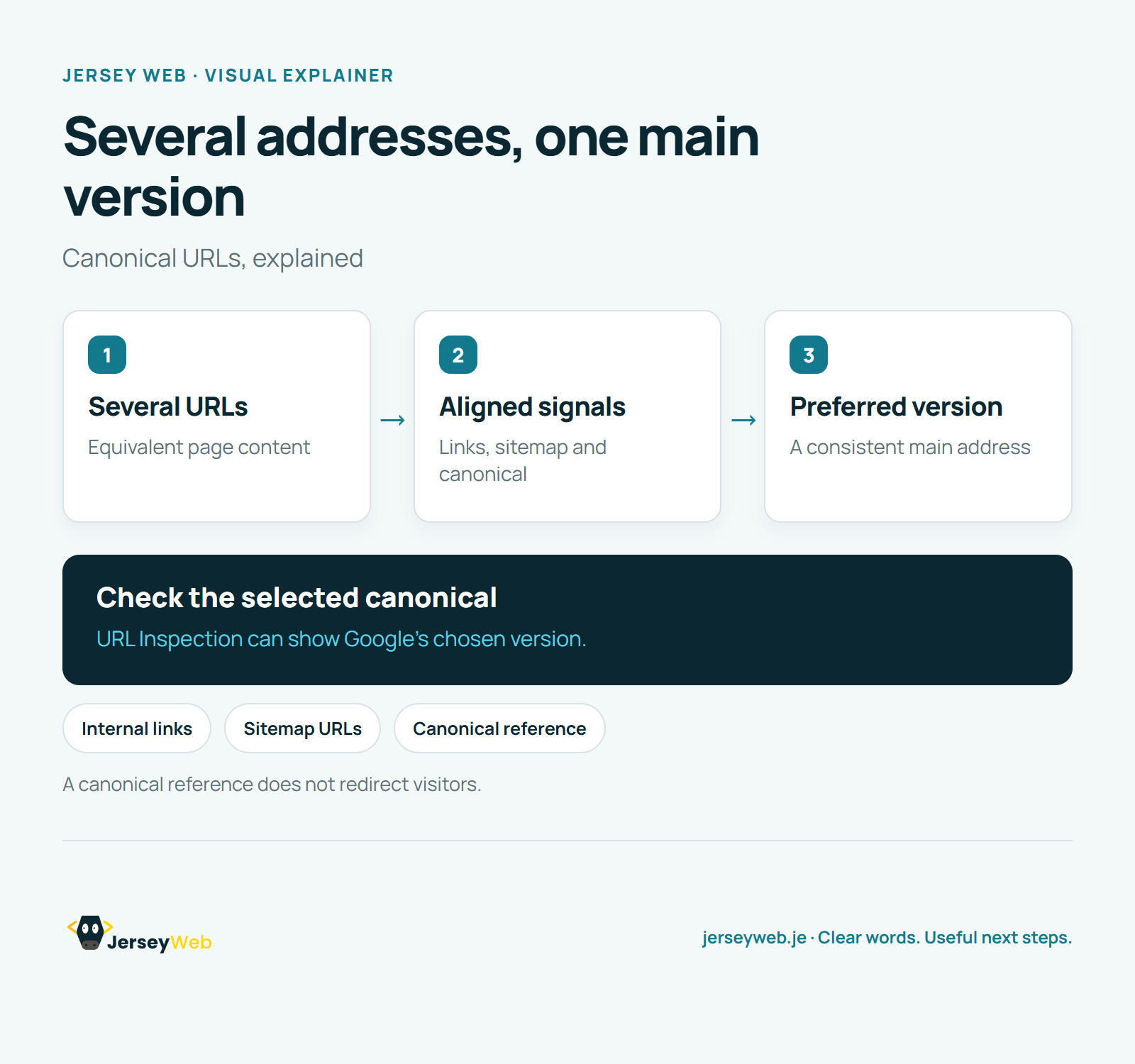
Read the diagram as text
- Several URLs: Equivalent page content
- Aligned signals: Links, sitemap and canonical
- Preferred version: A consistent main address
Check the selected canonical. URL Inspection can show Google’s chosen version.
A canonical reference does not redirect visitors.
Diagram by Jersey Web. Open full size · Source and further detail (opens in a new tab)
Common questions
Can two addresses show the same page?
A canonical signal helps identify the preferred version. Ask your developer to check the signals together.
Go further
More video tips
All 205 videos →
Robots.txt Explained: Crawling Rules and Common Mistakes
Crawling rules, explained.
XML Sitemaps Explained: Helping Search Engines Find Pages
Help important pages be found.