Frontend vs Backend: Which Part of a Website Does What?
What do developers mean by frontend and backend? They describe different parts of how a website works.
1:47 · No narration: the video shows each step as text on screen, and every step is written out below, with buttons that jump the video to it.
Prefer YouTube? Watch this video on our YouTube channel (opens in a new tab).
The six points in the video
This is a silent video. The headings, explanations and labels below reproduce the information on screen.
-
Step 1: The frontend meets the visitor
The browser presents the page and its controls.
On-screen labels: Page layout; Visible content; Visitor interaction.
-
Step 2: The browser sends requests
Opening a page or submitting a form can contact a server.
On-screen labels: Requested address; Submitted information; Network connection.
-
Step 3: The backend processes the task
Server-side code can check a request and apply business rules.
On-screen labels: Request checks; Business logic; Authorised action.
-
Step 4: Stored data may be involved
A database can hold content, accounts or order records.
On-screen labels: Stored records; Data lookup; Approved updates.
-
Step 5: A response returns to the browser
The frontend can show a page, result or error message.
On-screen labels: Returned response; Visible result; Clear feedback.
-
Step 6: Test both sides together
A good-looking button still needs a working action behind it.
On-screen labels: Usable control; Successful processing; Correct final result.
A practical check for your business
Trace a sample enquiry from the browser interface to the system that processes it. Confirm where validation, storage, access checks and customer feedback happen, and who maintains those parts.
Sources and further detail
See it in a diagram
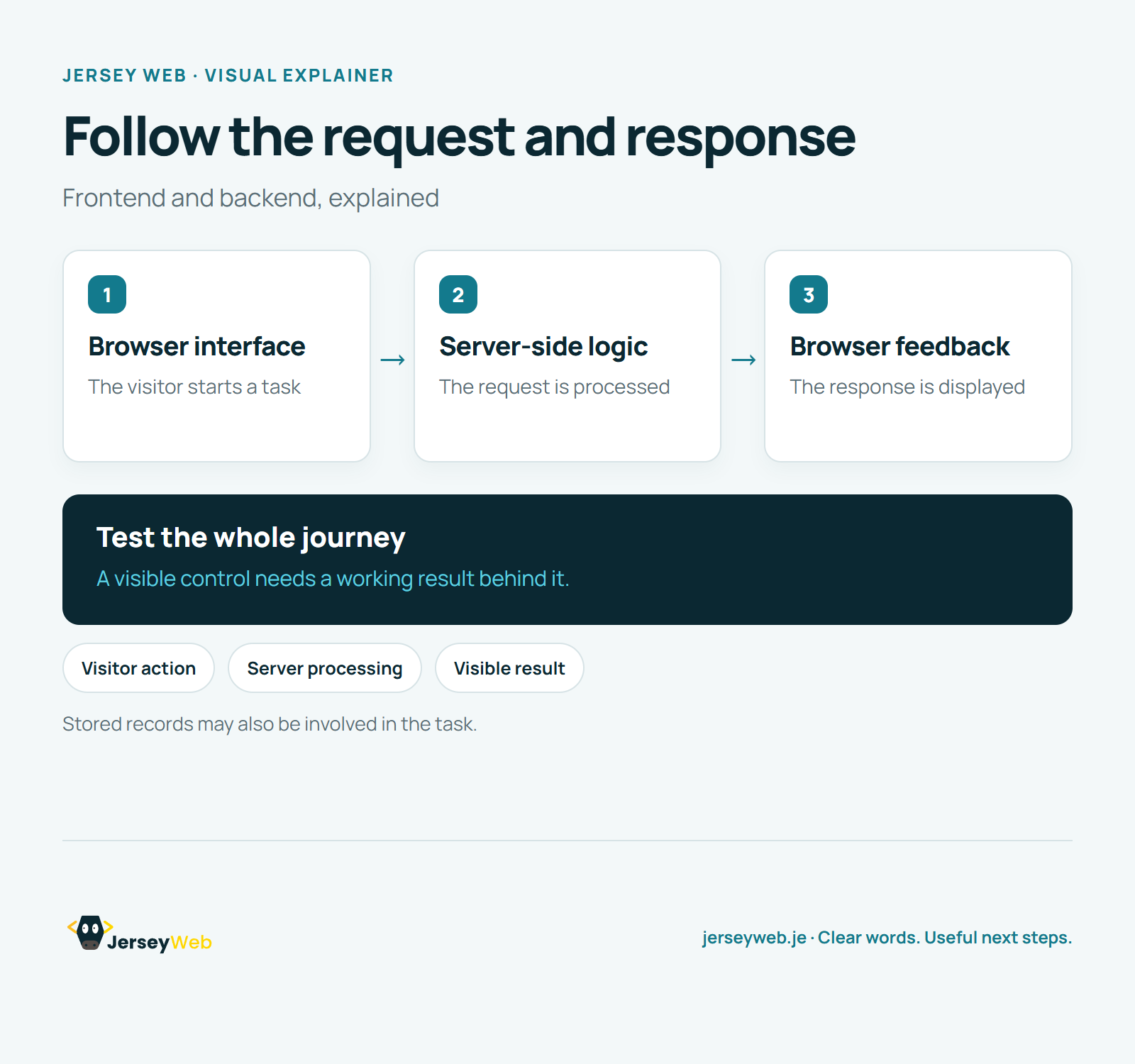
Read the diagram as text
- Browser interface: The visitor starts a task
- Server-side logic: The request is processed
- Browser feedback: The response is displayed
Test the whole journey. A visible control needs a working result behind it.
Stored records may also be involved in the task.
Diagram by Jersey Web. Open full size · Source and further detail (opens in a new tab)
Common questions
What do developers mean by frontend and backend?
They describe different parts of how a website works. Check the whole journey when something breaks.
Go further
More video tips
All 205 videos →
Website Databases Explained: Content, Records and Recovery
Website databases, explained.
Website Cookies Explained: Sessions, Preferences and Tracking
Small pieces of browser data.