Watch a related explainer
In plain English
Backend development builds the supporting application work behind a website. It can include handling requests, validating information, accessing records and returning an appropriate response. The work may run in the website’s own application or be shared with managed services connected through supported interfaces.
MDN’s introduction to server-side programming explains how server work differs from browser-side presentation. A customer sees a booking or enquiry interface, while supporting operations decide what information is accepted and what happens next. The business needs an understandable description of that arrangement.
A database can be one component, but it is not the whole backend. PostgreSQL’s introductory concepts describe a database system and its organisation. Application code, configuration and external connections can all be required for the website’s intended service to operate.
Why it matters for a Jersey business
The backend can determine where an enquiry is stored, which staff can read it and how a booking is accepted. Those choices affect everyday operations. The owner should know which system holds the authoritative record and which supplier maintains the processing and relevant permissions.
The arrangement also affects recovery. Restoring a database without the application settings or separately held files may not restore the customer service. Document the parts the business depends on and agree who checks their maintenance, availability and recovery process.
A realistic Jersey example
Imagine a Jersey rental business connecting an enquiry page to a managed booking service. This is a hypothetical example. The frontend collects appropriate details, while the supported receiving application validates the request and handles the relevant booking operation. Staff know where to check its outcome.
The team reviews a successful request, unsuitable information and an unavailable connection with appropriate fictional data. It checks how failures are reported and who investigates them. The handover describes the actual workflow rather than using the word backend as a blanket promise that every operation will succeed.
What to ask about the backend
Map the service components. Identify the application, data store and external services needed for each useful website feature. Record which provider operates each part. A plain-language map should explain how an action travels from the page to the intended business record without exposing credentials.
Define accepted information. Ask what the receiving system expects and how it rejects unsuitable input. Browser-side hints can help customers, but the receiving application needs its own appropriate checks. Keep the collection limited to information needed for the operation rather than using every field a generic form tool offers.
Review permissions. OWASP’s authorisation guidance discusses enforcing access rules for protected operations. The service should check permission where the action is handled. Hiding a control in the frontend does not establish that an unauthorised request will be rejected.
Understand outcomes and repeats. Define which response establishes the intended result and what happens when a request is interrupted. Some operations need appropriate duplicate prevention and supported retry handling. Follow the actual provider’s rules so that repeating an action does not accidentally create several bookings or records.
Keep diagnostics useful. Record suitable error context and route relevant problems to the responsible maintainer. Avoid exposing secrets or unnecessary customer information in public messages and ordinary logs. A failure should be understandable to staff and customers while giving authorised support enough evidence to investigate.
Agree recovery. Identify the records, application files, configuration and external dependencies required to restore service. Check the supported backup and recovery arrangements with their owners. A successful job notification is one piece of evidence; practical restoration needs a reviewed process for the complete workflow.
Maintain the handover. Document supported environments, responsible accounts and relevant supplier dependencies. Review meaningful changes during release and keep service ownership current when staff or suppliers change. The business should be able to obtain maintenance without asking a new developer to guess how an old connection was established.
Common myths
Every website requires a custom backend server. The actual features and providers determine the arrangement.
The database is the complete backend. Other processing and dependencies may be needed.
A hidden button enforces permission. The protected operation needs appropriate access checks.
Our take
Jersey Web’s view is to map the backend around the customer’s task and receiving business outcome. Keep permissions, maintenance and recovery ownership explicit. A clear handover turns the hidden processing into a service the owner can understand and maintain.
See it in a diagram
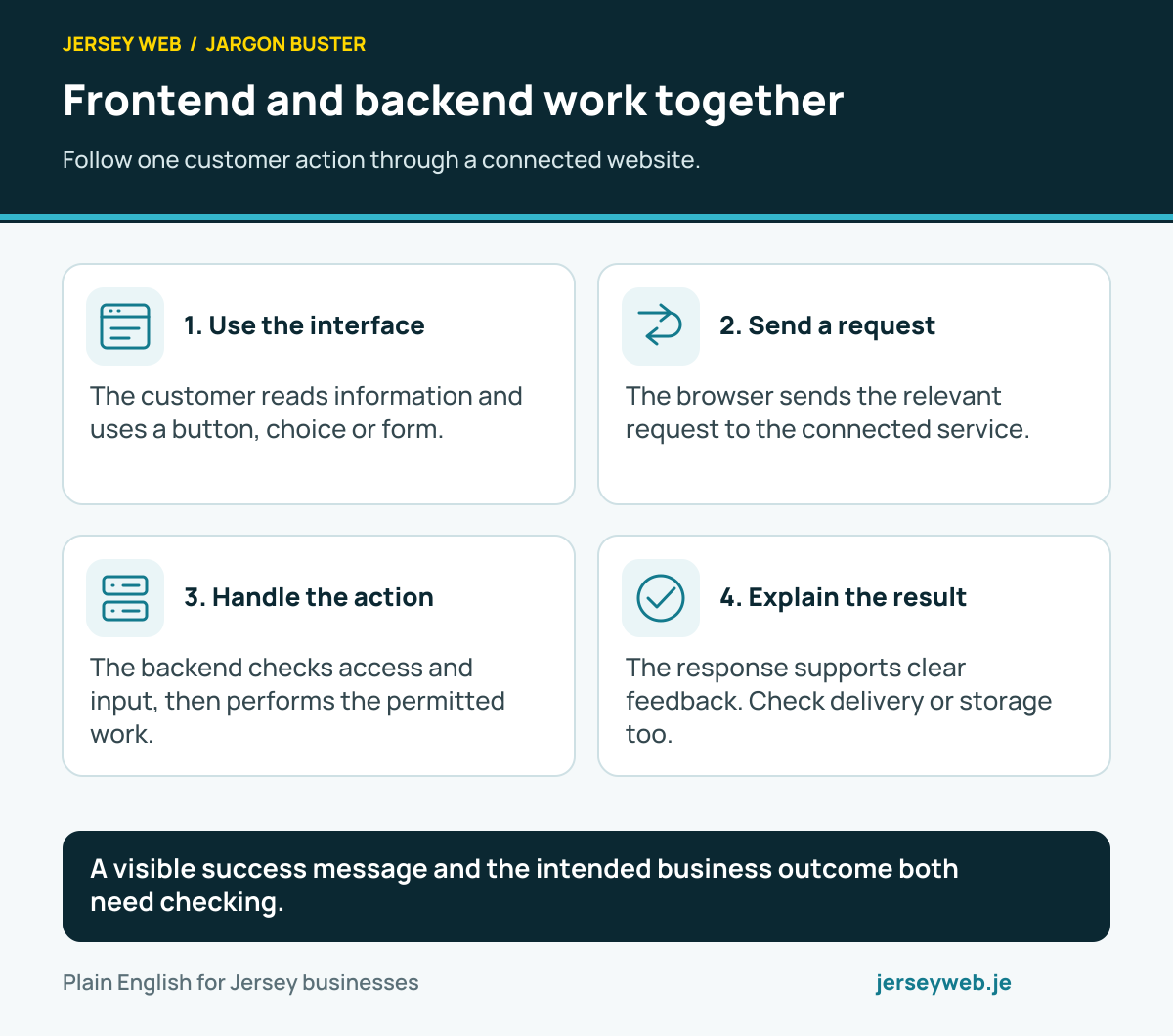
A visible success message and the intended business outcome both need checking.
Read the diagram in text
- Use the interface. The customer reads information and uses a button, choice or form.
- Send a request. The browser sends the relevant request to the connected service.
- Handle the action. The backend checks access and input, then performs the permitted work.
- Explain the result. The response supports clear feedback. Check delivery or storage too.
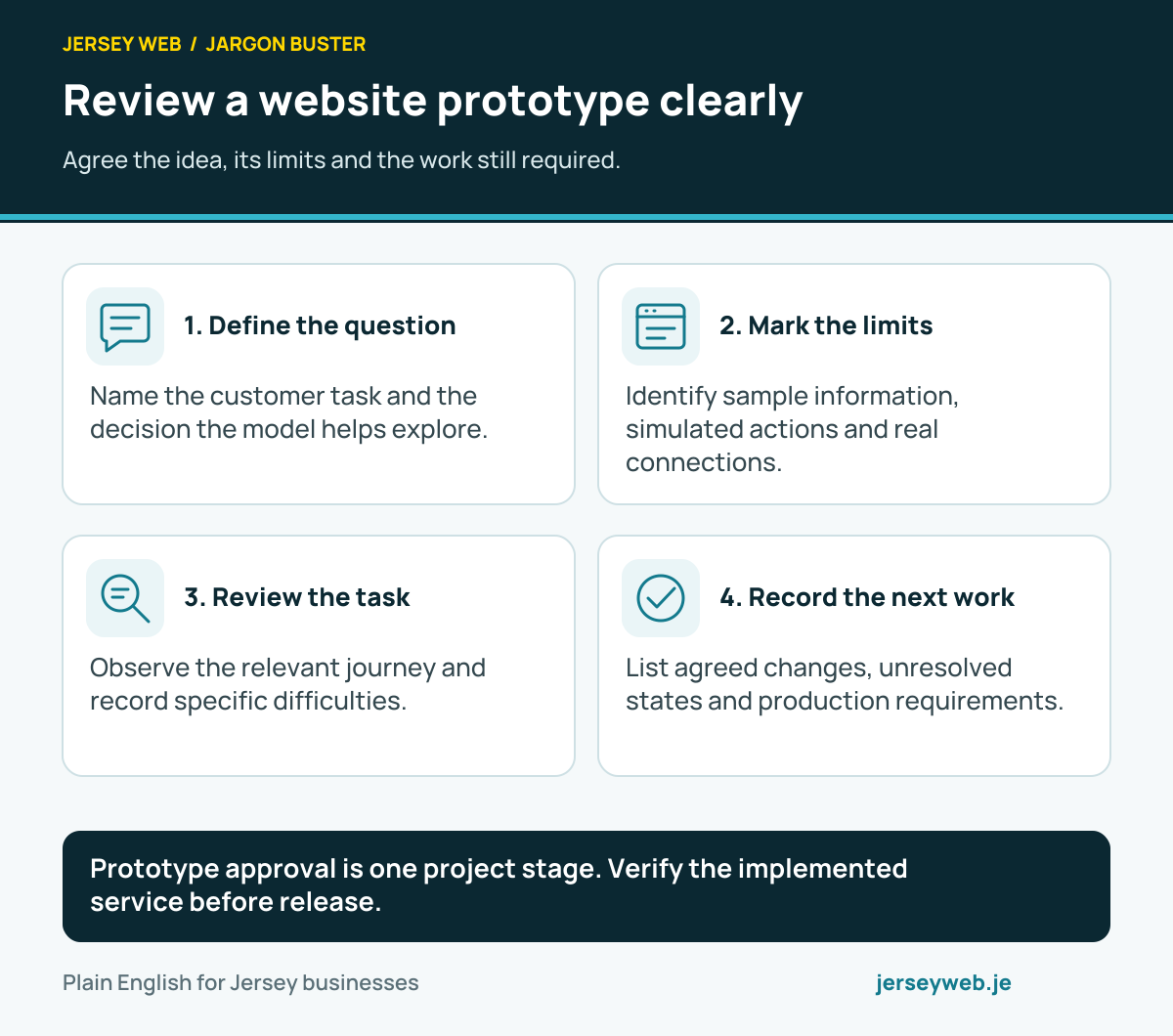
Prototype approval is one project stage. Verify the implemented service before release.
Read the diagram in text
- Define the question. Name the customer task and the decision the model helps explore.
- Mark the limits. Identify sample information, simulated actions and real connections.
- Review the task. Observe the relevant journey and record specific difficulties.
- Record the next work. List agreed changes, unresolved states and production requirements.
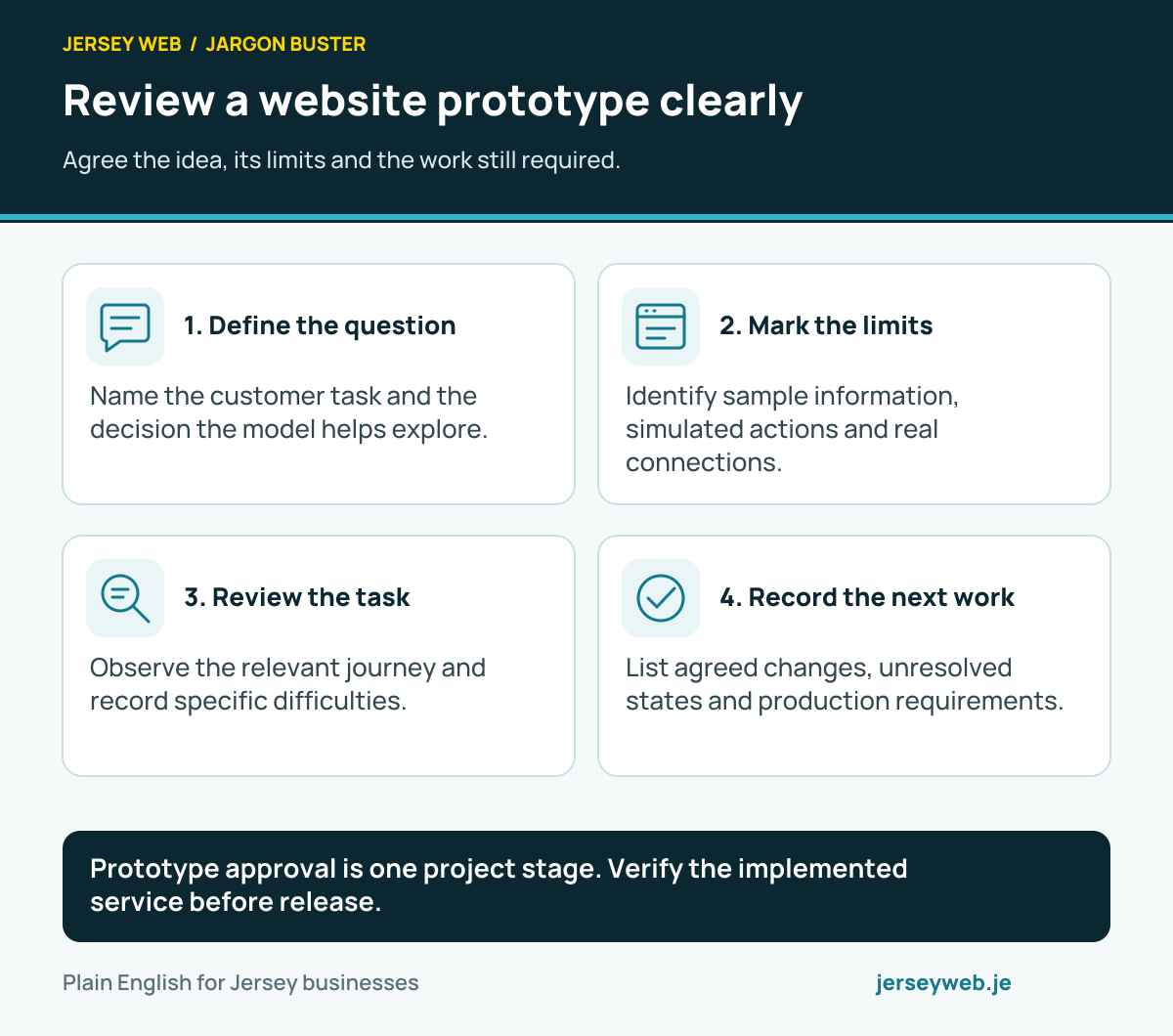
Diagram sources
Related terms
Learn more
Common questions
- Does every website need a custom backend?
- No. Some websites serve prepared pages or use managed external services for selected features. Describe the actual arrangement and dependencies instead of assuming a particular architecture.
- Is a database the whole backend?
- No. A database can store records, while application code and connected services handle other operations. The recovery and maintenance plan should cover the complete service.
- Can frontend checks replace backend permissions?
- No. Appropriate access checks need to be enforced by the service handling protected operations. A hidden button is not sufficient authorisation.
- Does a successful server request prove all notifications were delivered?
- Not automatically. Review which operations completed and how the application tracks separate receiving or notification steps.
Written by Jersey Web. Last reviewed 3 October 2026. Back to the Jargon Buster.