Watch a related explainer
In plain English
An API lets one piece of software communicate with another through a defined interface. The name stands for application programming interface. Think of a service counter with a menu of supported requests: the caller follows the agreed rules, asks for something specific and receives a response. It does not need unrestricted access to everything behind the counter.
APIs are used in many settings. A browser provides APIs for features such as working with a device’s camera, with appropriate permission. A booking service may provide a web API for looking up available appointments. A payment provider may expose operations for creating or retrieving payment information. MDN’s API definition explains this broader meaning; an API is not necessarily an online service.
A web API commonly exchanges requests and responses over HTTP. Your software might ask for a product record and receive structured information that it can display. A response can also describe a failure. Access credentials, supported operations and error handling depend on the provider. Integrations therefore need a specific agreement about behaviour, rather than an assumption that any two products will automatically connect.
Why it matters for a Jersey business
A Jersey appointment business might want its website to show genuine availability from a scheduling system. An online shop might connect orders to accounting or stock software. These integrations can save repeated typing, but they also create dependencies: a change at the provider can affect the public website even when the page design has stayed the same.
Before paying for a connection, describe the actual business outcome. “Connect our software” is too broad. “Create one customer record after a confirmed enquiry, without duplicating it when a request is retried” is a task that can be checked. Ask which information crosses the connection, which account owns the credentials and who responds when the integration needs attention.
A realistic Jersey example
Imagine a St Helier studio that uses an external booking service. This is an illustrative example, not a customer case study. Its website asks the service for available appointment times. If the service cannot respond, the website explains the problem and offers a contact route. It does not invent availability or tell the customer a booking is confirmed before the booking system accepts it.
The owner agrees which customer details are required, how duplicates will be prevented and how cancellations are handled. Those decisions are more useful than choosing an integration because its technical description sounds impressive.
What to ask before connecting systems
Write down the information being sent and received. Separate public information, such as opening times, from customer information or administration credentials. Check the provider’s access controls and keep secret keys out of public page code. Browser-visible configuration and a server-side secret serve different purposes; a developer should explain which is being used.
Ask about usage limits, timeouts and error responses. Decide whether a delayed task can be retried safely. Stripe’s error documentation illustrates why a connection needs to distinguish unsuccessful requests from completed operations. A repeated payment-related action deserves particular care because the business must avoid charging or fulfilling twice.
Test a normal request, an unavailable service and a rejected request. Record how staff can see failures and reconcile missing information. Keep a simple integration inventory with the provider, purpose, responsible account and support contact. When software is replaced, review each connection before closing the old account.
Common myths
An API makes every product compatible. The required operations, permissions and data formats still have to match.
Connected means maintenance-free. Providers can change features, access rules and limits. Someone must own ongoing support.
A successful request proves the whole business task is complete. A response may only confirm one step. Check the complete booking, payment or order process.
Our take
Jersey Web’s view is to start with the workflow and its failure cases. A useful integration moves the right information with clear responsibility, and leaves the business able to understand and recover from a problem. Ask for that explanation before committing to the software connection.
See it in a diagram
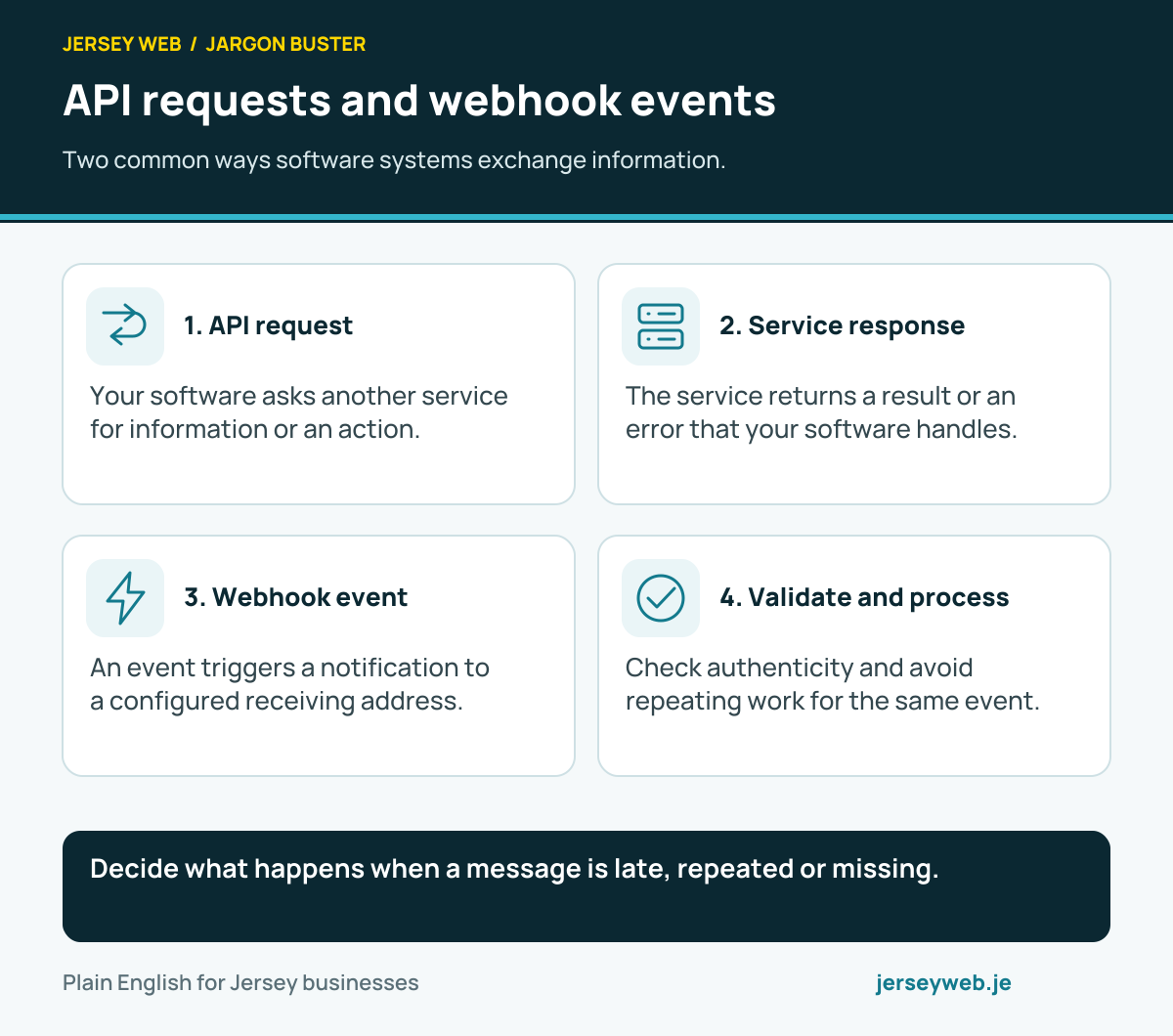
Decide what happens when a message is late, repeated or missing.
Read the diagram in text
- API request. Your software asks another service for information or an action.
- Service response. The service returns a result or an error that your software handles.
- Webhook event. An event triggers a notification to a configured receiving address.
- Validate and process. Check authenticity and avoid repeating work for the same event.
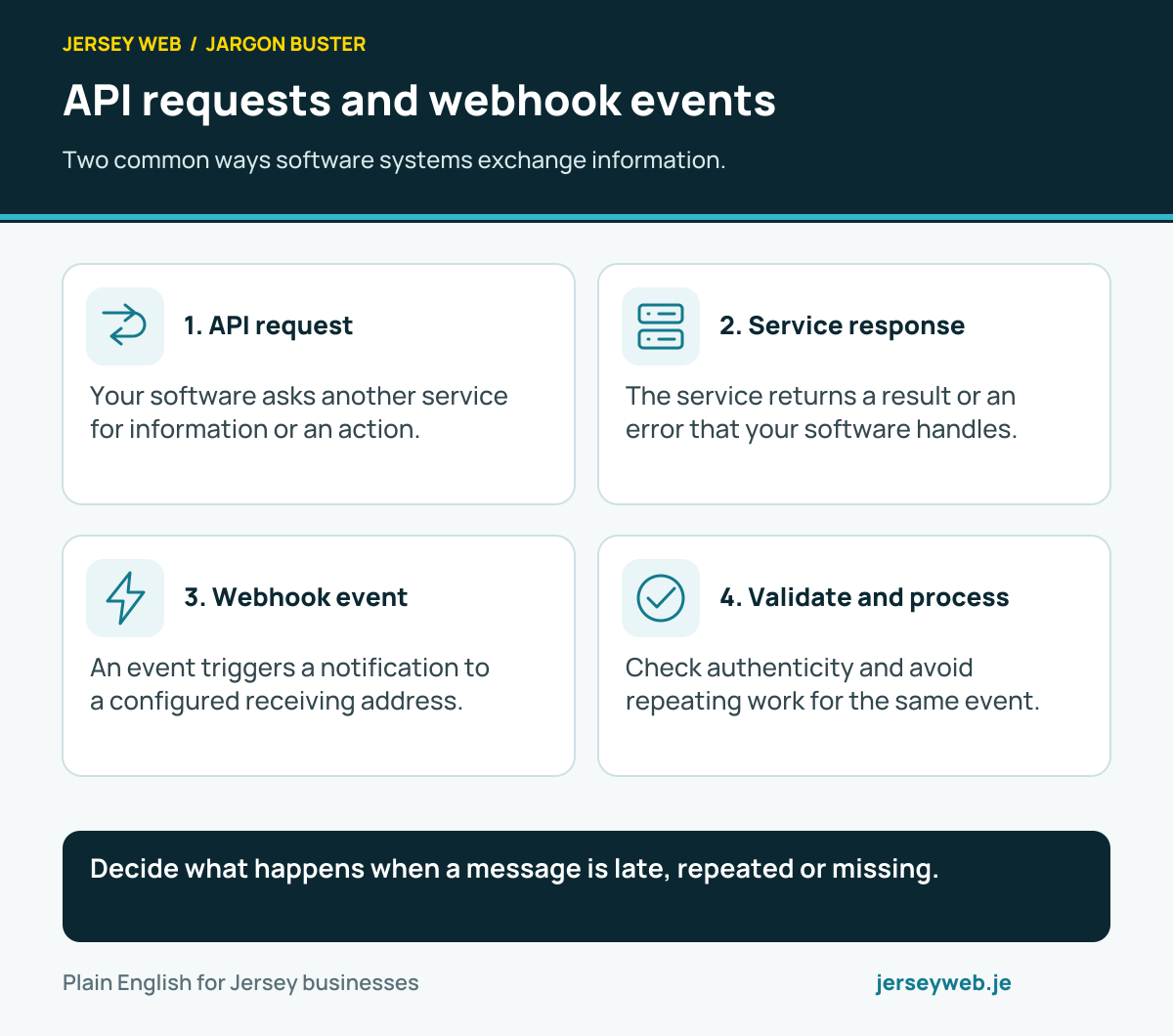
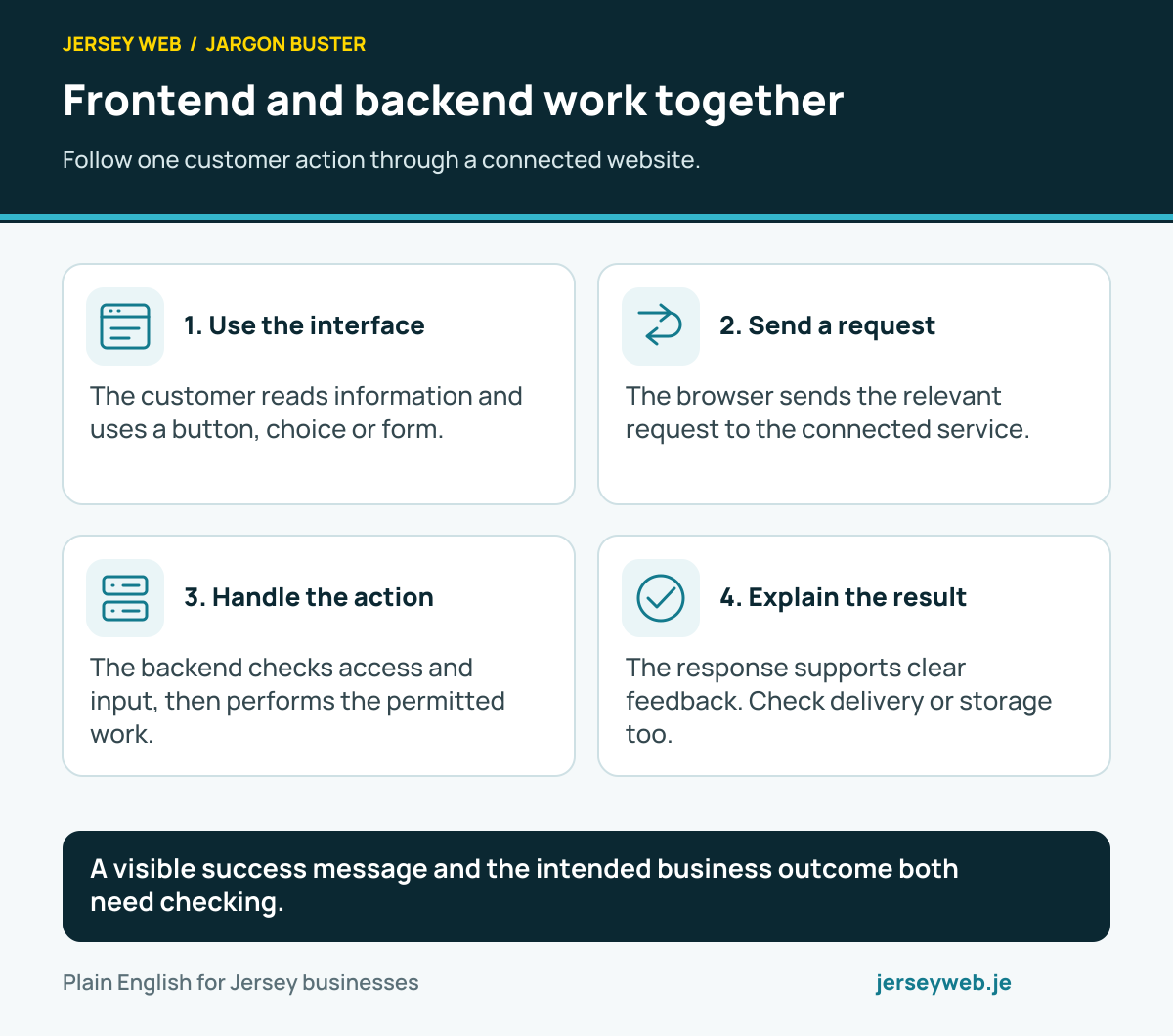
A visible success message and the intended business outcome both need checking.
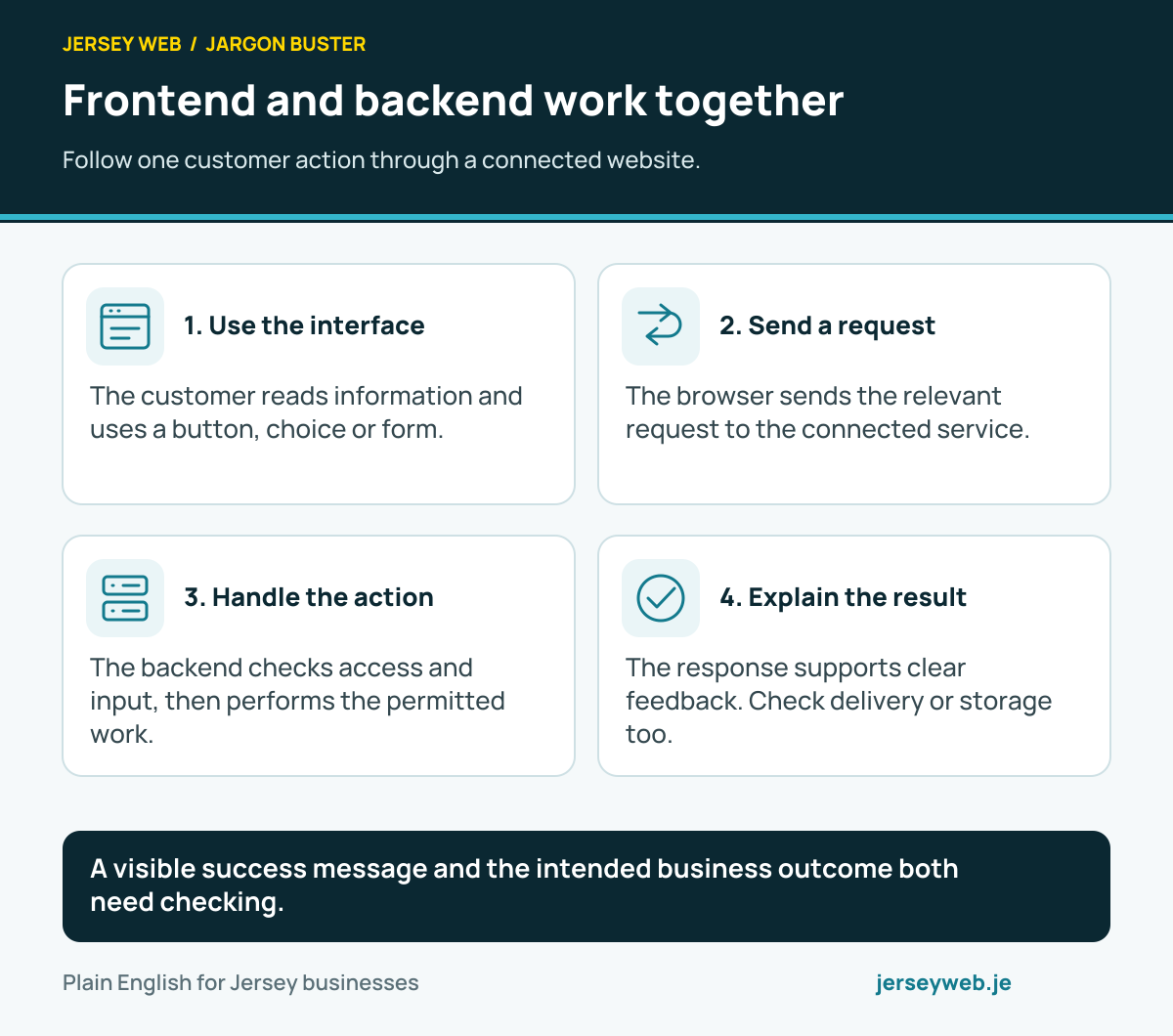
Read the diagram in text
- Use the interface. The customer reads information and uses a button, choice or form.
- Send a request. The browser sends the relevant request to the connected service.
- Handle the action. The backend checks access and input, then performs the permitted work.
- Explain the result. The response supports clear feedback. Check delivery or storage too.
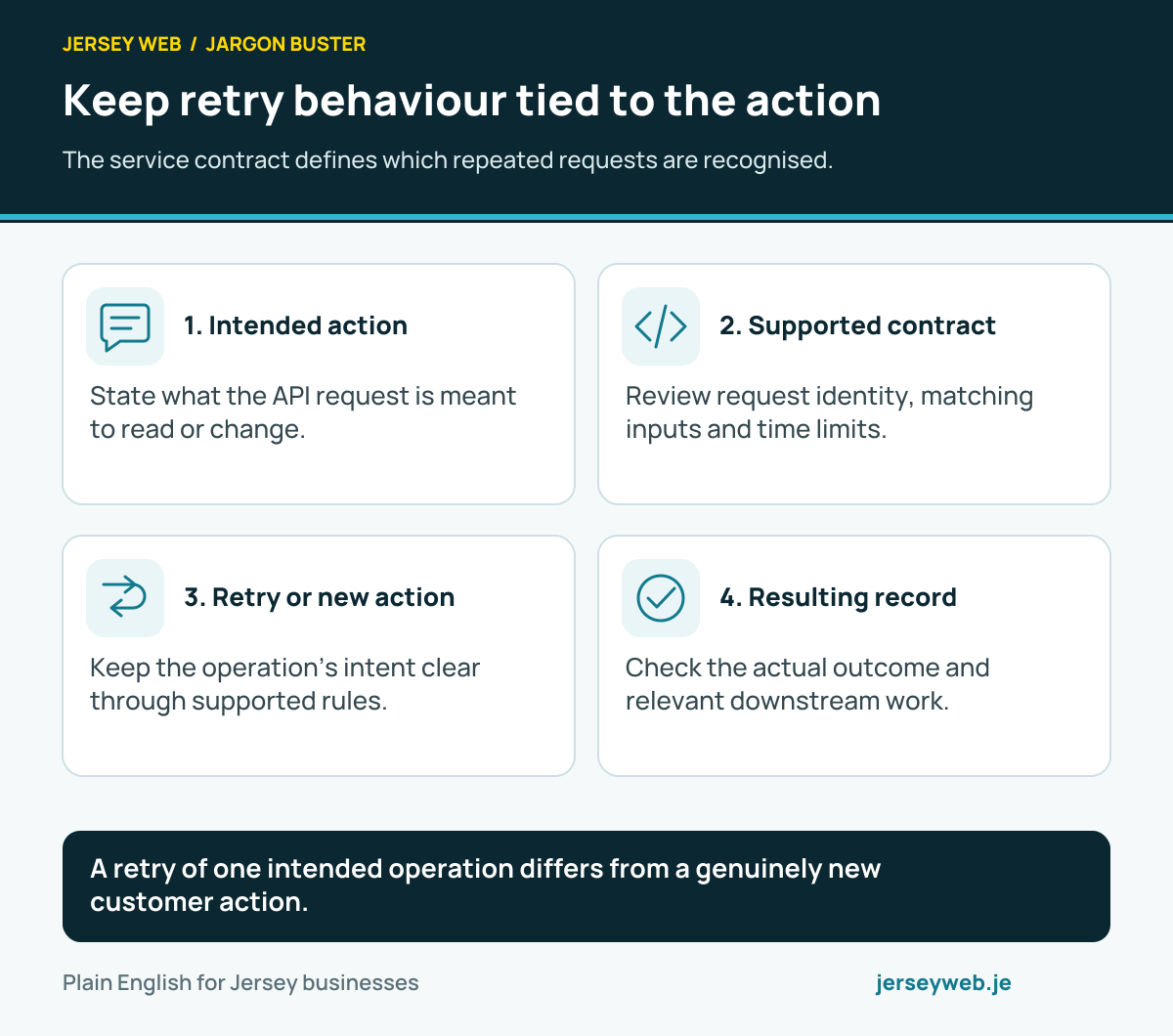
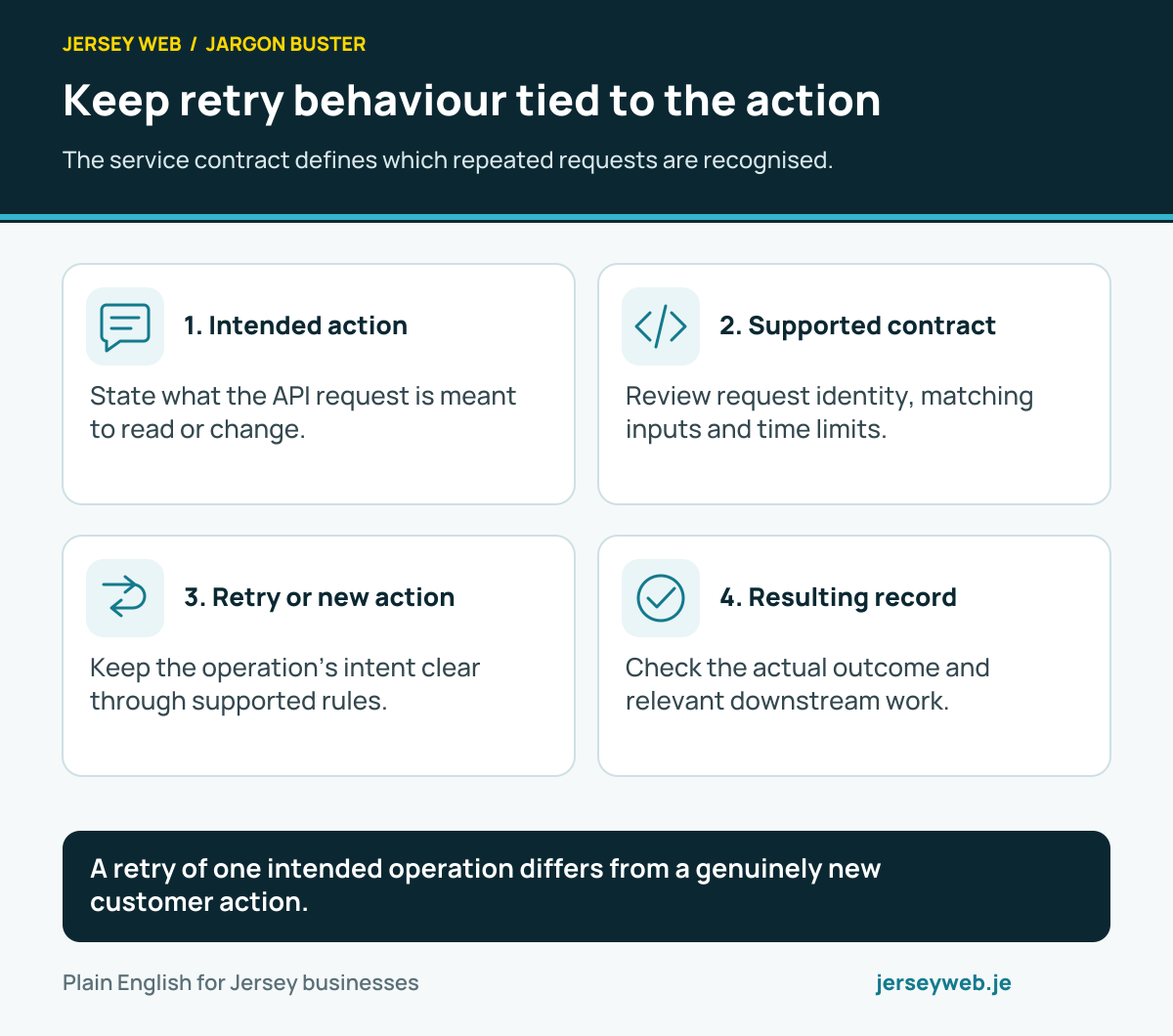
A retry of one intended operation differs from a genuinely new customer action.
Read the diagram in text
- Intended action. State what the API request is meant to read or change.
- Supported contract. Review request identity, matching inputs and time limits.
- Retry or new action. Keep the operation’s intent clear through supported rules.
- Resulting record. Check the actual outcome and relevant downstream work.
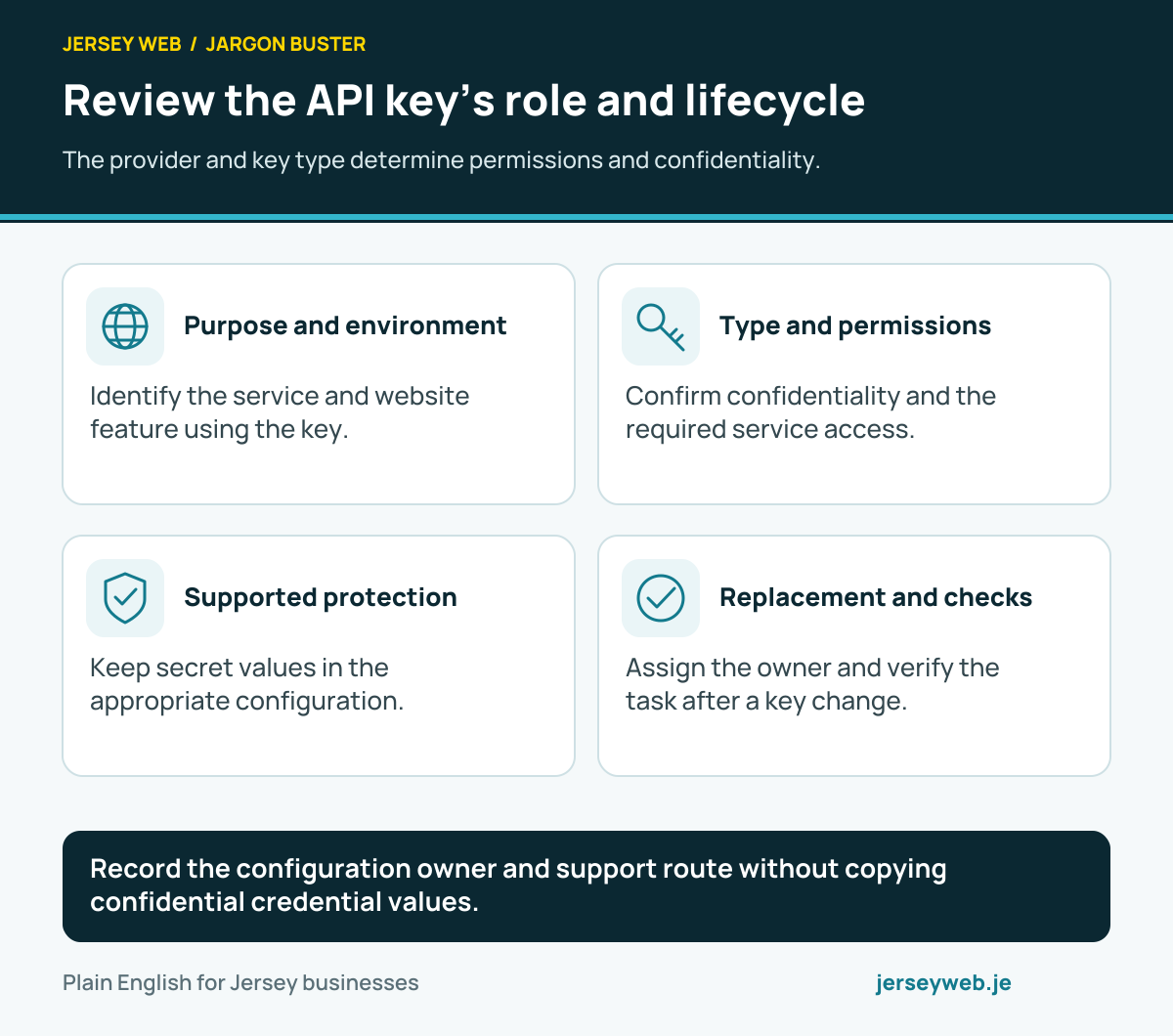
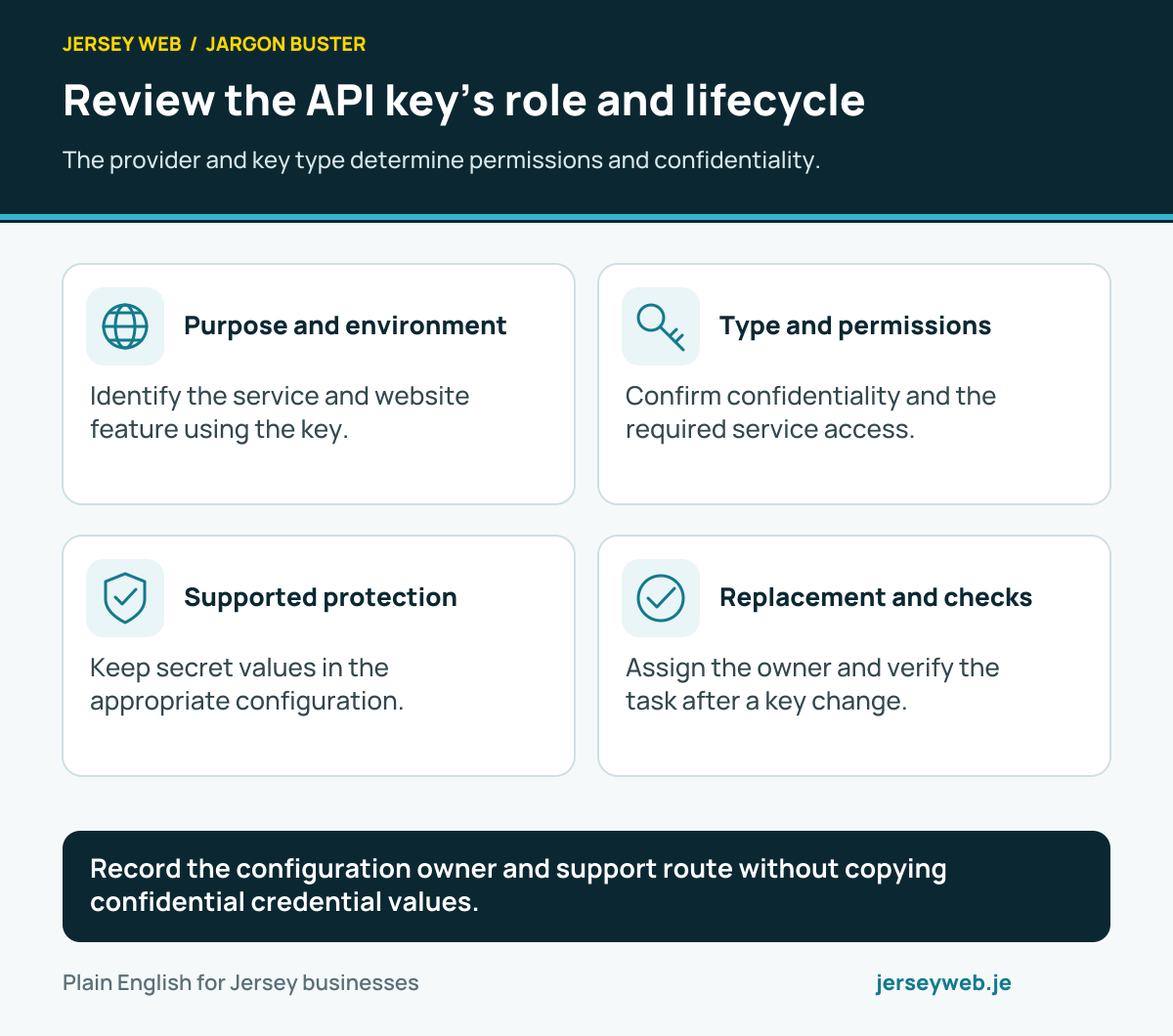
Record the configuration owner and support route without copying confidential credential values.
Read the diagram in text
- Purpose and environment. Identify the service and website feature using the key.
- Type and permissions. Confirm confidentiality and the required service access.
- Supported protection. Keep secret values in the appropriate configuration.
- Replacement and checks. Assign the owner and verify the task after a key change.
Related terms
Learn more
- ServiceWebsite copywriting in Jersey →
- GuideWhat to get ready before your website is built: a checklist →
- VideoWhat Is an API? How Website Services Connect →
- VideoAPI Endpoints Explained: Where a Software Request Is Sent →
- VideoAPI Rate Limiting Explained: What a 429 Response Means →
- VideoHTTP Requests and Responses Explained: What Happens When a Website Loads →
- VideoGET and POST Explained: Two Common HTTP Request Methods →
- VideoHTTP Headers Explained: Information Sent Alongside Website Requests and Responses →
- VideoJSON Explained: A Common Format for Exchanging Website Data →
- VideoCORS Explained: Browser Rules for Reading Responses from Another Origin →
Common questions
- Is an API the same as a website?
- An API is an interface for software. A website usually provides an interface for people. A service can provide both, with the website and other applications using the API behind the scenes.
- Does an API always cost money?
- No. Charging arrangements vary. Some services include API access, while others charge for usage or require a subscription. Check the actual provider agreement and expected transaction volume before deciding.
- What is an API key?
- An API key is a credential used by some services to identify or authorise software requests. Treat secret keys as credentials: protect them, restrict access and replace them through a controlled process if they are exposed.
- What happens if an API stops working?
- The connected feature may fail or become delayed. The site needs understandable messages, monitoring and an appropriate recovery process. A failed response should not silently turn into a successful booking or payment confirmation.
Written by Jersey Web. Last reviewed 5 October 2026. Back to the Jargon Buster.