Watch a related explainer
In plain English
CRM stands for customer relationship management. The term can describe how a business manages relationships and the software used to support that work. A CRM system commonly organises details about customers or prospects, past interactions and the next action. Its purpose is to help the team understand what needs attention.
Think of an organised enquiry desk. Each enquiry has an owner, a current status and an agreed next step. A useful system helps staff find that information without searching through several personal inboxes. Salesforce’s introductory material explains the basic customer-relationship concept, although the specific features vary between products.
The system does not create a good process by itself. If nobody agrees who follows up, changing software may simply move the confusion into a more elaborate interface. Start with the actual enquiry stages and responsibilities, then choose tools that make those stages visible and manageable.
Why it matters for a Jersey business
A Jersey service business may receive enquiries through a website, telephone and recommendations. An owner needs to know which have been answered, which need a quote and which have become jobs. When several people share that work, a structured record can reduce missed follow-ups and inconsistent information.
The record may contain personal information, so access and retention need to fit the purpose. The Data Protection (Jersey) Law 2018 is relevant to the business’s handling of that information. A software subscription does not decide the appropriate fields, permissions or communication practices on the owner’s behalf.
A realistic Jersey example
Imagine a Jersey landscaping company tracking quote enquiries. This is a hypothetical example. A website enquiry creates one task for the person responsible for calling back. The record contains the necessary contact and job information, and staff can mark the next agreed action without adding unrelated personal details.
If the website connection fails, the business sees the failure and has a recovery route. If a request is repeated, it does not silently create several copies of the same enquiry. The useful result is a clearer workflow, rather than merely proving that the CRM received one test message.
What to decide before buying software
Map the enquiry process. What starts a record, which stages matter and who owns each step? Keep the initial design understandable. A complicated set of statuses is difficult to maintain if staff cannot distinguish them. Test the proposed workflow with representative fictional enquiries before importing the full customer list.
Choose necessary fields and permissions. Separate information required to respond to an enquiry from optional notes or marketing preferences. Staff should receive suitable access for their role. Agree how records are corrected, exported and retained, and review the effect when a member of staff leaves.
Check integrations. A form, mailbox or booking service may offer a supported connection, but the required fields and operations still have to match. Ask what happens to failures, duplicates and changes to a record. Keep the integration owner and account access in the business’s system inventory.
Review communications separately. A stored address is not a complete decision about marketing permission. The JOIC’s guidance on individual rights explains handling objections to direct marketing. The CRM should support the actual rules the business needs to follow, rather than treating every contact as an unrestricted mailing audience.
Finally, check the exit route. Confirm that the business can retrieve useful records and understand any dependence on custom fields or integrations. A clear export and handover arrangement helps the owner compare ongoing costs with the practical benefit of the system.
Common myths
A CRM automatically fixes missed follow-ups. The team still needs ownership and an agreed process.
More stored information always improves service. Unnecessary information adds maintenance and privacy responsibilities.
Every customer record should receive every campaign. Communication purposes and preferences need separate handling.
Our take
Jersey Web’s view is to define the workflow before choosing the product. A useful CRM makes the next action, responsible person and appropriate information clear. It should help the business maintain relationships without creating an unexplained collection of customer data.
See it in a diagram
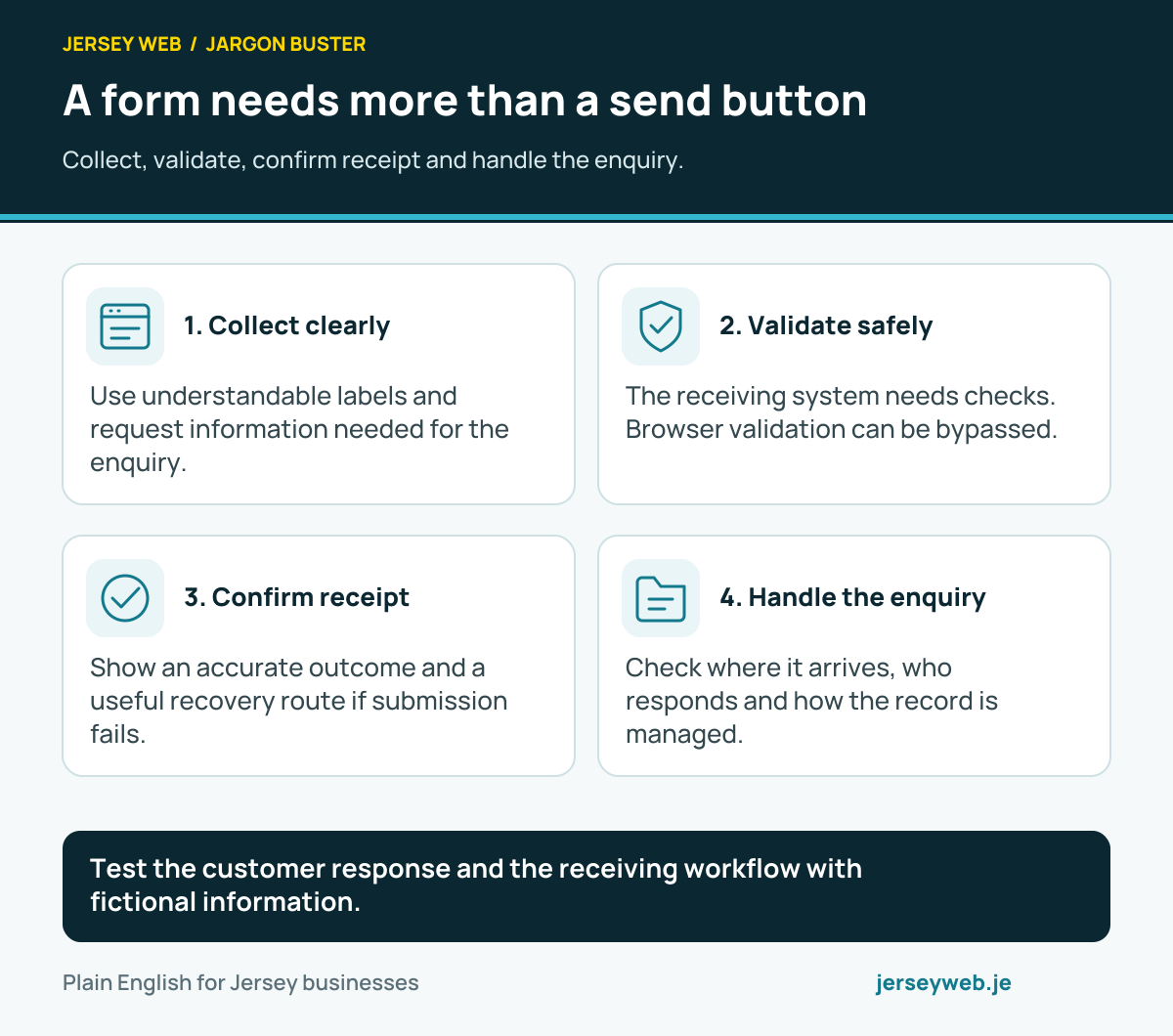
Test the customer response and the receiving workflow with fictional information.
Read the diagram in text
- Collect clearly. Use understandable labels and request information needed for the enquiry.
- Validate safely. The receiving system needs checks. Browser validation can be bypassed.
- Confirm receipt. Show an accurate outcome and a useful recovery route if submission fails.
- Handle the enquiry. Check where it arrives, who responds and how the record is managed.
Related terms
Learn more
Common questions
- Is a CRM just a contact list?
- A contact list stores details. A CRM arrangement can also organise interactions, tasks and the stage of an enquiry. The useful features depend on the product and the business workflow.
- Does every small business need one?
- No. Choose according to the complexity of enquiries, follow-ups and team responsibilities. A simpler organised process may be sufficient when the workload is small.
- Can a website form send information to a CRM?
- Sometimes, through a supported integration or API. Check the fields, permissions, failure handling and duplicate prevention for the actual products.
- Does storing an address give marketing permission?
- No. Customer records and marketing permissions have distinct purposes. Keep the applicable basis, preferences and objections clear for the communications you plan to send.
Written by Jersey Web. Last reviewed 3 October 2026. Back to the Jargon Buster.