Watch a related explainer
In plain English
A payment gateway is part of the connection between a customer’s checkout and the services handling the payment. The term usually refers to securely passing payment information for processing. Some providers package gateway, processing and other roles together, so their product labels do not always describe one isolated component.
The storefront shows products, the basket records the intended selection and checkout gathers the necessary order information. Payment services handle their own stages. Packing an order and receiving a bank settlement are further steps. A useful explanation separates those jobs, even when one platform displays them in the same dashboard.
Stripe’s Checkout documentation shows one provider’s supported checkout arrangements. It is an example of a documented payment integration, not a claim that every provider behaves identically or that every Jersey business can open the same account.
Why it matters for a Jersey business
A local retailer needs more than a button that accepts card details in a demonstration. The actual business must meet the provider’s current requirements, use the appropriate account and banking arrangement, and operate an order process that staff understand. Those choices affect the practical launch plan.
Review the complete journey from payment attempt to order handling. Staff need to distinguish an attempted payment, a successful payment, an order ready to fulfil and an amount settled to the bank. Confusing those states can lead to premature dispatch, duplicate work or difficulty explaining a customer’s enquiry.
A realistic Jersey example
Imagine a Jersey retailer adding online collection orders. This is an illustrative example. The team confirms the provider’s requirements for the actual business and tests the supported checkout using fictional test data. A successful test creates an order record with the expected verified payment status.
They also examine a failed attempt, cancellation and refund. Staff rehearse how to find the relevant order and explain its state. The launch review therefore covers the operational process, rather than assuming that a customer reaching a thank-you page proves every stage is correct.
What to review before accepting payments
Confirm provider support. Check the business location, account structure, supported banking and intended payment methods against current provider documentation. Review the actual commercial terms separately, including fees and settlement arrangements. Do not infer current eligibility or pricing from another shop’s setup.
Understand the integration. Ask which service handles the payment interface and what information the website receives or stores. Review the responsibilities appropriate to the chosen arrangement, including applicable payment-security requirements. Using a hosted component does not explain every responsibility the business retains.
Verify payment status appropriately. The browser may close or lose its connection after a successful payment. Stripe’s fulfilment guidance therefore describes provider notifications and verified status handling rather than relying solely on a landing page. Follow the supported workflow for the actual provider and payment methods.
Test repeat handling. A notification or request can be processed more than once. The order workflow should recognise the same transaction appropriately instead of packing it twice or granting duplicate access. Ask the developer to explain how repeated notifications and delayed statuses are handled in the chosen system.
Exercise unsuccessful and later outcomes. Use the provider’s supported test process for relevant failures, cancellations and refunds. Check the customer message and the staff record together. A clear explanation is particularly useful when the customer returns after an interrupted attempt and is uncertain whether to pay again.
Review account access and handover. The business should know who controls the provider account, who can investigate transactions and how access changes when staff leave. Keep supported recovery arrangements and the integration owner recorded. Do not publish secret credentials or place them in ordinary customer-facing pages.
Reconcile the workflow. Confirm how the shop relates orders to payment records and settlement information, with suitable accounting support where needed. These records answer different questions. A payment integration should make those distinctions understandable to the people operating the business.
Common myths
A thank-you page is payment verification. The provider’s supported status process is needed.
A payment tool manages fulfilment automatically. The order workflow needs its own appropriate connection.
Every provider supports every location. Current requirements need checking for the actual business.
Our take
Jersey Web’s view is to review payment setup as an operational journey. Confirm provider support, verify the relevant statuses and test the outcomes staff will handle. A clear record from checkout through fulfilment is more useful than a demonstration that only shows the successful screen.
See it in a diagram
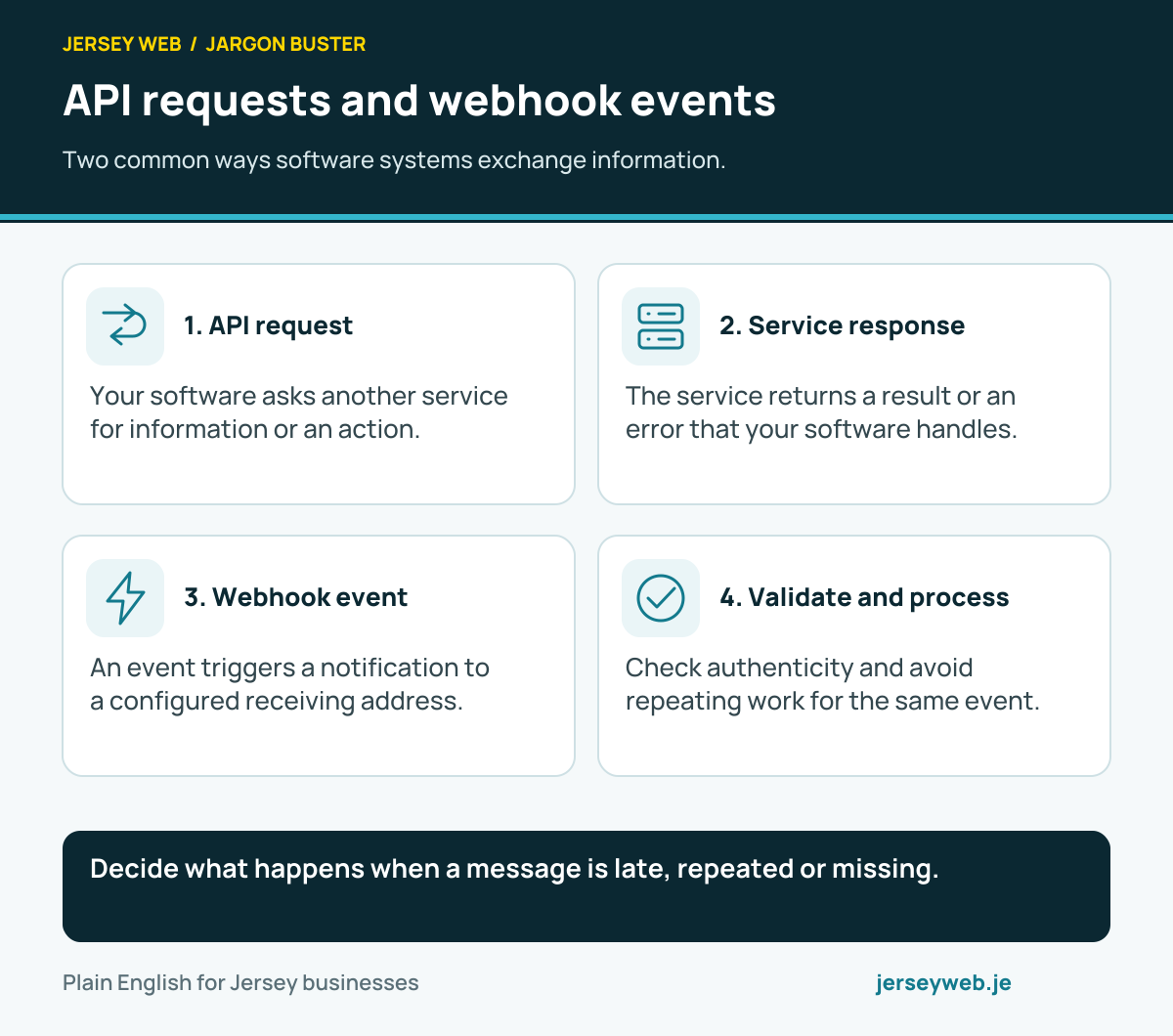
Decide what happens when a message is late, repeated or missing.
Read the diagram in text
- API request. Your software asks another service for information or an action.
- Service response. The service returns a result or an error that your software handles.
- Webhook event. An event triggers a notification to a configured receiving address.
- Validate and process. Check authenticity and avoid repeating work for the same event.
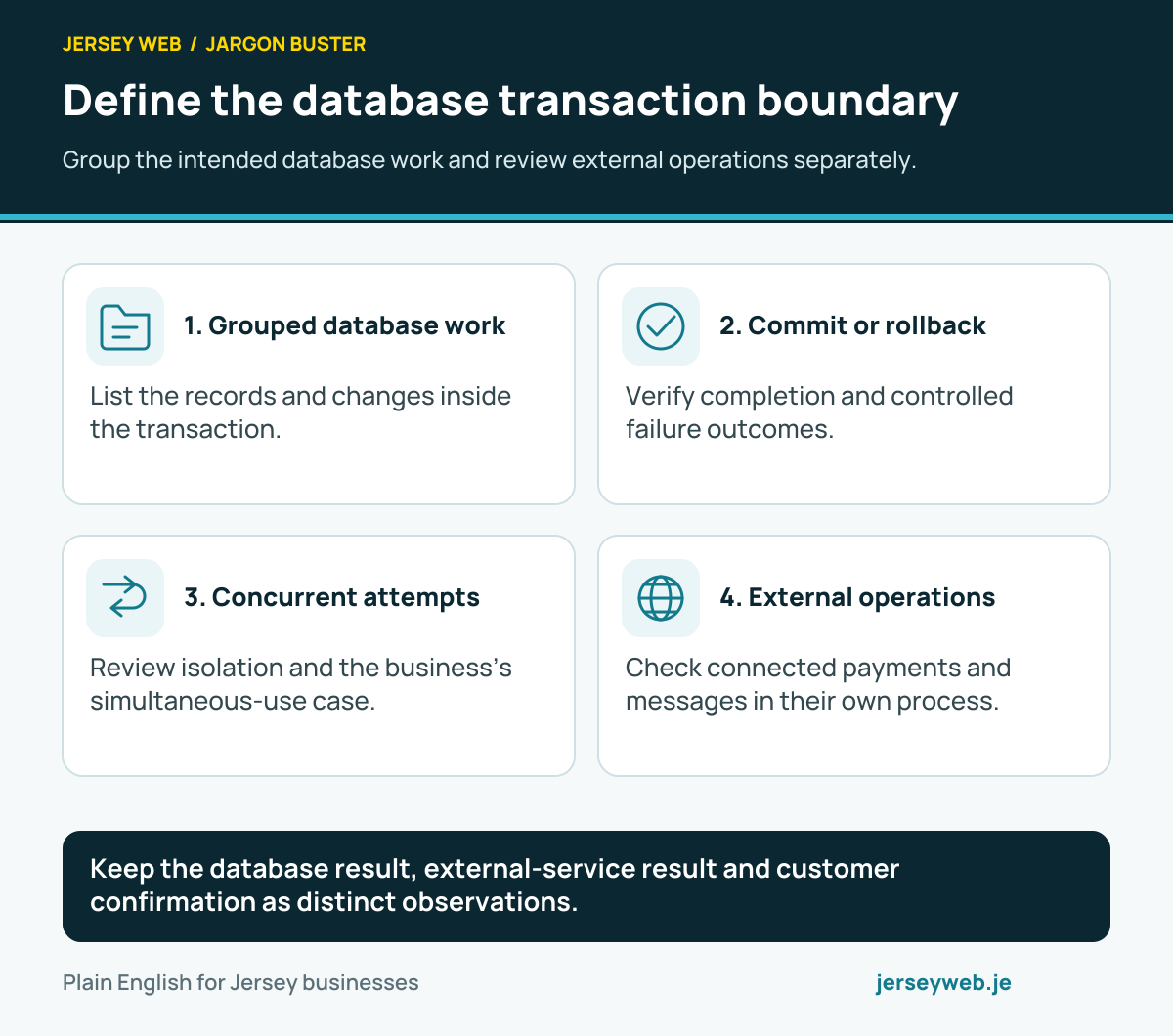
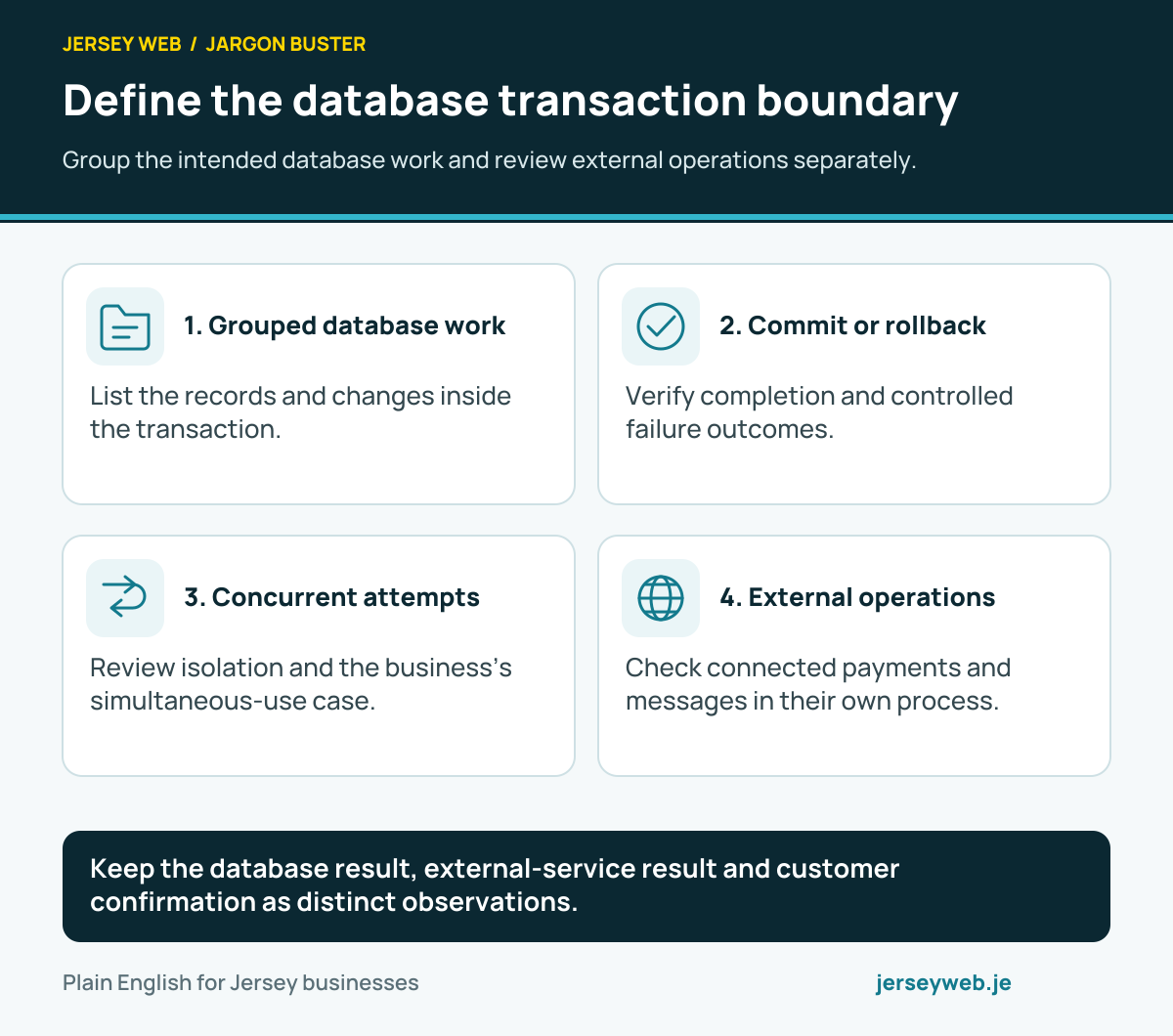
Keep the database result, external-service result and customer confirmation as distinct observations.
Read the diagram in text
- Grouped database work. List the records and changes inside the transaction.
- Commit or rollback. Verify completion and controlled failure outcomes.
- Concurrent attempts. Review isolation and the business’s simultaneous-use case.
- External operations. Check connected payments and messages in their own process.
Related terms
Learn more
Common questions
- Is a gateway the same as an online shop?
- No. The storefront, basket, checkout, payment services and fulfilment workflow have different jobs, even when a platform bundles them together.
- Does seeing a thank-you page prove payment succeeded?
- A browser destination alone is insufficient. The order workflow needs an appropriate verified payment status and supported provider notifications.
- Will every provider support a Jersey business?
- Check the provider’s current account, business-location, banking and payment-method requirements for the actual business. A generic glossary cannot establish eligibility.
- Should refunds be tested too?
- Yes. Review supported payment, failure, cancellation and refund workflows, including the records staff use to understand what happened.
Written by Jersey Web. Last reviewed 3 October 2026. Back to the Jargon Buster.