Watch a related explainer

In plain English
A website backup is a recovery copy, kept so the site can be rebuilt if something goes wrong. The useful question is what can be recovered. A folder of images may protect the photographs, while leaving page content, orders or settings missing. A backup plan needs to cover the information and dependencies that make the website work.
A simple static site may mainly need its source files, published assets and deployment configuration. A content management system commonly adds a database and application settings. An online shop introduces order information, product data and connections to other systems. Each arrangement requires a different recovery checklist, rather than the same promise that “the website is backed up”.
WordPress’s backup guidance distinguishes the database from site files. The NCSC’s advice on backing up data addresses protecting recovery copies and checking restoration. The practical lesson is to define coverage and recovery before a fault forces you to discover the gaps.
Why it matters for a Jersey business
A Jersey business website can be affected by accidental deletion, a failed update, compromised access or a provider problem. The consequences depend on the job the site does. Missing brochure content is inconvenient; losing a record of paid orders or bookings can also interrupt customer service and require careful reconciliation.
The business owner should know who can start a recovery and what support is included. A backup held by a former supplier, behind an inaccessible account, is difficult to use in an urgent situation. Keep ownership and recovery access documented, and include external services in the discussion. Restoring a website does not necessarily restore information held by a separate booking or payment system.
A realistic Jersey example
Imagine a Jersey florist updating products ahead of a busy weekend. This is an illustrative example. An update breaks the catalogue. A tested recovery copy lets the supplier restore the working layout, but orders placed since that copy still need to be checked against the payment provider and current order records.
The business therefore agrees two things in advance: how to recover the presentation and how to preserve or reconcile recent transactions. Simply replacing every file and database with an older copy could make the page look right while leaving staff with an incomplete view of customer commitments.
What to ask your host or supplier
Start with an inventory. Which site files, databases, configuration and uploaded documents are included? Are email, domain settings and external services covered separately? Ask where the recovery copies are kept and how access is protected. Copies should not all depend on the same failure point as the working website.
Discuss the recovery point: how old might the usable copy be, and how much new information could be missing? Then discuss the recovery time: who will do the work, and which dependencies could delay it? These terms describe planning targets, not guarantees that every incident will fit a particular timetable.
Request a safe restore test. A staging site or isolated test environment can help verify the procedure without overwriting the live service. Check important pages, forms, administration access and required connections. Record the date, which copy was used and any work needed after restoration.
Keep a short recovery document with the responsible supplier, access route and decision-maker. Review it when the site changes platform or begins handling different information. Retain copies for an appropriate period and avoid keeping unnecessary personal information indefinitely merely because storage is available.
Common myths
The backup badge proves recovery will work. Coverage, access and a successful restore test provide stronger evidence.
Every restore should replace the whole site. The right recovery action depends on the fault and the need to preserve recent information.
A backup prevents all incidents. It supports recovery. Updates, account security and monitoring still matter.
Our take
Jersey Web’s view is to ask for evidence of a usable recovery process. A backup service is easier to judge when the business knows what it covers, what could be missing and who has successfully tested restoration. That makes the conversation concrete before the website needs rescuing.
See it in a diagram
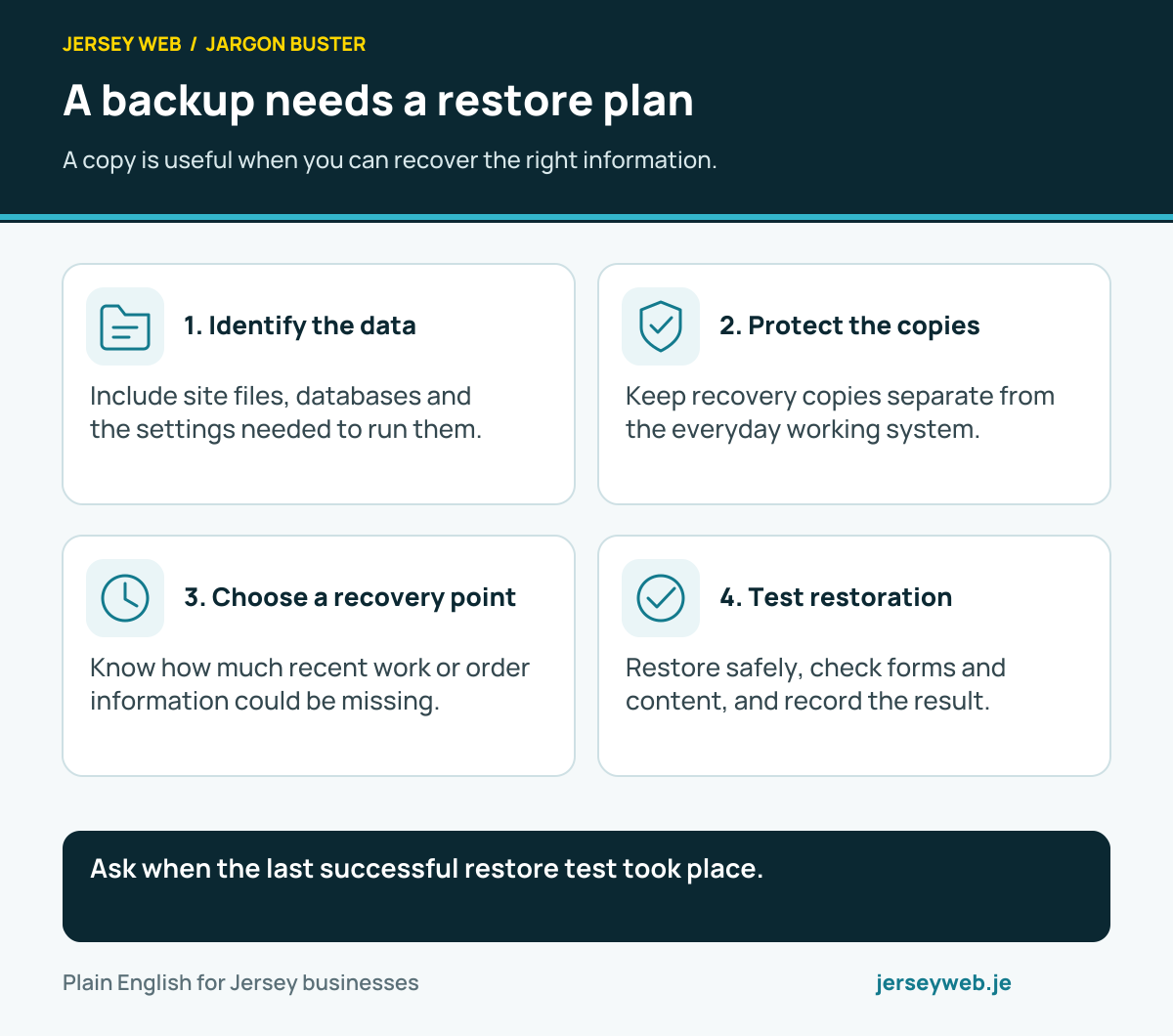
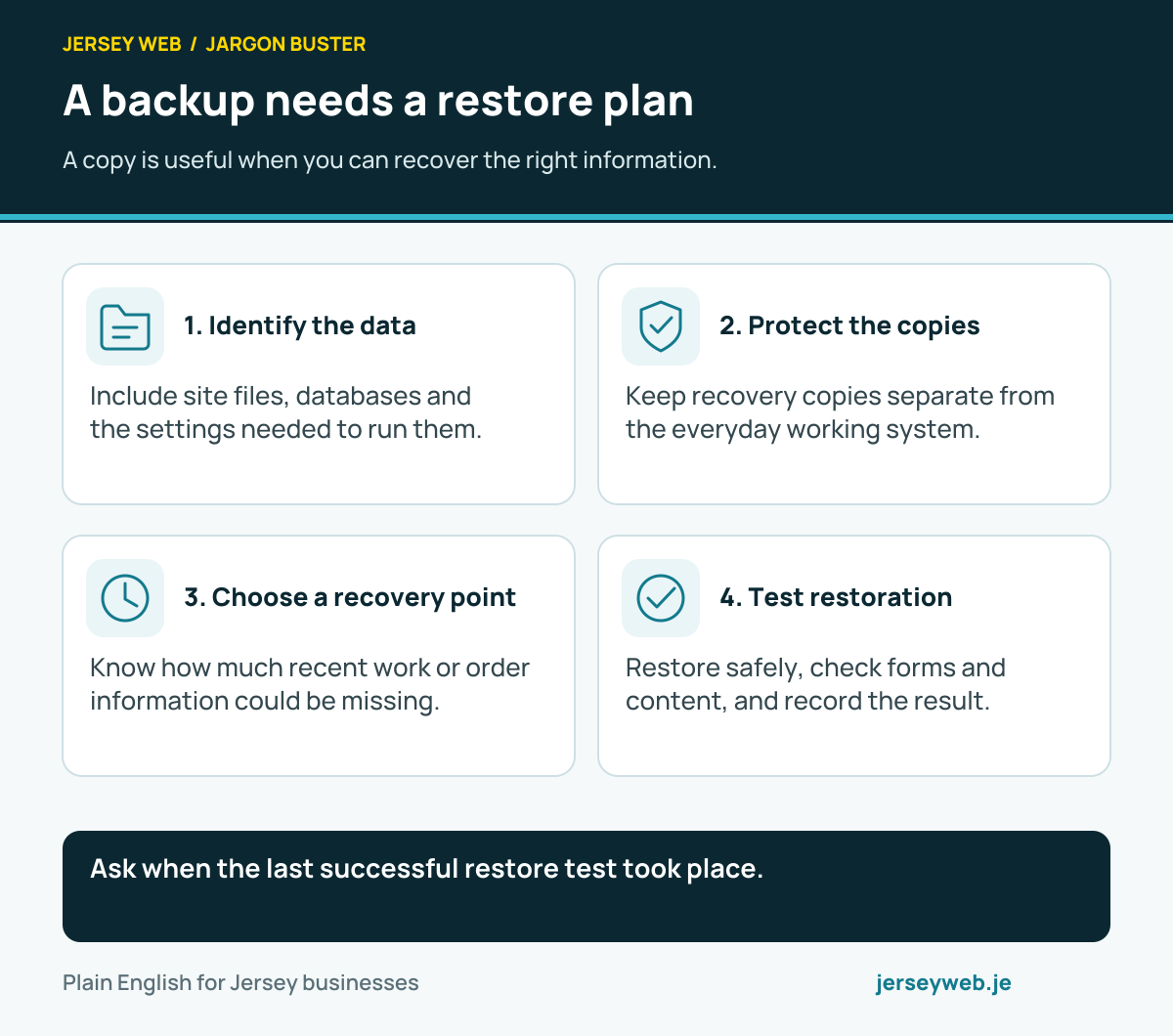
Ask when the last successful restore test took place.
Read the diagram in text
- Identify the data. Include site files, databases and the settings needed to run them.
- Protect the copies. Keep recovery copies separate from the everyday working system.
- Choose a recovery point. Know how much recent work or order information could be missing.
- Test restoration. Restore safely, check forms and content, and record the result.
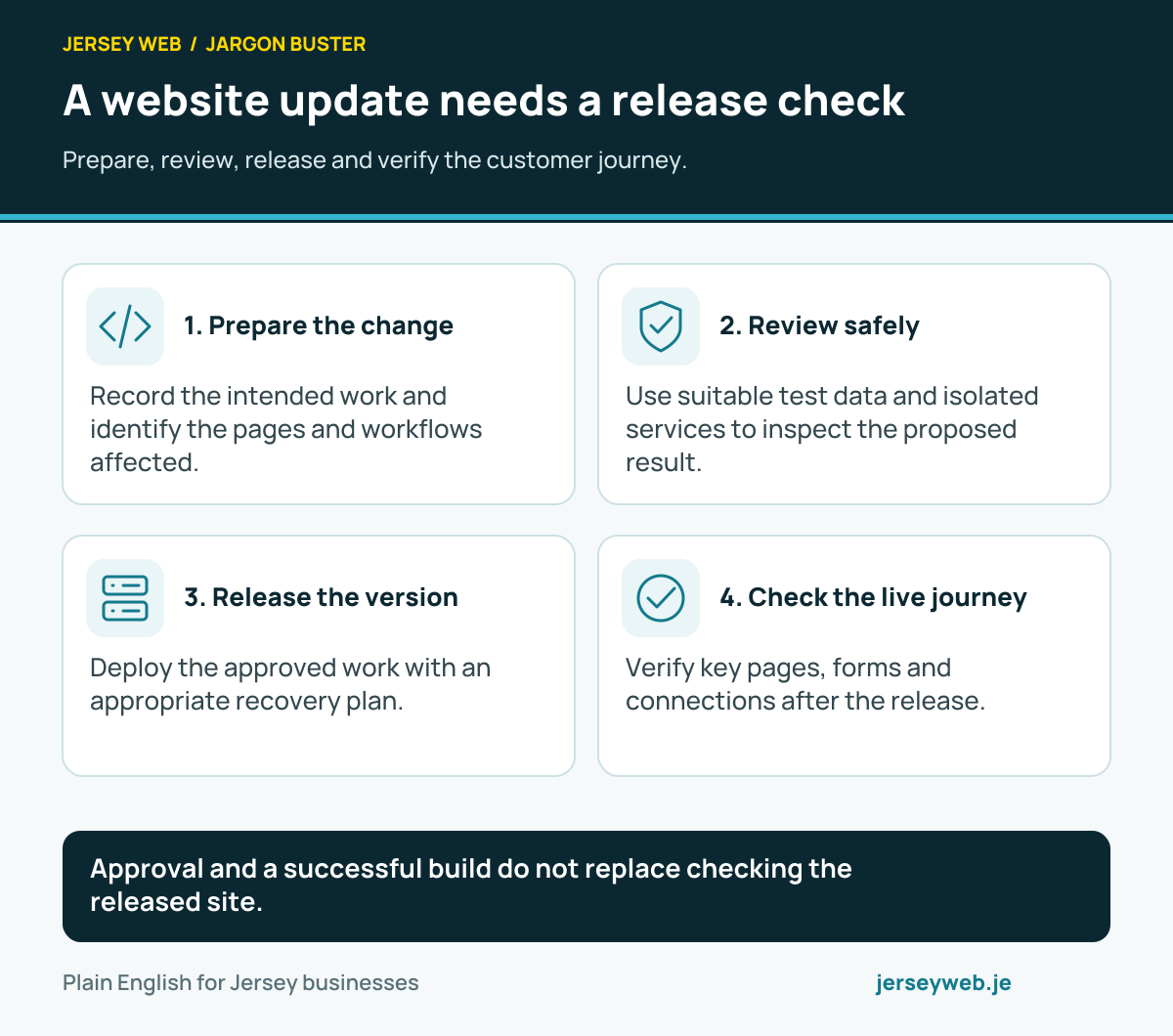
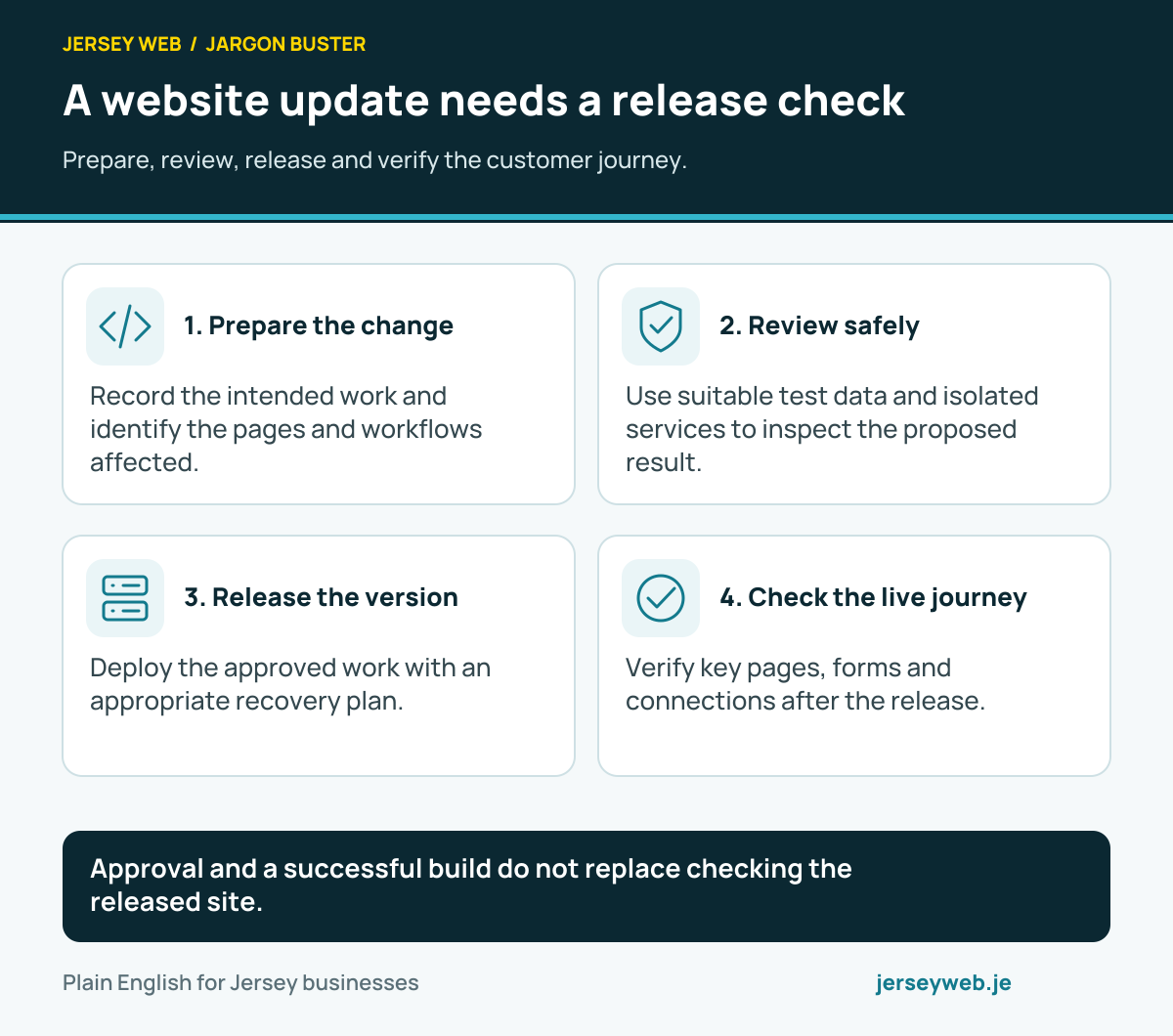
Approval and a successful build do not replace checking the released site.
Read the diagram in text
- Prepare the change. Record the intended work and identify the pages and workflows affected.
- Review safely. Use suitable test data and isolated services to inspect the proposed result.
- Release the version. Deploy the approved work with an appropriate recovery plan.
- Check the live journey. Verify key pages, forms and connections after the release.
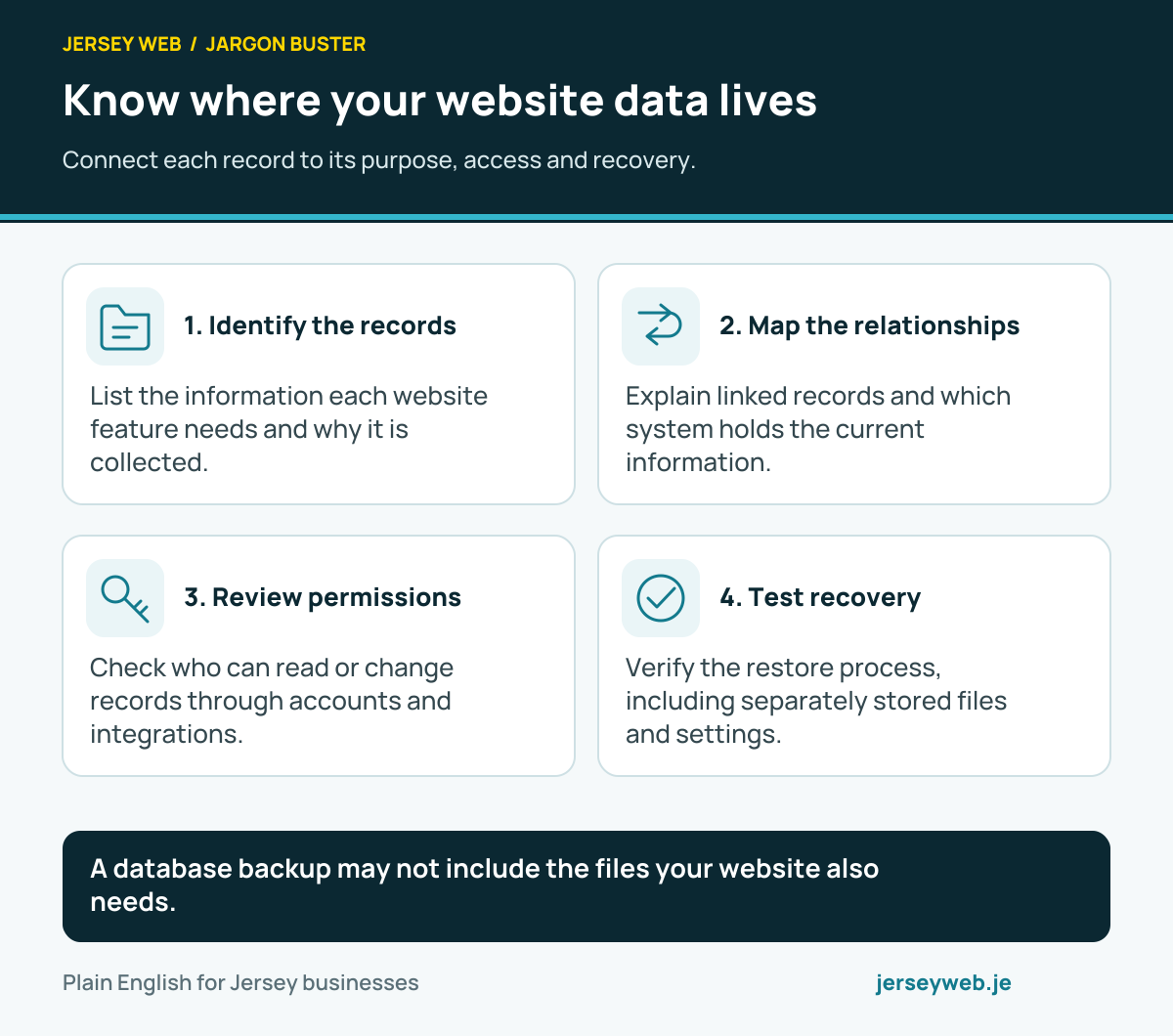
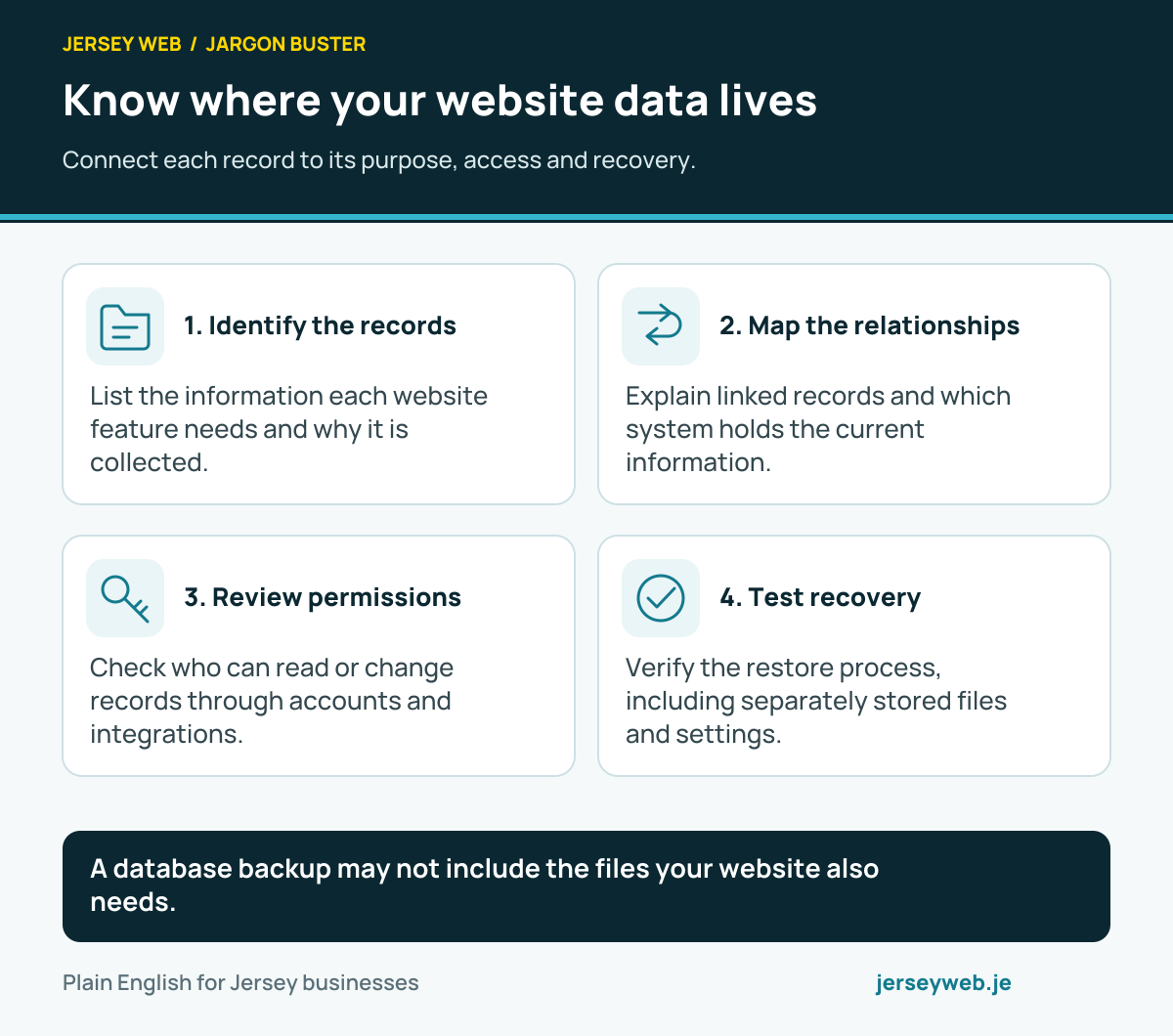
A database backup may not include the files your website also needs.
Read the diagram in text
- Identify the records. List the information each website feature needs and why it is collected.
- Map the relationships. Explain linked records and which system holds the current information.
- Review permissions. Check who can read or change records through accounts and integrations.
- Test recovery. Verify the restore process, including separately stored files and settings.
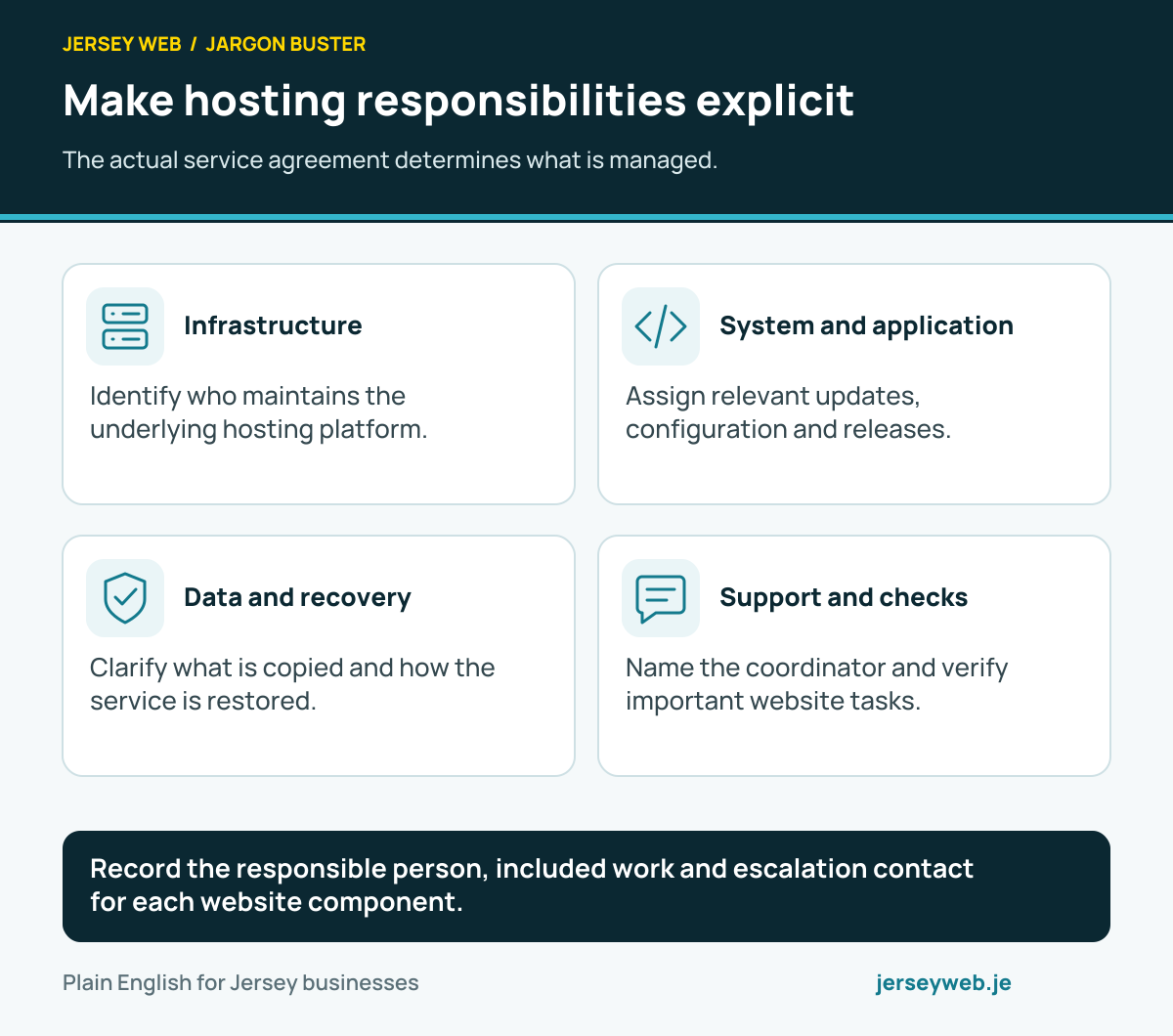
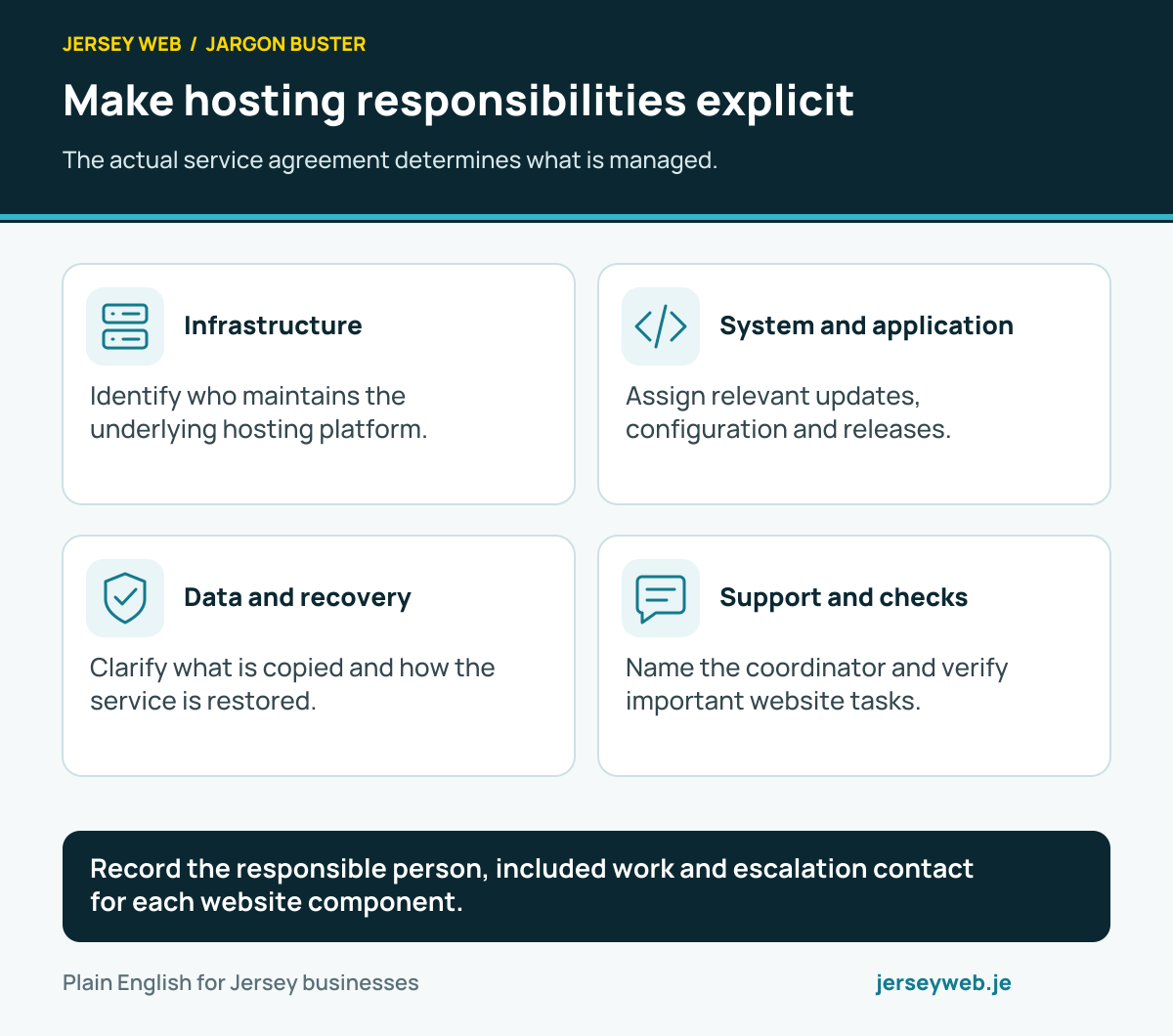
Record the responsible person, included work and escalation contact for each website component.
Read the diagram in text
- Infrastructure. Identify who maintains the underlying hosting platform.
- System and application. Assign relevant updates, configuration and releases.
- Data and recovery. Clarify what is copied and how the service is restored.
- Support and checks. Name the coordinator and verify important website tasks.
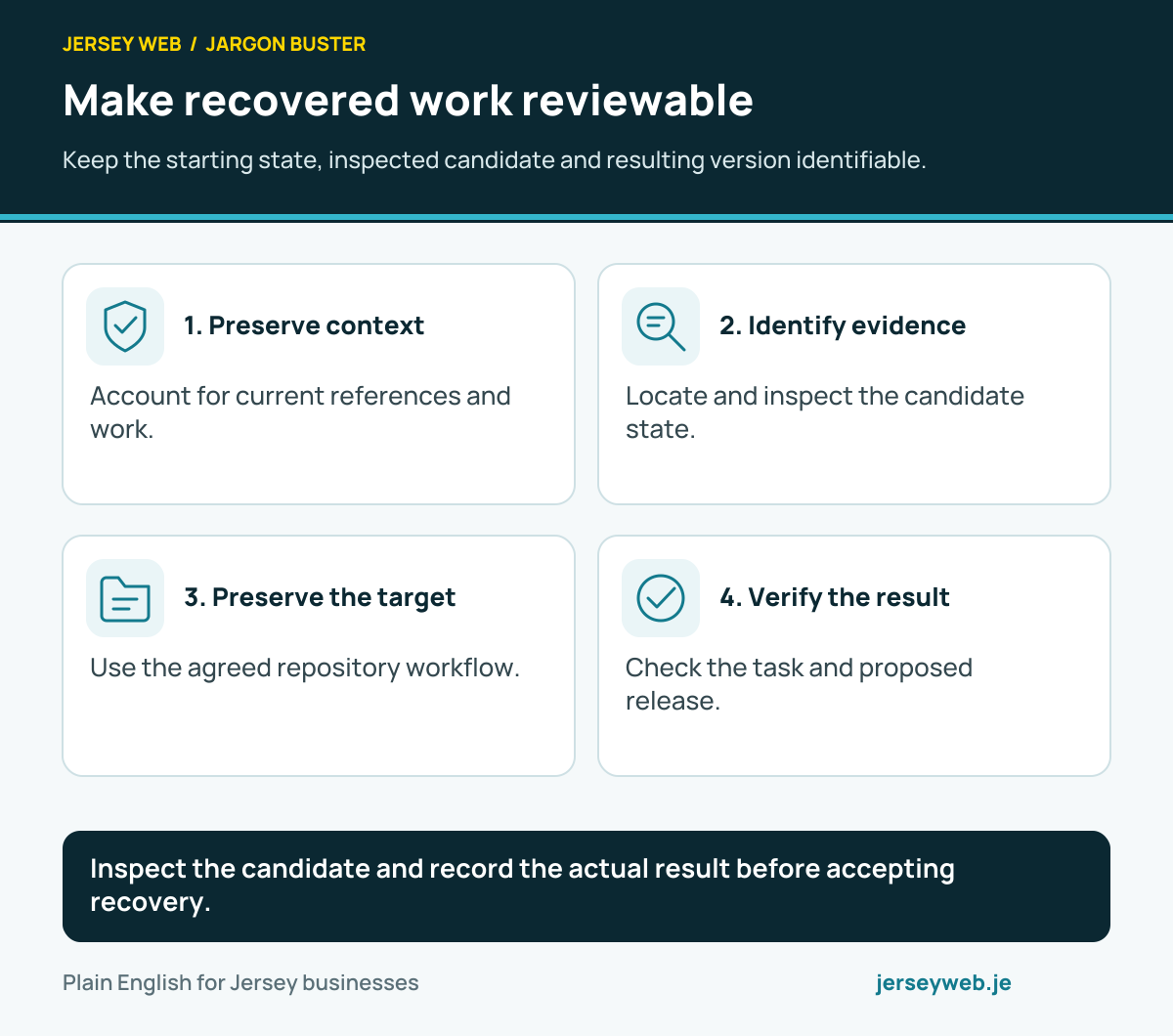
Inspect the candidate and record the actual result before accepting recovery.
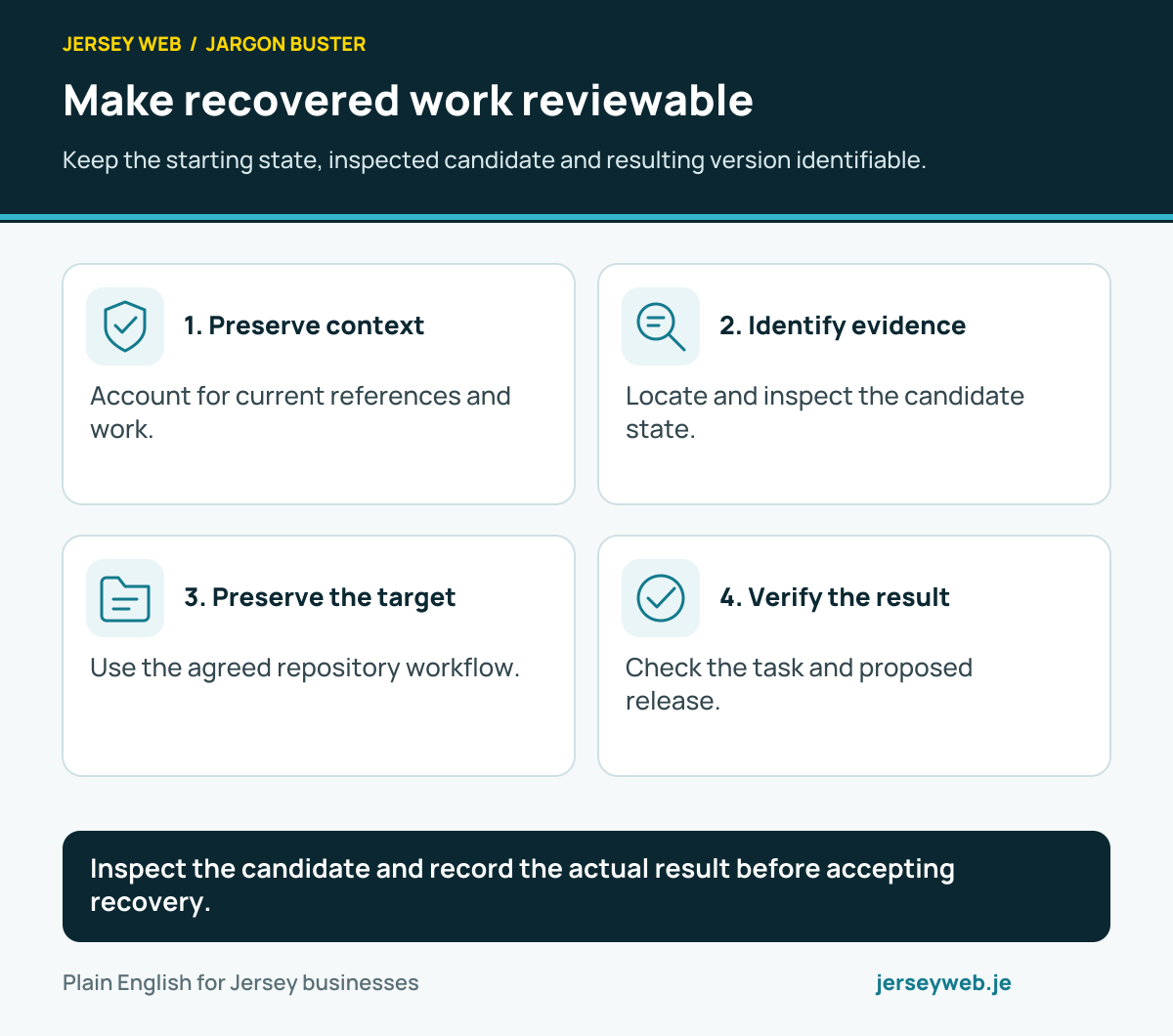
Read the diagram in text
- Preserve context. Account for current references and work.
- Identify evidence. Locate and inspect the candidate state.
- Preserve the target. Use the agreed repository workflow.
- Verify the result. Check the task and proposed release.
Related terms
Learn more
Common questions
- Does my host automatically back up everything?
- Backup coverage varies. Ask which files, databases, configuration and customer records are included, how long copies are retained and whether your hosting plan includes restoration support.
- Is a copy on the same server enough?
- A copy exposed to the same account failure, deletion or attack can be lost with the original. Recovery copies need appropriate separation and access protection. The arrangement should match the risks of the site.
- How often should a website be backed up?
- Choose a schedule based on how often important information changes and how much work the business can afford to lose. A shop taking daily orders has different recovery needs from a rarely changed information page.
- What is a restore test?
- A restore test uses a recovery copy to rebuild the site or important data in a safe environment. It checks that access, files, data and the recovery procedure are actually usable.
Written by Jersey Web. Last reviewed 3 October 2026. Back to the Jargon Buster.