Watch a related explainer
In plain English
WordPress is a system for organising website content and turning it into pages people can visit. Think of it as the working counter behind a shop window: the public sees the finished display, while authorised staff use the tools behind it to change products, wording and information. It is a kind of CMS, rather than a domain name or internet connection.
The editor lets an authorised user work with content. A theme controls parts of the presentation, while plugins add functions such as forms or a shop. WordPress documentation describes the separate roles of these tools. Which options you see depends on how the particular site was built; two WordPress sites can have very different editing experiences.
There is also an important distinction between installing the open-source software with a chosen host and buying a hosted service such as WordPress.com. Neither name tells you everything about a package. Hosting, support, paid extensions, account access and maintenance may be separate costs or included responsibilities. Compare the actual arrangement before choosing.
Why it matters for a Jersey business
A Jersey business may want to change seasonal hours, replace a services list or publish a new price without asking a developer each time. WordPress can support that, provided the editing workflow is clear and the right access is supplied. Ask to perform a real change during the handover. A promise that a site is editable means little if the owner cannot find the relevant field.
Ownership matters as much as convenience. Establish which business account holds the domain, hosting and paid extensions, and what happens when the designer changes. Avoid building a service around a private account that nobody else can recover. Your staff should have the access they need, while powerful administrator accounts remain limited to appropriate people.
A Jersey example
Imagine a hypothetical St Helier café changing its lunch menu weekly. The site needs a straightforward way to replace the menu, update holiday hours and check the result on a phone. A suitable WordPress setup could make those specific tasks simple. Installing a complex page builder with dozens of decorative controls may make the same job slower and easier to get wrong.
Before handover, the café owner tries changing a menu item on a test copy. The supplier shows how to preview it, publish it and recover from a mistake. That practical demonstration is a better assessment than a screenshot of the dashboard.
What to do
Start with a list of the content you will actually maintain. Ask the supplier to demonstrate those tasks, explain your account permissions and identify the parts that need technical help. Check how image sizes, headings and links are handled so routine changes do not make the mobile page difficult to use.
Agree responsibility for software updates, security, website backups and restoring service after a problem. A backup should include the pieces needed to recover the site, rather than just an exported list of posts. Find out whether the supplier tests recovery and whether you can obtain a usable copy if the relationship ends.
Keep an inventory of essential plugins and any licences or subscriptions. Remove unnecessary additions through a planned maintenance process, and test changes before customers depend on them. A contact form or checkout deserves more attention than an optional animation. Our website builder comparison helps compare the wider routes to a business site.
Common myths
“WordPress and hosting are the same thing.” WordPress is software. Hosting provides an environment in which the website runs; a package may bundle the two.
“More plugins always improve a site.” Each addition should solve a clear problem and have a maintenance plan. Extra complexity can create more work.
“An editable website needs no ongoing care.” Content editing and technical maintenance are different responsibilities. Agree both before launch.
Our take
Jersey Web’s view is that the right publishing system is the one the business can use and maintain sensibly. WordPress is a useful option when its flexibility fits the job. The decision should rest on the real editing tasks, ownership and support arrangement, rather than the platform’s popularity alone.
See it in a diagram
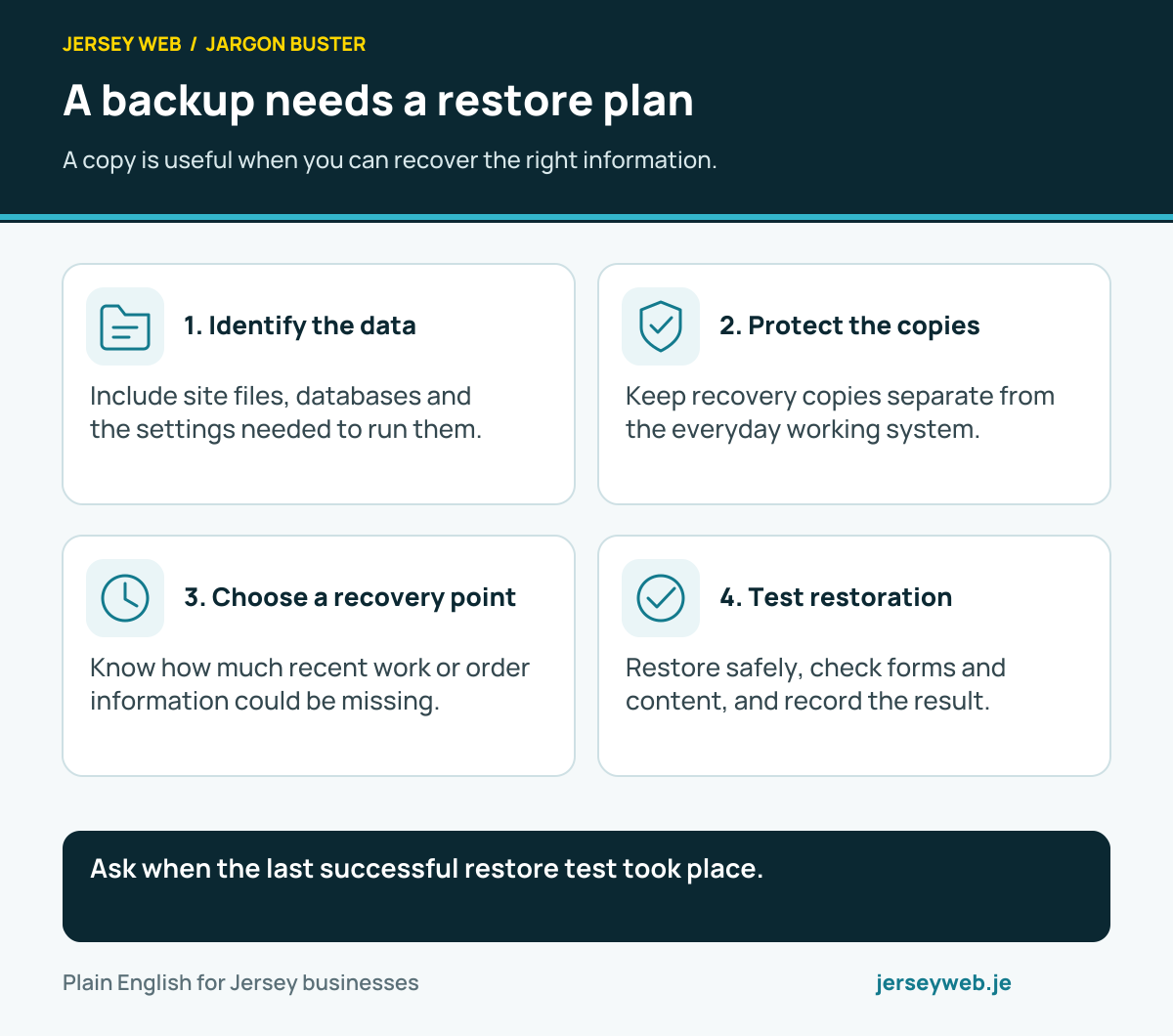
Ask when the last successful restore test took place.
Read the diagram in text
- Identify the data. Include site files, databases and the settings needed to run them.
- Protect the copies. Keep recovery copies separate from the everyday working system.
- Choose a recovery point. Know how much recent work or order information could be missing.
- Test restoration. Restore safely, check forms and content, and record the result.
Related terms
Learn more
Common questions
- Is WordPress a website builder?
- WordPress is a content management system. Its editing tools can be used to build pages, and some services add visual builders. The available tools and responsibilities depend on the theme, plugins and hosting arrangement.
- Are WordPress.org and WordPress.com the same?
- They are different routes. WordPress.org provides open-source software and documentation; WordPress.com supplies a hosted service with its own plans. Compare the actual package, support and access arrangements rather than the name alone.
- Will I be able to edit my own pages?
- Usually an appropriate account can edit content, but the designer must set up suitable permissions and an understandable workflow. Ask for a demonstration using your actual service pages and check how changes are published.
- Does WordPress maintain itself?
- Some updates can be automated, but the site still needs oversight, compatibility checks, backups and a recovery arrangement. Establish who is responsible for those tasks in your hosting or maintenance agreement.
Written by Jersey Web. Last reviewed 3 October 2026. Back to the Jargon Buster.