Watch a related explainer
In plain English
Frontend development builds the presentation and interactions people use in a web browser. It includes the structure of the content, its styling and the controls that let someone navigate or complete a task. The work connects the visual design to functioning pages and appropriate feedback.
MDN’s frontend curriculum includes HTML, CSS, JavaScript, accessibility and other practices involved in that work. Those technologies serve different purposes. The owner does not need to write the code, but should understand which customer tasks the implementation supports and how the final result is reviewed.
The frontend may also communicate with supporting services. A booking control can request information from another application, while a form sends an enquiry to its receiving process. The visible interface and the service behind it need to work together, with messages that accurately describe what happened.
Why it matters for a Jersey business
Customers use the frontend to find local service details, check availability or contact the business. Clear labels and readable pages help them understand what to do. The review should include the actual content and important tasks rather than only the first screen of an attractive mock-up.
Maintenance matters after launch. Staff may change headings, add photographs or publish another service. The frontend needs suitable patterns and guidance for those edits. A handover should explain how the business keeps its presentation consistent and how changes are checked in the working website.
A realistic Jersey example
Imagine a Jersey sports instructor preparing a website with lesson information and an enquiry form. This is a hypothetical example. The frontend developer implements the page structure, readable layouts and clearly labelled form controls. The owner reviews the information prospective customers need before contacting the instructor.
The team checks keyboard use, smaller layouts and useful error messages. It also verifies that a supported submission reaches the receiving workflow. The review therefore covers the functioning customer task, with no invented conversion improvement or assumption that an attractive page proves delivery.
What to review in frontend work
Define the task. Identify the useful actions customers need to complete and the information needed first. Use accurate service and location details. A clear task helps the designer and developer decide which controls belong on the page and which optional decoration may interfere with understanding.
Check content structure. Review meaningful headings, navigation and related links with the actual copy. Long service names and realistic text can behave differently from placeholder content. Keep important information available in understandable forms rather than relying on an image containing tiny text or an unexplained interactive feature.
Review accessibility. W3C’s development tips address structure, controls and keyboard operation. Check relevant labels, focus and underlying elements as well as the visible design. Accessibility is part of the implementation, and a static screenshot cannot demonstrate every aspect of its behaviour.
Inspect responsive layouts. Verify useful screen sizes and text resizing with real headings, images and form content. Navigation and controls should remain understandable when space changes. Record the approved patterns so later editors know how to add content without creating unnecessary layout problems.
Check interaction states. Review loading, success and error behaviour for important controls. Give customers feedback that matches the application’s actual evidence. If the receiving service rejects an action, the frontend should help the person understand the relevant next step instead of displaying an unrelated reassuring message.
Verify the supporting workflow. MDN’s server-side introduction explains the different work done in the browser and server. Browser-side checks can help the customer, while the receiving application still needs appropriate validation, permissions and processing for the operation.
Agree maintenance ownership. Record the tools, editable content areas and responsibility for updates. Include relevant dependencies and the review process when new components are introduced. The owner should receive a practical route for reporting a fault and approving changes that affect the customer journey.
Common myths
Frontend work is only decoration. It includes functioning structure, controls and feedback.
A click proves the enquiry was received. Verify the complete operation and receiving workflow.
Every frontend needs the same framework. Choose tools around the actual project requirements.
Our take
Jersey Web’s view is to review the frontend through important customer tasks using real content. Check accessibility and responsive behaviour, then confirm the supported business outcome. A useful handover explains how the team maintains those working patterns as the website changes.
See it in a diagram
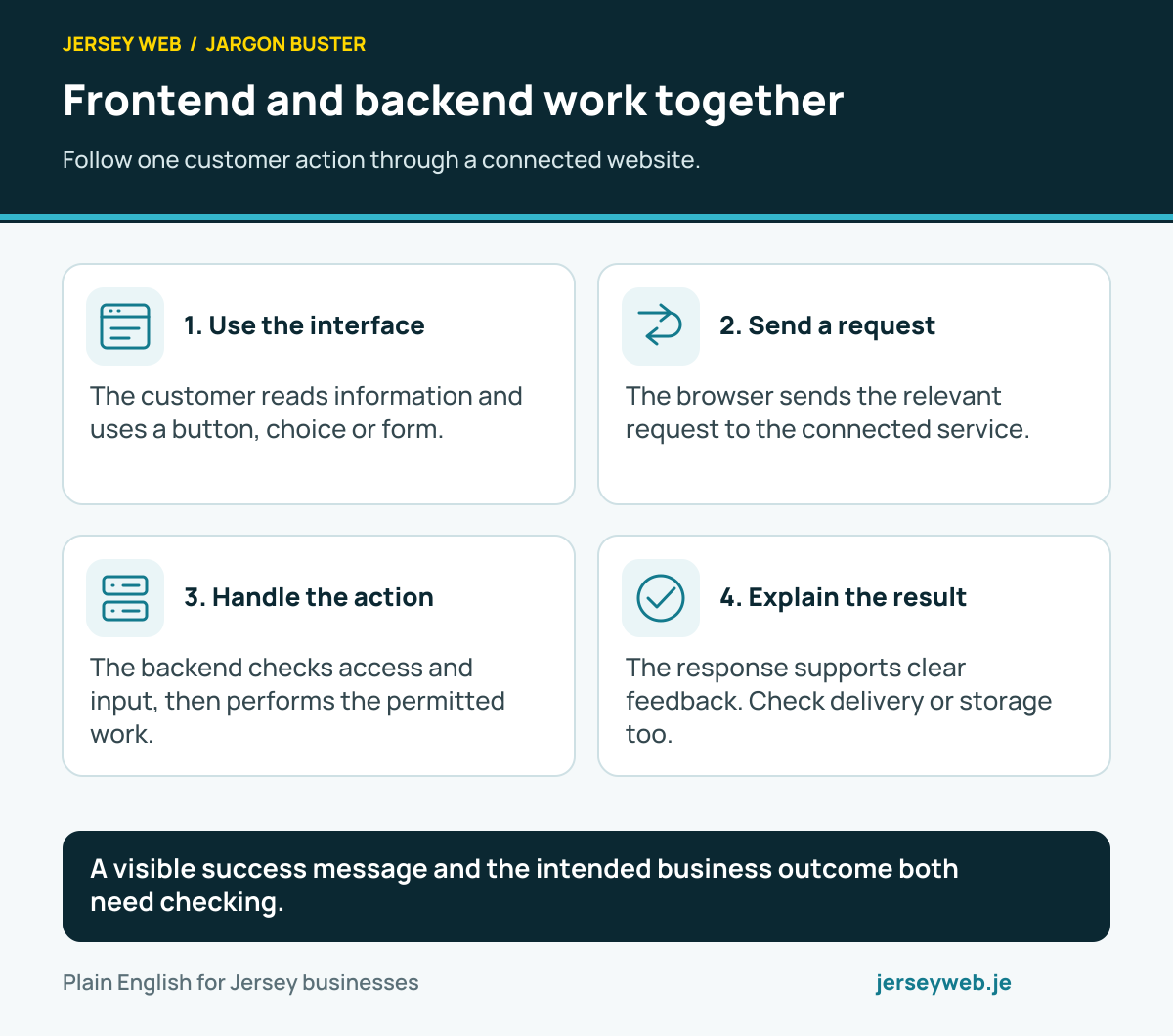
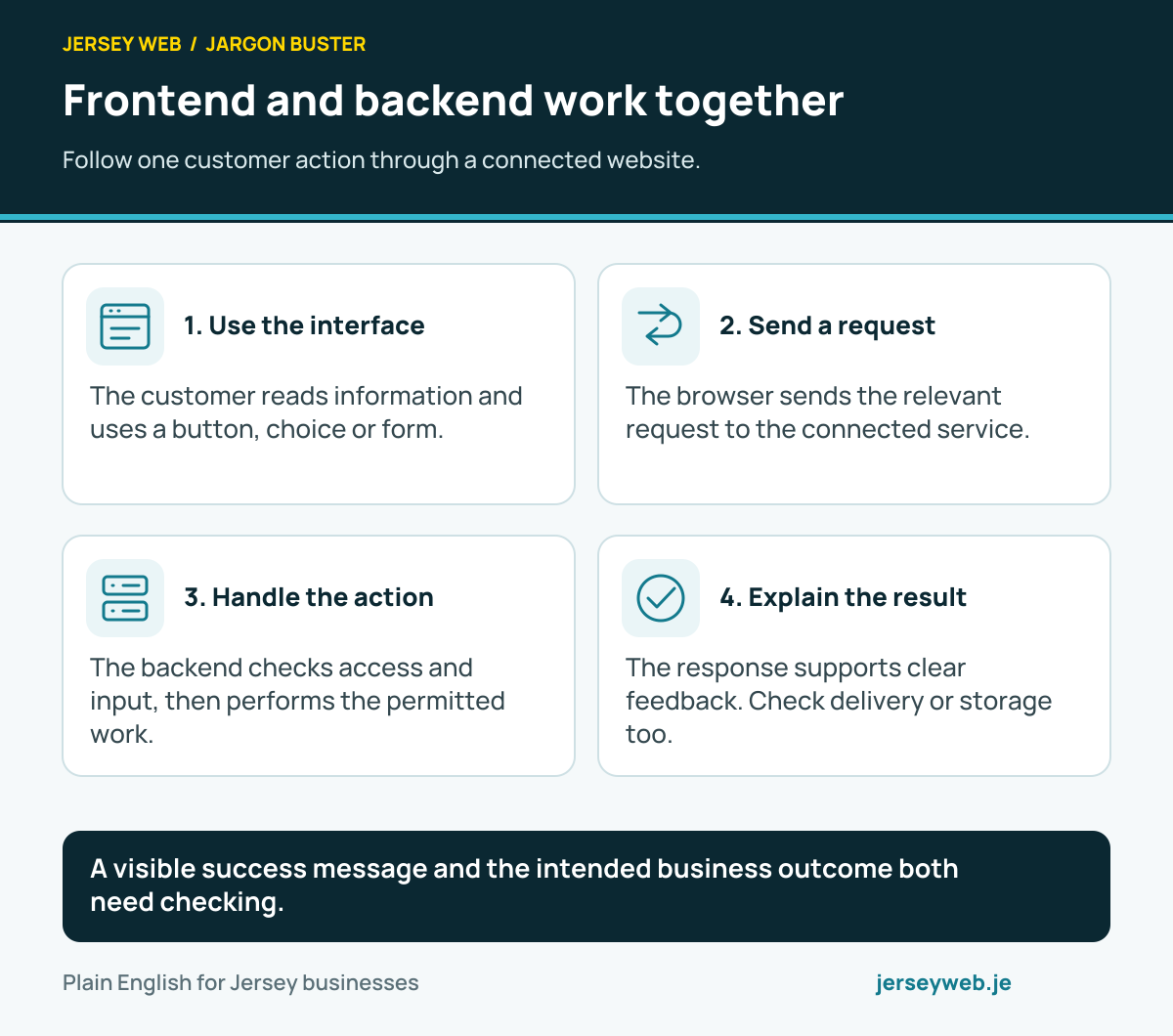
A visible success message and the intended business outcome both need checking.
Read the diagram in text
- Use the interface. The customer reads information and uses a button, choice or form.
- Send a request. The browser sends the relevant request to the connected service.
- Handle the action. The backend checks access and input, then performs the permitted work.
- Explain the result. The response supports clear feedback. Check delivery or storage too.
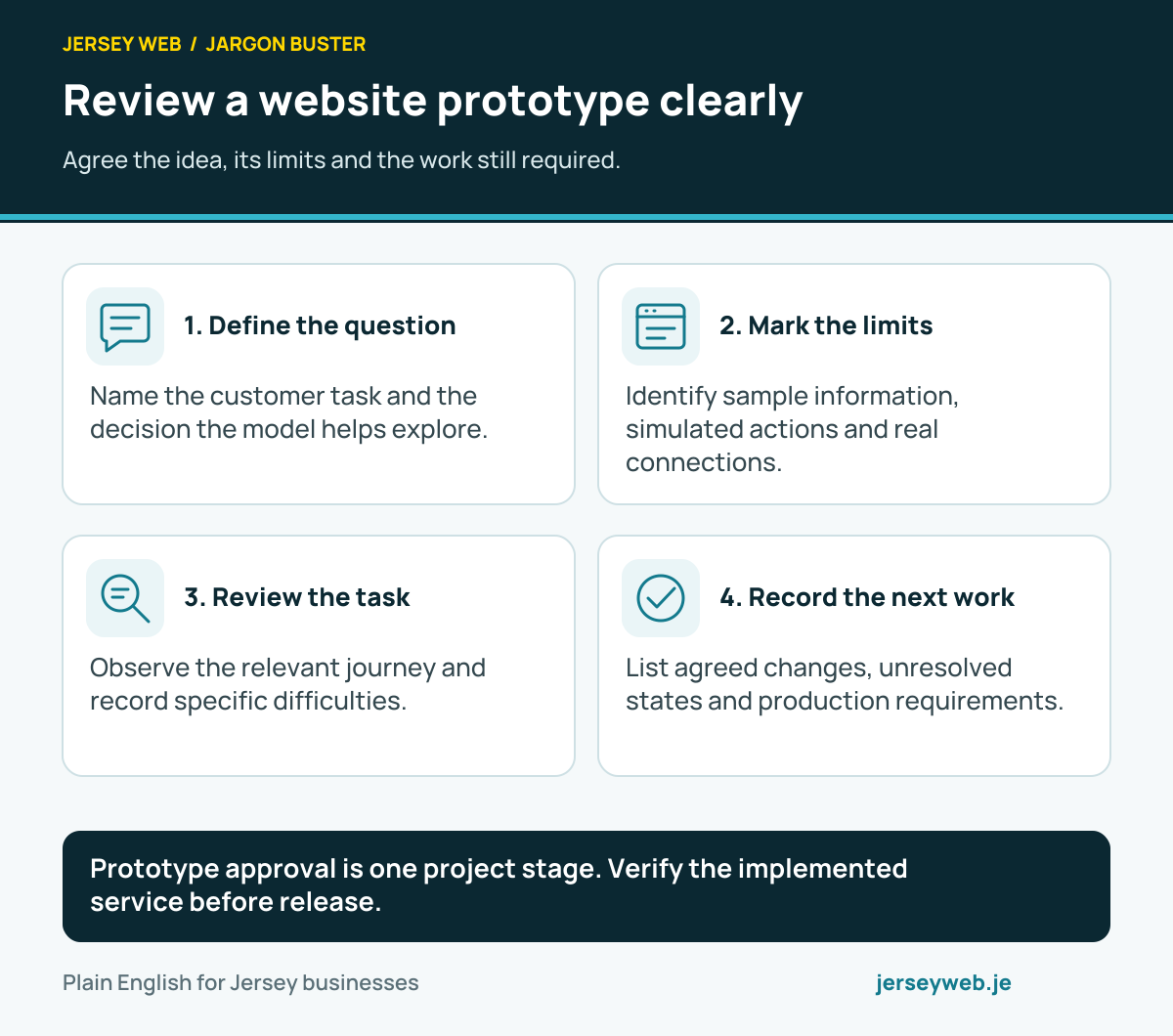
Prototype approval is one project stage. Verify the implemented service before release.
Read the diagram in text
- Define the question. Name the customer task and the decision the model helps explore.
- Mark the limits. Identify sample information, simulated actions and real connections.
- Review the task. Observe the relevant journey and record specific difficulties.
- Record the next work. List agreed changes, unresolved states and production requirements.
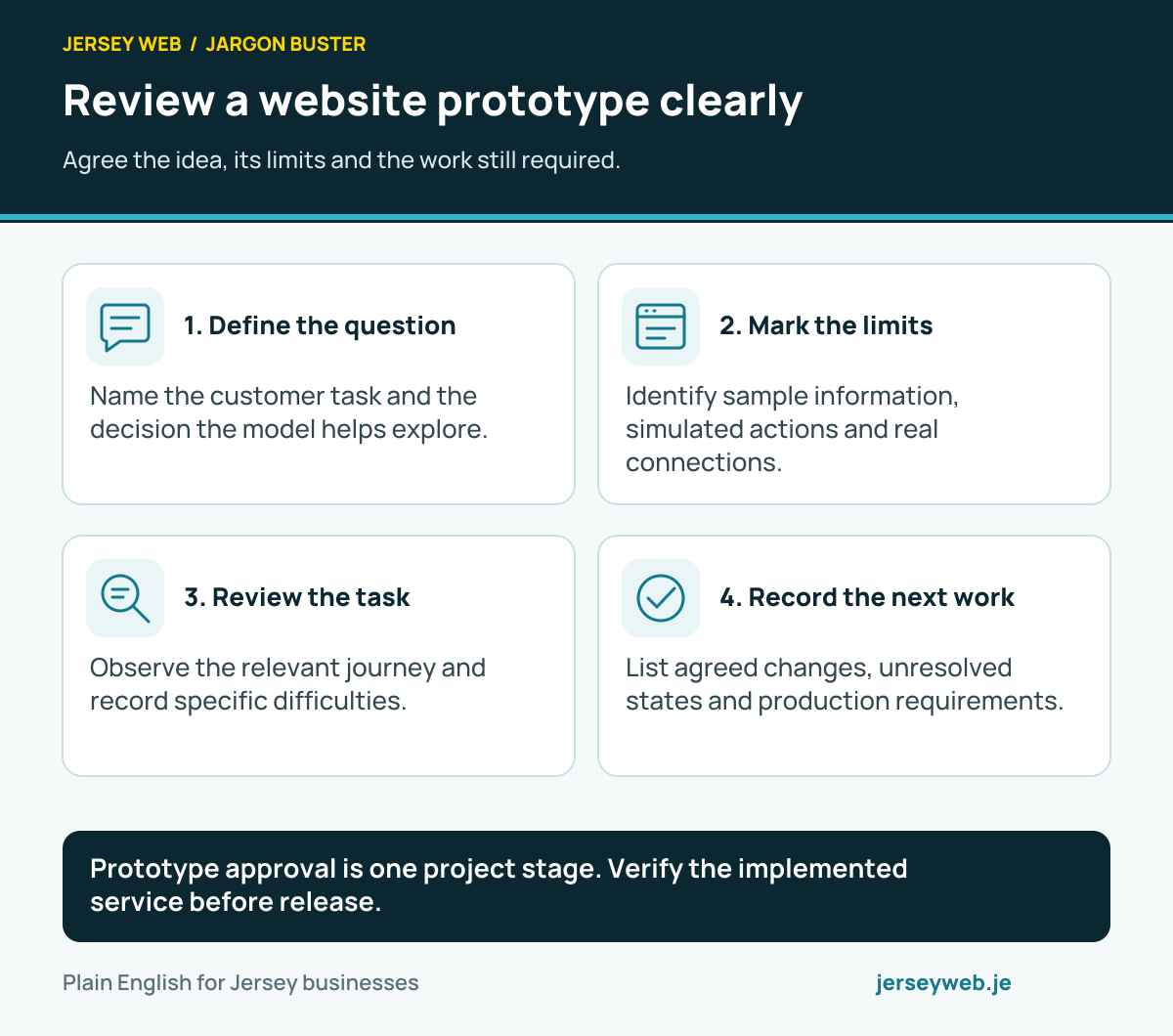
Diagram sources
Related terms
Learn more
Common questions
- Is frontend development only visual design?
- No. It includes implementing structure, controls, interactions and feedback as well as styling. Review the functioning page and its accessible behaviour alongside appearance.
- Does the frontend confirm every business outcome?
- Only the outcomes the complete application can establish. A visible success message should reflect the actual receiving operation rather than appear simply because a button was clicked.
- Does every frontend need a JavaScript framework?
- No. The appropriate implementation depends on the features and project. Ask how the chosen tools serve the actual website and maintenance needs.
- Is frontend validation sufficient to protect a form?
- No. Browser-side checks can help users, but the receiving application still needs appropriate validation and access controls.
Written by Jersey Web. Last reviewed 3 October 2026. Back to the Jargon Buster.