Website Wireframes Explained: Plan the Content Before the Visual Design
What does a website wireframe show? It sketches the page structure so the team can discuss what belongs where.
1:47 · No narration: the video shows each step as text on screen, and every step is written out below, with buttons that jump the video to it.
Prefer YouTube? Watch this video on our YouTube channel (opens in a new tab).
The six points in the video
This is a silent video. The headings, explanations and labels below reproduce the information on screen.
-
Step 1: Name the page purpose
Write down what a visitor should be able to do on this page.
On-screen labels: Visitor task; Page purpose; Useful next step.
-
Step 2: Arrange the main content
Use a simple layout to show the information and controls the page needs.
On-screen labels: Content sections; Important controls; Reading order.
-
Step 3: Show the priority
Decide what needs attention first and what can appear further down.
On-screen labels: Primary message; Supporting detail; Main action.
-
Step 4: Discuss different states
A single static layout may not explain errors, loading or success.
On-screen labels: Initial screen; Error state; Successful outcome.
-
Step 5: Consider smaller screens
Discuss how the information order and controls adapt when space narrows.
On-screen labels: Content order; Narrow layout; Usable controls.
-
Step 6: Review before polishing
Record questions and changes while the design is still easy to revise.
On-screen labels: Open questions; Agreed structure; Next design revision.
A practical check for your business
Use the wireframe to discuss the content and tasks before final visual detail. Record what the proposed structure needs to support and which decisions still require testing.
Sources and further detail
See it in a diagram
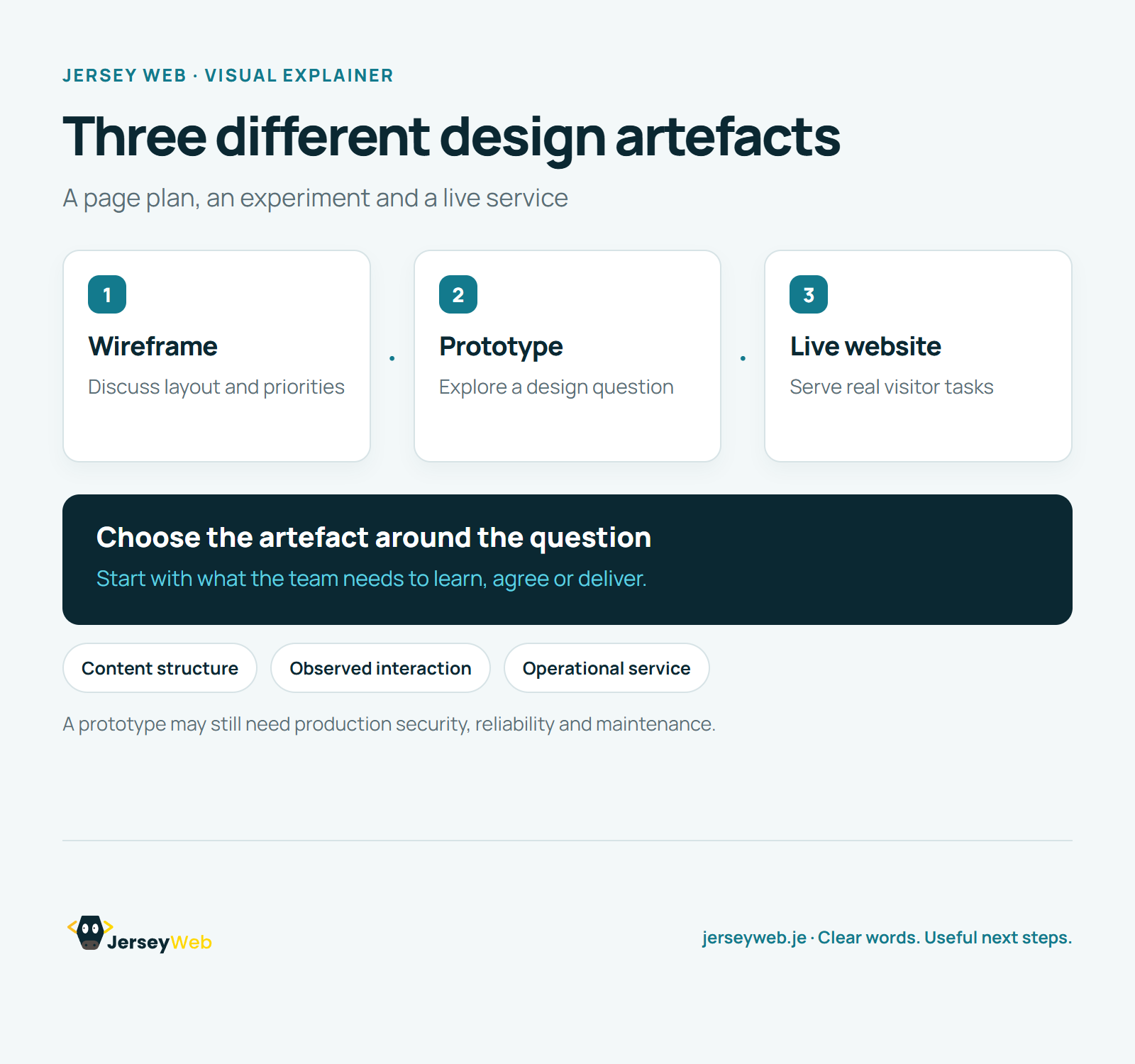
Read the diagram as text
- Wireframe: Discuss layout and priorities
- Prototype: Explore a design question
- Live website: Serve real visitor tasks
Choose the artefact around the question. Start with what the team needs to learn, agree or deliver.
A prototype may still need production security, reliability and maintenance.
Diagram by Jersey Web. Open full size · Source and further detail (opens in a new tab)
Common questions
What does a website wireframe show?
It sketches the page structure so the team can discuss what belongs where. Agree the page priorities before refining its appearance.
Go further
More video tips
All 205 videos →
Website Prototypes Explained: Test an Idea Before Building the Service
Prototypes, explained.
Design Systems Explained: Shared Styles, Components and Guidance
Design systems, explained.