Design Tokens Explained: Named Values That Keep Website Styles Consistent
Why give a colour or spacing value a name? A design token lets styles refer to a shared decision.
1:47 · No narration: the video shows each step as text on screen, and every step is written out below, with buttons that jump the video to it.
Prefer YouTube? Watch this video on our YouTube channel (opens in a new tab).
The six points in the video
This is a silent video. The headings, explanations and labels below reproduce the information on screen.
-
Step 1: Name a repeated choice
A token can represent a colour, spacing or typography decision.
On-screen labels: Colour value; Spacing value; Type style.
-
Step 2: Describe the intended role
A role-based name can explain where a value belongs.
On-screen labels: Primary text; Page background; Control border.
-
Step 3: Reference the shared value
Components use the token instead of repeating an unrelated local value.
On-screen labels: Shared reference; Reusable component; Consistent style.
-
Step 4: Support different themes
A role can stay consistent while its value changes between themes.
On-screen labels: Same purpose; Light theme value; Dark theme value.
-
Step 5: Review the wider effect
Changing a shared token can affect many places at once.
On-screen labels: Affected components; Visual differences; Readable contrast.
-
Step 6: Document the decision
Explain the token purpose and review new values before release.
On-screen labels: Clear naming; Usage guidance; Reviewed update.
A practical check for your business
Give shared values meaningful roles and review them in the actual component context. A colour or spacing value needs a clear purpose and a maintainable route into the released website.
Sources and further detail
See it in a diagram
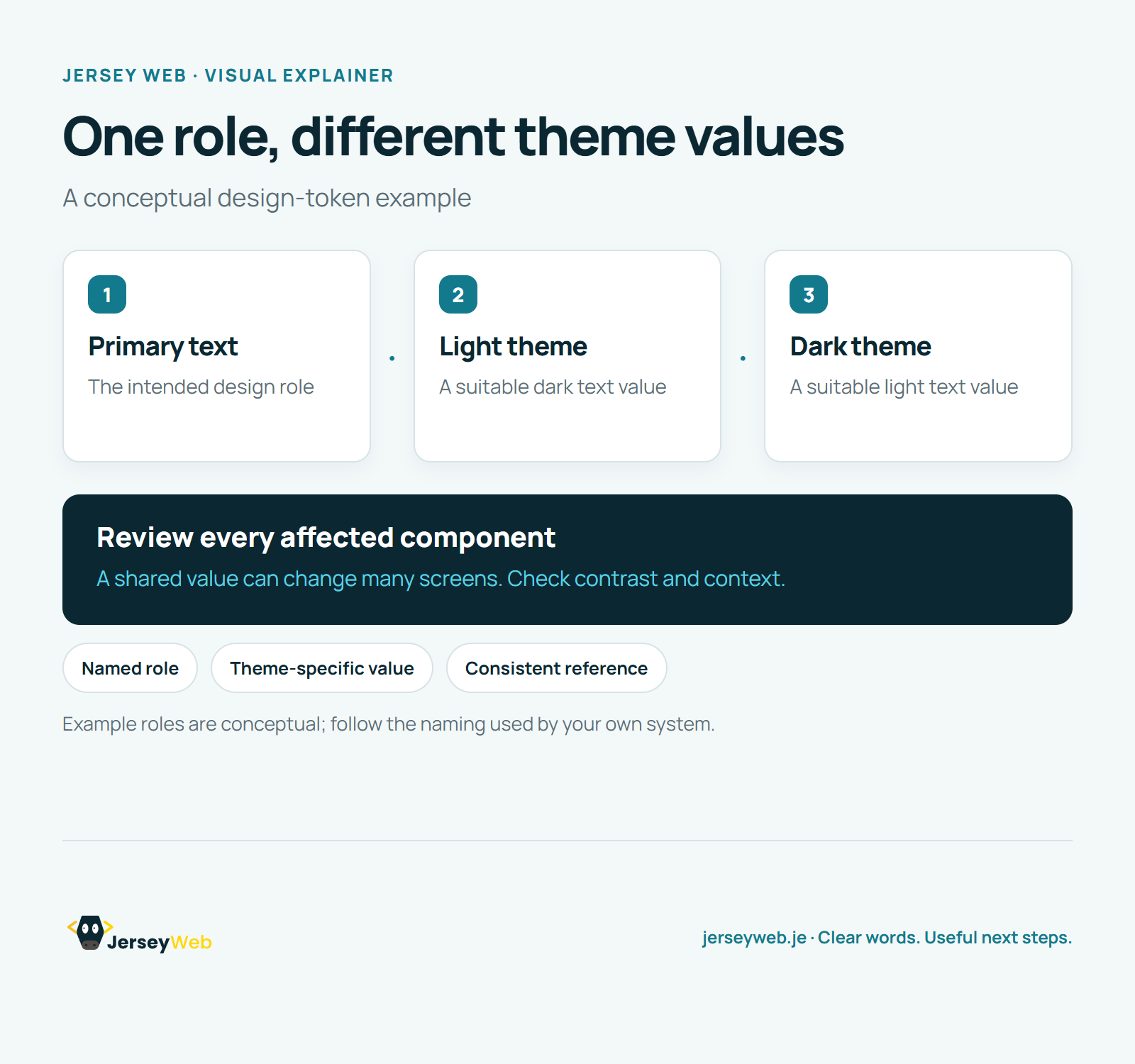
Read the diagram as text
- Primary text: The intended design role
- Light theme: A suitable dark text value
- Dark theme: A suitable light text value
Review every affected component. A shared value can change many screens. Check contrast and context.
Example roles are conceptual; follow the naming used by your own system.
Diagram by Jersey Web. Open full size · Source and further detail (opens in a new tab)
Common questions
Why give a colour or spacing value a name?
A design token lets styles refer to a shared decision. Review the affected components whenever a shared value changes.
Go further
More video tips
All 205 videos →
UI Components Explained: Reusable Website Controls and Their States
UI components, explained.
Customer Journey Maps: Understand the Steps Around a Website Visit
Map the whole customer journey.