Customer Journey Maps: Understand the Steps Around a Website Visit
Does your customer journey begin at the homepage? People can take steps before and after their website visit.
1:47 · No narration: the video shows each step as text on screen, and every step is written out below, with buttons that jump the video to it.
Prefer YouTube? Watch this video on our YouTube channel (opens in a new tab).
The six points in the video
This is a silent video. The headings, explanations and labels below reproduce the information on screen.
-
Step 1: Start with the real need
Describe the outcome the person is trying to achieve.
On-screen labels: Customer need; Intended outcome; Research evidence.
-
Step 2: Include earlier steps
Search, recommendations or an offline conversation may lead to the website.
On-screen labels: First trigger; Information search; Route to the site.
-
Step 3: Map the website task
Show the information and actions needed to make progress.
On-screen labels: Relevant content; Decision point; Useful action.
-
Step 4: Follow what happens next
An enquiry, reply or appointment may continue outside the website.
On-screen labels: Submitted enquiry; Business response; Next customer step.
-
Step 5: Mark points of difficulty
Record confusing handovers, repeated information and dead ends.
On-screen labels: Customer confusion; Repeated work; Missing connection.
-
Step 6: Check the map with evidence
Different people may follow different routes through the task.
On-screen labels: Research findings; Different journeys; Priority improvement.
A practical check for your business
Start with a genuine customer task and the points where someone needs information or support. Check the map against observed behaviour and keep assumptions distinguishable from evidence.
Sources and further detail
See it in a diagram
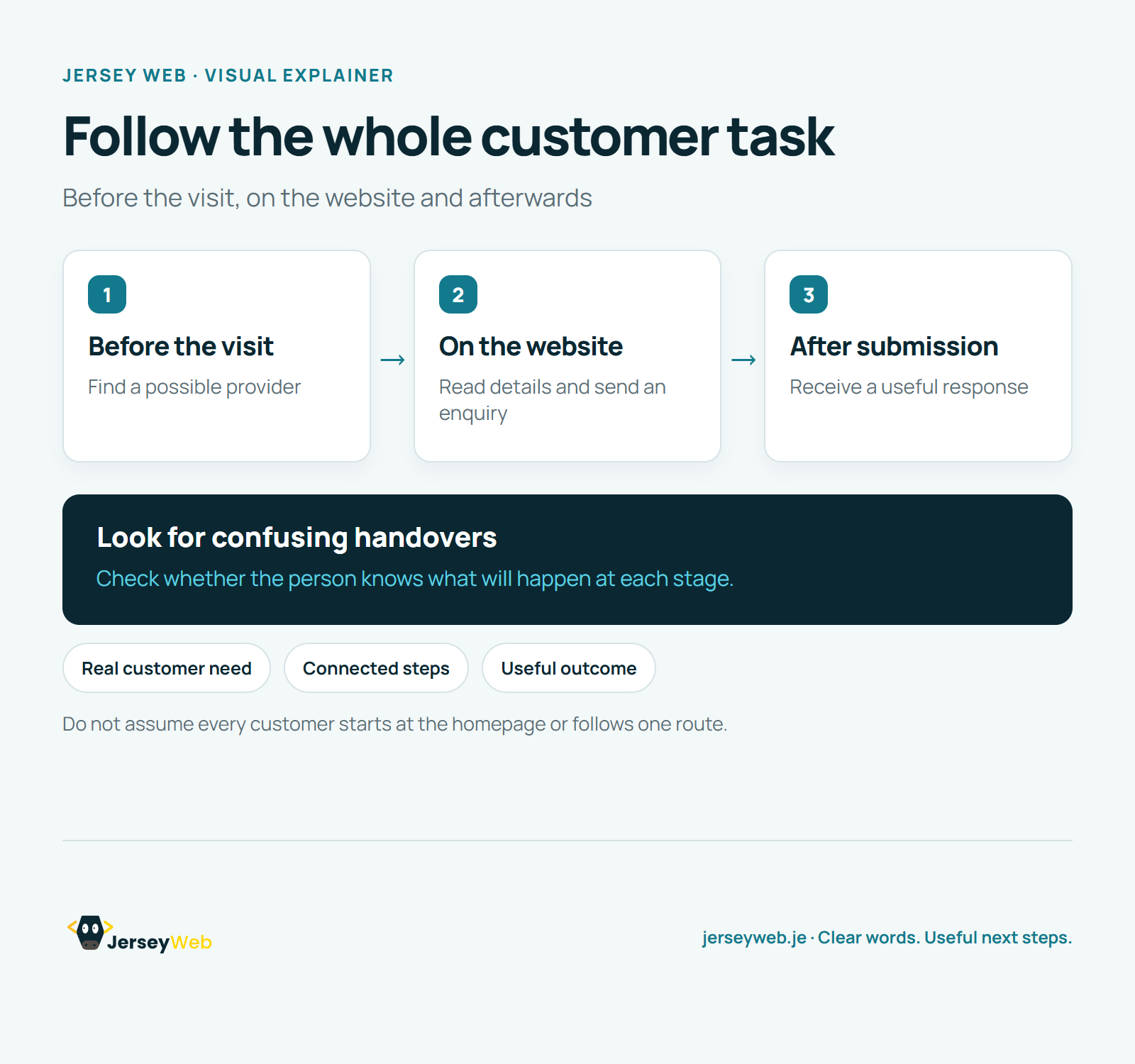
Read the diagram as text
- Before the visit: Find a possible provider
- On the website: Read details and send an enquiry
- After submission: Receive a useful response
Look for confusing handovers. Check whether the person knows what will happen at each stage.
Do not assume every customer starts at the homepage or follows one route.
Diagram by Jersey Web. Open full size · Source and further detail (opens in a new tab)
Common questions
Does your customer journey begin at the homepage?
People can take steps before and after their website visit. Use the map to choose a practical improvement to test.
Go further
More video tips
All 205 videos →
Website Usability Testing: Learn by Watching People Attempt Real Tasks
Watch the website in use.
Information Architecture Explained: Organise Website Content Around Real Needs
Information architecture, explained.