Watch a related explainer
In plain English
Brand identity is the set of choices a business uses to present its character and offer. Those choices include the business name, visual design and language used across its communications. A website expresses the identity through its typography, colours, imagery, wording and the way those elements work together.
Adobe’s guide to brand identity discusses visual elements and messaging, and distinguishes intended identity from the impressions customers form. A business can choose its presentation, but customers also respond to their own experiences of its service and communication.
For a website handover, the useful outcome is a manageable set of agreed assets and rules. A logo file on its own leaves many choices unexplained. Staff need to know which versions to use, how to write about the business and how to maintain a consistent presentation as pages change.
Why it matters for a Jersey business
A customer may encounter the business through signage, a search result, a social profile and the website. Consistent names and presentation can help them recognise that they have reached the intended business. The underlying service details still need to be accurate and clearly explained.
A small team also benefits from practical guidelines. If several people edit pages or prepare announcements, they need usable examples rather than relying on personal taste for every change. The guidance should explain the business’s agreed choices without making routine website updates unnecessarily difficult to carry out.
A realistic Jersey example
Imagine a Jersey café preparing a refreshed website. This is a hypothetical example. It gathers approved logo versions, colours, type choices and current photographs. The owner also agrees how the café describes bookings, opening arrangements and enquiries so that the wording reflects its actual service.
The designer applies those choices to the navigation, menu pages and enquiry form. The team checks readable text, clear controls and useful messages alongside appearance. The result is reviewed for consistency and usability; the example does not claim a measured change in recognition, customer preference or revenue.
What to prepare for a website project
Describe the business clearly. Identify the services, intended customers and the character the presentation should communicate. Use concrete examples to explain what feels appropriate. Avoid expecting a designer to infer the entire identity from a favourite colour or a competitor’s homepage.
Gather approved assets. Keep the current logo versions and suitable image masters together, with their intended uses explained. Record which material the business can use and maintain. A tiny exported image may be insufficient for every layout, so provide appropriate originals and let the designer create suitable website exports.
Document typography and colours. Record the chosen typefaces, palette and practical combinations. Adobe’s business guide to brand identity discusses coordinating visual choices. Apply them through a usable website system so that later headings, cards and pages follow the same agreed presentation.
Review language. Give the writer examples of how the business should sound and the facts it can support. Voice and tone need judgement: an enquiry prompt, error message and promotional introduction have different jobs. Mailchimp’s own voice-and-tone guide illustrates how an organisation documents that distinction for its content team.
Keep usability in the design review. Check that text and controls remain readable and understandable within the chosen style. W3C’s design tips discuss considerations including contrast and navigation. An approved brand palette does not automatically make every foreground and background combination suitable for website text.
Test representative content. Review a service page, a longer heading, an image card and a form state rather than approving only an attractive opening screen. These examples reveal how the identity works across actual content. They also give staff references for future edits and help identify choices that become unclear in smaller layouts.
Plan ongoing ownership. Keep a current asset folder and concise guidance accessible to the people maintaining the site. Decide who approves meaningful changes and removes superseded material. When the business changes a service or presentation, update the relevant website and communication assets through an agreed review process.
Common myths
A logo file explains every design choice. The wider presentation and language need guidance.
Identity controls every customer impression. Customers also interpret the actual service and their experiences.
Brand colours are readable in every combination. Check the specific use and contrast.
Our take
Jersey Web’s view is to turn the agreed identity into practical assets, wording and website patterns. Review those choices with real content and accessible controls. The owner should receive a presentation the team can understand, apply consistently and maintain as the business develops.
See it in a diagram
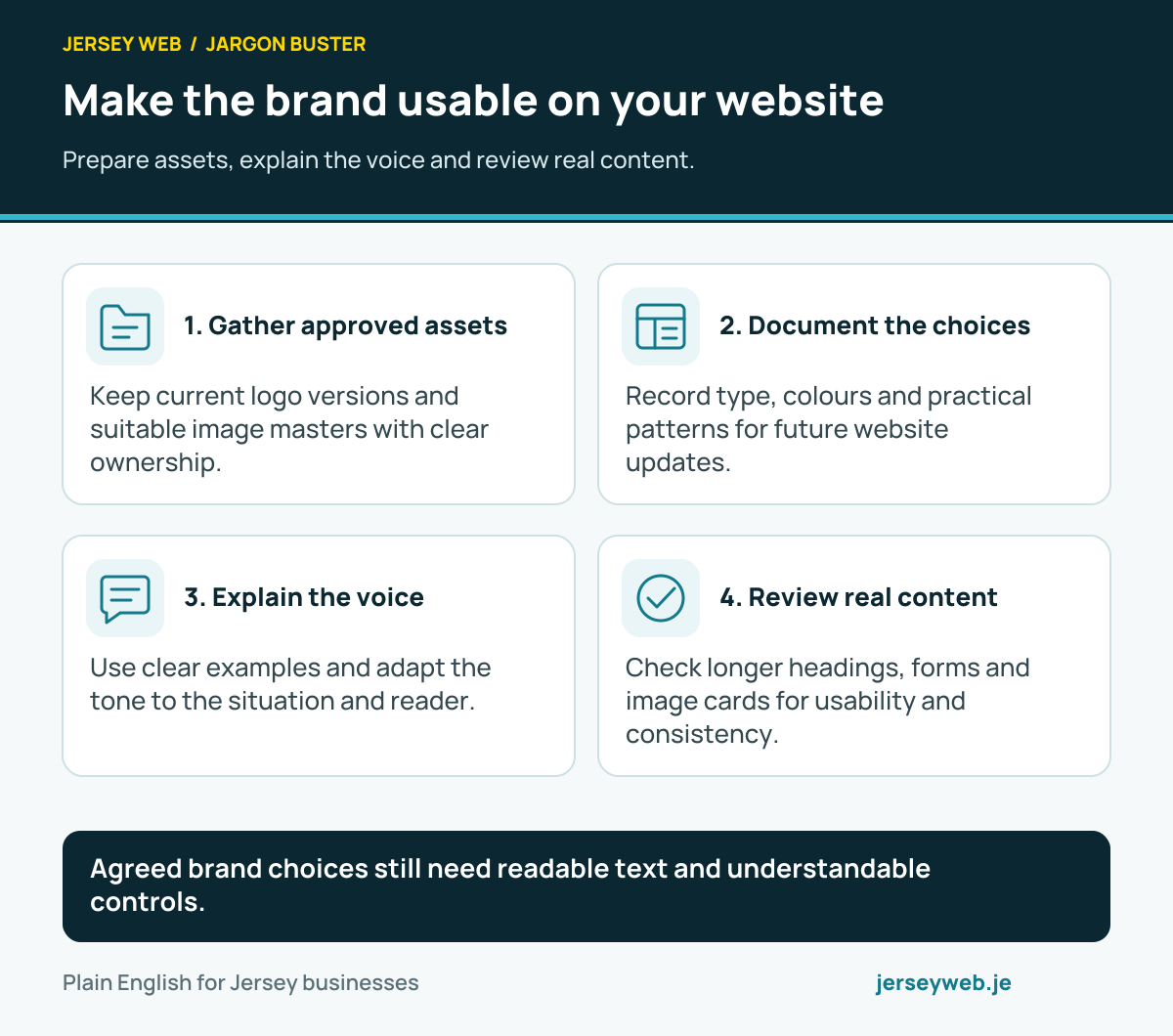
Agreed brand choices still need readable text and understandable controls.
Read the diagram in text
- Gather approved assets. Keep current logo versions and suitable image masters with clear ownership.
- Document the choices. Record type, colours and practical patterns for future website updates.
- Explain the voice. Use clear examples and adapt the tone to the situation and reader.
- Review real content. Check longer headings, forms and image cards for usability and consistency.
Related terms
Learn more
Common questions
- Is a logo the whole brand identity?
- No. A logo is one part of the presentation. Colours, typography, imagery, language and other choices also contribute to the identity a business intends to communicate.
- Can a website guarantee how customers perceive the business?
- No. The website contributes to their impression, alongside the service and other experiences. An intended identity does not control every customer’s interpretation.
- Should every message use exactly the same tone?
- A consistent voice can adapt its tone to the situation. An error or delayed booking needs appropriate clarity, even when ordinary promotional copy is informal.
- Can brand colours be used in every text combination?
- Check the actual contrast and meaning of the combination. A colour being part of the palette does not establish that every use is readable or accessible.
Written by Jersey Web. Last reviewed 3 October 2026. Back to the Jargon Buster.