Watch a related explainer

In plain English
A cache keeps information so it can be reused. That can reduce repeated transfer or computation. On a website, a browser may keep an image, a server may reuse generated information and a CDN may serve a stored response closer to the visitor. Each layer can have its own rules.
Think of keeping a useful reference copy near the person who needs it. That saves repeated trips, but the copy needs an appropriate rule for freshness. A business also needs to know whether the copy is suitable for the audience receiving it, especially when the original information is personal.
MDN’s HTTP caching guide distinguishes private and shared caches, freshness and validation. Cache-Control directives affect how responses are stored or reused. No-cache and no-store have different meanings. The website’s actual caching implementation matters alongside those standard HTTP instructions.
Why it matters for a Jersey business
Caching can help a site avoid unnecessary repeated work, but it can also explain why an old page appears after an update. The owner needs to distinguish an unpublished change from a stored copy. Otherwise staff may keep editing the same text without identifying where the old response originates.
Personalised pages need particular care. A public service explanation and a customer’s private account page are different kinds of content. Review the caching arrangement against that distinction so the website does not place private information into a copy intended for unrelated visitors.
A realistic Jersey example
Imagine a Jersey venue updating public opening information. This is a hypothetical example. Staff confirm that the approved change exists in the published source, then check the production page. If an old version appears, the developer identifies whether the browser, application or CDN is serving a stored copy.
The team follows the relevant supported refresh process and verifies the live result. They keep private booking records under a separately reviewed access and caching arrangement. The investigation therefore connects the visible content to the correct layer rather than treating every stored response as one global cache.
What to understand about the setup
Identify the layers. Ask the developer which browser, application, hosting and CDN mechanisms are relevant to the site. Record who can change their settings and which controls clear or refresh managed copies. A simple diagram or handover note can make later investigations much easier.
Review freshness rules. Determine how long information may be reused and how the system checks for a newer version. The appropriate arrangement depends on how the content changes. Public reference material and rapidly changing availability can require different decisions within the same website.
Trace an update. Confirm that the intended change reached the source and deployment, then inspect what production returns. Do not assume that a local preview proves the public page has changed. Identify the relevant response and cache before using broad clearing actions that affect unrelated content.
Check personalisation. Review account pages, basket information and any response specific to a customer. The mere presence of a cookie does not establish that shared caching is safe. Appropriate access and caching decisions should reflect the actual information returned by the application.
Keep file versions understandable. Updated scripts or images may need a deliberate publishing strategy so visitors receive the intended resource. Ask how the system names, versions and invalidates those assets. Replacing a local image file does not explain what every browser or intermediary will reuse.
Verify important workflows. A page can look current while a connected booking or order operation uses different information. Test the customer journey affected by the change and compare it with the receiving system. The scope of a successful cache refresh is narrower than proving the entire application works.
Retain a recovery plan separately. Cached information is not a substitute for backups or a reliable restore process. Document how the business recovers content and settings if something is lost. Keep the purposes of performance copies and recovery records clear in the handover.
Common myths
Clearing a browser clears the whole website. Other layers can retain independent copies.
A cache is a backup. It has a different purpose and lifecycle.
Every page can use the same shared rule. Personalised information needs appropriate handling.
Our take
Jersey Web’s view is to make caching understandable enough to maintain. Identify the relevant layers, choose rules for the actual content and verify updates on the released site. Keep personalisation and recovery decisions explicit alongside the performance benefit.
See it in a diagram
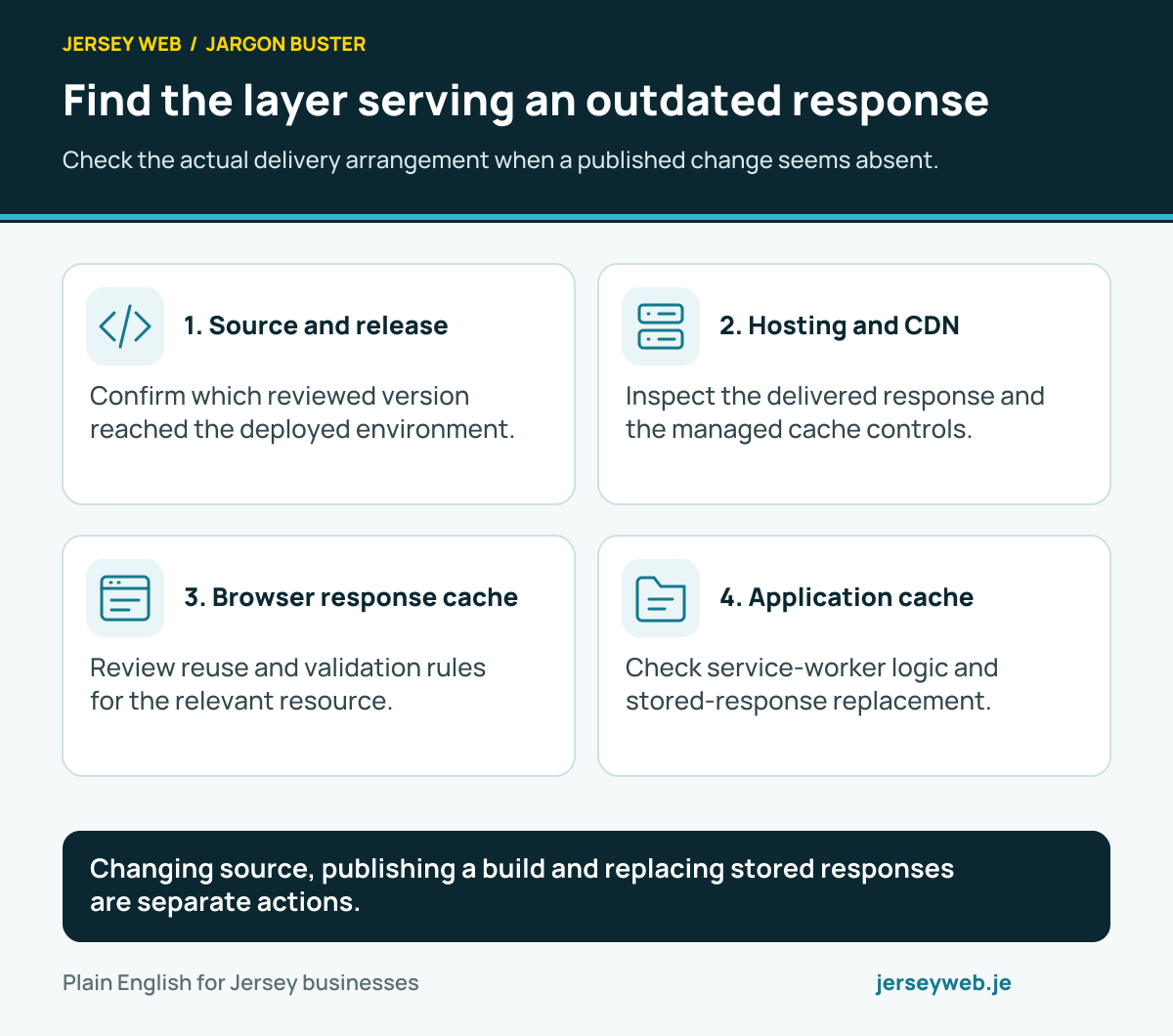
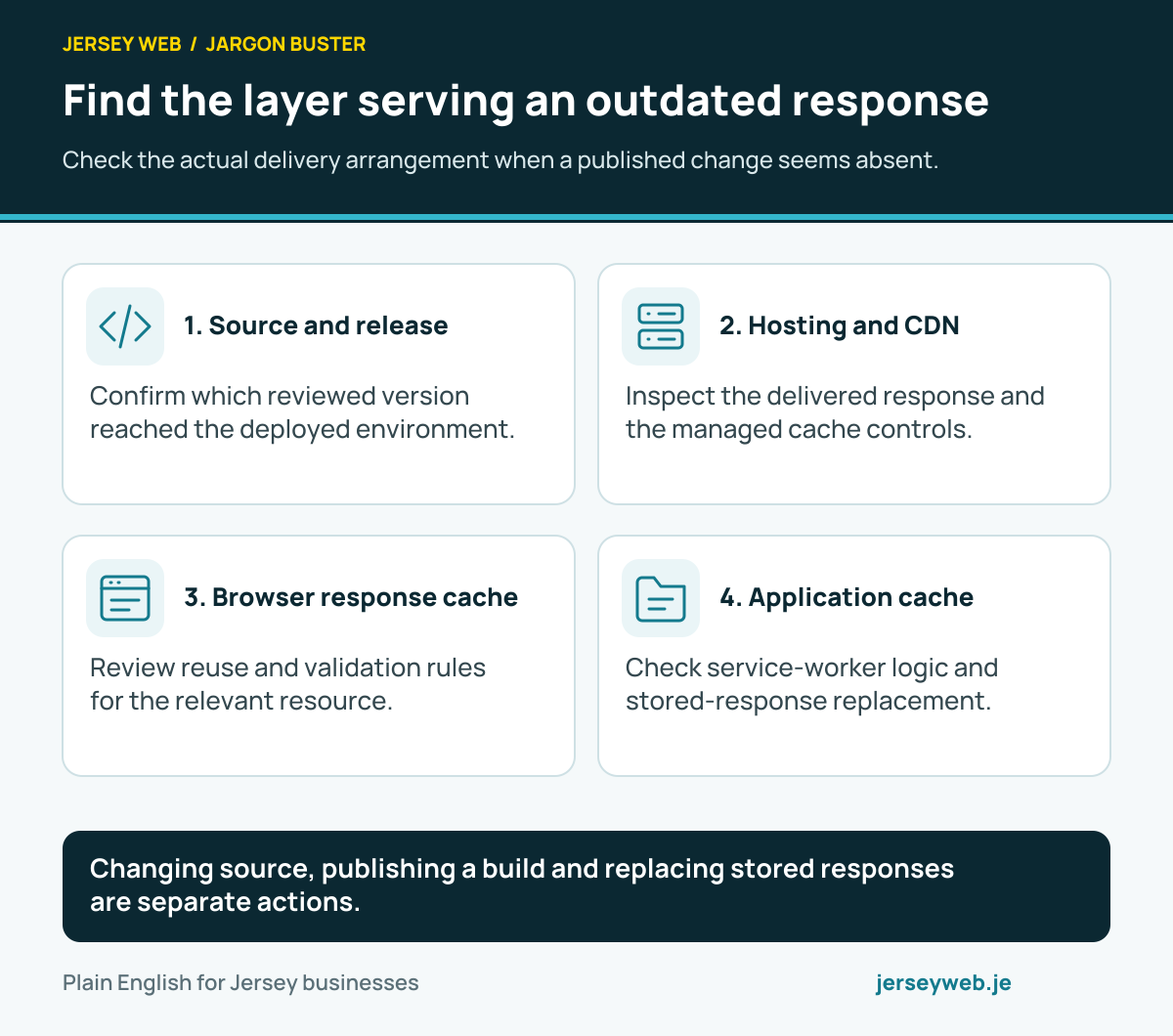
Changing source, publishing a build and replacing stored responses are separate actions.
Read the diagram in text
- Source and release. Confirm which reviewed version reached the deployed environment.
- Hosting and CDN. Inspect the delivered response and the managed cache controls.
- Browser response cache. Review reuse and validation rules for the relevant resource.
- Application cache. Check service-worker logic and stored-response replacement.
Related terms
Learn more
Common questions
- Is a cache the same as a backup?
- No. A cache supports reuse and performance. A backup supports recovery according to its scope and retention. Do not assume a cached copy is a dependable recovery record.
- Does clearing my browser clear every cache?
- No. Hosting, application and CDN layers may hold separate copies. Identify the relevant layer and use its supported controls.
- Does no-cache mean a response is never stored?
- No. In HTTP caching, no-cache requires validation before reuse; no-store has a different purpose. Review the actual Cache-Control rules and caching implementation.
- Can personal content be cached safely?
- The arrangement must match the information and access. A shared copy of personalised content can expose information if configured incorrectly. Review those pages and the actual caching layers carefully.
Written by Jersey Web. Last reviewed 3 October 2026. Back to the Jargon Buster.