Website Caching Explained: Why You Might See an Old Page
Changed a page but still see the old one? A saved copy may be part of the answer.
1:47 · No narration: the video shows each step as text on screen, and every step is written out below, with buttons that jump the video to it.
Prefer YouTube? Watch this video on our YouTube channel (opens in a new tab).
The six points in the video
This is a silent video. The headings, explanations and labels below reproduce the information on screen.
-
Step 1: A cache stores a copy
Reusing a response can save another download.
On-screen labels: Saved response; Fewer repeat requests; Faster repeat visits.
-
Step 2: Copies can live in several places
Your browser and a delivery network may both cache files.
On-screen labels: Browser cache; Shared cache; Website origin.
-
Step 3: Freshness has a time limit
Cache rules tell services when a copy needs checking.
On-screen labels: Fresh copy; Expiry time; Revalidation.
-
Step 4: An update may need a purge
Ask your developer which shared cache needs refreshing.
On-screen labels: Publish the change; Refresh shared copies; Check again.
-
Step 5: Private pages need care
Personal responses must not be shared with other visitors.
On-screen labels: Account pages; Personal information; Correct cache rules.
-
Step 6: Compare a fresh visit
Test another browser before assuming the update failed.
On-screen labels: New browser session; Correct page address; Confirm with your developer.
A practical check for your business
When a changed page still looks old, record the exact URL and where it was checked before changing cache settings. Compare the public result with the intended version. Ask which layer supplies the saved copy and how that layer is refreshed.
Sources and further detail
See it in a diagram
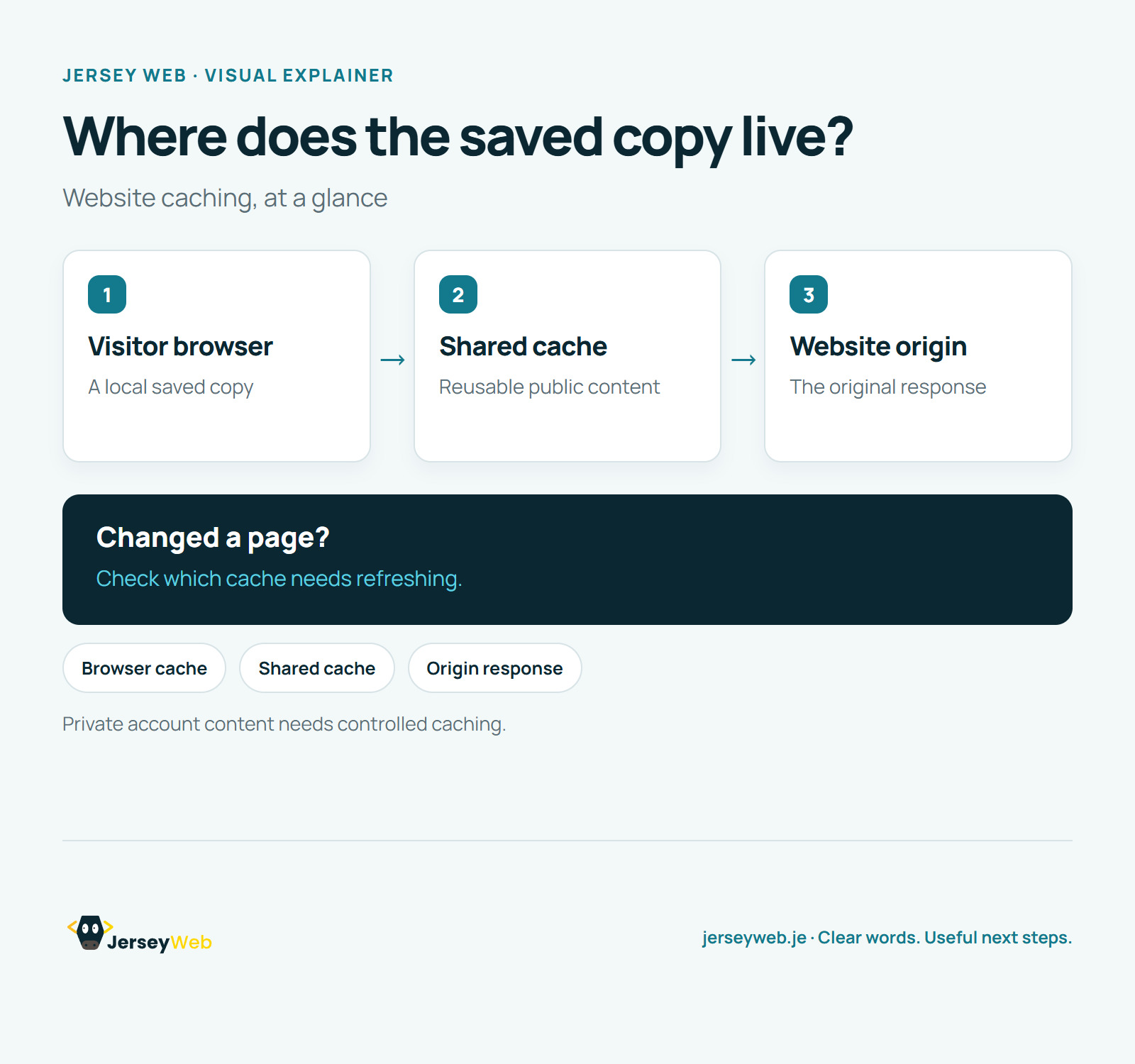
Read the diagram as text
- Visitor browser: A local saved copy
- Shared cache: Reusable public content
- Website origin: The original response
Changed a page?. Check which cache needs refreshing.
Private account content needs controlled caching.
Diagram by Jersey Web. Open full size · Source and further detail (opens in a new tab)
Common questions
Changed a page but still see the old one?
A saved copy may be part of the answer. Check which copy your visitors receive.
Go further
More video tips
All 205 videos →
What Is a CDN? Website Content Delivery Explained
A shorter delivery route.
JPEG, PNG, WebP or AVIF? Choosing Website Image Formats
Choose for the image.