Watch a related explainer
In plain English
A content delivery network places delivery services in multiple locations. A visitor can receive suitable content through a nearby network location rather than always fetching it from one origin server. The origin is the underlying service that supplies the authoritative website content. A CDN can sit between that origin and the visitor.
Caching is an important part of many CDN arrangements. If a response is suitable for reuse, the network can keep a copy and answer another request without asking the origin to do all the work again. Static assets such as images or stylesheets are common candidates. The exact content cached, and the time it is kept, depend on configuration and the provider.
The distinction matters because distributed delivery and caching are related but different ideas. MDN’s CDN definition explains the network concept, while its HTTP caching guide describes reuse and freshness. A CDN setting should be judged against what the website needs to deliver, rather than assumed to improve every response automatically.
Why it matters for a Jersey business
A Jersey business may serve customers on the island, elsewhere in the UK and overseas. A suitable delivery arrangement can help serve reusable files efficiently across these routes. The actual effect should be measured on the pages customers use, including a phone on a typical connection. A network label alone does not prove a useful improvement.
Updates are the other practical concern. If the shop changes an opening time, product image or availability message, staff need to know when the changed information will appear. Some delays come from the browser’s own cache, others from a CDN or the underlying application. Clear responsibility avoids repeated edits that never address the layer keeping the old copy.
A realistic Jersey example
Imagine a Jersey attraction publishing a seasonal timetable. This is a hypothetical example. Its photographs and stylesheet can be reused widely, while booking availability comes from a current booking service. The developer treats these types of information differently so that efficiently delivered artwork does not imply that yesterday’s booking slots are safe to show.
When the timetable changes, staff follow a documented update procedure and check the result from an ordinary visitor session. They test the actual information rather than relying on a successful upload message. A meaningful check includes both the changed page and any download or image that customers are expected to use.
What to check in a CDN arrangement
Ask which responses are cached and which bypass the shared cache. Account pages, customer-specific baskets and administration information need careful handling. A cookie being present is not, by itself, a complete privacy rule. The application and delivery configuration should make the intended sharing behaviour explicit.
Find out how content freshness is managed. Some assets use versioned filenames so that a new release references a new file. Other content needs sensible expiry rules or a supported purge process. Cloudflare’s default cache documentation illustrates why provider defaults should be checked instead of assumed to cover every type of page.
Measure the site before and after a significant change. Check delivery time, image size and the visible experience, then confirm that forms and purchases still work. A faster cached landing page is only part of the journey if the customer’s next action becomes unreliable. Keep the CDN account, DNS arrangement and support responsibility in the website handover record.
Common myths
A CDN replaces all hosting. It can distribute content, but an origin or publishing system still supplies the site’s content in the chosen architecture.
Cache everything is a safe shortcut. Shared reuse must suit the information being delivered, especially when it is private or changes frequently.
A CDN fixes oversized pages. Image sizing, scripts and page design still affect the visitor’s experience.
Our take
Jersey Web’s view is to use a CDN as part of a clear delivery plan. The business should know which information is reused, how important changes are checked and who owns the configuration. That gives the performance benefit a practical maintenance process.
See it in a diagram
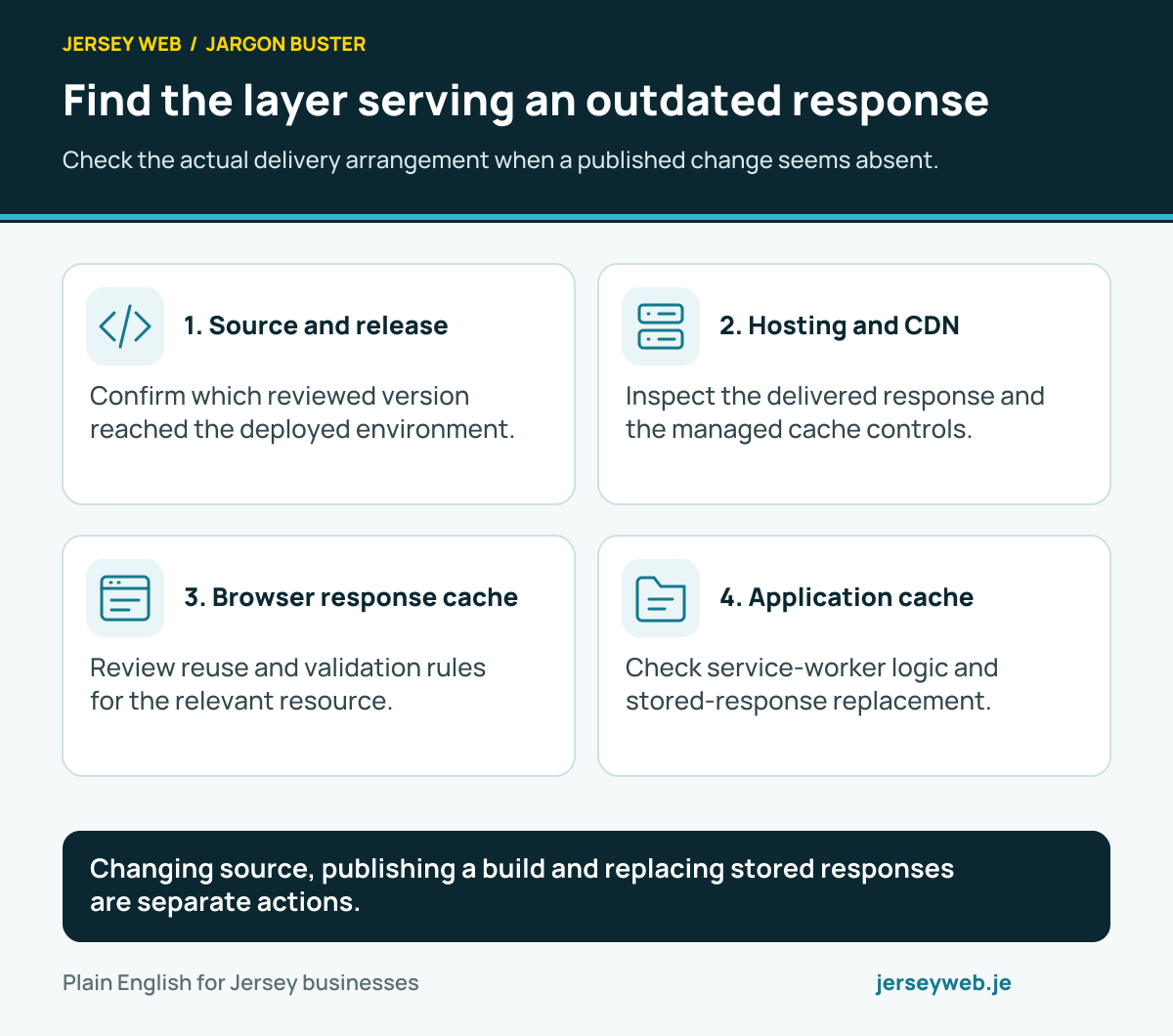
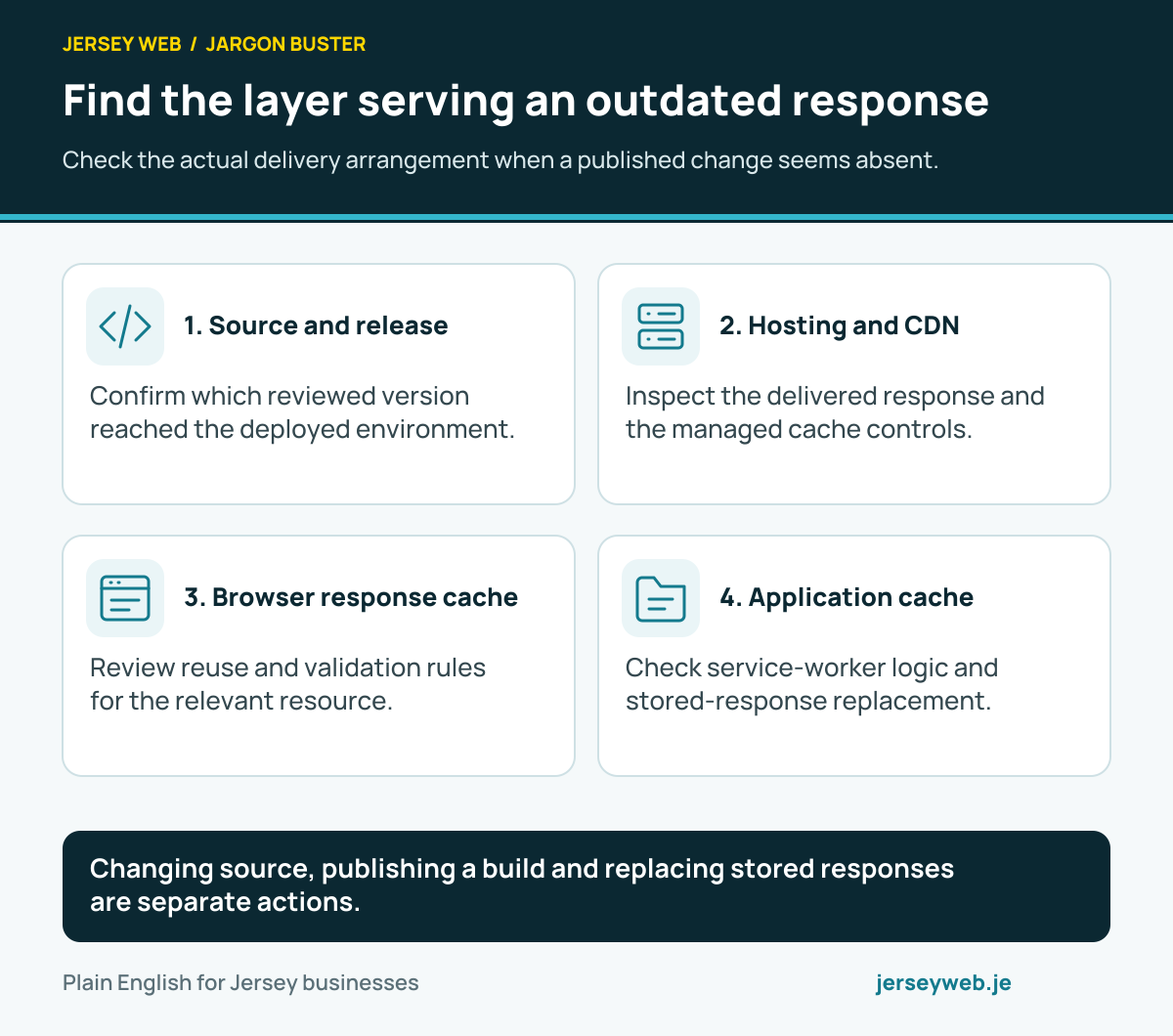
Changing source, publishing a build and replacing stored responses are separate actions.
Read the diagram in text
- Source and release. Confirm which reviewed version reached the deployed environment.
- Hosting and CDN. Inspect the delivered response and the managed cache controls.
- Browser response cache. Review reuse and validation rules for the relevant resource.
- Application cache. Check service-worker logic and stored-response replacement.
Related terms
Learn more
Common questions
- Is a CDN the same as web hosting?
- Hosting supplies the website’s origin service or content. A CDN can distribute and cache suitable responses in front of that service. The exact arrangement depends on the platform.
- Does a CDN make every page faster?
- No. Results depend on the content, cache settings, network path and other page dependencies. A large third-party script or poorly sized image can still slow a page.
- Why does an old image remain after an update?
- A cached response may still be reused until its freshness rules require a new copy or the cache is cleared. Check browser caching and CDN caching separately when investigating an update.
- Should customer account pages be publicly cached?
- Private or user-specific information needs appropriate controls and should not be shared through a public cache. Ask the developer how account, basket and checkout responses are handled.
Written by Jersey Web. Last reviewed 3 October 2026. Back to the Jargon Buster.