Watch a related explainer
In plain English
Email forwarding sends messages onwards to another address through a configured mail rule. The rule’s scope matters: it might cover all eligible incoming messages or only messages matching particular conditions. Gmail’s forwarding guidance illustrates destination verification, filtered handling and choices about the original copy in that specific service.
Other mail providers have their own administration, restrictions and recipient handling. Microsoft’s shared-mailbox configuration guidance includes a forwarding arrangement for that product. A provider example helps explain the concept; it does not mean every account has identical options or that a rule has already been enabled for your business.
Forwarding is therefore a routing choice with an operational consequence. Establish where the messages end up, who can access that destination and which mailbox the business relies on for its working record. Those details are more useful than simply noting that an address “forwards somewhere”.
Why it matters for a Jersey business
A local business may want one published enquiry address while its owner checks mail in another account. That can be convenient, but the owner still needs a clear arrangement for receiving, replying and maintaining access. A message appearing in a personal inbox is not enough to establish how the business will handle staff changes or recover access later.
Forwarding also affects responsibility. If a message is sent onwards to several people, more than one person may reply, or everyone may assume someone else has dealt with it. If the destination belongs to one member of staff, enquiries may become difficult to review when that person is unavailable. Match the configuration to the actual team workflow.
A realistic Jersey example
Imagine a Jersey gardening business with an enquiry address published on its website and van. This is a hypothetical example. The owner initially forwards incoming messages to a second account. Before relying on the arrangement, the owner verifies the intended destination and checks what happens to the original message under the provider’s supported settings.
Later, an office colleague begins handling enquiries. The team reviews whether the forwarding rule still fits the work or whether authorised access to a shared mailbox would give clearer responsibility. They test a suitable enquiry and reply, record who checks the working inbox and remove obsolete routing when the agreed change is complete.
Practical checks before relying on forwarding
Confirm the destination precisely. Review the actual address and any required verification. Use a destination that the business can appropriately access and manage. A typographical error or forgotten external account can create a handling problem even when the forwarding feature itself behaves as configured.
Read the rule’s scope. Check whether it applies to all eligible messages, selected filters or a particular recipient arrangement. Confirm how the provider handles exceptions. Avoid assuming that one successful test proves every class of message follows the same route; document what the test covered and review relevant failures separately.
Check original-copy handling and continuity. Identify where the business expects to keep its working messages and what the provider’s configuration does with the original. Forwarding is not an independent mailbox backup. Review retention and recovery through the relevant service, and plan a separate migration if historical mail needs to be moved.
Test the reply identity. Send an appropriate test message, reply through the intended working arrangement and inspect what the recipient sees. Confirm the supported sending identity rather than assuming that a forwarded message automatically authorises replies from the original business address. Keep that account setup under the responsibility of the person managing business email.
Assign a handling owner. Decide who checks the destination, how colleagues know an enquiry has been answered and who reviews routing when staff leave or responsibilities change. Microsoft’s explanation of shared mailboxes describes a different arrangement with relevant permissions. Consider that distinction when several people need to work in a common mailbox.
Common myths and mistakes
Forwarding does not automatically move old messages, migrate contacts or reproduce every mailbox folder at the destination. Those are separate requirements. If the business is changing email providers, include the actual data-transfer and access needs in the project rather than treating a new forwarding address as a complete migration plan.
An alias, a distribution group and a shared mailbox also have different roles. One can provide another address for an existing mailbox, another can distribute messages to members, and another can support shared work with permissions. Ask for the intended behaviour in plain English before choosing a feature by name.
Our take
For a Jersey business, forwarding should have a named destination, a documented scope and a clear person responsible for enquiries. Review the original copy and reply identity, then test the real workflow. That turns a convenient routing rule into an arrangement the team can understand and maintain as the business grows.
See it in a diagram
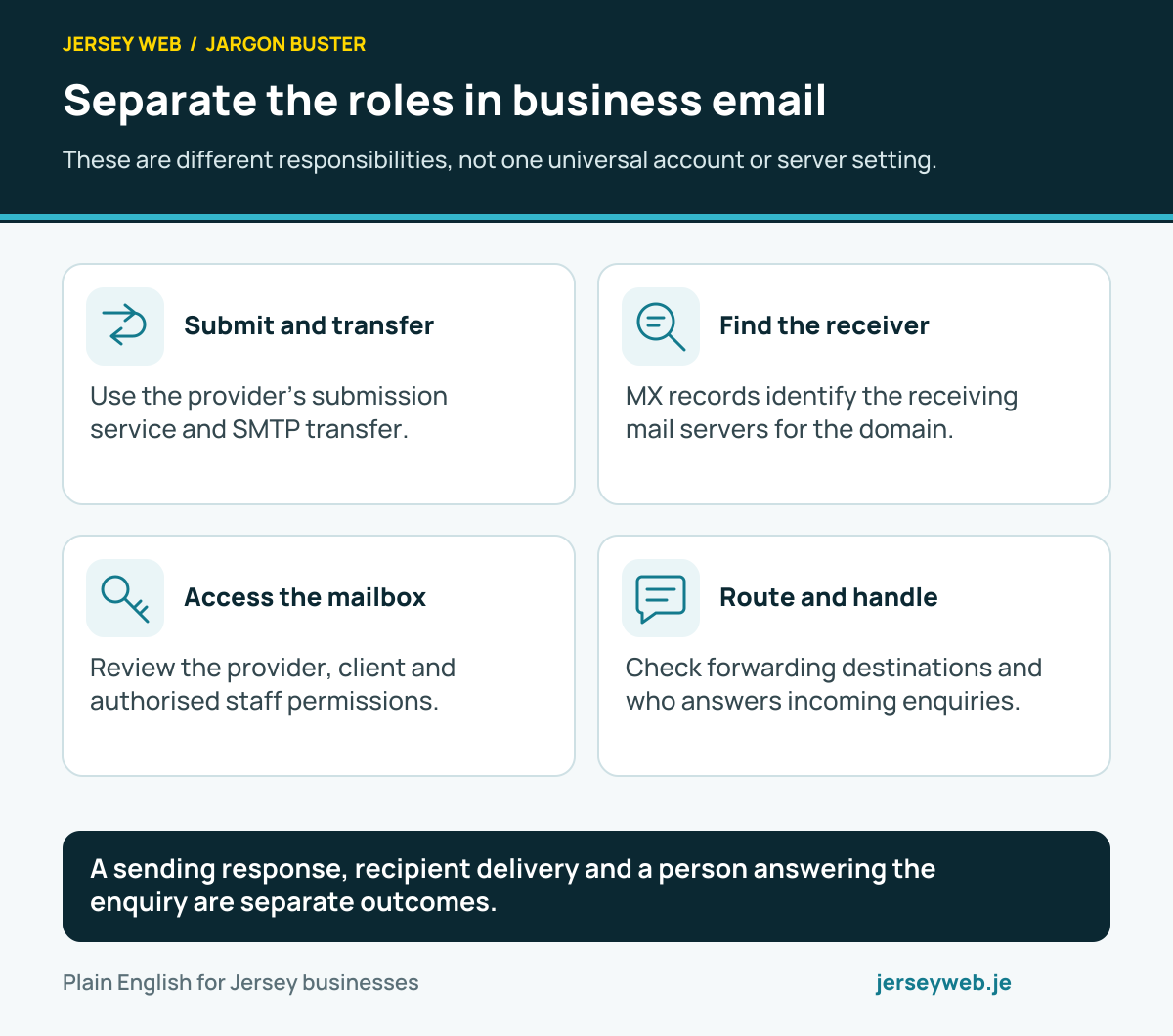
A sending response, recipient delivery and a person answering the enquiry are separate outcomes.
Read the diagram in text
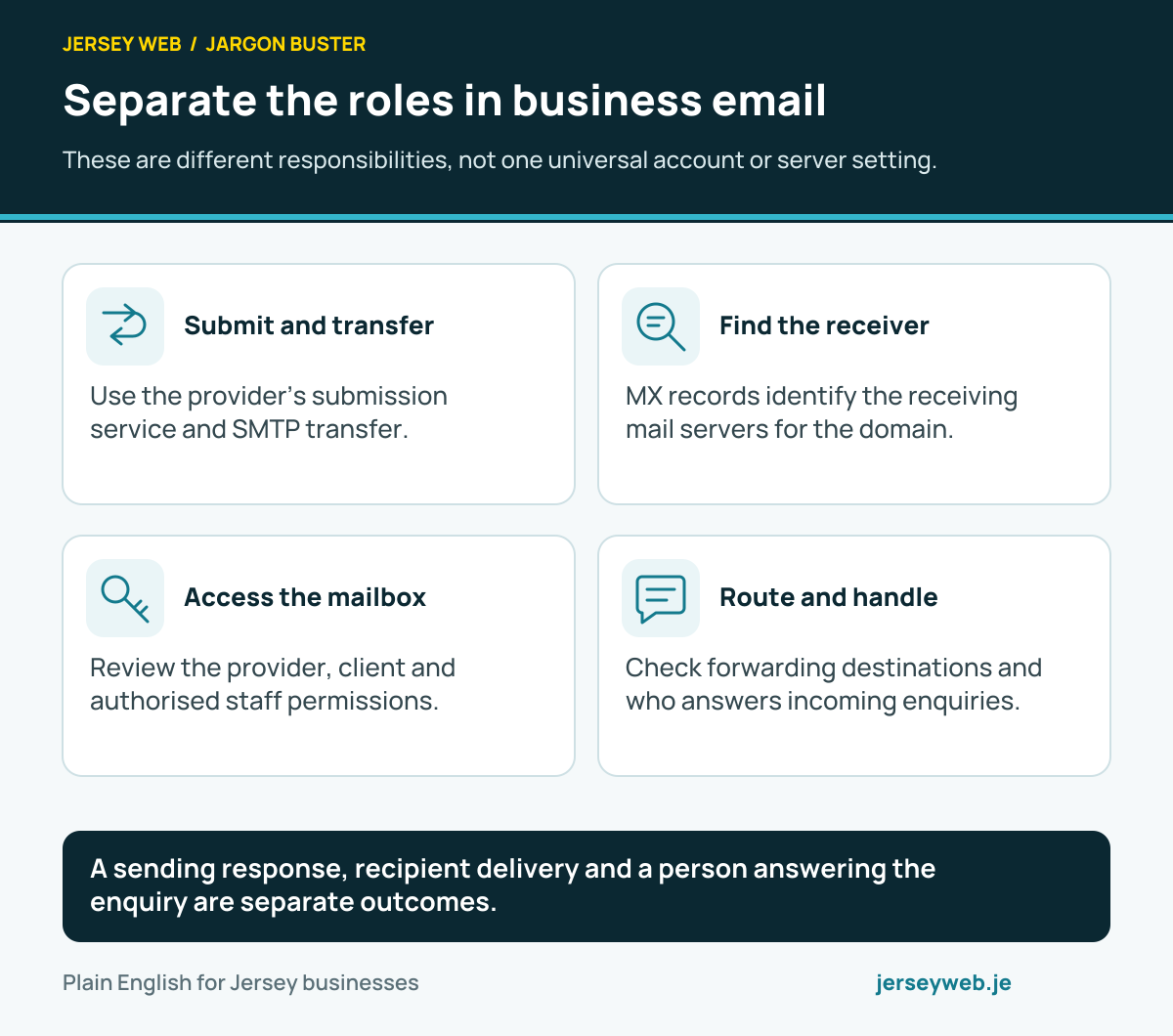
- Submit and transfer. Use the provider’s submission service and SMTP transfer.
- Find the receiver. MX records identify the receiving mail servers for the domain.
- Access the mailbox. Review the provider, client and authorised staff permissions.
- Route and handle. Check forwarding destinations and who answers incoming enquiries.
Related terms
Learn more
Common questions
- Does forwarding move my old email?
- A forwarding rule concerns the messages within its configured handling, commonly new incoming messages. Migrating existing mailbox contents is a separate task that needs its own supported process and verification.
- Does forwarding keep the original message?
- That depends on the provider and settings. Check the original-copy handling rather than assuming the message remains in both places. Confirm which location the business uses as its working record.
- Is a forwarded address the same as a shared mailbox?
- No. Forwarding routes messages onwards. A shared mailbox provides a common mailbox with relevant staff permissions. Choose an arrangement that fits the actual responsibility for reading and replying.
- Will a reply automatically use the business address?
- Do not assume so. The destination account’s reply behaviour and authorised sending setup matter. Test the visible reply identity and delivery through the supported arrangement.
Written by Jersey Web. Last reviewed 3 October 2026. Back to the Jargon Buster.