Watch a related explainer
In plain English
MX stands for mail exchange. An MX record is a DNS record concerned with receiving email for a domain. Cloudflare’s MX explanation describes how a sending mail system finds the relevant receiving servers. This lookup has a different purpose from finding the address used to serve the business’s website.
The record includes a preference value. Lower numerical values are preferred in the relevant selection process. The actual destinations and values should come from the mail provider responsible for the domain. A public example explains the format; it does not establish the right configuration for your business or prove that the receiving provider has created the intended recipients.
Think of the record as part of the delivery directions. It is not the mailbox itself, the staff member checking that mailbox or a guarantee that a particular message will reach the inbox. Mail-system policy, recipient configuration and subsequent processing have their own responsibilities.
Why it matters for a Jersey business
A business can have its website with one supplier and its email with another. Moving the website does not automatically mean moving the email service. However, changing the authoritative DNS arrangement can affect the records supporting both. The person managing a website change needs a clear record of where email should continue to arrive.
An enquiry address may appear on signs, invoices, directory profiles and printed materials. If the mail route is changed incorrectly, customers can continue using an apparently familiar address while delivery fails elsewhere in the system. Reviewing the receiving arrangement is therefore part of protecting the business’s ordinary contact workflow, rather than a task reserved for a new email account.
A realistic Jersey example
Imagine a Jersey repair business replacing its website while retaining its existing email provider. This is a hypothetical example. The owner expects the enquiry address to keep working. The website developer first confirms who operates the authoritative DNS, which provider receives the email and which published addresses the team actually uses.
The change plan includes the mail provider’s required records alongside the website records. After the planned update, the team checks a suitable incoming test message in the intended mailbox and confirms that staff can reply using the approved arrangement. Loading the new website is one verification step; it does not establish the result of the separate email test.
Practical checks before changing records
Identify the responsible provider. Obtain the current, account-specific mail destinations from the person or provider managing the email service. Cloudflare’s email-record guidance makes clear that the appropriate values depend on the email provider. Avoid copying another organisation’s destinations simply because its setup appears similar.
Record the present arrangement before the change. Include the authoritative DNS supplier, receiving provider, relevant published addresses and the person responsible for checking them. Store any required access details through the business’s approved account-management process. A handover note should identify responsibility without embedding passwords in ordinary project correspondence.
Review receiving and sending separately. MX records are part of receiving mail. The supported sending service and the domain’s relevant authentication records need their own review. A successful incoming message does not by itself demonstrate that website notifications or staff replies are being sent through the correct arrangement.
Plan the verification and recovery steps. Choose a suitable test recipient, check the actual mailbox and record what the test demonstrated. If something fails, inspect the relevant status and provider guidance rather than making repeated speculative DNS edits. Retain a clear record of the intended configuration so the responsible person can investigate the specific change.
Common myths and mistakes
Changing an MX record does not move old messages, create staff permissions or migrate the contents of an existing mailbox. Those are separate jobs. If an email-provider migration is part of the project, document its data, access and continuity requirements explicitly instead of assuming that changing the delivery destination completes the whole migration.
A familiar address and a working website also do not prove that a contact form has delivered its notification. A form can involve a separate submission service and recipient rule. Test the complete enquiry route, including where the message is stored and who notices it, while keeping routing evidence distinct from the final business outcome.
Our take
For a Jersey business, the useful question is: which service should receive mail for this domain, and how will we verify the intended addresses after the change? Keep the provider’s required MX configuration and a practical mailbox check in the project handover. That gives the owner something concrete to review when the website, DNS or email supplier changes.
See it in a diagram
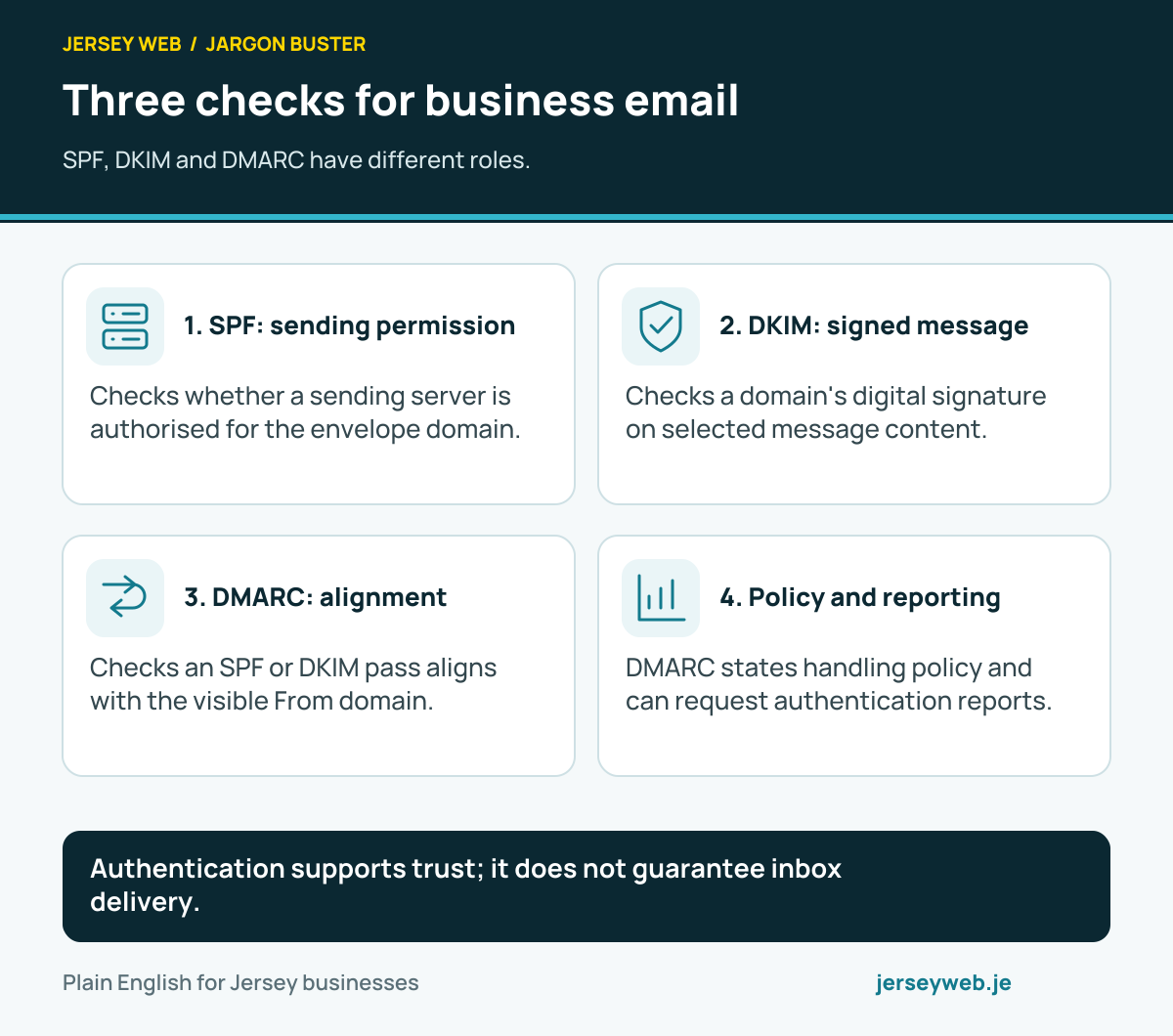
Authentication supports trust; it does not guarantee inbox delivery.
Read the diagram in text
- SPF: sending permission. Checks whether a sending server is authorised for the envelope domain.
- DKIM: signed message. Checks a domain's digital signature on selected message content.
- DMARC: alignment. Checks an SPF or DKIM pass aligns with the visible From domain.
- Policy and reporting. DMARC states handling policy and can request authentication reports.
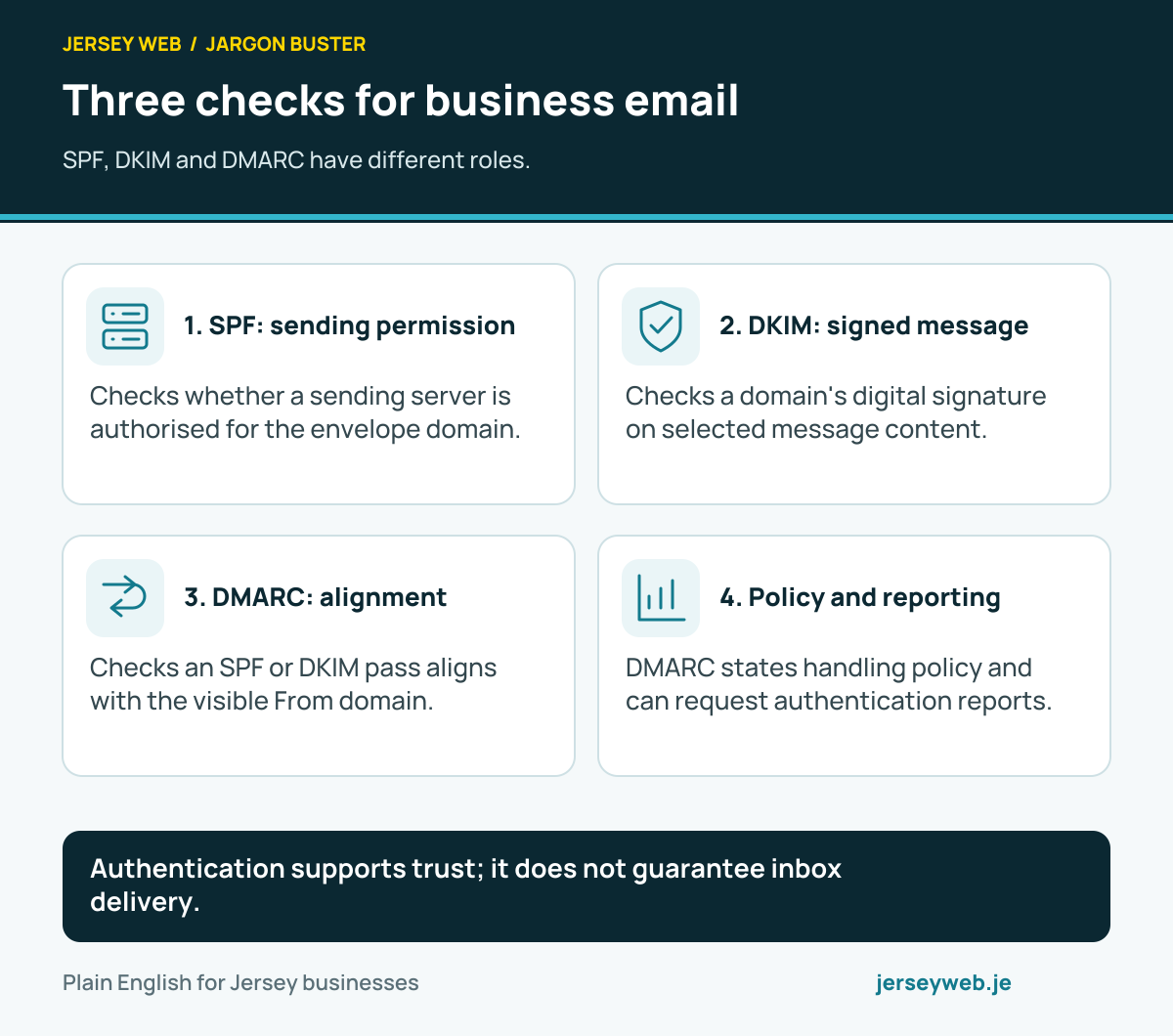
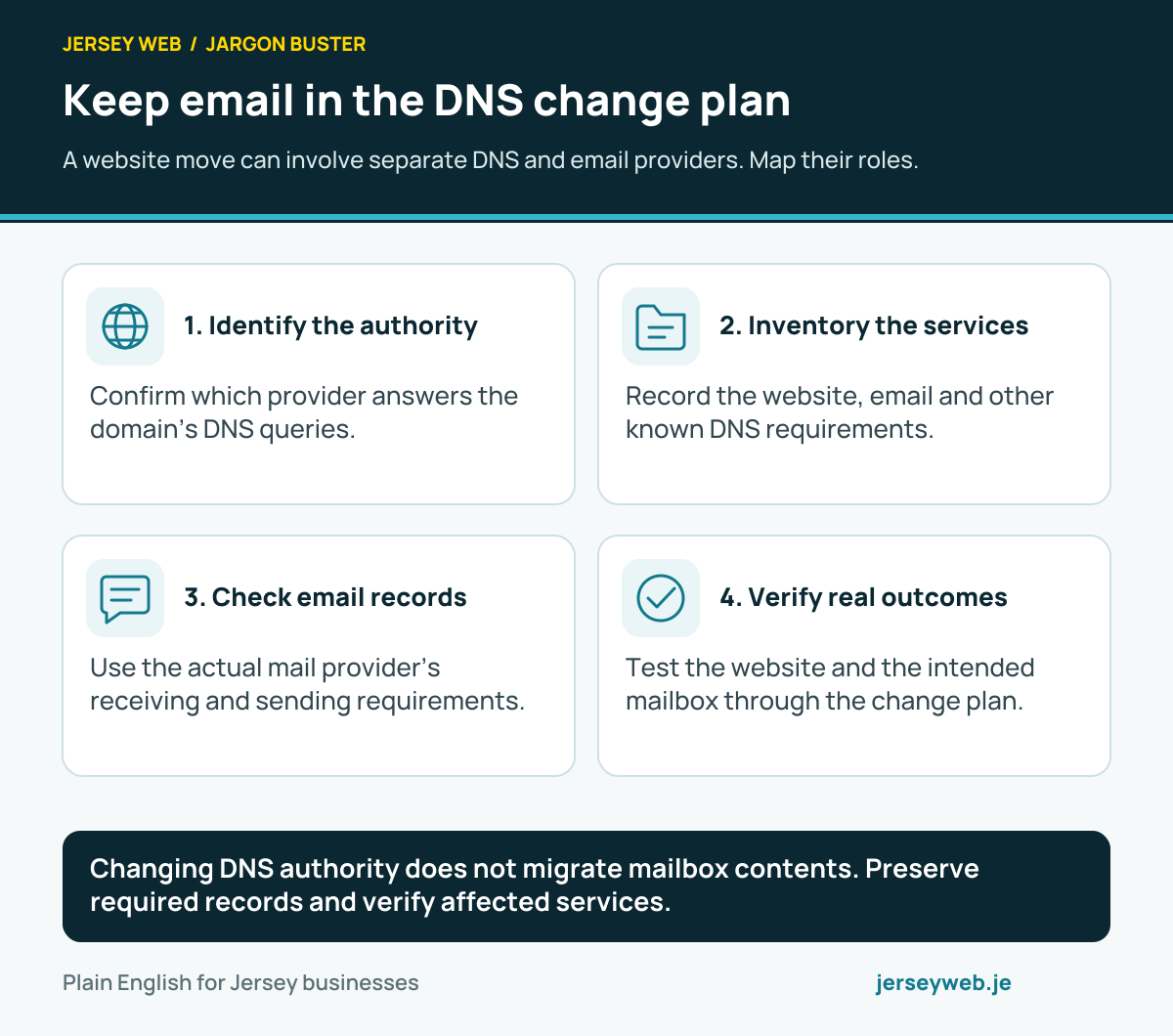
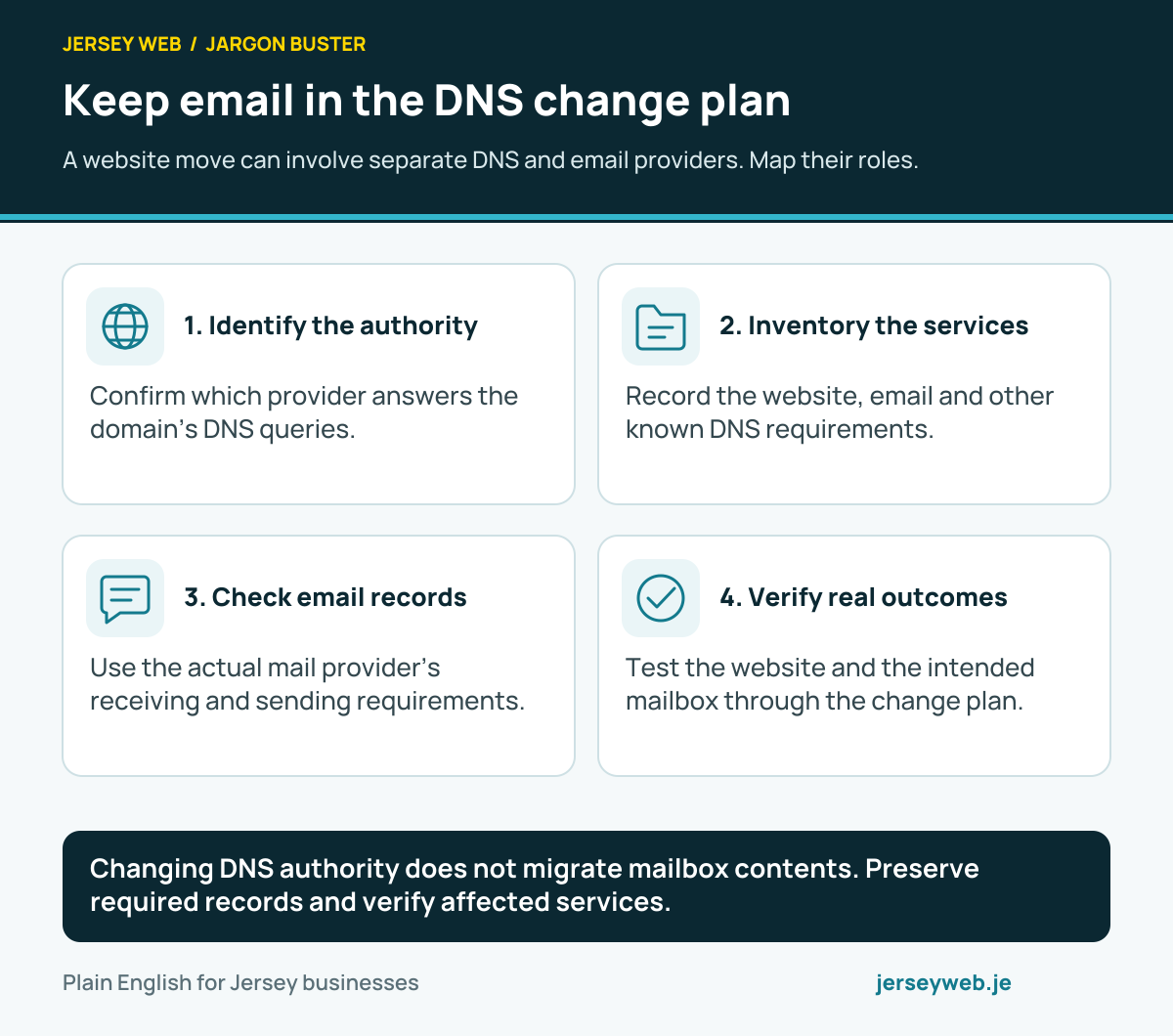
Changing DNS authority does not migrate mailbox contents. Preserve required records and verify affected services.
Read the diagram in text
- Identify the authority. Confirm which provider answers the domain’s DNS queries.
- Inventory the services. Record the website, email and other known DNS requirements.
- Check email records. Use the actual mail provider’s receiving and sending requirements.
- Verify real outcomes. Test the website and the intended mailbox through the change plan.
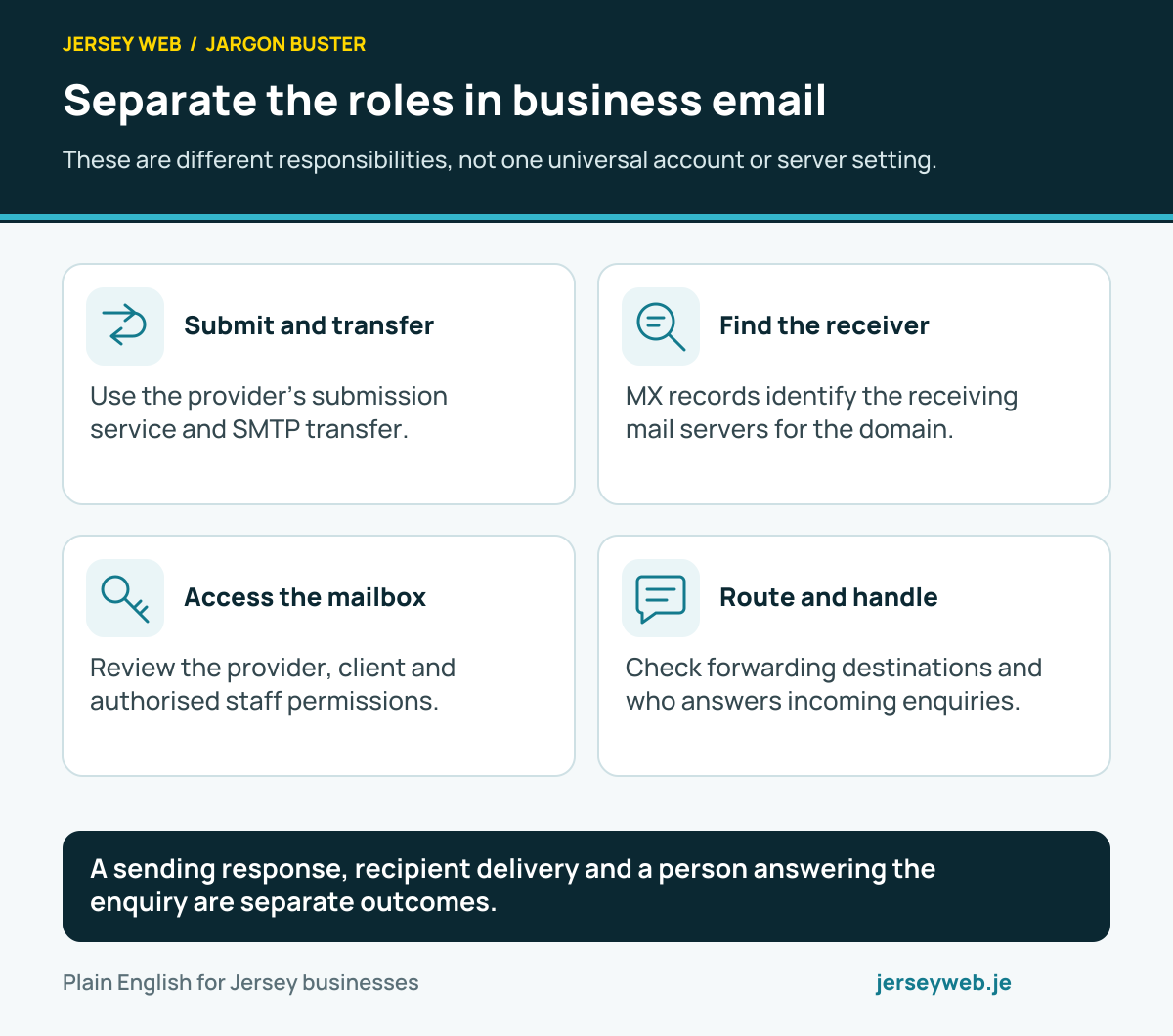
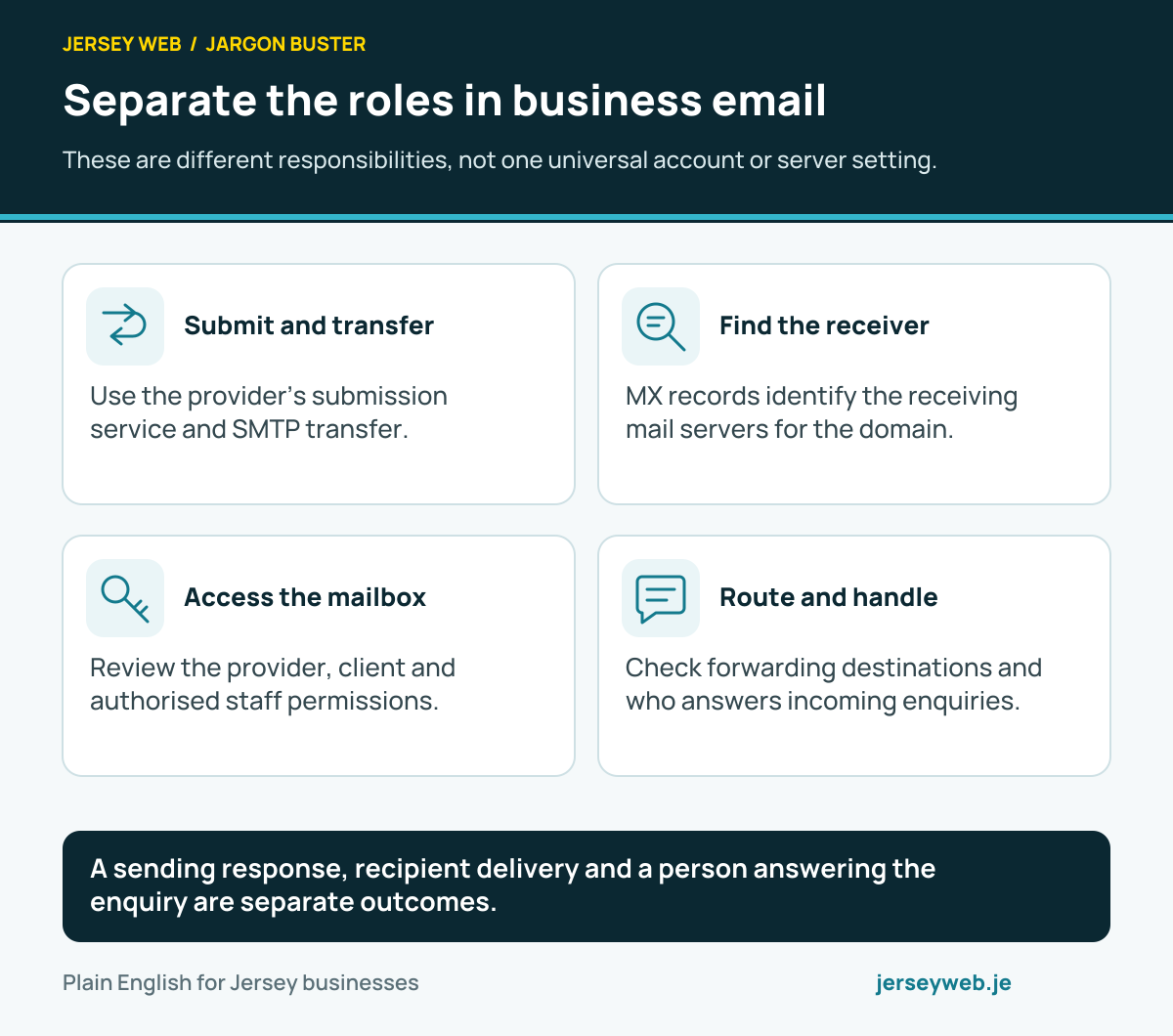
A sending response, recipient delivery and a person answering the enquiry are separate outcomes.
Read the diagram in text
- Submit and transfer. Use the provider’s submission service and SMTP transfer.
- Find the receiver. MX records identify the receiving mail servers for the domain.
- Access the mailbox. Review the provider, client and authorised staff permissions.
- Route and handle. Check forwarding destinations and who answers incoming enquiries.
Related terms
Learn more
Common questions
- Do MX records control my website?
- MX records concern receiving email for a domain. Website address records have a separate role. A nameserver change can affect both sets of records, so review the complete relevant DNS configuration.
- Does a higher MX priority number mean it is preferred?
- No. In the MX preference arrangement, lower numerical values are preferred. Use the values supplied for the actual mail service, rather than treating an example as a provider configuration.
- Do MX records create a mailbox?
- No. Receiving destinations and actual mailboxes are separate parts of the arrangement. The email provider must also have the relevant domain and recipient handling configured.
- Does a working MX lookup prove an enquiry was received?
- No. It helps check routing. Send an appropriate test message and verify the intended mailbox and staff workflow, while reviewing relevant delivery information if a problem occurs.
Written by Jersey Web. Last reviewed 3 October 2026. Back to the Jargon Buster.