Watch a related explainer
In plain English
Business email is the email setup a business uses to send and receive work messages. Many businesses use their own domain after the @, as in hello@example.je, instead of relying only on a free personal address. Think of it as having a named reception desk: customers can see that the address belongs with the business they meant to contact. The domain supplies the recognisable name; an email provider supplies the inbox, storage and sending service.
The parts can live with different companies. The Channel Islands domain registry distinguishes registration, nameservers, web hosting and email handling. A business may register a .je name with one supplier, host the website with another and use a third provider for mail. DNS records connect them. For example, MX records tell the internet where mail for the domain should be delivered; Google’s Workspace setup instructions use them for exactly that purpose.
An address is also different from an inbox. bookings@, hello@ and accounts@ might be separate inboxes, aliases or forwarding addresses. Ask how yours are configured. A forwarding address sends messages on to another inbox; it may not give staff an account from which to send. The right arrangement depends on who must read and reply to each type of message.
Why it matters to a Jersey business
A recognisable address helps keep customer contact consistent across a website, Google profile, invoices and printed materials. If your salon uses bookings@example.je everywhere, you can change staff or mail provider without asking every customer to learn a new address. That depends on keeping control of the domain and documenting how mail is routed.
There is a less visible risk during a website redesign. A developer may change nameservers to launch the new site. If the existing mail records are not copied, website traffic may work while email stops arriving. The problem is especially easy to miss when a test message is sent only from inside the same mail system. Before any domain change, record the present MX and email authentication settings, then test from an outside address after the change.
Professional appearance does not replace account security. Use strong sign-in protection and limit who can access shared inboxes. Google’s sender guidance also describes domain authentication with SPF and DKIM, which helps receiving systems assess whether messages claiming to be from your domain are properly authorised.
A Jersey example
Imagine a hypothetical St Helier bakery with orders@bakeryname.je on packaging and accounts@bakeryname.je on invoices. The bakery’s website is hosted by a designer, but its email is supplied separately. When the designer builds a replacement site, the bakery checks the old DNS settings and keeps the email provider in place. Customers continue writing to the same addresses, even though the website has moved.
If one employee leaves, the bakery can change access to the appropriate inbox without changing the public address printed on hundreds of bags. That is a useful reason to keep business email in a business controlled account rather than a personal mailbox.
What to do
Choose an address that is easy to say and spell. Decide which messages need a shared inbox and which need a named person. Compare providers on mailbox storage, recovery options, sign-in security, support and how easy it is to export old mail. Confirm whether the price covers each mailbox or only the domain name.
Keep account ownership with the business. Record your registrar, mail provider and DNS manager, along with a list of addresses and what they do. Ask the mail provider for the exact DNS records it needs. When changing anything, verify that incoming messages arrive, replies leave, and contact forms send to the intended inbox. Our short business email video walks through the visible choices.
Common myths
“Buying a domain gives me an inbox.” A domain lets you use an address; a mail service and DNS setup make delivery work.
“Moving the website means moving email too.” The services can be independent. Preserve the mail settings when changing the website.
“A custom address cannot be spoofed.” The name alone does not prevent impersonation. Configure authentication and protect accounts.
Our take
Jersey Web’s view is to write down the email setup before anybody changes a domain or website. The visible address is simple; the provider, DNS records and account access behind it are what keep customer messages arriving. That short record can prevent an avoidable outage.
See it in a diagram
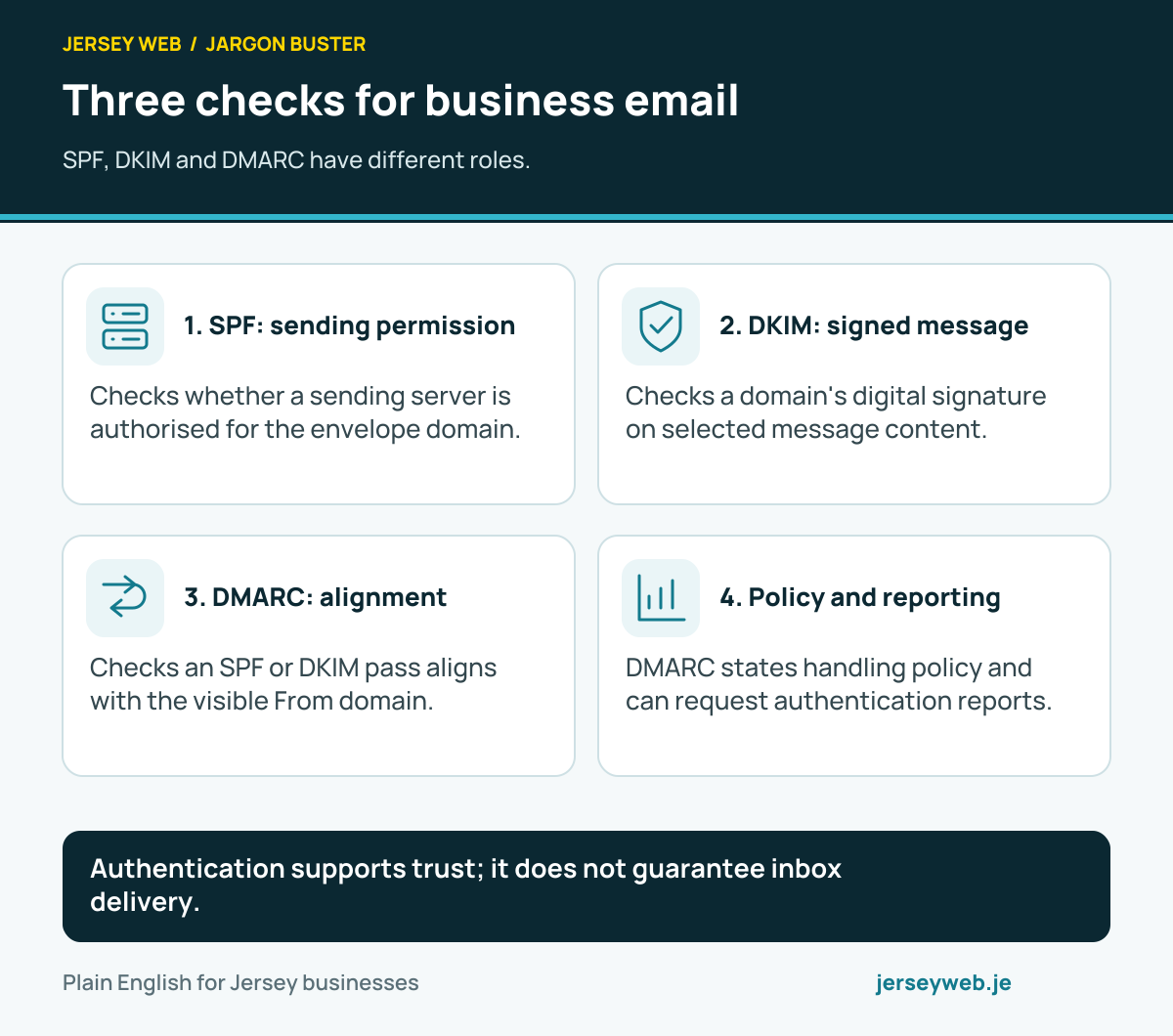
Authentication supports trust; it does not guarantee inbox delivery.
Read the diagram in text
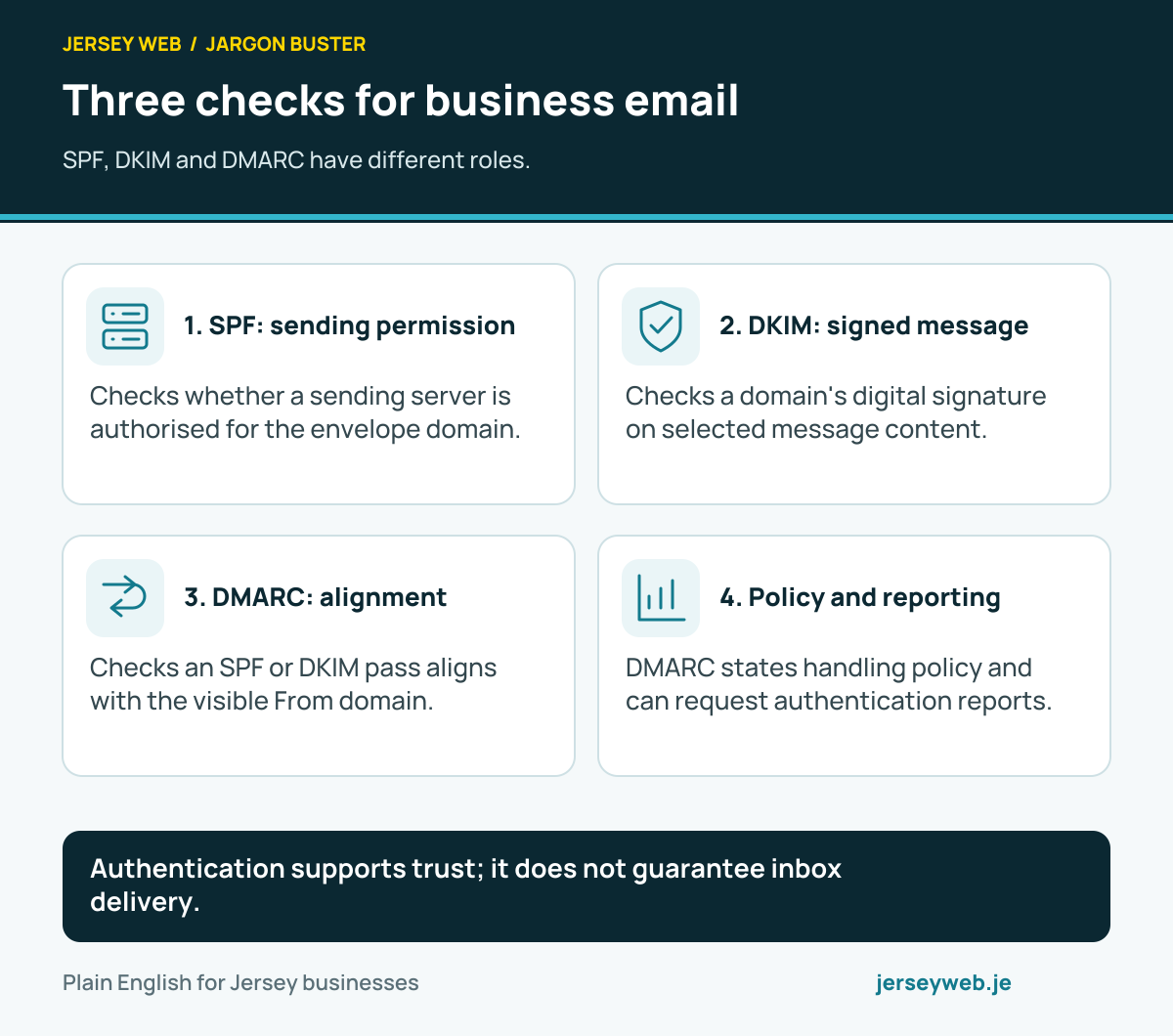
- SPF: sending permission. Checks whether a sending server is authorised for the envelope domain.
- DKIM: signed message. Checks a domain's digital signature on selected message content.
- DMARC: alignment. Checks an SPF or DKIM pass aligns with the visible From domain.
- Policy and reporting. DMARC states handling policy and can request authentication reports.
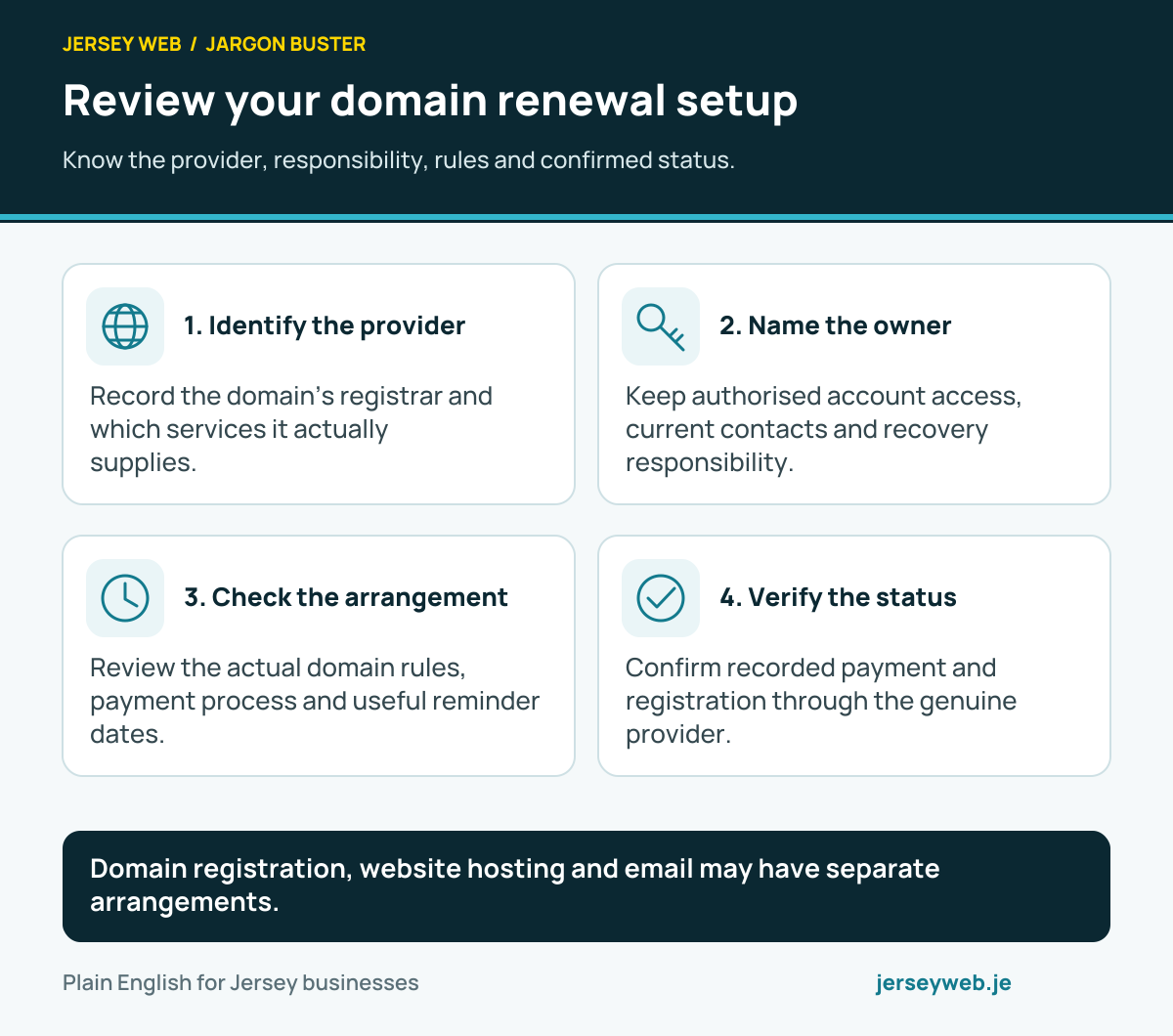
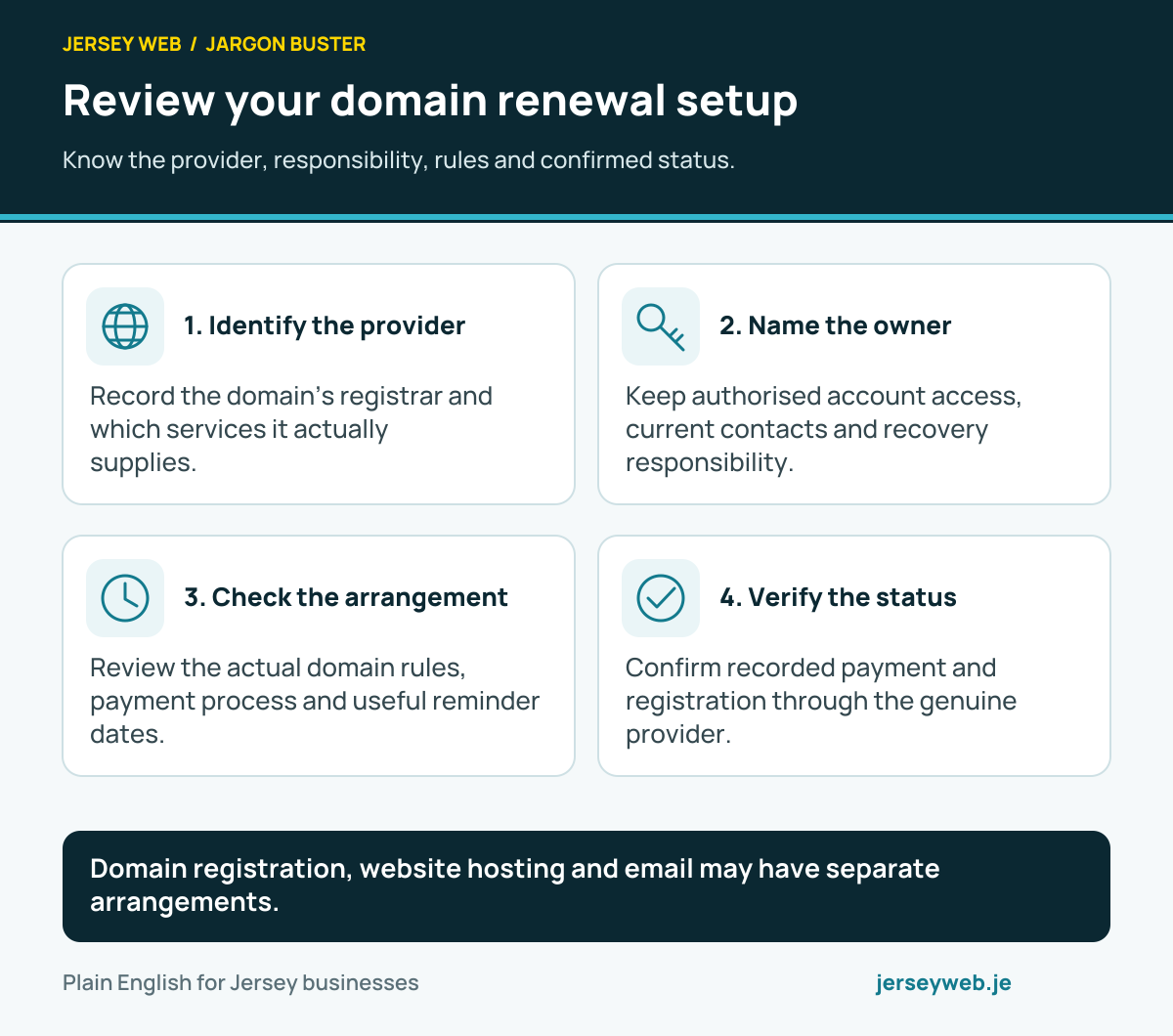
Domain registration, website hosting and email may have separate arrangements.
Read the diagram in text
- Identify the provider. Record the domain’s registrar and which services it actually supplies.
- Name the owner. Keep authorised account access, current contacts and recovery responsibility.
- Check the arrangement. Review the actual domain rules, payment process and useful reminder dates.
- Verify the status. Confirm recorded payment and registration through the genuine provider.
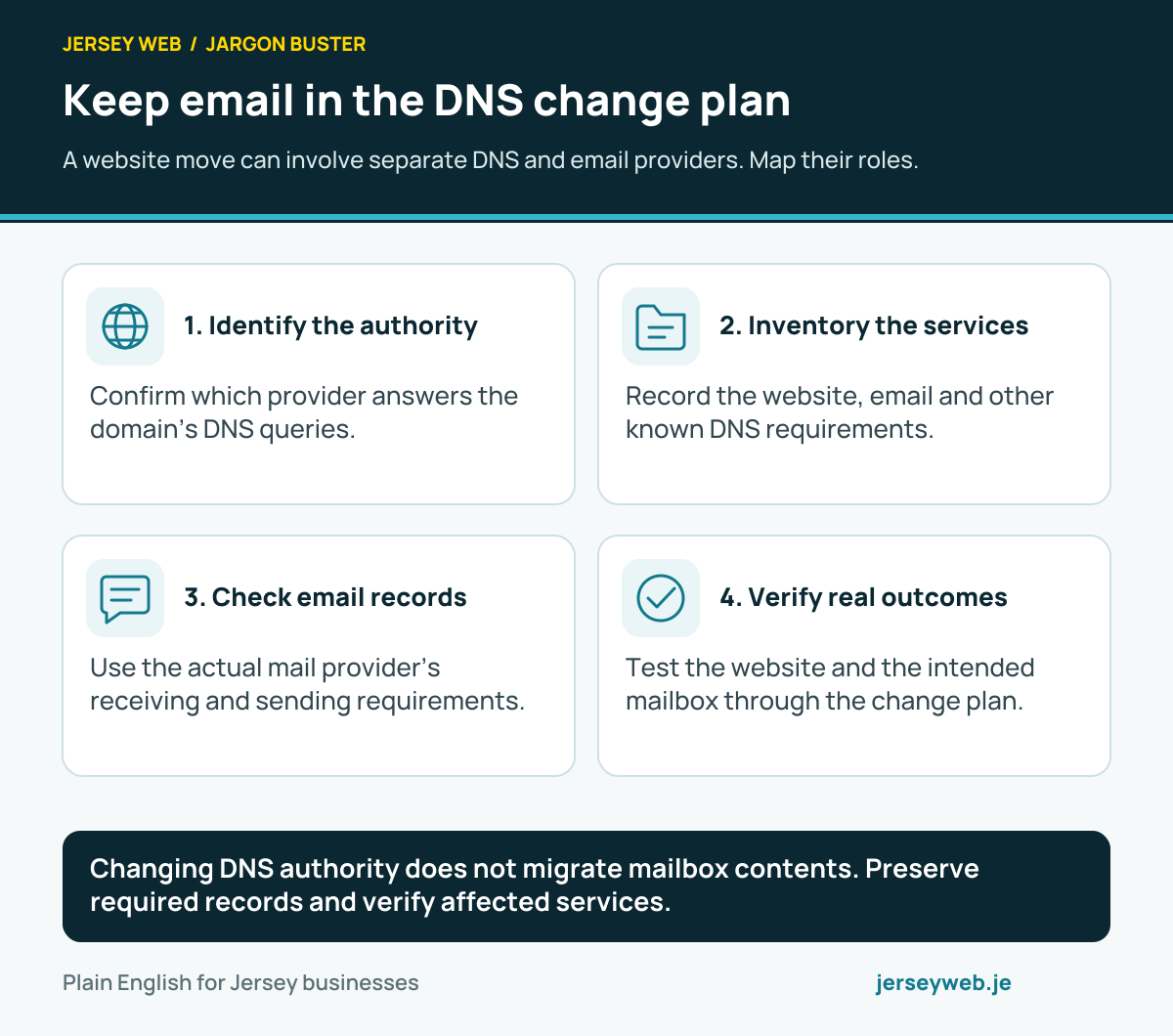
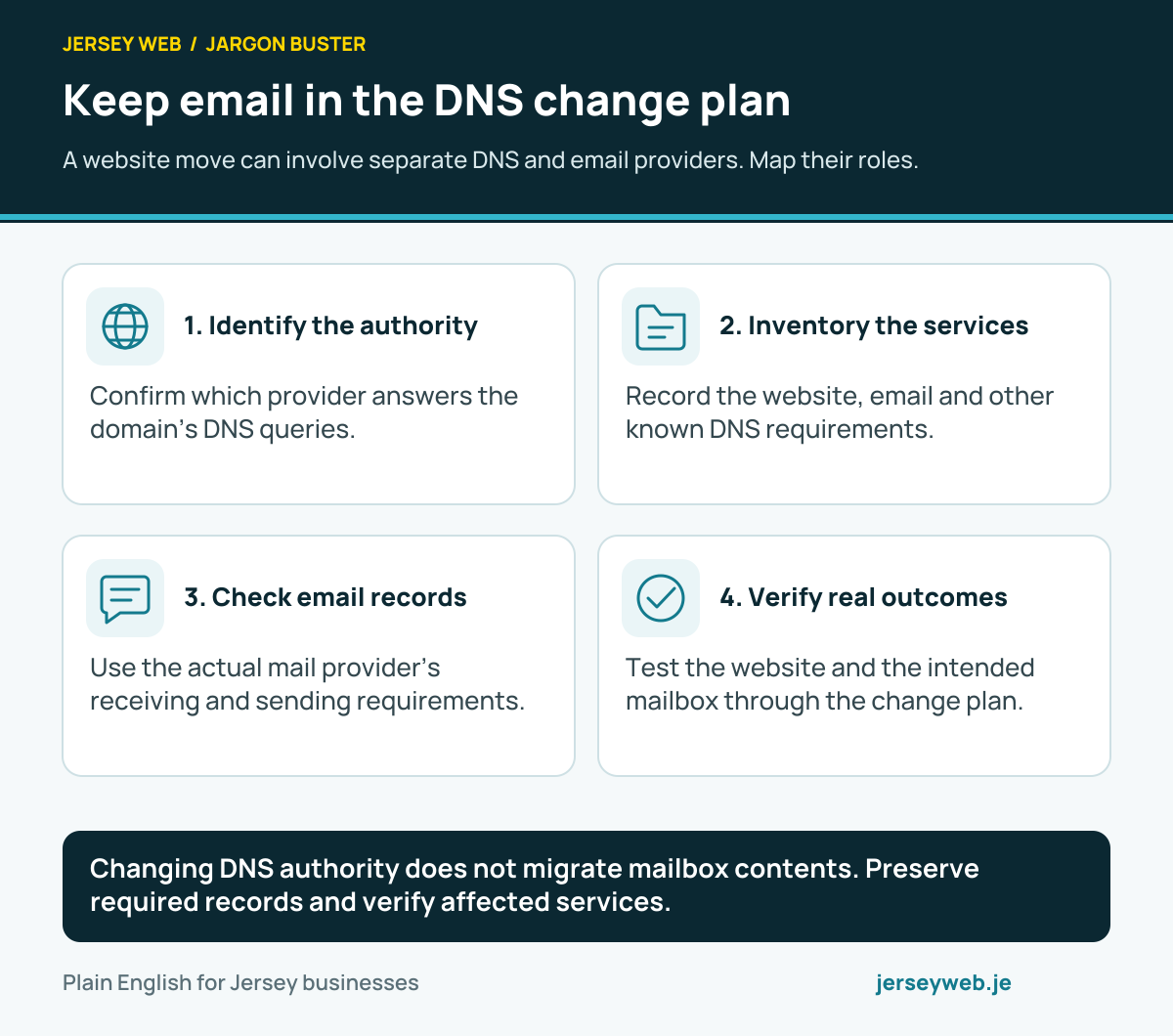
Changing DNS authority does not migrate mailbox contents. Preserve required records and verify affected services.
Read the diagram in text
- Identify the authority. Confirm which provider answers the domain’s DNS queries.
- Inventory the services. Record the website, email and other known DNS requirements.
- Check email records. Use the actual mail provider’s receiving and sending requirements.
- Verify real outcomes. Test the website and the intended mailbox through the change plan.
Related terms
Learn more
Common questions
- Do I need a website to use an address at my domain?
- No. A domain can be configured for email even if no website has been published. You still need an email provider and the correct DNS records for delivery.
- Is business email included with my web hosting?
- Sometimes, but not always. Ask whether the plan includes an inbox, how many addresses it allows, storage, support and what happens to mail if you move the website.
- What happens to email if I change website host?
- It can keep working with the same provider if the mail DNS records remain correct. Before changing nameservers or DNS, record the current MX and other email settings and test incoming and outgoing mail afterwards.
- Is an address at my own domain more secure by itself?
- No. A custom address can look professional, but account security still needs strong sign-in protection and correctly configured email authentication. Ask your provider how it handles SPF, DKIM and DMARC.
Written by Jersey Web. Last reviewed 5 October 2026. Back to the Jargon Buster.