Watch a related explainer

In plain English
DNS stands for Domain Name System. It is an address book that lets a readable name such as example.je lead to the right internet service. When someone opens a website, their device asks DNS where to find it. When someone sends an email, other DNS records help route that message to the mail provider. Mozilla’s DNS definition describes the familiar task of translating names into internet addresses.
The address book contains different kinds of entries, called records. An A record can connect a name to an IPv4 address. An MX record describes where mail should be delivered. TXT records can hold information used for domain verification and email authentication. Nameserver records indicate where the authoritative set of DNS records lives. Cloudflare’s record guide explains these common types. You do not need to memorise every code, but you should know that a website and inbox can depend on different records under the same domain.
DNS is separate from registering the name and from hosting the website. The Channel Islands registry says that somebody registering a .je domain directly must arrange their own nameserver service. That illustrates why a registered name can exist without an active website or working email.
Why it matters to a Jersey business
Many problems described as “the website is down” turn out to be a domain or DNS change. A business may have a perfectly healthy new site, but visitors still reach the old host because the web records point there. The opposite can happen: the site works, but booking emails stop arriving because the mail record was lost during a nameserver move.
This matters when a Jersey firm changes designer, hosting company or email provider. Each supplier may ask to change DNS. Do not hand over a domain login and ask someone to “point it over” without a record of what is already there. The safe question is which records need changing, which records must stay and how the result will be checked.
The registry treats nameserver, hosting and email services as distinct. A business can keep its .je name and its email provider while moving only its website, provided the DNS is handled carefully. There is no need to register a new domain merely because one service changes.
A Jersey example
Imagine a hypothetical St Peter electrician using example.je. The website is served by one provider and jobs@example.je is handled by another. A replacement website is built. The new provider supplies instructions for the web records; the existing MX records continue to direct emails to the mail provider. After the change, the electrician checks the homepage from a phone and sends a message from an unrelated account to jobs@example.je.
If the registrar account is controlled by an old designer, the business should resolve that access before a deadline. Our guide to getting a website and .je domain back addresses that ownership problem. The DNS task is simpler when the business can authorise changes itself.
What to do
Find out who manages your domain’s DNS. It may be the registrar, web host or a separate DNS provider. Export or photograph the current records before making changes. Note the records for both the root domain and www, and record mail related entries such as MX, SPF, DKIM and DMARC if they exist. Ask the new supplier to explain exactly which values they want altered.
Make changes at a planned time and test the services that matter to customers. Visit the main web address and its www version, submit a form, send mail in and out, and check any booking or payment subdomains. DNS answers can be cached, so repeat the checks from another connection if results differ. If a change fails, having the old values written down helps restore them.
Common myths
“DNS only controls the website.” It can also route email and other services on the same domain.
“Changing nameservers is harmless because the domain stays registered.” The registration can remain valid while records at the new nameserver are incomplete.
“One successful page load proves the move is finished.” Check forms and mail too, and allow for cached answers during a transition.
Our take
Jersey Web’s view is that DNS should be documented before it is changed. A short list of current records, suppliers and test addresses is far more useful than a rushed fix after email disappears. Owners do not need to manage every record themselves, but they should know who can.
See it in a diagram
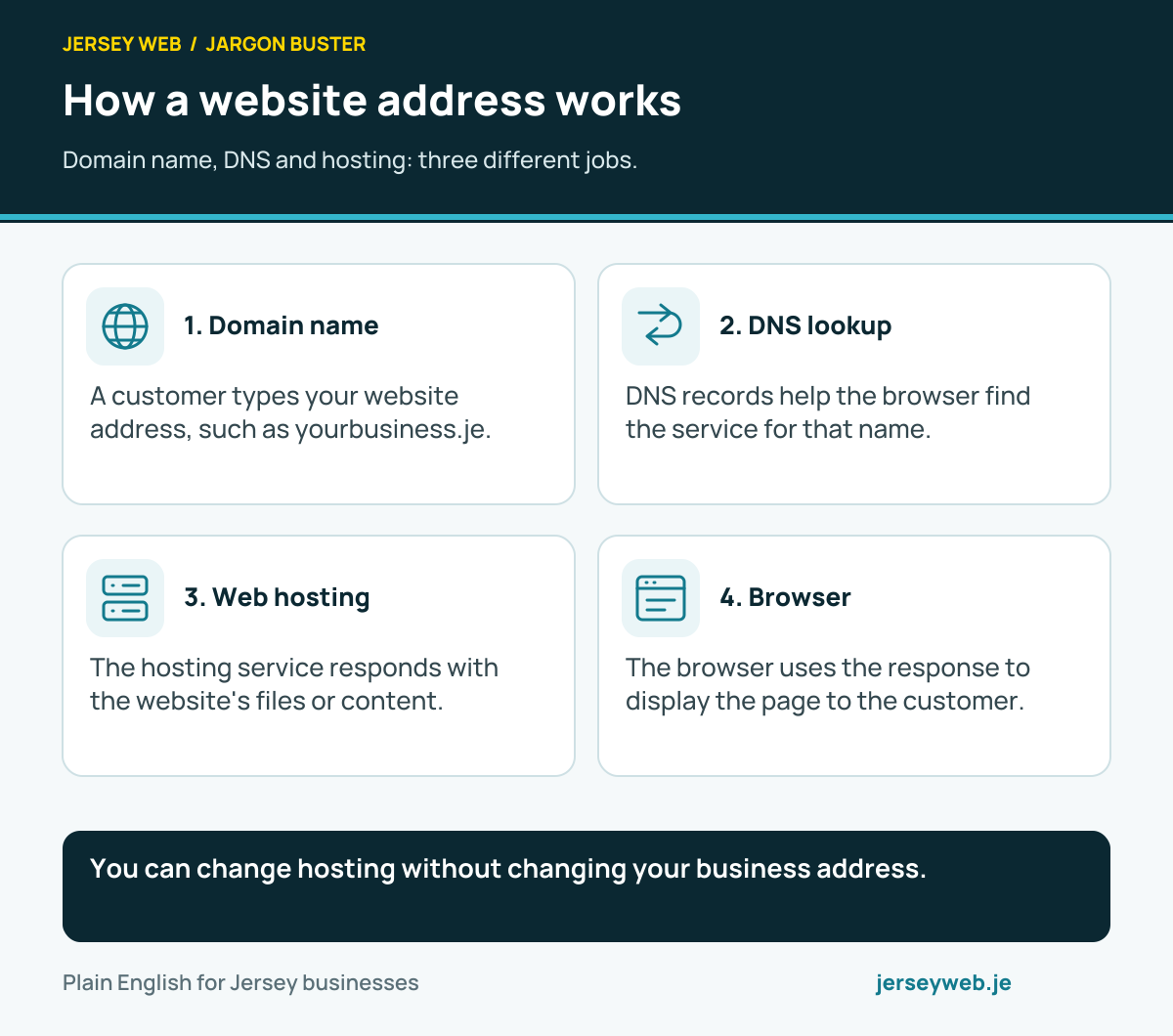
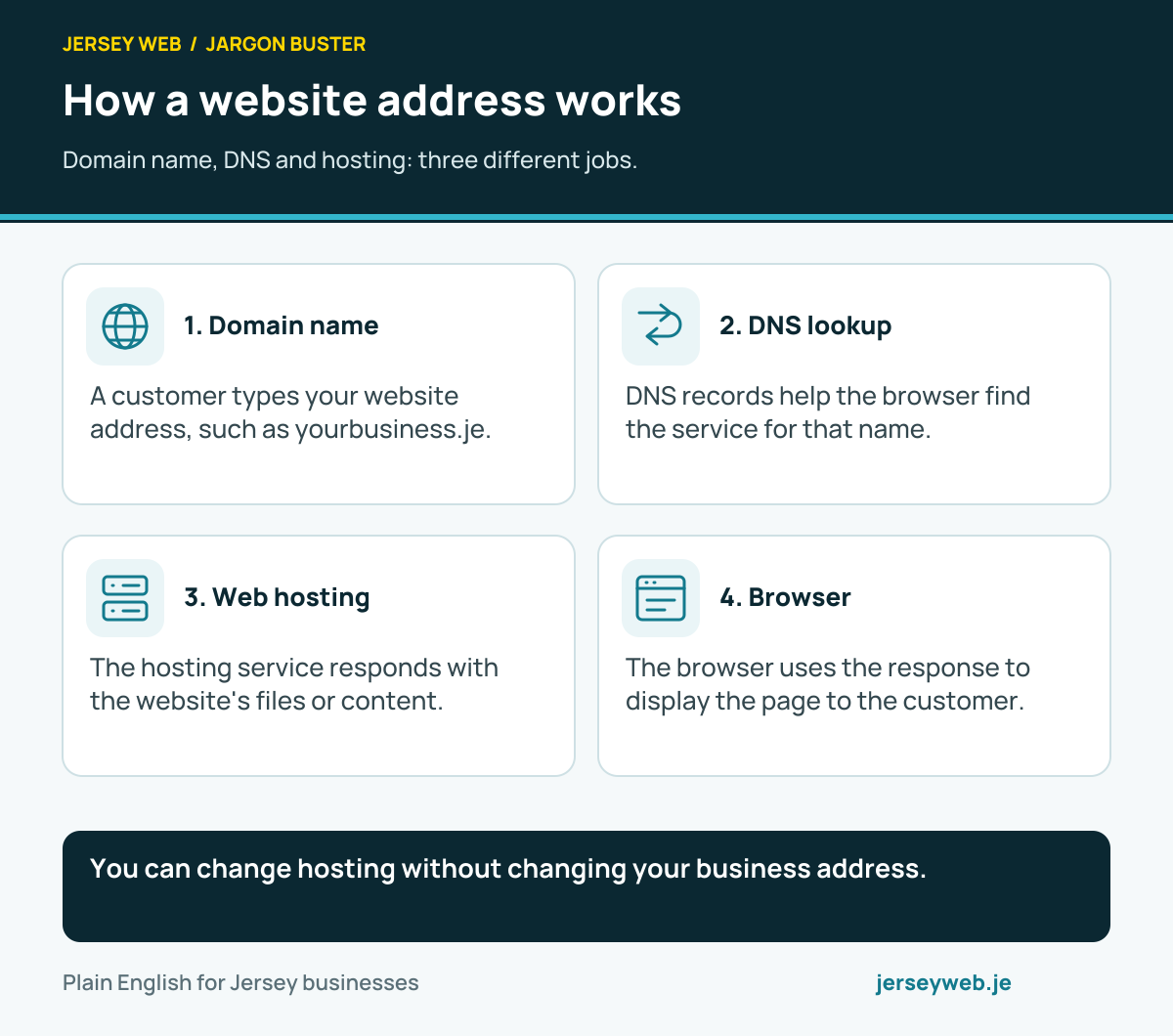
You can change hosting without changing your business address.
Read the diagram in text
- Domain name. A customer types your website address, such as yourbusiness.je.
- DNS lookup. DNS records help the browser find the service for that name.
- Web hosting. The hosting service responds with the website's files or content.
- Browser. The browser uses the response to display the page to the customer.
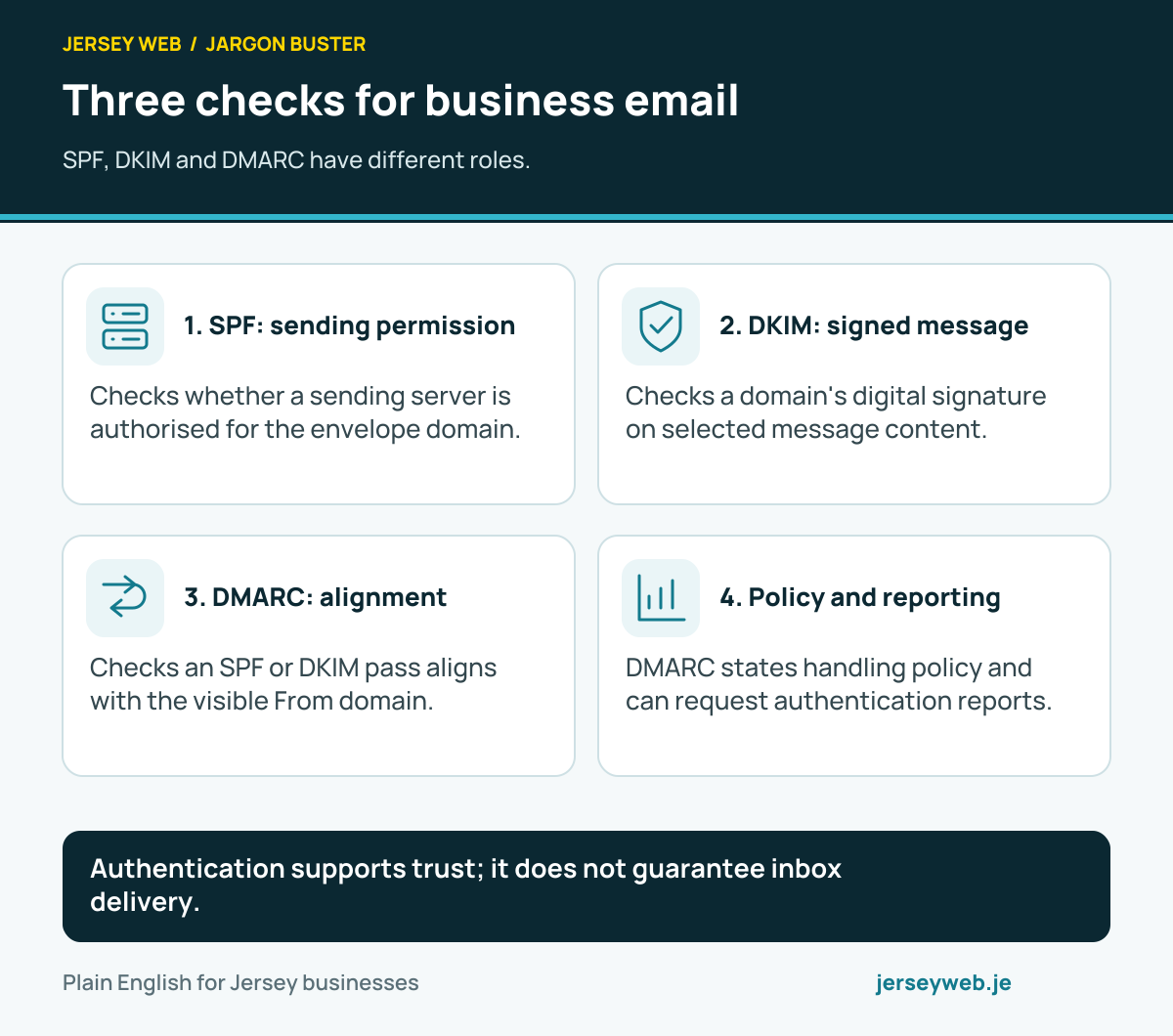
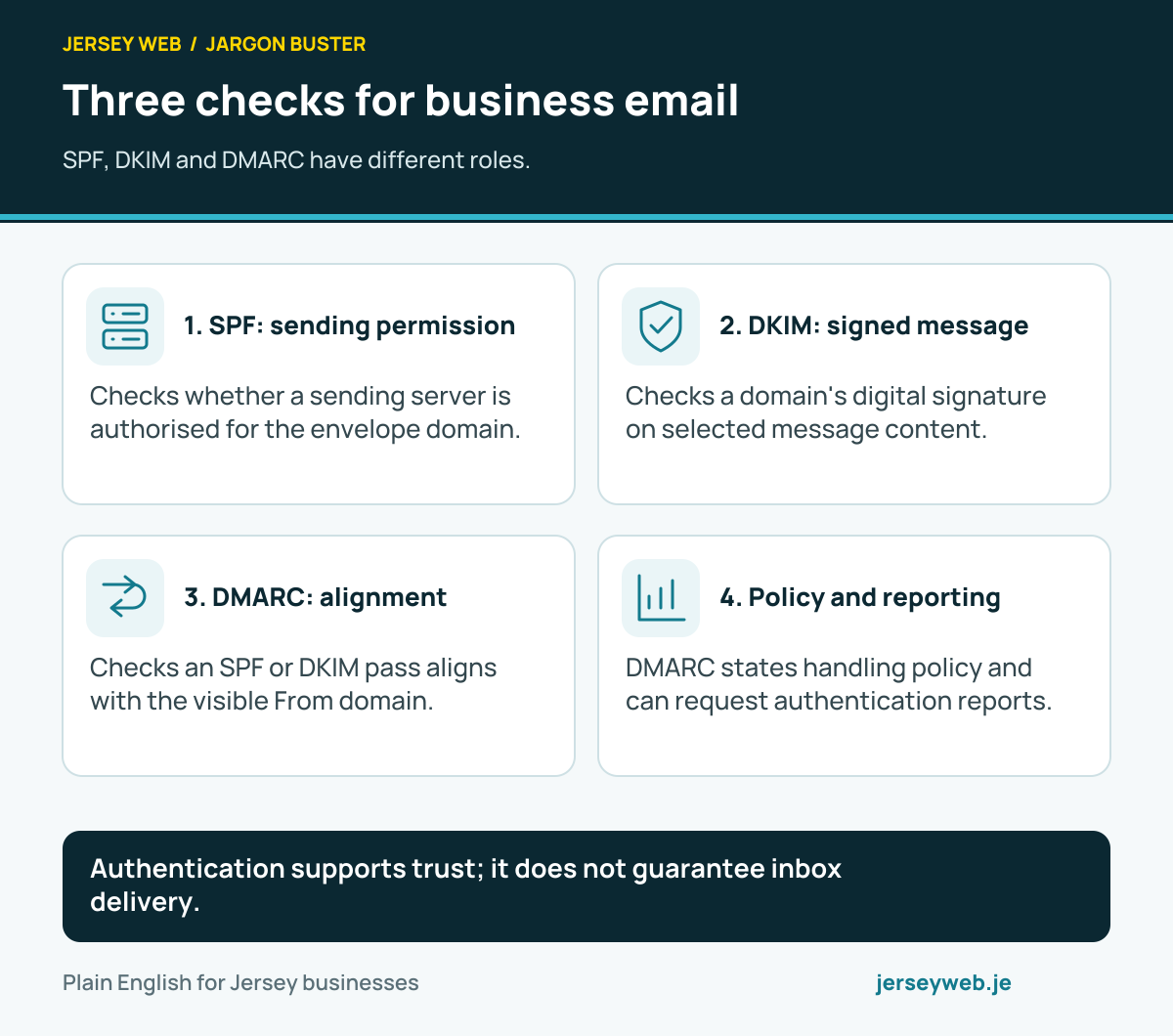
Authentication supports trust; it does not guarantee inbox delivery.
Read the diagram in text
- SPF: sending permission. Checks whether a sending server is authorised for the envelope domain.
- DKIM: signed message. Checks a domain's digital signature on selected message content.
- DMARC: alignment. Checks an SPF or DKIM pass aligns with the visible From domain.
- Policy and reporting. DMARC states handling policy and can request authentication reports.
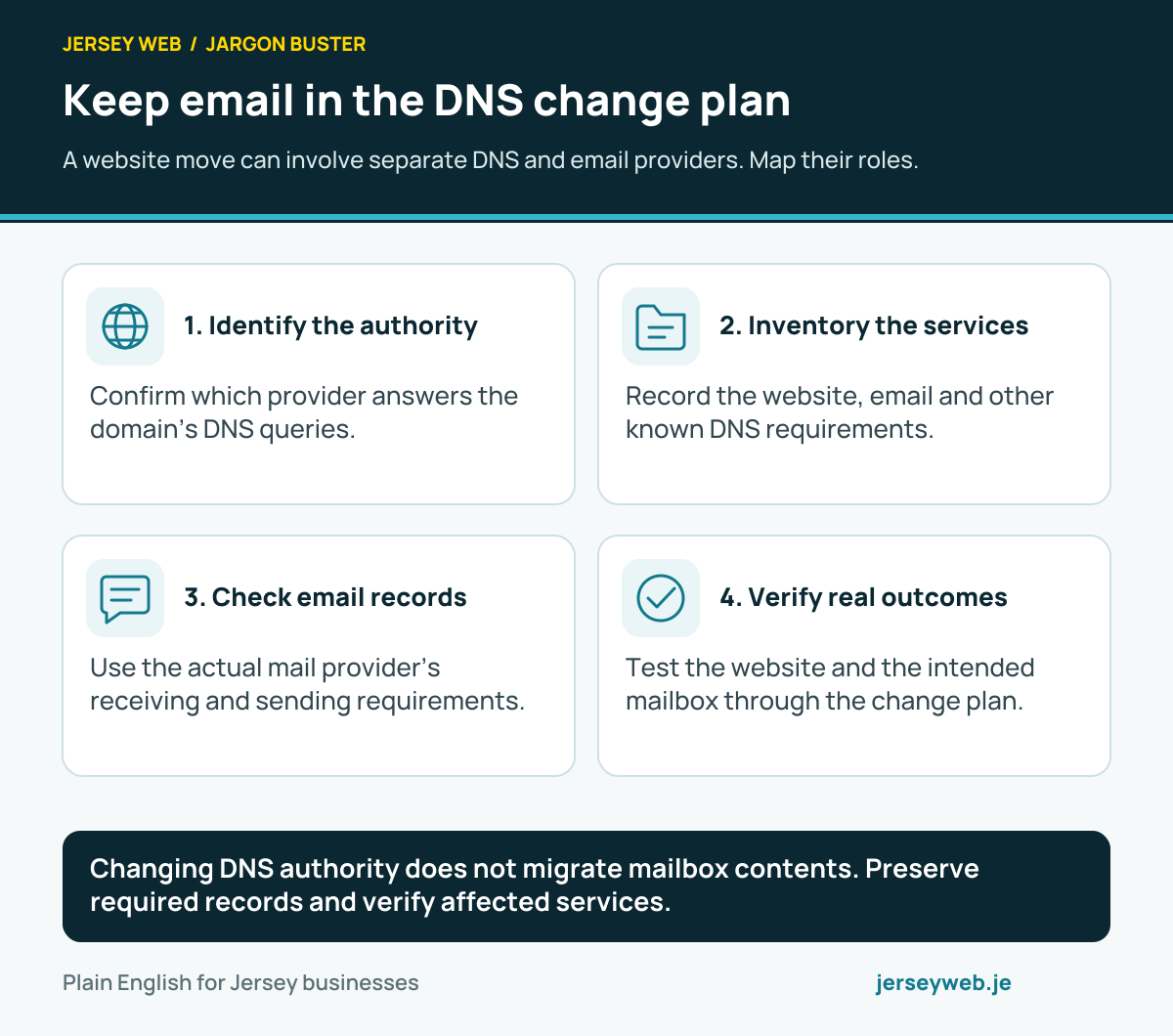
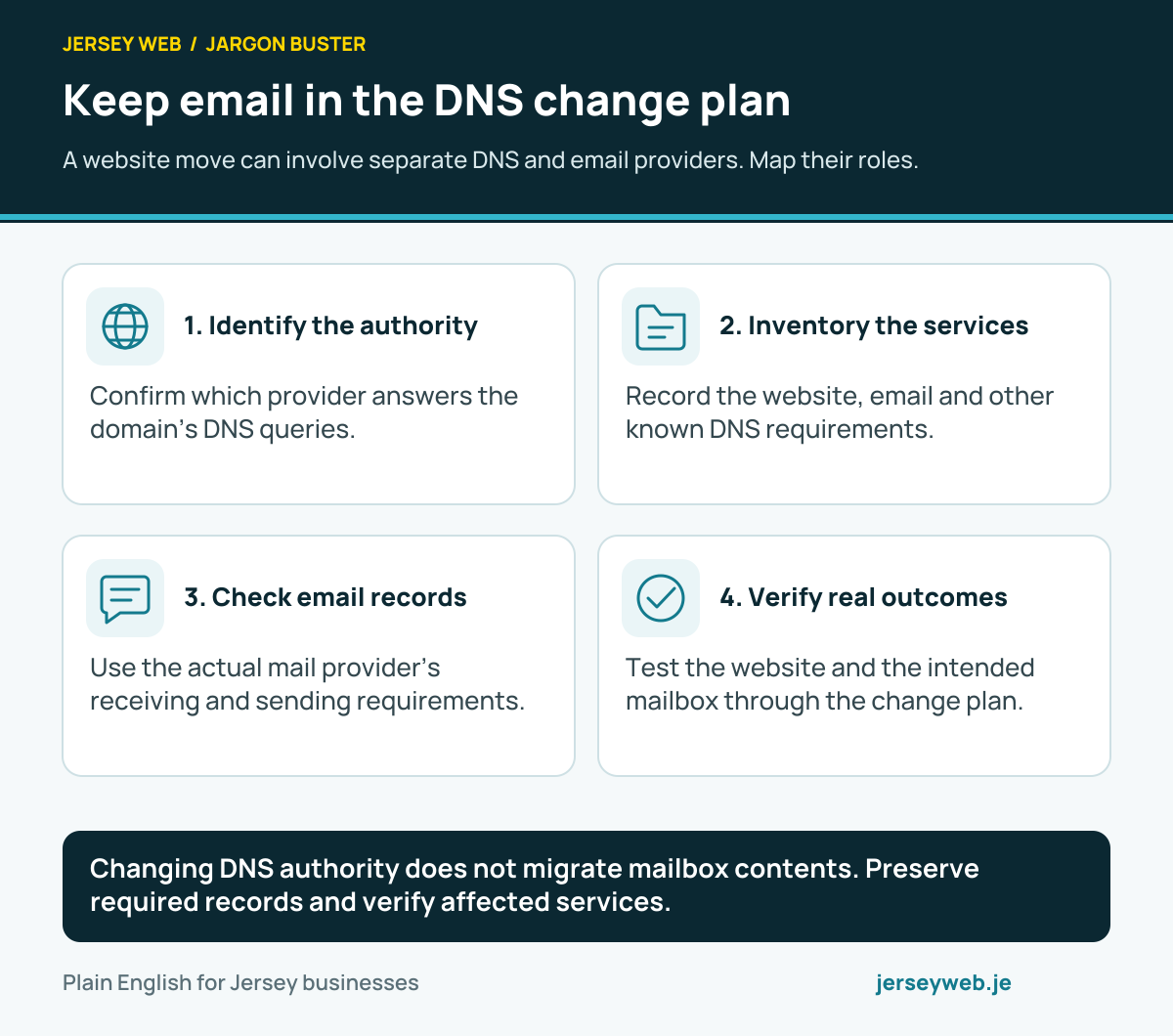
Changing DNS authority does not migrate mailbox contents. Preserve required records and verify affected services.
Read the diagram in text
- Identify the authority. Confirm which provider answers the domain’s DNS queries.
- Inventory the services. Record the website, email and other known DNS requirements.
- Check email records. Use the actual mail provider’s receiving and sending requirements.
- Verify real outcomes. Test the website and the intended mailbox through the change plan.
Related terms
Learn more
Common questions
- Is DNS the same as my domain name?
- No. The domain is the readable name, such as example.je. DNS is the system of records that helps devices find the website, mail and other services linked to that name.
- What is the difference between an A record and an MX record?
- An A record maps a name to an IPv4 address, often for a website. An MX record identifies where email for the domain should be delivered. They serve different jobs and can point to different suppliers.
- Will changing my nameservers affect email?
- It can. Nameservers identify where the domain's authoritative DNS records are held. If you move them without copying the current mail records, email delivery may be interrupted. Check all records before the change.
- How long does a DNS change take?
- It varies. DNS answers can be cached for a period set by their time-to-live, and different devices may use old answers briefly. Plan a change and verify the website and email afterwards rather than relying on one fixed wait time.
Written by Jersey Web. Last reviewed 3 October 2026. Back to the Jargon Buster.