Watch a related explainer
In plain English
Email can claim to come from a business name even when the sender does not control that business’s domain. SPF, DKIM and DMARC give receiving systems different ways to assess those claims. They are connected mechanisms, but each answers a different question. Setting up one does not automatically configure the others.
SPF publishes which servers may send for a particular envelope domain. DKIM adds a digital signature that a receiver can check using a public key associated with the signing domain. DMARC brings authentication into relation with the domain people see in the From address. A qualifying SPF or DKIM result must align with that visible domain for DMARC to pass.
DMARC also lets the domain publish a handling policy and request reports. The receiver’s final treatment of a message still depends on its own processing. Google’s sender guidance explains these checks in the context of Gmail delivery. Authentication should be understood as evidence about sending, rather than a promise that every message is safe or will reach the inbox.
Why it matters for a Jersey business
A Jersey business might send ordinary mail through one provider, newsletters through another and website confirmations through a third. Each legitimate sender needs to fit the authentication arrangement. A single record copied during initial setup can become incomplete when a new service begins sending from the business domain.
The owner should therefore maintain a sender inventory. List the mailbox provider, website forms, booking system, shop and marketing tools. Identify whether each uses the main business domain or a separate sending subdomain. This makes it possible to review authentication without accidentally losing an important customer communication route.
A realistic Jersey example
Imagine a Jersey accommodation business using hosted mail, a booking platform and a newsletter tool. This is a hypothetical example. Its supplier checks the supported configuration for all three systems and verifies messages from each route. The business confirms that enquiry replies, booking notifications and campaign messages are all represented in the review.
Reports show one older website tool still attempting to send differently. The supplier fixes that sender before tightening the domain’s DMARC policy. The example illustrates why sender discovery and monitoring matter; immediately publishing a stricter policy could otherwise disrupt mail that staff expect customers to receive.
What to ask your email supplier
Ask which sending systems are authorised and how the configuration was verified. SPF setup guidance and DKIM setup guidance demonstrate that the actual provider’s values and procedures matter. The correct settings are specific to your domain and services, so this definition is not a set of copy-and-paste DNS instructions.
Discuss a staged DMARC rollout. Begin by understanding current authentication results and legitimate senders, then choose a policy with the responsible supplier. Google’s rollout guidance illustrates the value of monitoring before making policy stricter. Decide who receives reports and has the responsibility to investigate them.
Review authentication after adding or replacing a sender. Check a normal message from each service, including the visible sender details and the receiving system’s authentication results. A website form saying “sent” does not by itself prove that the message was authenticated or received. Keep a practical customer-facing fallback if confirmations fail.
Protect the accounts that can change DNS and email administration. Authentication settings are only useful while the business retains control of its domain and sending services. Record ownership, recovery arrangements and supplier responsibilities alongside the technical configuration.
Common myths
An SPF pass automatically means a DMARC pass. Alignment with the visible From domain matters.
Authenticated mail is always trustworthy. A controlled domain can still send misleading or harmful content.
Authentication guarantees inbox delivery. Reputation, content and recipient feedback remain relevant.
Our take
Jersey Web’s view is to treat email authentication as an ongoing record of legitimate sending. A clear inventory and a monitored rollout are easier to maintain than unexplained DNS strings. Ask your supplier to explain which real business messages each setting supports.
See it in a diagram
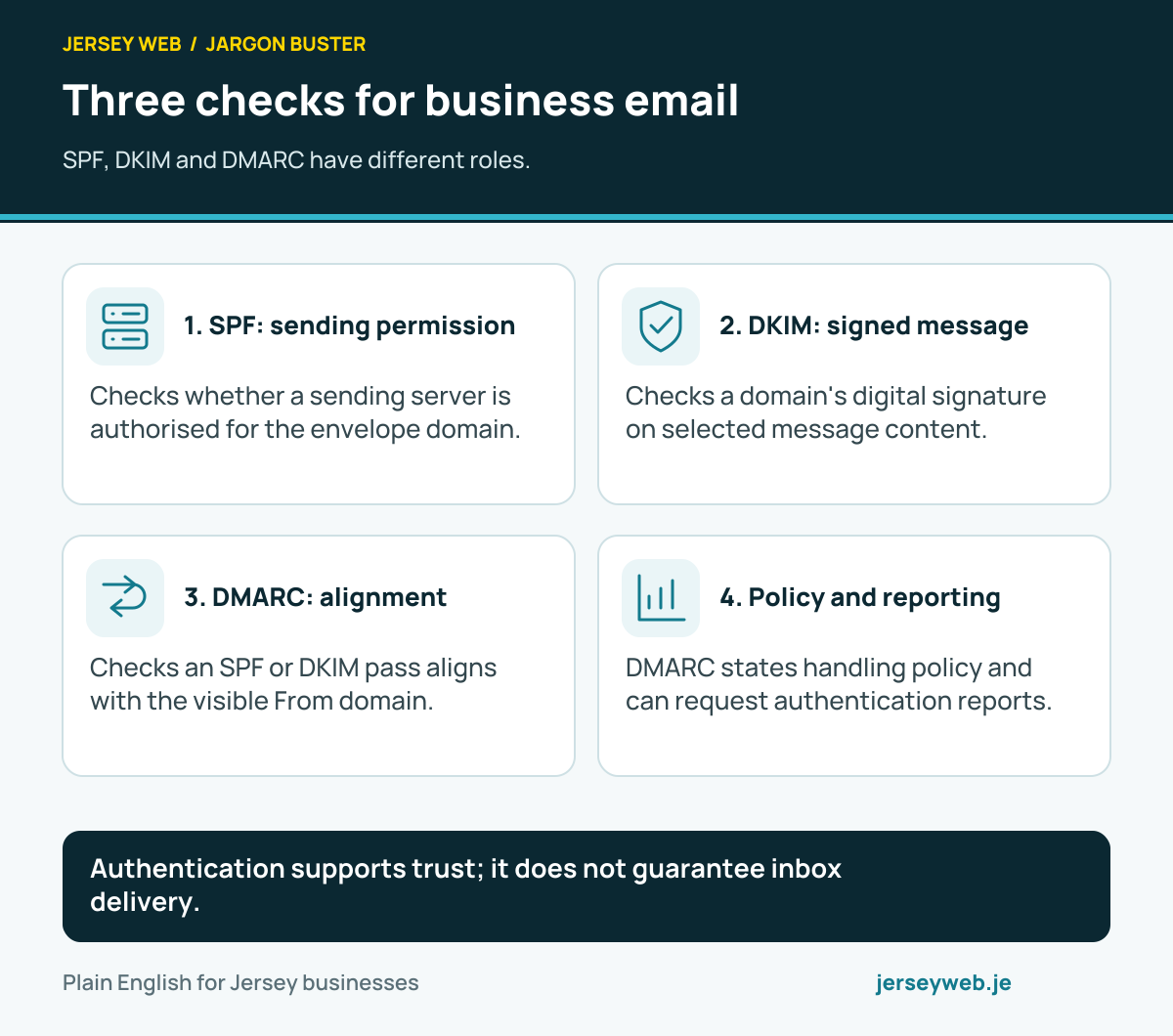
Authentication supports trust; it does not guarantee inbox delivery.
Read the diagram in text
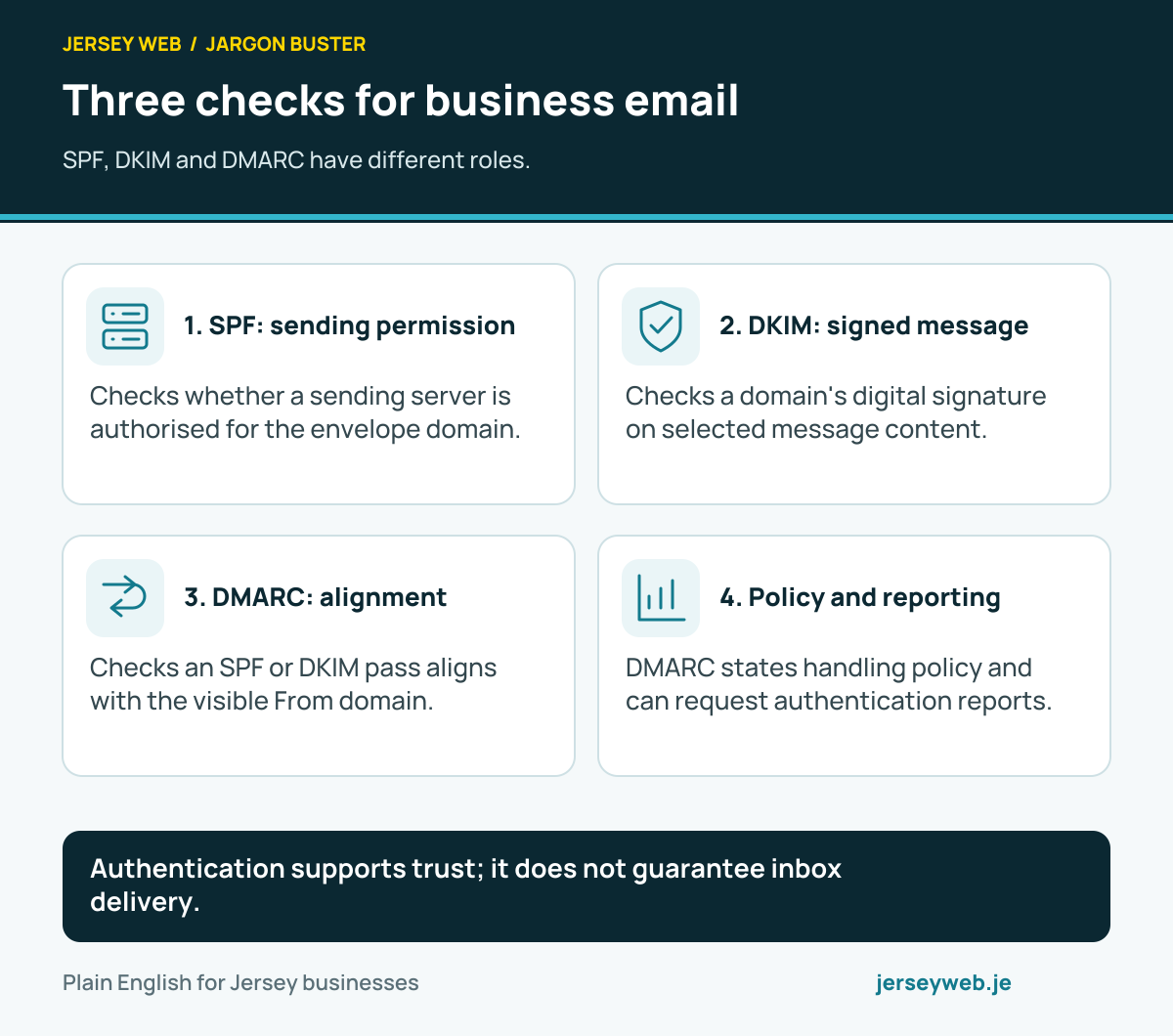
- SPF: sending permission. Checks whether a sending server is authorised for the envelope domain.
- DKIM: signed message. Checks a domain's digital signature on selected message content.
- DMARC: alignment. Checks an SPF or DKIM pass aligns with the visible From domain.
- Policy and reporting. DMARC states handling policy and can request authentication reports.
Related terms
Learn more
- ServiceBusiness email and domain setup in Jersey →
- GuideDo you need a .je domain, or will .co.uk do? →
- VideoDMARC Explained: Email Alignment, Reports and Domain Policy →
- VideoDKIM Explained: The Digital Signature Behind Business Email →
- VideoSPF Explained: Which Servers Can Send Email for Your Domain? →
Common questions
- Are SPF, DKIM and DMARC the same thing?
- No. SPF checks sending permission for an envelope domain, DKIM verifies a domain signature, and DMARC checks whether a qualifying result aligns with the visible From domain and applies the published policy.
- Does authentication guarantee delivery to the inbox?
- No. Receiving services also consider reputation, message content, recipient feedback and other factors. Correct authentication is part of a reliable email setup.
- Can I copy another business’s DNS records?
- No. Use the records supplied for your domain and actual sending services. Copying unrelated values can break authentication or authorise the wrong arrangement.
- Should I immediately reject all failing messages?
- First identify legitimate senders and check their authentication. A staged, monitored DMARC rollout helps reveal services that need configuration before a stricter policy is chosen.
Written by Jersey Web. Last reviewed 3 October 2026. Back to the Jargon Buster.