SPF Explained: Which Servers Can Send Email for Your Domain?
How does a receiving server check your email sender? SPF publishes which sending servers a domain authorises.
1:47 · No narration: the video shows each step as text on screen, and every step is written out below, with buttons that jump the video to it.
Prefer YouTube? Watch this video on our YouTube channel (opens in a new tab).
The six points in the video
This is a silent video. The headings, explanations and labels below reproduce the information on screen.
-
Step 1: SPF lists authorised servers
Sender Policy Framework is an email authentication method.
On-screen labels: Sending domain; Authorised servers; Receiving check.
-
Step 2: The record lives in DNS
Your domain publishes an SPF policy using a TXT record.
On-screen labels: Domain DNS; TXT record; Provider instructions.
-
Step 3: Include each sending service
Business mail, forms and invoice tools may use different senders.
On-screen labels: Business mailbox; Website messages; Invoice service.
-
Step 4: Use your actual provider setup
A record copied from another business may omit your services.
On-screen labels: Provider documentation; Current sender list; Correct domain.
-
Step 5: Check real outgoing messages
Ask your provider to verify authentication on delivered test mail.
On-screen labels: Mailbox test; Form-message test; Authentication result.
-
Step 6: Keep the sender list current
SPF is one part of delivery; DKIM and DMARC have related roles.
On-screen labels: New sender review; Remove unused senders; Related protections.
A practical check for your business
List the services authorised to send email for the domain before editing SPF. Have the responsible provider review the actual record and verify an example message after a change.
Sources and further detail
See it in a diagram
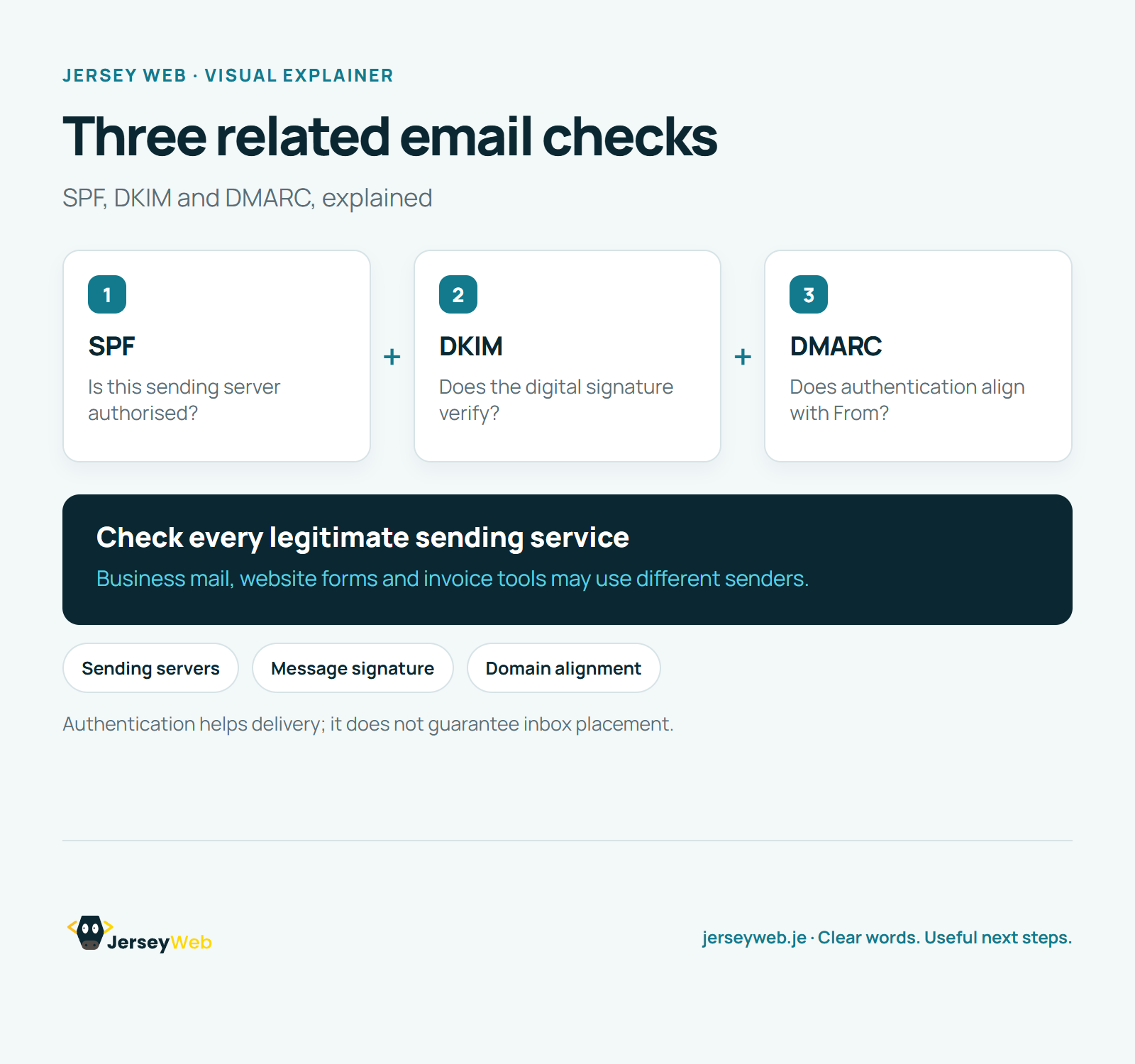
Read the diagram as text
- SPF: Is this sending server authorised?
- DKIM: Does the digital signature verify?
- DMARC: Does authentication align with From?
Check every legitimate sending service. Business mail, website forms and invoice tools may use different senders.
Authentication helps delivery; it does not guarantee inbox placement.
Diagram by Jersey Web. Open full size · Source and further detail (opens in a new tab)
Common questions
How does a receiving server check your email sender?
SPF publishes which sending servers a domain authorises. Ask your provider to check every legitimate sender.
Go further
More video tips
All 205 videos →
DKIM Explained: The Digital Signature Behind Business Email
DKIM, made clear.
DMARC Explained: Email Alignment, Reports and Domain Policy
DMARC, explained.