Watch a related explainer

In plain English
Nameservers answer DNS queries. In a domain-management discussion, the term often means the authoritative servers delegated to provide the domain’s DNS information. Cloudflare’s NS-record explanation distinguishes this authority from individual records, such as those used for website addresses or receiving email.
The broader DNS explanation describes the lookup process and the roles involved in answering a query. The practical point for a business owner is that the place holding the domain’s active DNS configuration may be different from the place where the domain was purchased or the website was built.
A control panel can show a list of records without being the active authority used for that domain. Before making a change, establish which nameservers are delegated and which provider manages the records they answer with. Otherwise, someone may carefully edit an inactive set of records and wonder why the public service has not changed.
Why it matters for a Jersey business
Small businesses often accumulate several suppliers over time. One person registered the domain, another built the website and a separate provider manages business email. The owner needs enough clarity to authorise the correct change and retain access to the accounts that support everyday work. A supplier name alone does not describe all those responsibilities.
Moving authoritative DNS can bring several services into scope. Website records, mail routing, verification records and other relevant configuration may need to be present at the destination. The project should therefore include an inventory of the business’s actual dependencies. Replacing only the visible website address record can leave less obvious functions missing from the new arrangement.
A realistic Jersey example
Imagine a Jersey consultancy taking over a website from its original designer. This is a hypothetical example. The owner has access to the registrar but is unsure who operates DNS. Before replacing anything, the team identifies the delegated nameservers and obtains the current relevant configuration from the responsible provider.
The team then decides whether the website can be connected through a supported record change at the existing DNS provider or whether moving DNS authority is part of the intended project. If authority moves, the plan includes the consultancy’s email records and other known requirements. The owner receives a handover identifying each provider and the checks completed after the change.
Practical checks for a handover
Map the account responsibilities. Identify the domain registrar, authoritative DNS provider, website host and email provider. Record who can administer each account and who should approve a service change. Use an appropriate account-recovery arrangement so the business is not dependent on an inaccessible personal account belonging to a former supplier.
Review the relevant record inventory. Include website destinations, mail records and any documented service-verification requirements. Provider guidance for email records explains that the appropriate email values depend on the actual mail provider. Obtain those requirements directly instead of inventing a generic set for every domain.
Choose the smallest supported change that meets the project’s needs. A website connection may require an individual record update; another project may deliberately move the DNS authority. Ask the responsible person to explain the intended scope, required records and recovery steps. That makes the owner’s approval concrete and avoids treating a broad account change as an unexplained routine action.
Verify each affected service. Check the website and its relevant addresses, incoming email, the supported outgoing arrangement and any other known dependency within the project’s scope. Record what was actually tested and what remains outside the review. A screenshot of a DNS panel is useful configuration evidence, but it is not a complete check of the services customers use.
Common myths and mistakes
Nameservers do not contain the website’s page content simply because the domain points through them. DNS authority and website hosting have different roles. Likewise, changing nameservers does not copy old email messages or create a backup of the website. Those responsibilities need their own provider and migration arrangements.
There is also no universal waiting period that proves a change has worked for everyone. Caching, delegation and provider behaviour affect what different systems observe. Follow the planned verification process and investigate actual results. Avoid declaring completion solely because a fixed number of hours has elapsed or one device now reaches the intended page.
Our take
A useful nameserver handover explains where the authoritative records live, who controls them and which services depend on them. For a Jersey business, that account map and record inventory are more valuable than memorising server names. They help the owner change suppliers while retaining a clear view of the website and email arrangements that support the business.
See it in a diagram
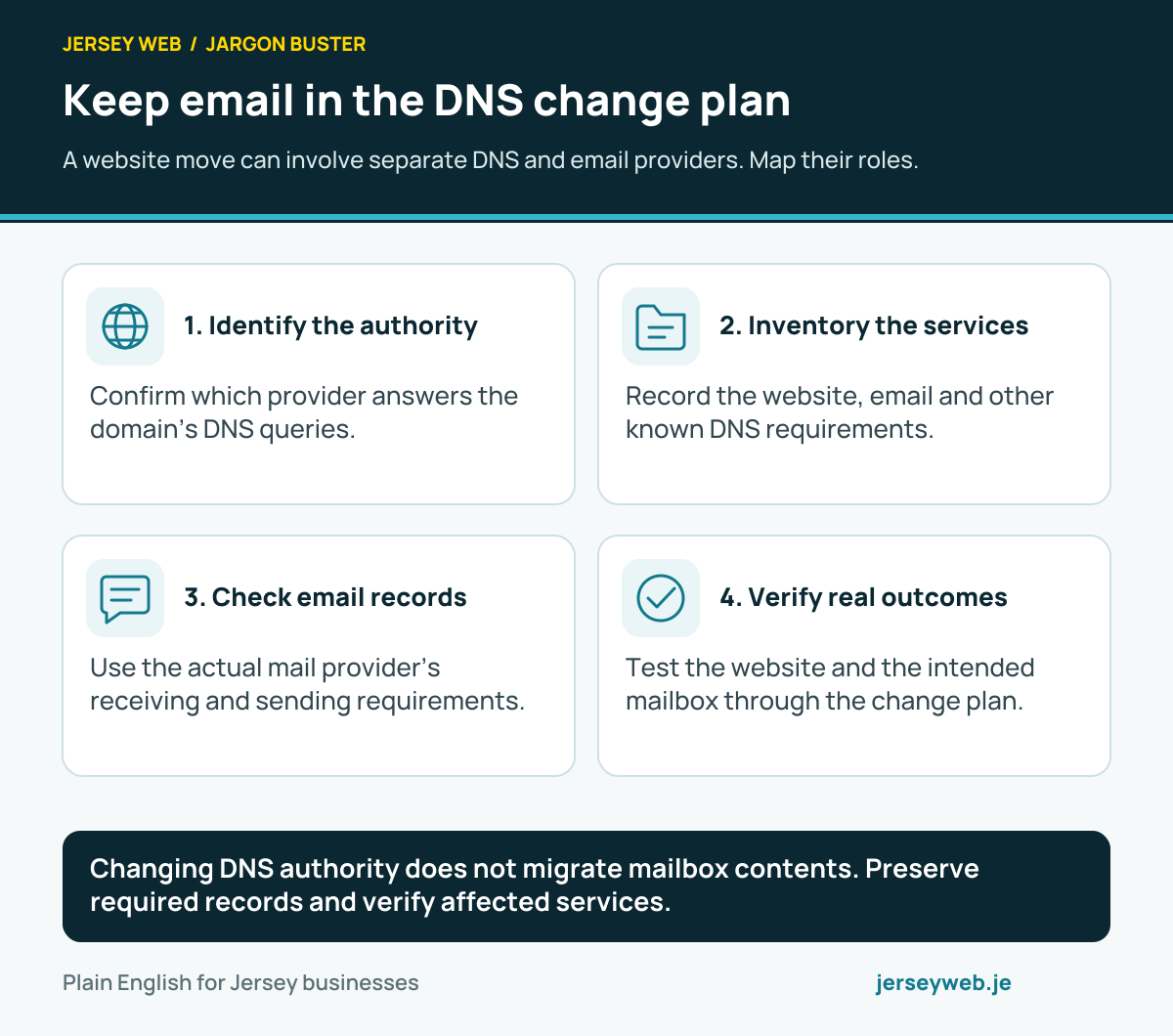
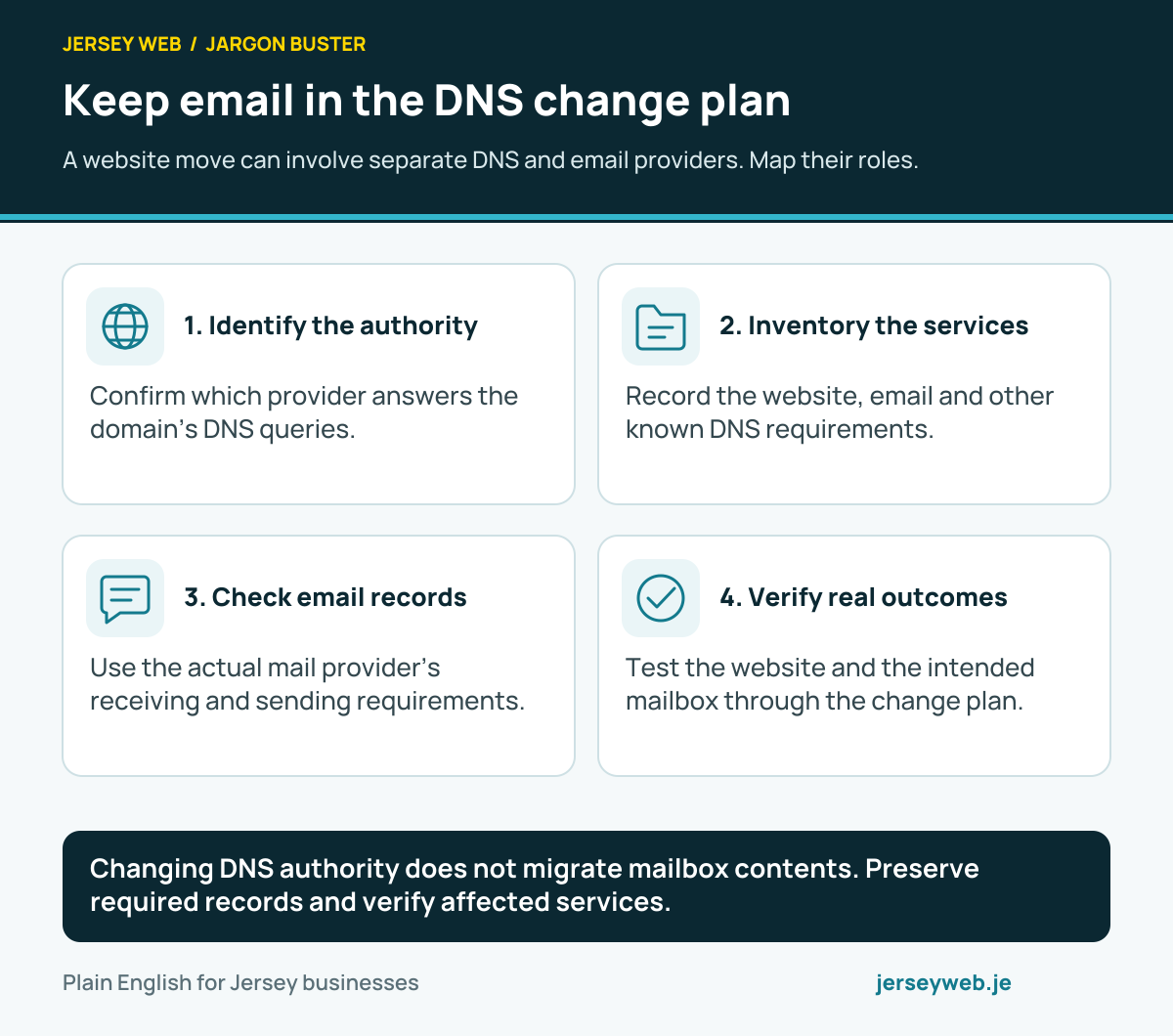
Changing DNS authority does not migrate mailbox contents. Preserve required records and verify affected services.
Read the diagram in text
- Identify the authority. Confirm which provider answers the domain’s DNS queries.
- Inventory the services. Record the website, email and other known DNS requirements.
- Check email records. Use the actual mail provider’s receiving and sending requirements.
- Verify real outcomes. Test the website and the intended mailbox through the change plan.
Related terms
Learn more
Common questions
- Are nameservers the same as website hosting?
- No. Authoritative nameservers answer relevant DNS queries; website hosting serves the website. A supplier may offer both, but their roles and the affected configuration should still be identified.
- Will changing nameservers move my email messages?
- No. It changes the relevant DNS authority arrangement. It does not migrate mailbox contents. Missing or incorrect email-related records at the new DNS provider can nevertheless affect the mail service.
- Must I change nameservers to change one website record?
- Not necessarily. A supported record change at the existing authoritative DNS provider may be sufficient. Review the actual hosting instructions and current authority before deciding what the project requires.
- How long does a nameserver change take?
- The result depends on the relevant delegation, caching and provider handling. Follow the actual change plan and verify the services; avoid treating one fixed waiting period as a guarantee for every setup.
Written by Jersey Web. Last reviewed 3 October 2026. Back to the Jargon Buster.