Watch a related explainer
In plain English
Google Search Console helps a website owner investigate how Google Search encounters and presents the site. Think of it as a reporting desk for that particular search channel. It can show visibility, clicks and technical concerns, but it does not run the business or record every customer who visits through another route.
You establish access to a property through verification. The property scope matters: a domain property can include different subdomains and protocols, while a URL-prefix property has a narrower defined address scope. Check what the report covers before comparing figures, particularly if a Jersey business uses a separate booking or shop subdomain.
Google’s introduction describes the tool’s search-monitoring role. Its reports can help distinguish a page that receives impressions but few clicks from one that Google has not indexed. Those situations call for different questions; increasing the advertising budget does not automatically solve an indexing problem.
Why it matters for a Jersey business
An owner may hear that the website is “doing well” without being shown the searches or pages involved. Search Console can provide a more concrete starting point. Which queries generated relevant visibility? Which service pages attracted clicks? Does the context concern Jersey on the island, New Jersey or an unrelated meaning of the word?
Small sample sizes need care. A handful of impressions can make percentages and average positions move sharply. An average is not the exact position every customer saw. Search results vary, and the available report does not explain the entire reason a person chose the business. Combine it with actual enquiries and a clear record of changes.
A Jersey example
Imagine a hypothetical island trades business adding a new service page. The owner checks the published page first, then the site’s sitemap and internal links. Search Console can help inspect whether Google knows the URL and how it is being processed. The owner records the launch date rather than judging the page’s success on its first afternoon.
Later, a report shows impressions for relevant service phrases but few clicks. The business reviews the page purpose, displayed result wording and whether the content answers the likely need. The report supplies a question to investigate, not a guaranteed explanation.
What to do
Keep property ownership under an appropriate business-controlled account and grant collaborators suitable access. Preserve recovery details and avoid making a single departing supplier the only person able to see the reports. Confirm the property scope before preparing a baseline for a redesign or content launch.
Use the performance report with a stated search type, date range and filters. Record impressions, clicks and relevant page or query rows. Compare similar periods and note major changes. Query tables have privacy and reporting limitations, so a missing row is not proof that nobody has ever searched the phrase.
Use URL inspection and indexing reports to investigate important pages. Check the published URL, canonical signals and access instructions before requesting another inspection. A live page, a sitemap entry and an indexed result are different states. Fix an actual problem instead of repeatedly submitting the same inaccessible or unfinished page.
For new batches, keep the sitemap accurate and provide useful internal links. Google’s URL inspection guidance describes request limitations and does not promise indexing success. Avoid reporting “submitted” as though it means “indexed”, and keep the dates of both events separate where available.
Common myths
“Search Console measures all website visitors.” Its search reports have a different scope from on-site analytics and other traffic sources.
“Average position is a fixed ranking.” It summarises observed appearances under the report’s definitions and filters.
“An indexing request guarantees publication in search.” The search engine still decides how to process and include the content.
Our take
Jersey Web’s view is that Search Console is most useful when it answers a specific question. Record the scope and dates, investigate the relevant pages and connect the findings to real customer needs. Clear reporting is better than showing an unexplained chart and promising a result the data cannot establish.
See it in a diagram
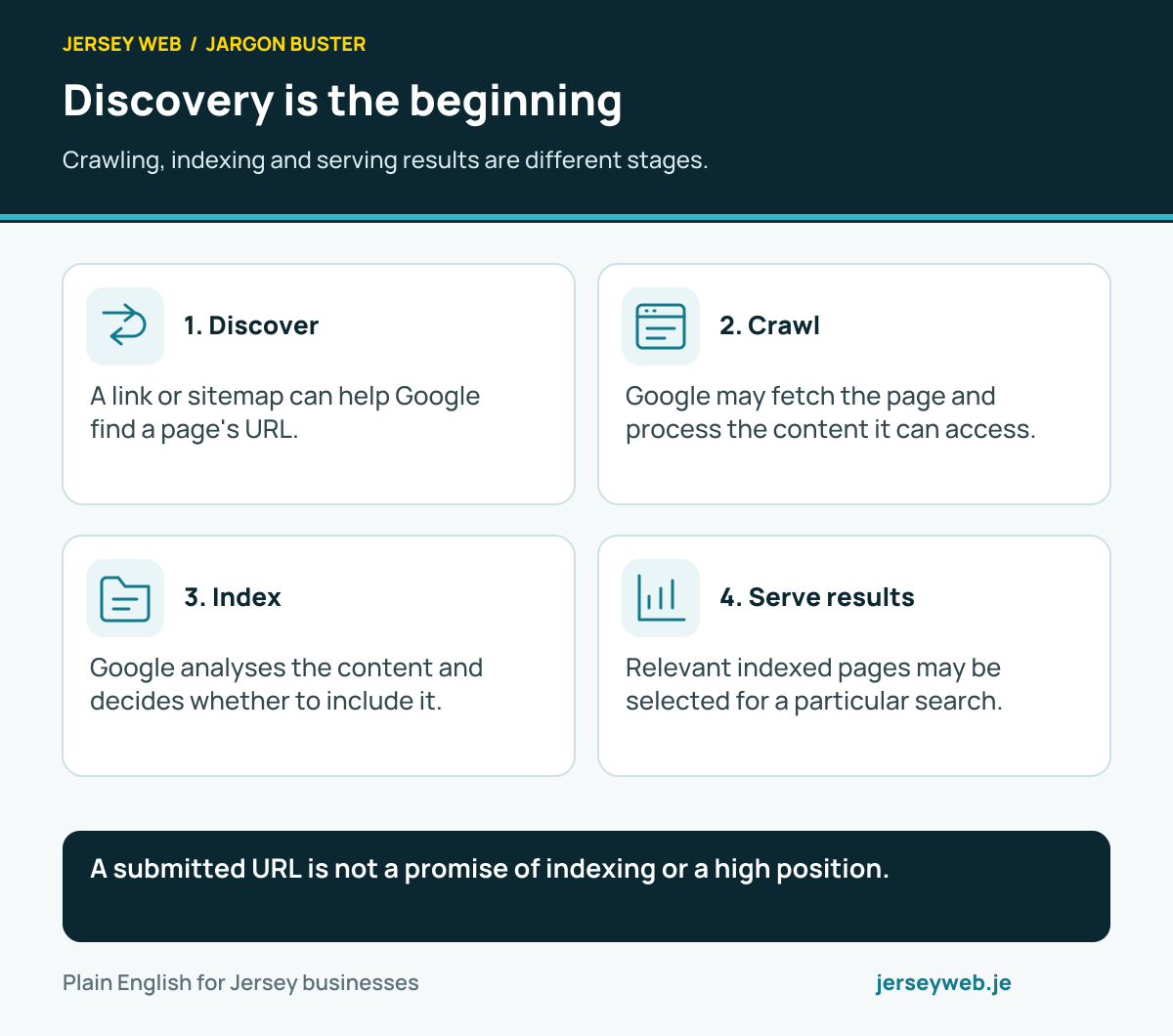
A submitted URL is not a promise of indexing or a high position.
Read the diagram in text
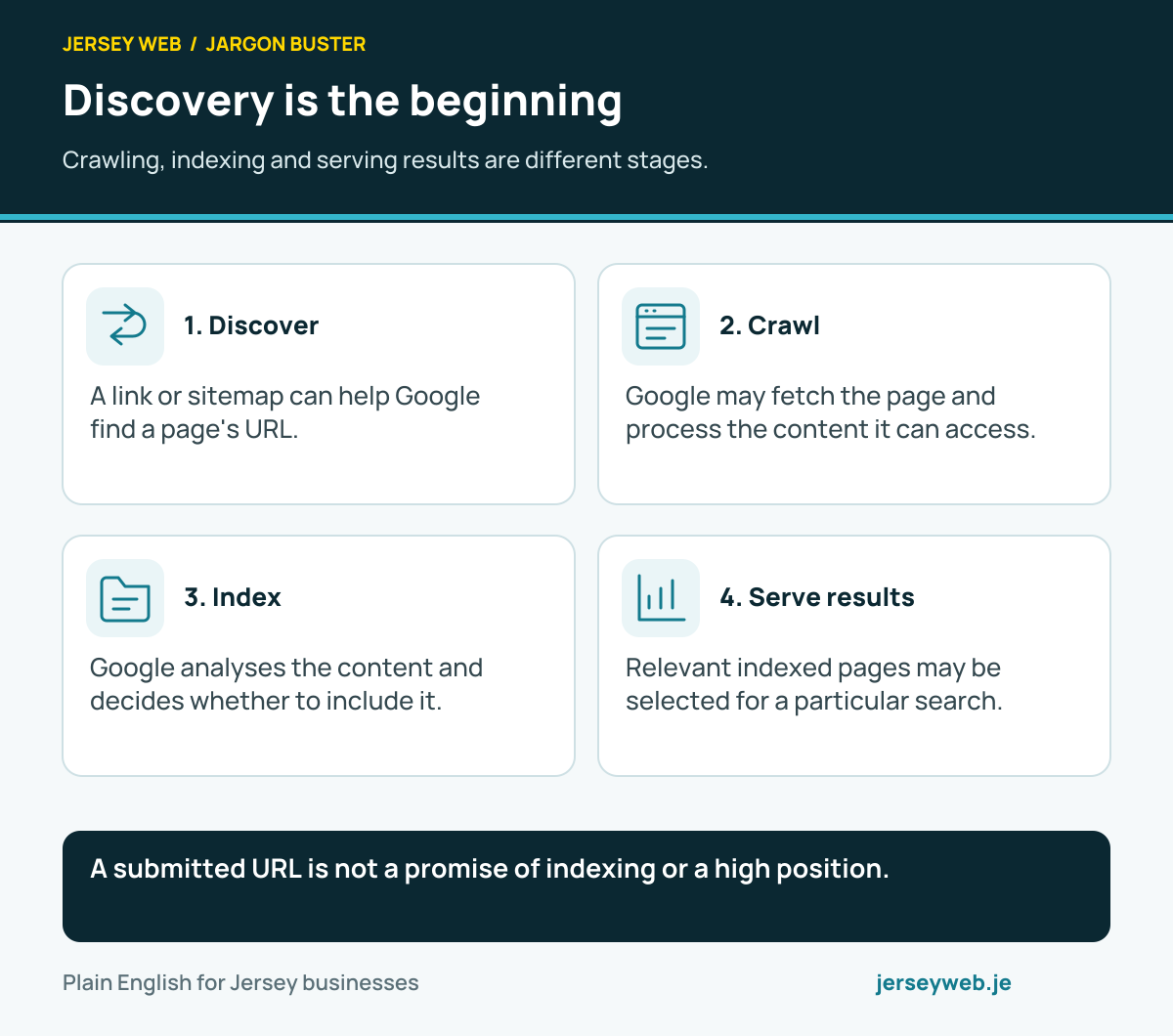
- Discover. A link or sitemap can help Google find a page's URL.
- Crawl. Google may fetch the page and process the content it can access.
- Index. Google analyses the content and decides whether to include it.
- Serve results. Relevant indexed pages may be selected for a particular search.
Related terms
Learn more
Common questions
- Is Search Console the same as Google Analytics?
- No. Search Console reports aspects of Google Search visibility and indexing. Analytics measures configured activity on a site or app. Their scopes, definitions and privacy limitations differ, so their totals need not match.
- Does a verified property prove every URL is indexed?
- No. Verification establishes access to the property’s reports. Individual pages can still be unavailable, excluded or not selected for indexing. Check the relevant indexing information for the URL.
- Can I request indexing for a new page?
- Search Console provides indexing-request tools with limits. A request does not guarantee inclusion or a completion time. For batches, maintain an accurate sitemap and accessible internal links as well.
- Why are some queries missing?
- Search Console omits some query information for privacy and has reporting limits. Date ranges, filters and property scope also affect what you see. Do not treat the visible table as a complete inventory of every search.
Written by Jersey Web. Last reviewed 3 October 2026. Back to the Jargon Buster.