Watch a related explainer
In plain English
A responsive website changes its layout to suit the space available. A row of three service cards might become one column on a phone. A photograph might scale to fit the screen, while text keeps a comfortable reading size. Think of arranging the same shop stock in a large showroom and a small stall: the items remain available, but the display changes so people can reach them.
Responsive design is usually built with flexible layout rules, images that can resize and breakpoints that change the arrangement when there is not enough room. MDN’s explanation describes it as a design approach for the range of devices and screen sizes people use. It is a way to build a website, not a special kind of phone app.
The aim is usability, not simply fitting everything inside a narrow screen. Tiny text, squeezed buttons and a menu that covers the page can all technically fit while still being hard to use. The actual words, pictures and forms must be tested in the layout.
Why it matters to a Jersey business
A person checking a Jersey restaurant’s menu, finding a trades business while away from home, or opening a booking link from an email may use a phone. The page should let them finish that task without zooming, sideways scrolling or fighting small controls. Business details such as opening hours, location and phone number should remain easy to find.
Responsive design also helps avoid maintaining different content for separate desktop and mobile sites. Google recommends responsive design as the easiest mobile configuration to implement and maintain, and says the mobile version of a site’s content is used for indexing and ranking. Important information should therefore be available on the phone layout, not quietly removed because space is tight.
Accessibility still needs its own check. Keyboard use, meaningful labels, colour contrast and readable content matter at every width. A flexible grid does not automatically make a form understandable or a menu usable for someone using assistive technology.
A Jersey example
Imagine a St Helier café with a desktop page showing the menu, opening hours and a map side by side. On a phone, the three columns could stack, with today’s opening hours and a clear directions link near the top. The menu could stay as text instead of becoming a picture that requires pinching and zooming. The customer gets the same information in a more useful order.
This is a hypothetical example. The right order depends on what customers need most. If booking a table is the main task, a clear booking route should be visible on both desktop and phone. Testing with actual menu items and long dish names will reveal problems that a neat sample template may hide.
What to do
Open the important pages at several widths and on at least one real phone. Read the headings, use the menu, tap the number, complete the form and check any embedded map or booking service. Turn the phone sideways. Increase text size. If a table is necessary, make it scroll within its own area instead of pushing the entire page wider than the screen.
Ask whether every important fact appears on mobile. If a desktop panel disappears, is the information available somewhere else? Check images and scripts as well: a responsive page can still be slow on mobile data. The video below gives six practical phone checks. Our accessibility guide covers keyboard, contrast and other needs that go beyond layout.
Common myths
Responsive means shrink the desktop site. A useful phone layout rearranges content and controls instead of making everything smaller.
A responsive template has solved mobile use. Real text, long menus, forms and third-party widgets can break the experience after a template is chosen.
Desktop content can be removed without consequence. Customers may need it on their phones, and Google uses the mobile version of a page when indexing it.
Our take
Jersey Web’s view is to test the task, not merely the width. If a visitor can read the key information and complete an enquiry on a phone, the layout is serving its purpose. Keep testing as content changes; a new promotion or gallery can expose a problem after launch.
A real Jersey example
Keep the beach view useful on a phone
This Grève de Lecq photograph keeps its full composition as the content column narrows. The browser can choose among smaller and larger WebP exports. Responsive layout and image selection work together; inspect the visible bay and the selected file on a phone and a larger screen.

The source choices used here
- 480 × 360 px WebP · width descriptor
480w· 30.9 KiB - 960 × 720 px WebP · width descriptor
960w· 98.4 KiB - 1600 × 1200 px WebP · width descriptor
1600w· 243.0 KiB - 1920 × 1440 px WebP · width descriptor
1920w· 330.4 KiB



Each candidate has the same composition. A separate crop needs a deliberate art-direction decision.
The sizes hint used here
sizes="(max-width: 520px) calc(100vw - 32px), (max-width: 800px) calc(100vw - 40px), 760px"
At widths up to 520 px, the page has 16 px of spacing on each side; larger layouts allow 20 px on each side until the image column reaches its 760 px maximum.
Browse the original Jersey photo library → · Check photo usage terms
See it in a diagram
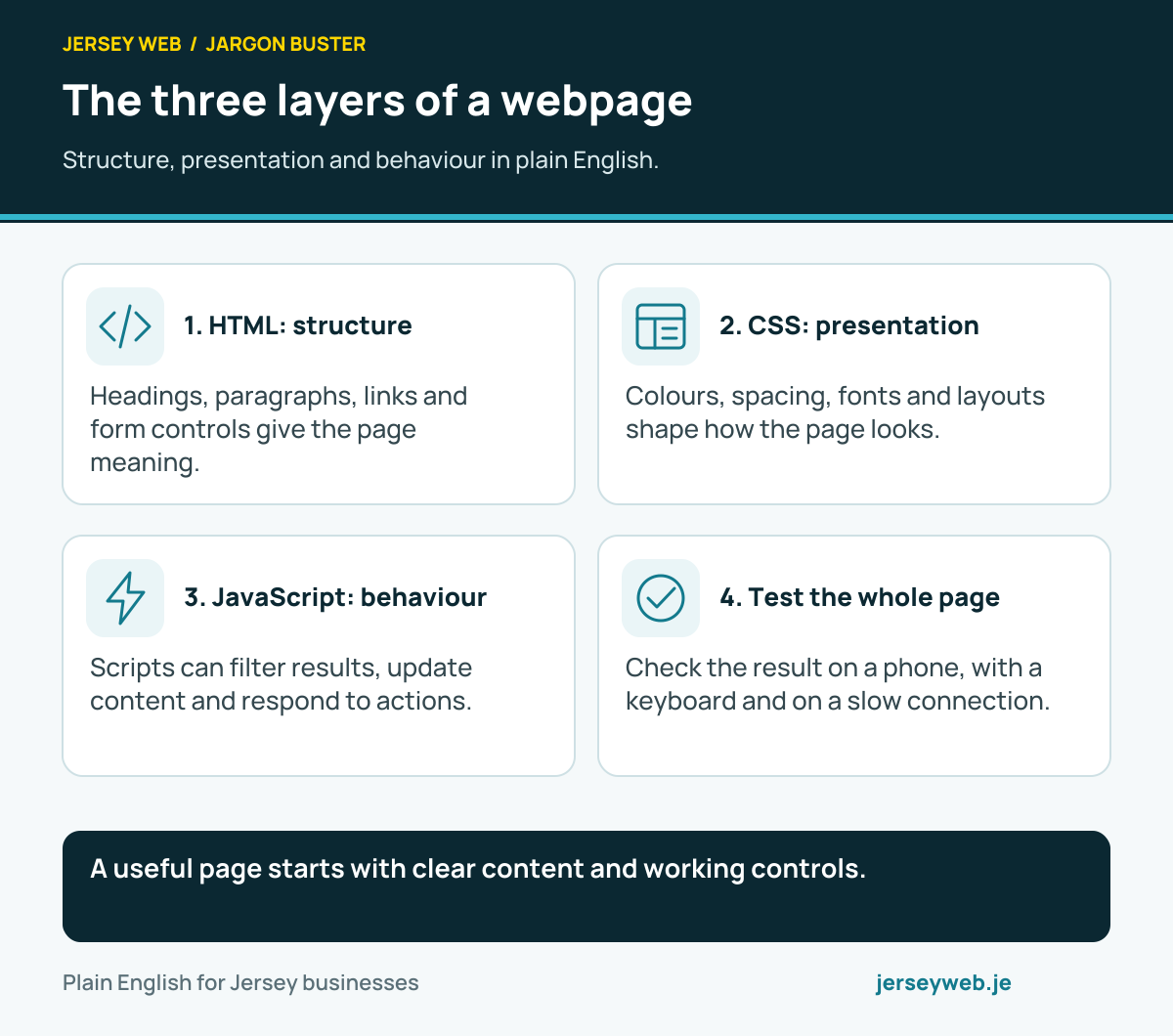
A useful page starts with clear content and working controls.
Read the diagram in text
- HTML: structure. Headings, paragraphs, links and form controls give the page meaning.
- CSS: presentation. Colours, spacing, fonts and layouts shape how the page looks.
- JavaScript: behaviour. Scripts can filter results, update content and respond to actions.
- Test the whole page. Check the result on a phone, with a keyboard and on a slow connection.
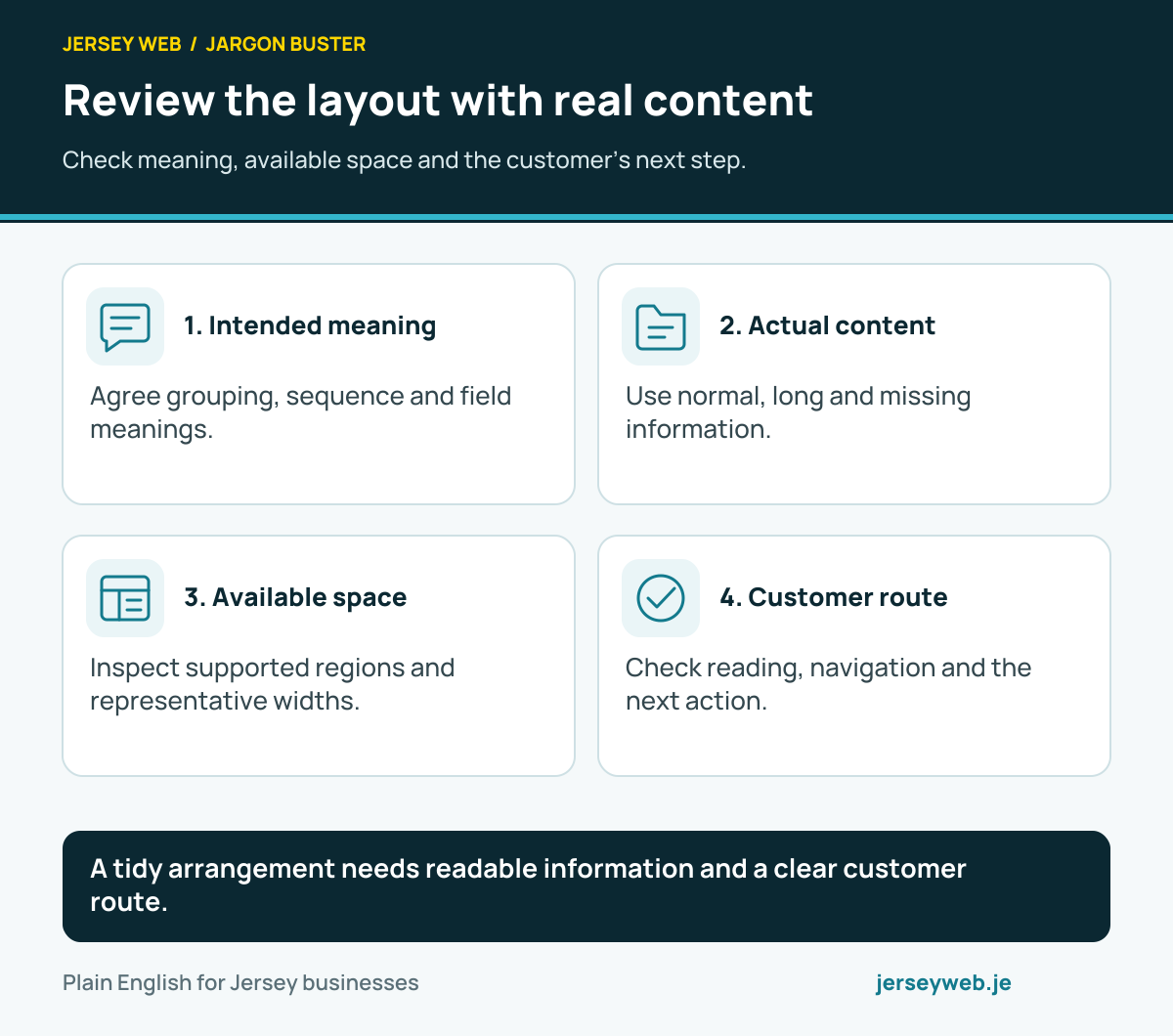
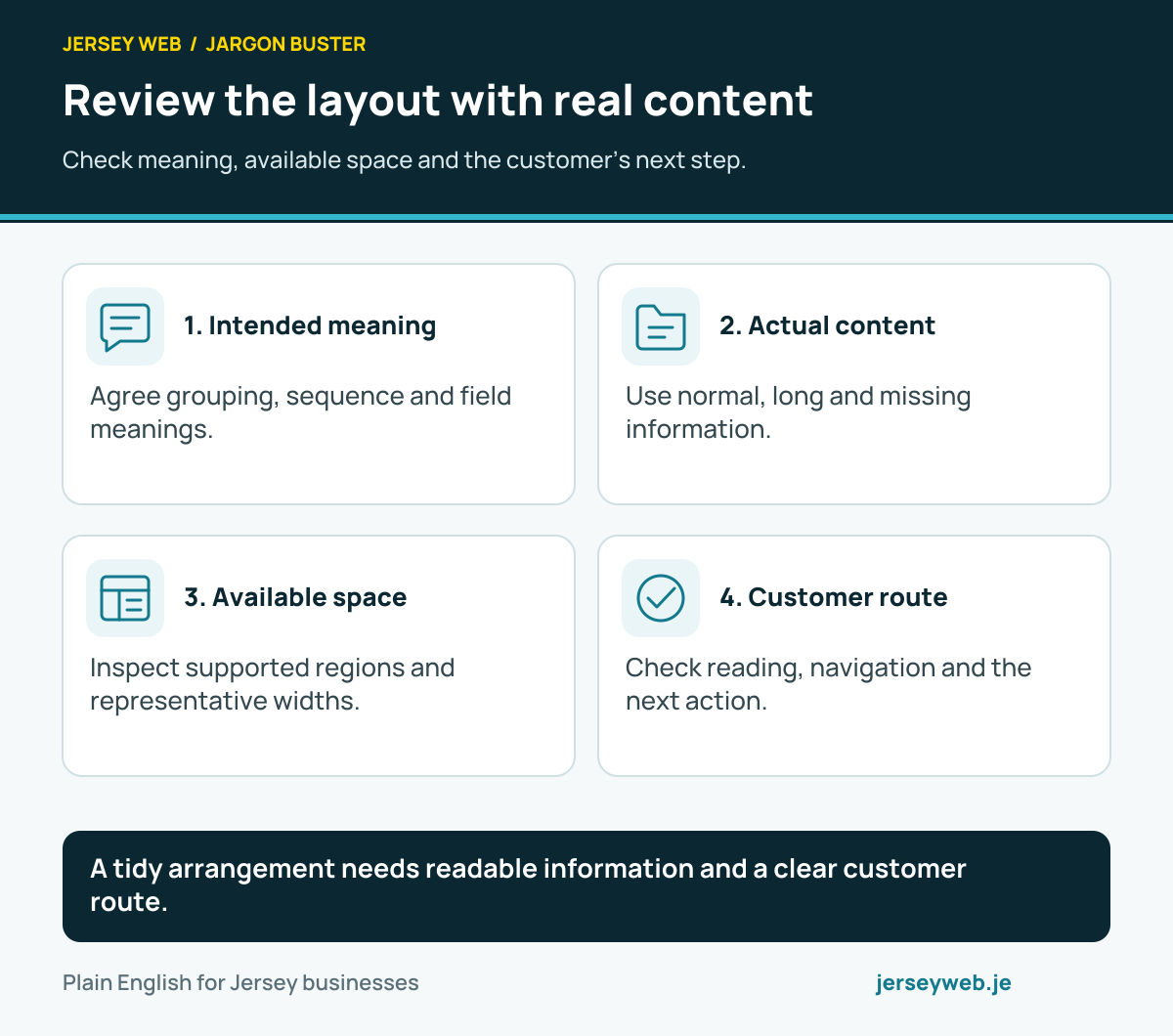
A tidy arrangement needs readable information and a clear customer route.
Read the diagram in text
- Intended meaning. Agree grouping, sequence and field meanings.
- Actual content. Use normal, long and missing information.
- Available space. Inspect supported regions and representative widths.
- Customer route. Check reading, navigation and the next action.
Related terms
Learn more
Common questions
- Is responsive design the same as a mobile app?
- No. A responsive website is still a website in a browser. Its layout changes with the available space; an app is separate software installed or run through an app platform.
- Does responsive design mean making everything smaller?
- No. A good layout reorganises content, keeps text readable and gives controls enough room to tap. Simply shrinking a desktop page can make it unusable.
- Can a responsive site still be slow on a phone?
- Yes. Layout and speed are related but separate. Large images, heavy scripts or slow services can delay a responsive page, particularly on mobile data.
- Why does the mobile version matter for Google?
- Google says it uses the mobile version of a site's content for indexing and ranking. It recommends responsive design as an easy pattern to implement and maintain.
Written by Jersey Web. Last reviewed 12 October 2026. Back to the Jargon Buster.