Watch a related explainer
In plain English
A shipping profile groups relevant shipping rules for products and locations. Shopify’s profile explanation describes that arrangement. The business should understand which products use which configured rules and how those rules become a customer’s checkout options.
The platform’s current setup matters. The same documentation, reviewed on 4 October 2026, describes a gradual move to shipping options by market. Ask the maintainer to identify the arrangement active in your store before following instructions written for another configuration. The useful review follows the actual products and checkout result.
Why it matters for a Jersey business
A shop may have products requiring different preparation or shipment arrangements. The owner needs an understandable way to explain those differences to the maintainer. Begin with representative products, their supply locations and the destinations the business actually supports.
Consider combinations as well as individual items. A single-product test may not represent a basket containing products from different groups. The business should define the intended customer choice and displayed charge for those examples, then have the maintainer compare the actual store result with that expectation.
A realistic Jersey example
Imagine a Jersey home accessories shop testing ordinary items alongside a product requiring different packing. This is a hypothetical example. Staff list the supported destinations and the intended shipping arrangements for each product group.
The review includes each item alone and a basket containing both groups. The maintainer checks which current configuration supplies the checkout options and explains any combined charge. Staff verify the displayed wording and record the result. No example rate or delivery promise is presented as a real quotation from a carrier.
Practical checks for shipping profiles
Identify the active configuration. Ask the maintainer whether the store currently uses profiles, a market-based arrangement or another platform’s shipping structure. Record the relevant maintained documentation with the handover. Avoid copying administration steps from a screenshot without confirming that they describe this store’s current interface and capabilities.
Map products to their rules. List representative products and variants, then confirm which configuration applies to each. Include newly added items and exceptions the business expects to handle differently. Staff should know how a catalogue change reaches the shipping setup, so a new product is not approved on the assumption that the intended rule already applies.
Review locations and groups. Shopify’s location guidance describes grouping locations with relevant zones and rates. Ask the maintainer to show the actual configured supply locations. Connect that review to the shop’s real inventory and fulfilment arrangements rather than assume every recorded location can supply every item.
Test mixed baskets. Shopify’s combined-rate guidance explains how the supported arrangement can affect the displayed shipping charge. Have the maintainer review the applicable rule, then test representative combinations. Record the selected products, destination and resulting options so a discrepancy can be investigated precisely.
Review customer wording. Check the names and explanations attached to the offered choices. Confirm what the displayed charge covers and how the shop explains unavailable destinations or combinations. A technically valid rate is less useful if the customer cannot understand which option matches the intended order.
Keep delivery expectations separate. Review preparation and the applicable carrier service alongside the shipping choice. Avoid deriving a complete delivery promise from a rate name. Staff should be able to explain the actual supported service and escalate an exceptional order without relying on a label that omits important preparation details.
Common myths and mistakes
A shipping profile is not the same as a carrier service or a guaranteed delivery outcome. It is part of the shop’s configuration. The actual origin, items, destination and supported platform rules need to be considered when reviewing a checkout result.
Another mistake is checking only one item and assuming every combination behaves the same way. Include mixed baskets and changes to the catalogue or locations in the review. Keep the expected result documented so staff can identify an unexpected charge or missing option.
Our take
Document the current setup and test the baskets the business needs to support. Follow product rules, supply locations and customer-facing options together. That makes the configuration review useful even when a platform changes how it organises shipping settings.
See it in a diagram
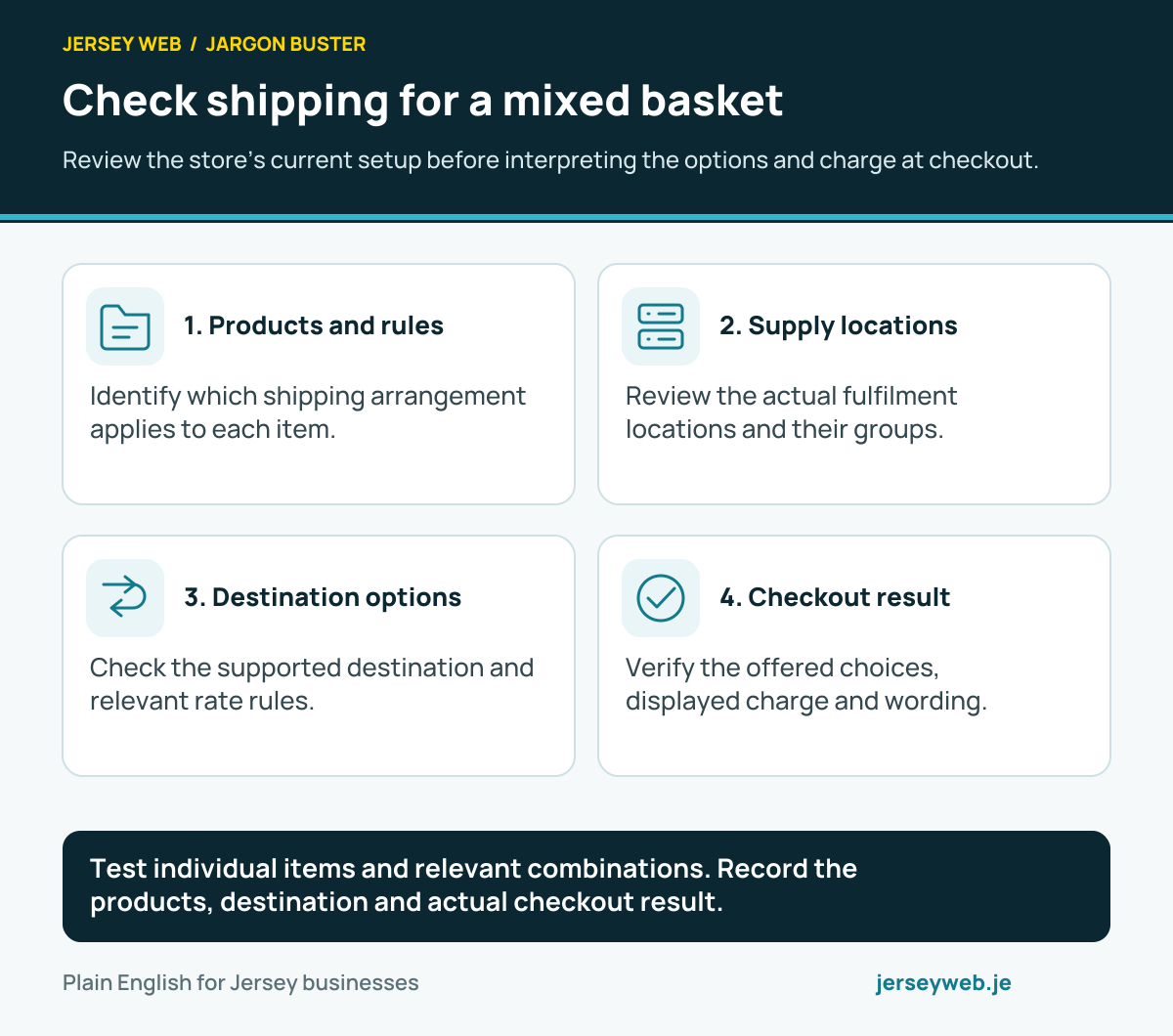
Test individual items and relevant combinations. Record the products, destination and actual checkout result.
Read the diagram in text
- Products and rules. Identify which shipping arrangement applies to each item.
- Supply locations. Review the actual fulfilment locations and their groups.
- Destination options. Check the supported destination and relevant rate rules.
- Checkout result. Verify the offered choices, displayed charge and wording.
Related terms
Learn more
Common questions
- Is a profile the same as a shipping zone?
- No. A profile groups relevant product and location arrangements. A zone concerns the supported destinations within the applicable setup.
- Can a mixed basket change the displayed charge?
- Yes. The actual products, locations and rate rules can affect the checkout result. Test representative combinations in the configured store.
- Does every Shopify store use exactly the same current setup?
- No. Shopify’s documentation reviewed on 4 October 2026 describes a gradual move from profiles and rates to shipping options by market. Ask the maintainer which setup applies to the actual store.
- Does a profile guarantee a delivery date?
- No. A rate configuration and a delivery expectation have different roles. Review preparation, carrier service and the actual customer-facing information separately.
Written by Jersey Web. Last reviewed 4 October 2026. Back to the Jargon Buster.