GA4 Key Events Explained: Marking the Actions That Matter to Your Business
Which website actions matter most to your business? In Google Analytics, an important measured action can be marked as a key event.
1:47 · No narration: the video shows each step as text on screen, and every step is written out below, with buttons that jump the video to it.
Prefer YouTube? Watch this video on our YouTube channel (opens in a new tab).
The six points in the video
This is a silent video. The headings, explanations and labels below reproduce the information on screen.
-
Step 1: Start with the business action
Choose a useful outcome such as a completed enquiry or purchase.
On-screen labels: Customer action; Business relevance; Clear definition.
-
Step 2: Identify the matching event
The underlying event must measure the intended interaction.
On-screen labels: Existing event; Correct trigger; Defined action.
-
Step 3: Mark it as a key event
Use the property settings and the appropriate account permission.
On-screen labels: Property setting; Suitable access; Key-event status.
-
Step 4: Check the counting method
Understand how repeated occurrences are counted in the report.
On-screen labels: Counting setting; Repeated actions; Report interpretation.
-
Step 5: Verify it with a real test
Confirm that the intended completion creates the expected measurement.
On-screen labels: Controlled test; Expected event; Correct parameters.
-
Step 6: Keep advertising terms clear
Google Ads conversions have a related role and separate reporting context.
On-screen labels: Analytics key event; Ads conversion; Relevant report.
A practical check for your business
Agree which recorded actions matter to the business and review how they are configured. Check a real example in the reporting setup rather than assuming every event or key event is an advertising conversion.
Sources and further detail
See it in a diagram
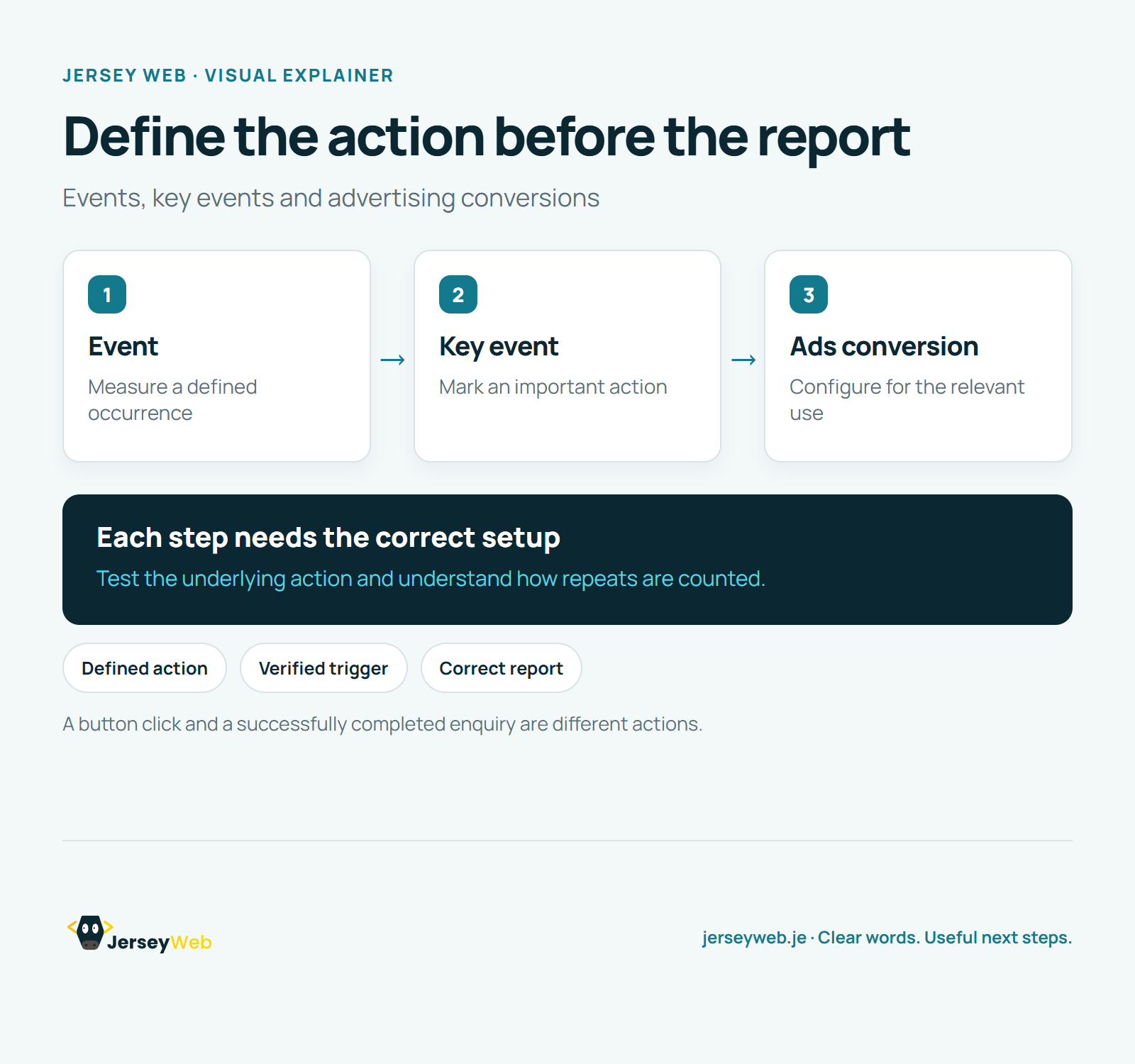
Read the diagram as text
- Event: Measure a defined occurrence
- Key event: Mark an important action
- Ads conversion: Configure for the relevant use
Each step needs the correct setup. Test the underlying action and understand how repeats are counted.
A button click and a successfully completed enquiry are different actions.
Diagram by Jersey Web. Open full size · Source and further detail (opens in a new tab)
Common questions
Which website actions matter most to your business?
In Google Analytics, an important measured action can be marked as a key event. Measure the completed action you actually care about.
Go further
More video tips
All 205 videos →
Referral Traffic Explained: Website Visits from Other Websites
Referral traffic, explained.
GA4 Engagement Rate and Bounce Rate Explained
Read GA4 session measures.