Product Variants Explained: Sizes, Colours and the Exact Item Ordered
Does choosing a different size change which stock item is ordered? A product variant represents a particular combination of product options, such as size and colour.
1:47 · No narration: the video shows each step as text on screen, and every step is written out below, with buttons that jump the video to it.
Prefer YouTube? Watch this video on our YouTube channel (opens in a new tab).
The six points in the video
This is a silent video. The headings, explanations and labels below reproduce the information on screen.
-
Step 1: Define useful product options
Choose the option types needed to distinguish the available items.
On-screen labels: Relevant size; Relevant colour; Useful option names.
-
Step 2: Check the combinations
Each supported combination should identify the intended variant.
On-screen labels: Specific combination; Correct variant; Valid choice.
-
Step 3: Review the chosen price
Check the amount that applies to the selected variant.
On-screen labels: Selected option; Applicable price; Clear currency.
-
Step 4: Check the stock record
Variants can need their own inventory information.
On-screen labels: Variant inventory; Current availability; Correct stock item.
-
Step 5: Make the selection recognisable
The page and basket should show which option was selected.
On-screen labels: Clear selection; Matching image; Basket detail.
-
Step 6: Follow it through the order
Review the exact variant recorded for staff to supply.
On-screen labels: Customer choice; Order line; Correct supplied item.
A practical check for your business
Test a specific size or colour choice from product page to received order. Review the selected variant, applicable amount and stock information before assuming that every option behaves like the default product.
Sources and further detail
See it in a diagram
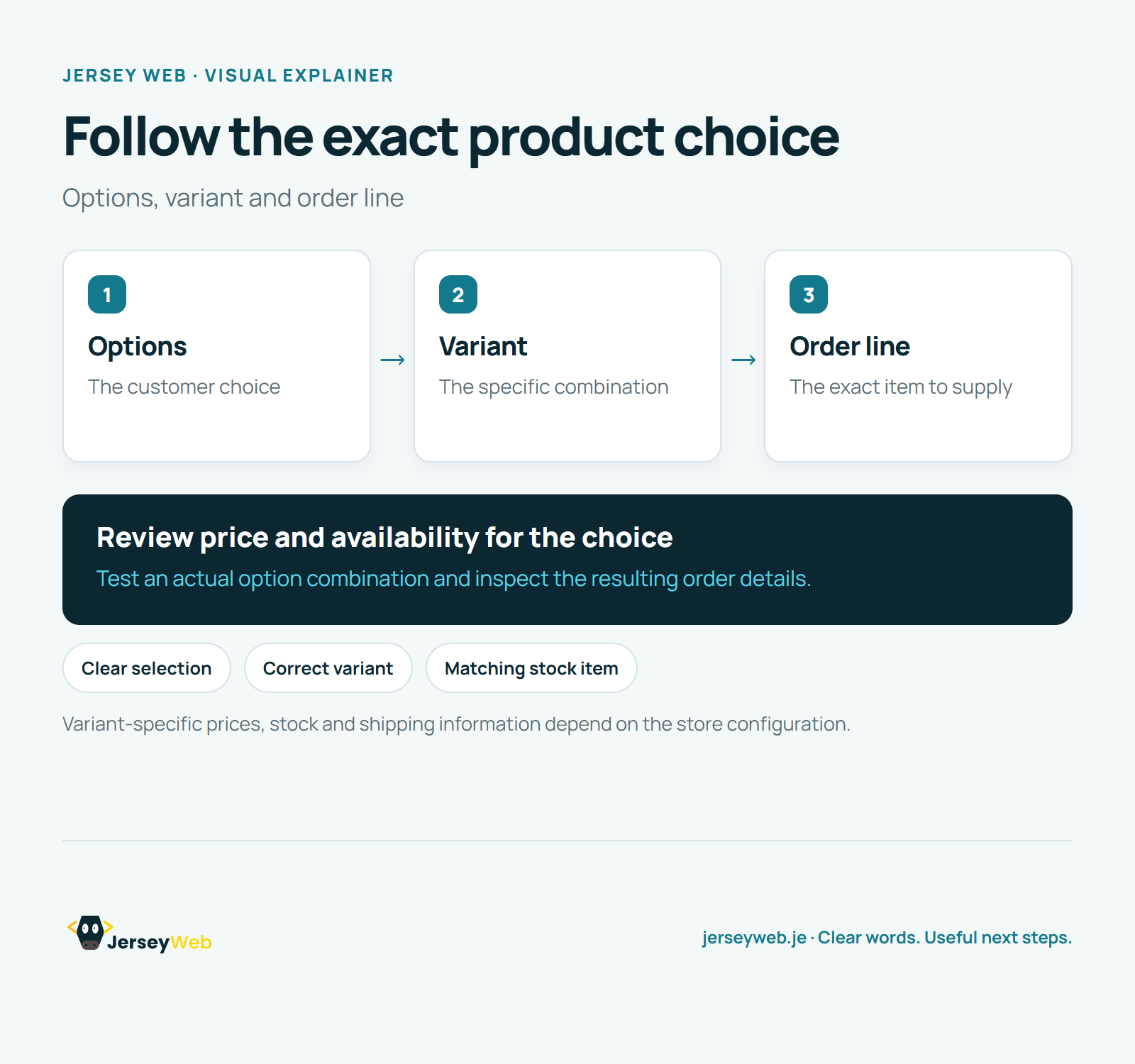
Read the diagram as text
- Options: The customer choice
- Variant: The specific combination
- Order line: The exact item to supply
Review price and availability for the choice. Test an actual option combination and inspect the resulting order details.
Variant-specific prices, stock and shipping information depend on the store configuration.
Diagram by Jersey Web. Open full size · Source and further detail (opens in a new tab)
Common questions
Does choosing a different size change which stock item is ordered?
A product variant represents a particular combination of product options, such as size and colour. Place a test order for a particular option and inspect the resulting item details.
Go further
More video tips
All 205 videos →
Online Shop Inventory Explained: Available, Committed and Incoming Stock
Inventory tracking, explained.
Order Fulfilment Explained: From an Online Order to the Customer Delivery
Order fulfilment, explained.