Online Shop Inventory Explained: Available, Committed and Incoming Stock
Is every item on a shelf available for a new customer to buy? Stock systems can distinguish items available to sell from those committed, unavailable or incoming.
1:47 · No narration: the video shows each step as text on screen, and every step is written out below, with buttons that jump the video to it.
Prefer YouTube? Watch this video on our YouTube channel (opens in a new tab).
The six points in the video
This is a silent video. The headings, explanations and labels below reproduce the information on screen.
-
Step 1: Identify the stock item
Check the correct product, variant and storage location.
On-screen labels: Specific product; Correct variant; Relevant location.
-
Step 2: Read the available quantity
The quantity ready for sale can differ from the physical total.
On-screen labels: Available stock; Sellable quantity; Current record.
-
Step 3: Review committed stock
Some items may already be allocated to existing orders.
On-screen labels: Existing order; Allocated quantity; Reduced availability.
-
Step 4: Account for unavailable items
Damaged or set-aside items may remain on hand without being sellable.
On-screen labels: Damaged item; Reserved stock; Accurate status.
-
Step 5: Distinguish incoming stock
Stock on its way is different from stock already available to supply.
On-screen labels: Expected stock; Arrival status; Received quantity.
-
Step 6: Review adjustments and orders
Check how receipts, sales and corrections change the record.
On-screen labels: Stock receipt; Order effect; Recorded adjustment.
A practical check for your business
Compare the recorded available quantity with the items and orders affecting that stock location. Review committed, unavailable and incoming items so the business understands what can actually be supplied to a new customer.
Sources and further detail
See it in a diagram
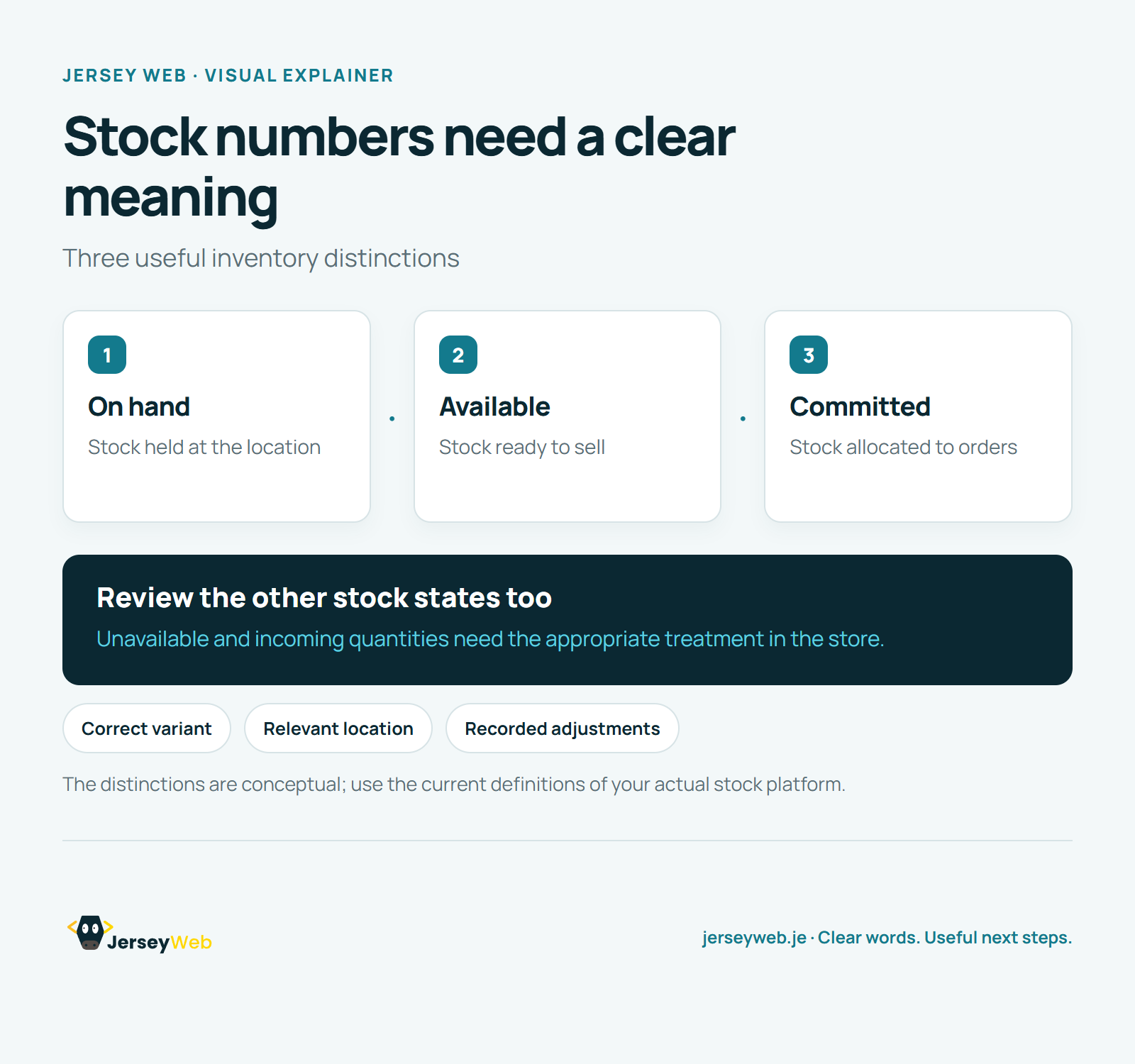
Read the diagram as text
- On hand: Stock held at the location
- Available: Stock ready to sell
- Committed: Stock allocated to orders
Review the other stock states too. Unavailable and incoming quantities need the appropriate treatment in the store.
The distinctions are conceptual; use the current definitions of your actual stock platform.
Diagram by Jersey Web. Open full size · Source and further detail (opens in a new tab)
Common questions
Is every item on a shelf available for a new customer to buy?
Stock systems can distinguish items available to sell from those committed, unavailable or incoming. Compare the stock record with a real item and the orders affecting it.
Go further
More video tips
All 205 videos →
Order Fulfilment Explained: From an Online Order to the Customer Delivery
Order fulfilment, explained.
Shipping Profiles Explained: Product Groups, Locations and Delivery Rates
Shipping profiles, explained.