Watch a related explainer

In plain English
Inventory tracking records how many relevant items a business has and how those quantities change. An online shop uses the records to help decide what can be ordered and prepared. The record may refer to a particular product variant at a particular location, rather than one total for the entire product range.
Shopify’s inventory overview introduces the management of product quantities. Different systems use different stock states. An item can be physically held but committed to an existing order, or expected in a future delivery without being ready to sell. Understand which figure the website treats as available before interpreting the displayed number.
Tracking depends on events and configuration. Receiving goods, accepting orders, recording shop sales, moving items and handling returns can change the relevant count. A well-presented dashboard is still a representation of those recorded events. It does not independently inspect the shelf or establish that every movement has been entered correctly.
Why it matters for a Jersey business
A retailer may sell through a website and a physical shop while preparing parcels from the same stock. If a shop sale and an online order both rely on the same item, their updates need an agreed relationship. Identify the authoritative record, the connected channels and any manual steps the team must perform.
Location also matters. Goods at a supplier, in transit or at a separate premises may have different availability and preparation requirements. Inventory setup guidance illustrates relationships between stocked products, locations and fulfilment arrangements. Match the configuration to how the business actually supplies orders instead of copying an unexplained example.
A realistic Jersey example
Imagine a Jersey gift retailer with a website and a shop counter. This is a hypothetical example. Both sell the same navy mug variant. The owner records the relevant stock location and checks how a counter sale affects the quantity available online. The team also compares the recorded quantity with the goods that can actually be supplied.
An item later arrives damaged and cannot be sold. Staff use the agreed stock-adjustment process and record the reason. They check that the relevant availability changes, while keeping the product variant mapping intact. This scenario illustrates the need to record real movements; it does not claim that any particular integration reconciles stock instantly or without staff review.
Practical stock checks
Identify what is counted. Map each tracked item to its SKU, variant and relevant location. Review any products that are not tracked and explain why. The tracking setup documentation describes the platform’s configuration responsibilities. The owner should know which settings are active and who is responsible for maintaining them.
Define the movements. List the ways stock enters, leaves or becomes unavailable: supplier receipts, sales, damaged items, transfers and returns. Assign the relevant staff responsibility. Where systems exchange updates, check the actual field mapping and error handling. Retain enough information to investigate a discrepancy without requiring staff to guess which movement caused it.
Check representative order outcomes. Include accepted orders, unsuccessful attempts and a cancellation handled through the agreed workflow. Review both the order state and stock result. Order-status guidance distinguishes operational stages; a changed label alone should not be treated as evidence of a specific quantity adjustment. Verify the number and relevant item record.
Review depleted-stock behaviour. Selling beyond recorded stock is a configurable arrangement in some platforms. Decide whether the business can reliably supply those orders and how customers will be informed. A setting that accepts a purchase cannot promise a replenishment date. Check that the wording reflects the actual supply arrangement.
Reconcile quantities regularly according to the business’s needs. Compare representative records with the physical goods and investigate differences. Consider committed orders, damaged stock and location transfers before changing a count. Record the adjustment and reason through the agreed process so another staff member can understand what happened and which figure should be used.
Review special cases. Bundles may draw from several component records, while returns need a decision about whether an item is suitable to restock. A refund concerns payment and should not automatically be treated as proof that sellable goods returned. Check the system’s actual handling and provide staff with concise instructions for the cases they encounter.
Common myths
Inventory tracking does not eliminate stock checks. Its usefulness depends on correct item mapping and recorded movements. A product being listed online also does not establish that stock tracking is enabled. Nor does a zero quantity automatically mean the website rejects every order; inspect the applicable settings and customer explanation.
Our take
Make the quantity record understandable and keep it connected to real operations. Identify the relevant items, locations and channels, verify meaningful stock movements and reconcile discrepancies. Give staff a clear process for exceptions so the website’s availability message stays aligned with what the business can actually supply.
See it in a diagram
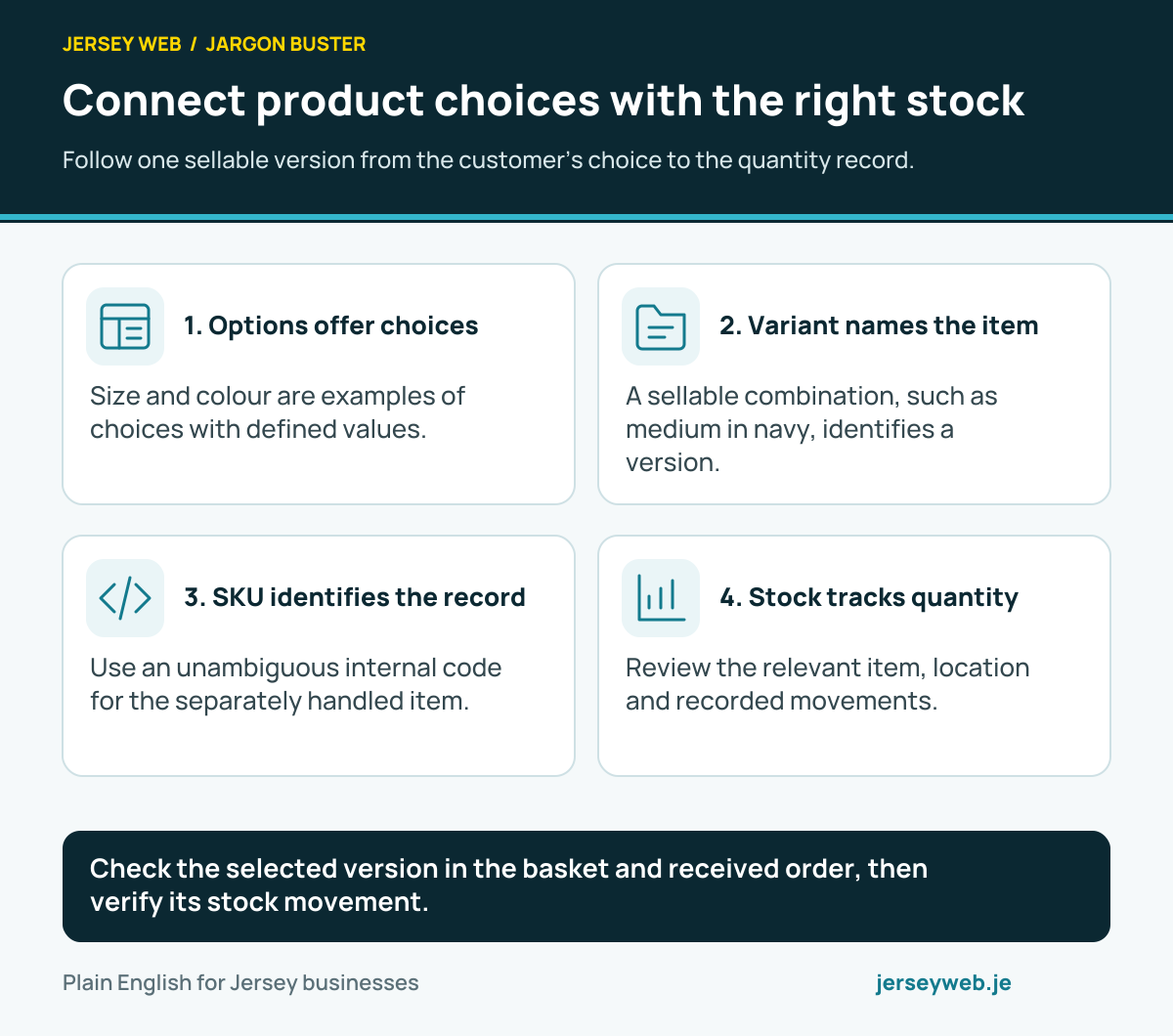
Check the selected version in the basket and received order, then verify its stock movement.
Read the diagram in text
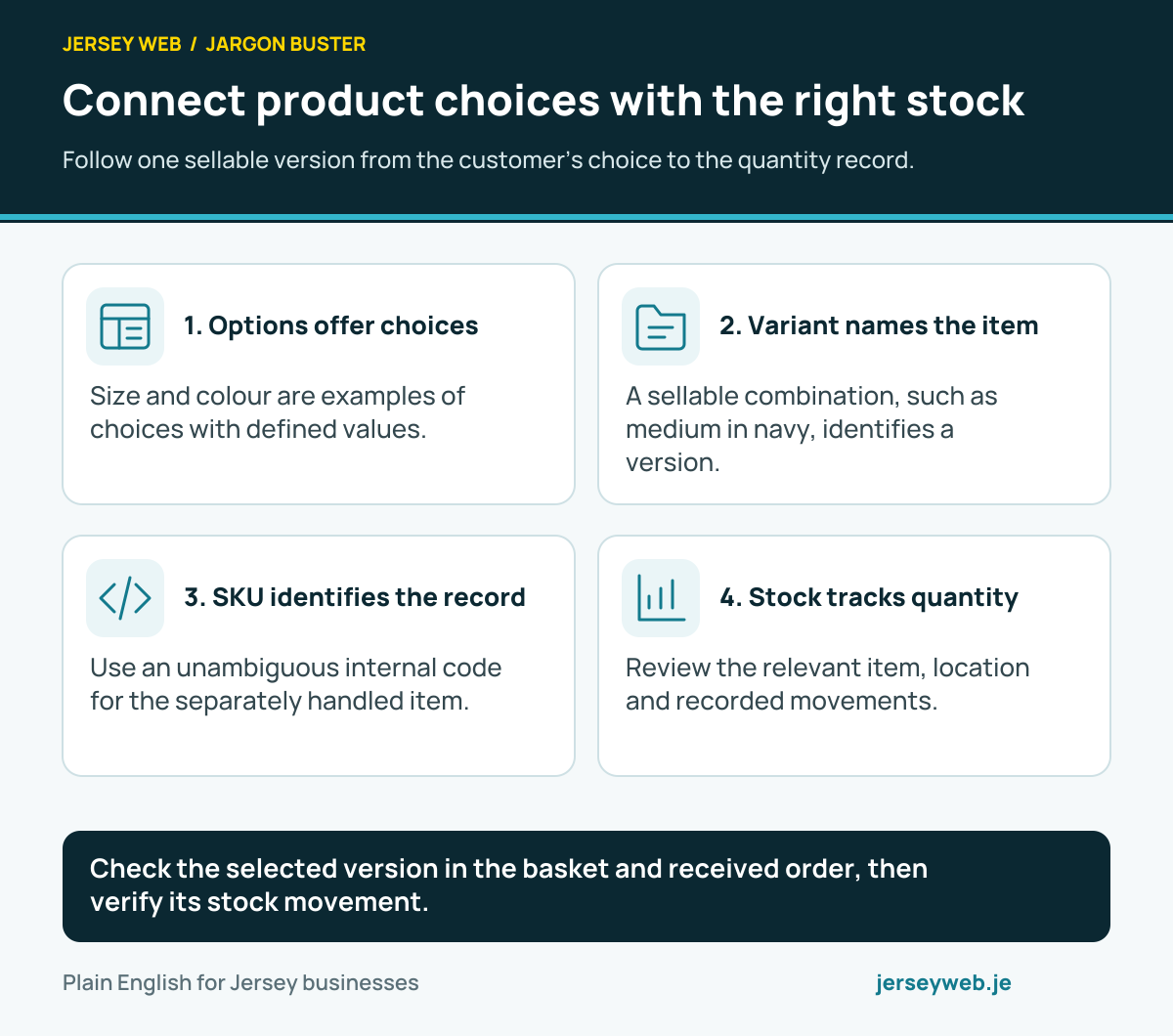
- Options offer choices. Size and colour are examples of choices with defined values.
- Variant names the item. A sellable combination, such as medium in navy, identifies a version.
- SKU identifies the record. Use an unambiguous internal code for the separately handled item.
- Stock tracks quantity. Review the relevant item, location and recorded movements.
Related terms
Learn more
Common questions
- Does inventory tracking prove the goods are physically present?
- No. It records information according to the configured process and entered movements. Counts still need reconciliation with actual stock, including damaged, misplaced or otherwise unavailable goods.
- Should online and shop sales use the same stock record?
- The arrangement depends on the business. Where they draw from the same goods, review how both channels update the relevant quantities and how the team handles delayed updates or discrepancies.
- Can a shop accept orders when recorded stock is zero?
- Some systems allow sales beyond recorded stock when configured to do so. That is separate from having a reliable supply arrangement. Explain the actual availability and expected handling clearly before offering it.
- Does canceling an order always restore stock?
- Do not assume it does. Restocking, payment and order-state actions can be separate and depend on the provider and workflow. Verify the applicable quantity changes and staff instructions for the actual scenario.
Written by Jersey Web. Last reviewed 3 October 2026. Back to the Jargon Buster.