Watch a related explainer
In plain English
SKU stands for stock keeping unit. In everyday shop administration, the term commonly refers to the internal code used to identify a particular item. A short code can help staff locate the right product, distinguish its version and connect an order with the corresponding stock record. It is a reference, rather than a customer-facing description.
Shopify’s SKU guidance explains the purpose of these internal identifiers and distinguishes them from barcode information. A business can choose a coding arrangement appropriate to its stock. The important practical question is whether staff and connected systems can identify the intended item consistently, without relying on an ambiguous product name.
Think about the sellable unit. A shirt offered in different sizes and colours has more than one stocked version. Variant documentation describes combining option values into those versions. If two physically different items need separate picking or stock counts, the identifier arrangement should make that difference clear.
Why it matters for a Jersey business
A small shop may maintain product information across a website, till system, supplier records and a spreadsheet. Names can change, abbreviations can differ and staff may describe an item informally. An agreed item mapping makes it easier to investigate an order or compare quantities, provided the systems use that mapping correctly.
An SKU does not have to reveal the entire product description. A very elaborate code can become difficult to maintain when a range changes. Decide which information belongs in the identifier and which belongs in ordinary product fields. The business should be able to explain the convention and handle new items without undocumented exceptions.
A realistic Jersey example
Imagine a Jersey clothing shop selling a navy jumper in small and medium sizes. This is a hypothetical example. The team gives the two stocked versions different internal codes and records their descriptions alongside them. A picking list identifies both the code and the readable size, helping staff check the intended item before preparing an order.
The owner later updates the product title for customers. The team checks that the update preserves the mapping used by stock records and connected sales tools. If a supplier has a separate code, it is retained in an appropriate field rather than silently replacing the shop’s identifier. This avoids confusing two reference systems during ordinary administration.
Practical identifier checks
Define the coding convention. Decide who assigns new codes, where the authoritative item list is kept and how discontinued products are handled. Make the convention understandable to another staff member. Review duplicate or empty identifiers before linking the catalogue to another service. Do not assume a provider enforces every useful business rule automatically.
Check the variant mapping. Compare each code with its option values, stock location and readable product description. The same base product may have several versions. Identify any bundles or personalised items whose stock handling is different, and document that arrangement. A code that makes sense in a product table still needs to make sense on the staff’s actual order view.
Review data transfers. A code is an identifier even when it consists only of digits. Export and import a representative sample using the agreed workflow. Check leading zeros, capitalisation and punctuation where these are meaningful in the chosen system. Compare the resulting values with the original records, and correct the transformation before importing a large catalogue.
Distinguish fields with different purposes. A supplier reference, barcode value, internal SKU and destination product identifier can refer to the same item without being interchangeable. Google’s product-source guidance illustrates transferring structured product information to another system. Review the destination’s required mapping instead of assuming one shop field satisfies every external requirement.
Verify the operational result. Create an appropriate test order and inspect the item information received by staff and relevant integrations. Inventory tracking guidance concerns the separate quantity arrangements. Check the intended item’s count and any location-specific changes. An identifier alone does not activate or reconcile stock tracking.
Plan changes carefully. Renaming a code may affect imports, historical reports or connected systems that use it as a reference. Identify the affected relationships and agree a migration before changing a large set. Preserve a useful record of the old-to-new mapping where required for support. Verify representative orders and transfers after the change.
Common myths
An SKU is not automatically a universally assigned product number, and it is not the same thing as a barcode. Nor does a neat code guarantee accurate quantities. Accuracy depends on the item mapping, stock process and actual system behaviour. A numeric-looking identifier should not casually be treated as an arithmetic value during data preparation.
Our take
Choose an identifier arrangement staff can maintain and systems can preserve. Keep each sellable version recognisable, document the mapping and check transfers before scaling them up. Clear descriptions alongside the codes are still useful for people who need to select, prepare and investigate real orders.
See it in a diagram
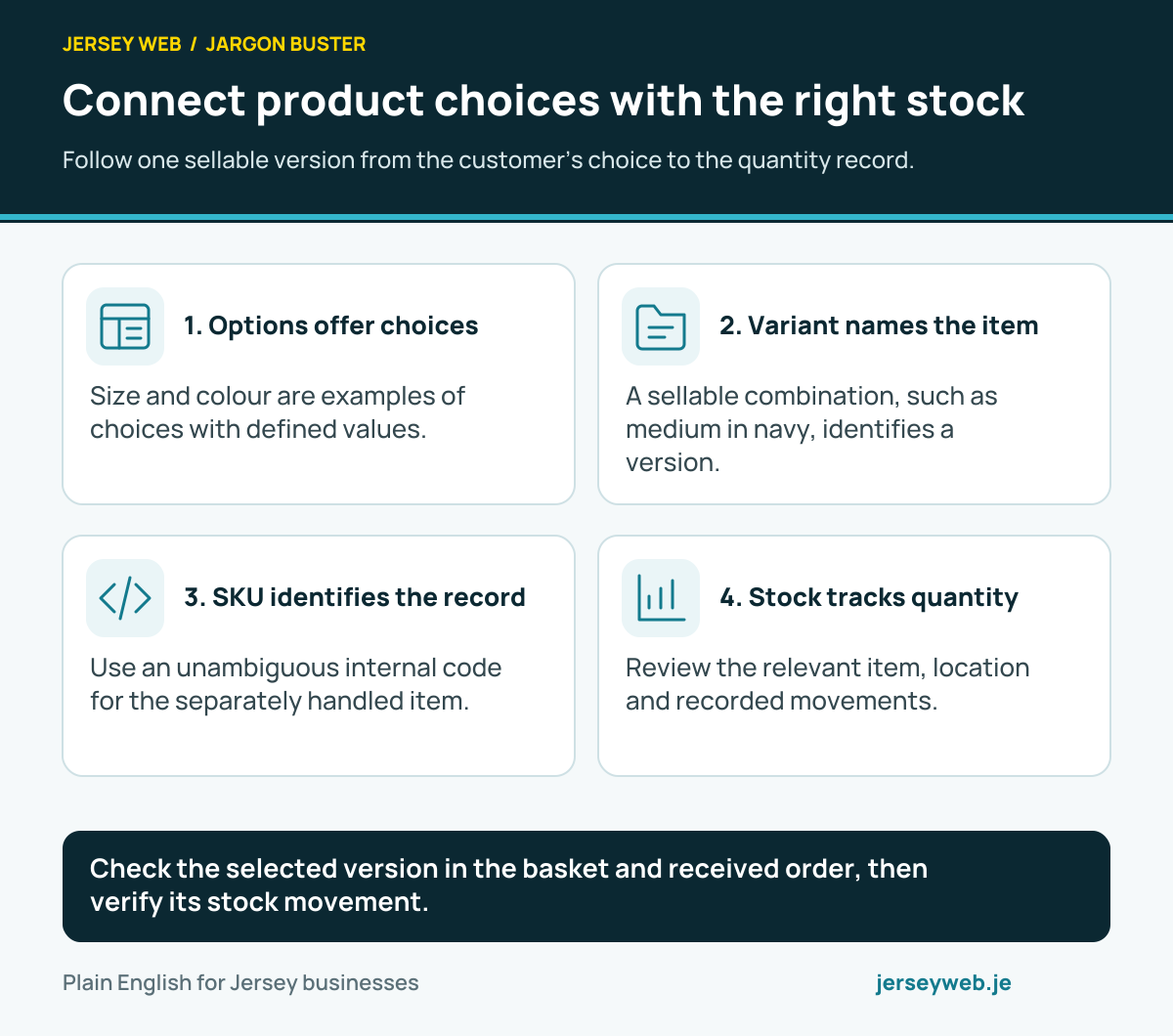
Check the selected version in the basket and received order, then verify its stock movement.
Read the diagram in text
- Options offer choices. Size and colour are examples of choices with defined values.
- Variant names the item. A sellable combination, such as medium in navy, identifies a version.
- SKU identifies the record. Use an unambiguous internal code for the separately handled item.
- Stock tracks quantity. Review the relevant item, location and recorded movements.
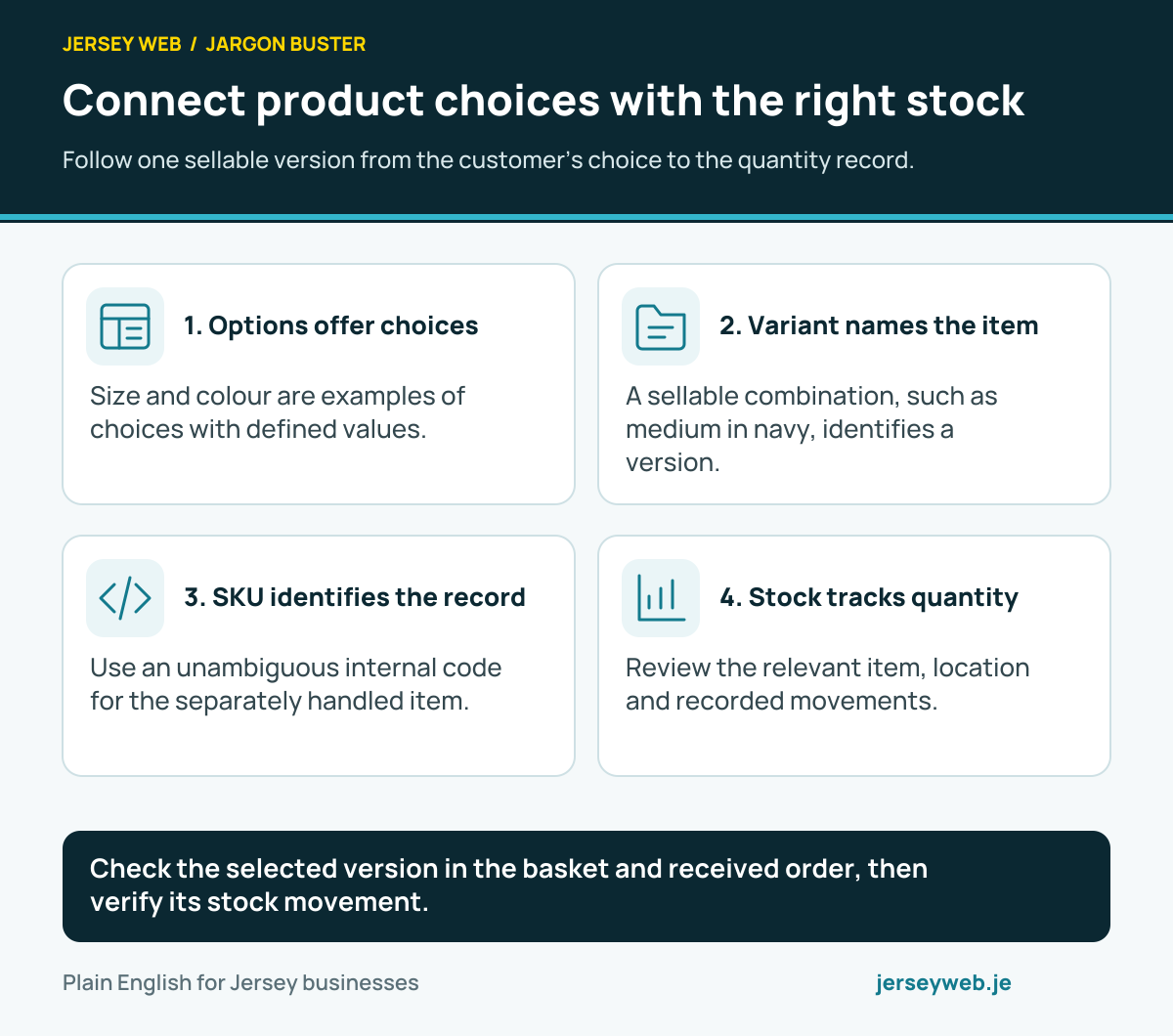
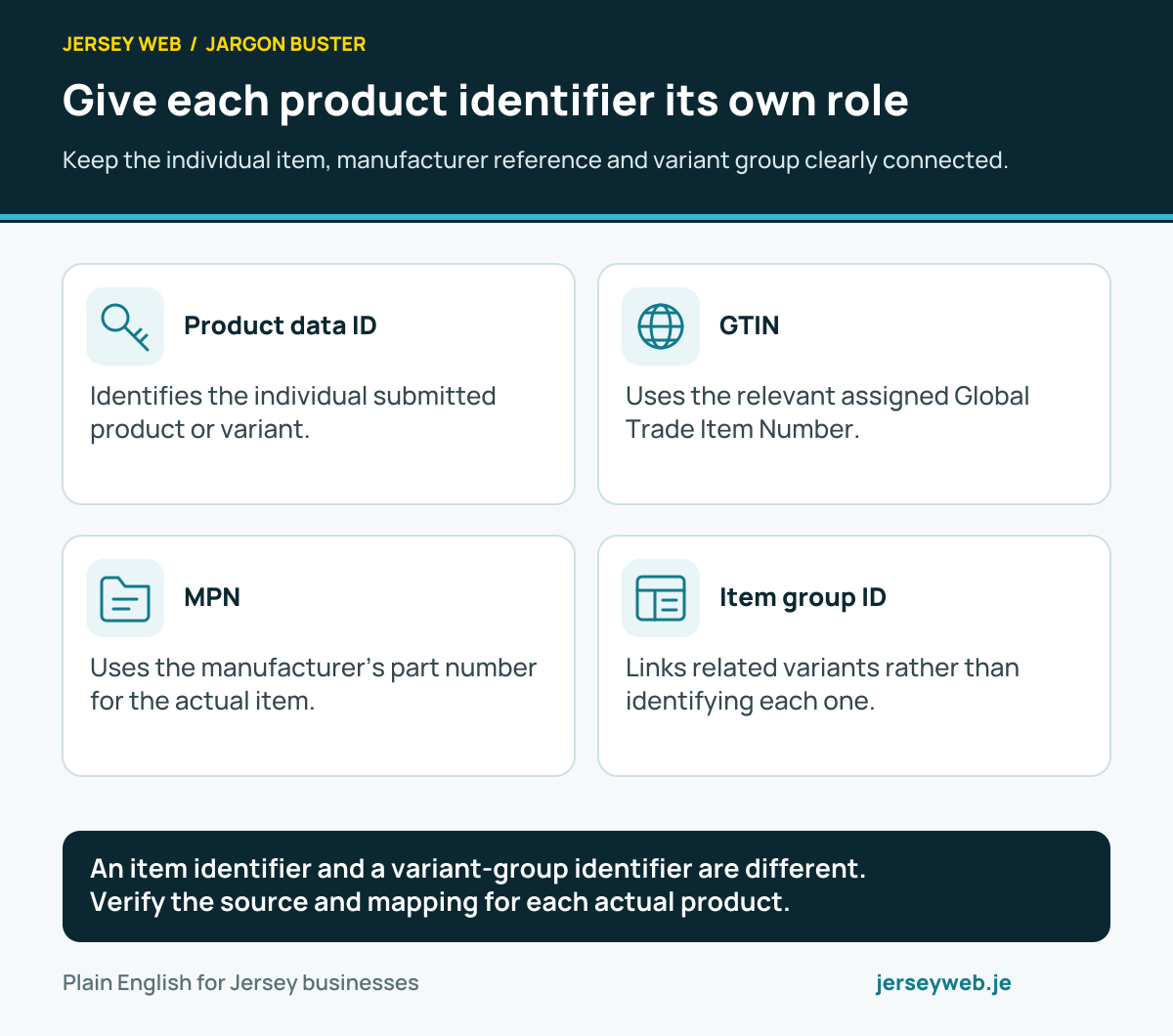
An item identifier and a variant-group identifier are different. Verify the source and mapping for each actual product.
Read the diagram in text
- Product data ID. Identifies the individual submitted product or variant.
- GTIN. Uses the relevant assigned Global Trade Item Number.
- MPN. Uses the manufacturer’s part number for the actual item.
- Item group ID. Links related variants rather than identifying each one.
Related terms
Learn more
Common questions
- Is an SKU the same as a barcode?
- No. An SKU is an internal item identifier. A barcode is a machine-readable representation used in scanning arrangements, often containing a different identifier. Keep the fields and their purposes clear.
- Should different variants share one SKU?
- Use an unambiguous mapping for items that staff or systems need to distinguish. Where variants are stocked separately, separate identifiers help identify the intended size or colour. Check the actual provider and integration requirements.
- Can an SKU contain leading zeros?
- The accepted format depends on the relevant system. If the chosen code has leading zeros, verify that exports, spreadsheets and imports preserve them as part of the identifier rather than convert the code to a number.
- Does adding an SKU track stock automatically?
- No. The code identifies an item. Inventory tracking settings, locations and connected sales processes determine how quantities are recorded and updated. Review those separately.
Written by Jersey Web. Last reviewed 3 October 2026. Back to the Jargon Buster.