Webhooks Explained: When One Service Notifies Another
How can one service tell another something changed? A webhook sends an update when a chosen event happens.
1:47 · No narration: the video shows each step as text on screen, and every step is written out below, with buttons that jump the video to it.
Prefer YouTube? Watch this video on our YouTube channel (opens in a new tab).
The six points in the video
This is a silent video. The headings, explanations and labels below reproduce the information on screen.
-
Step 1: Choose the event
Subscribe to the specific change the business needs to know.
On-screen labels: Selected event; Relevant update; Clear purpose.
-
Step 2: Send to a receiving address
The service delivers event data to a configured URL.
On-screen labels: Source service; Receiving URL; Event data.
-
Step 3: Verify the sender
The receiving system should validate the delivery correctly.
On-screen labels: HTTPS connection; Signature checks; Protected secret.
-
Step 4: Define the follow-up action
Receiving data and completing a business task are separate steps.
On-screen labels: Received update; Process the data; Confirm the result.
-
Step 5: Plan for missed deliveries
Check retry or redelivery options when systems are unavailable.
On-screen labels: Delivery failure; Retry policy; Recovery process.
-
Step 6: Handle repeated messages
A repeated event must not accidentally trigger duplicate work.
On-screen labels: Event identifier; Duplicate check; Safe processing.
A practical check for your business
Record which event sends the notification and what the receiving system is expected to do. Use safe test data to check delivery, failures and repeated notifications before relying on the workflow.
Sources and further detail
See it in a diagram
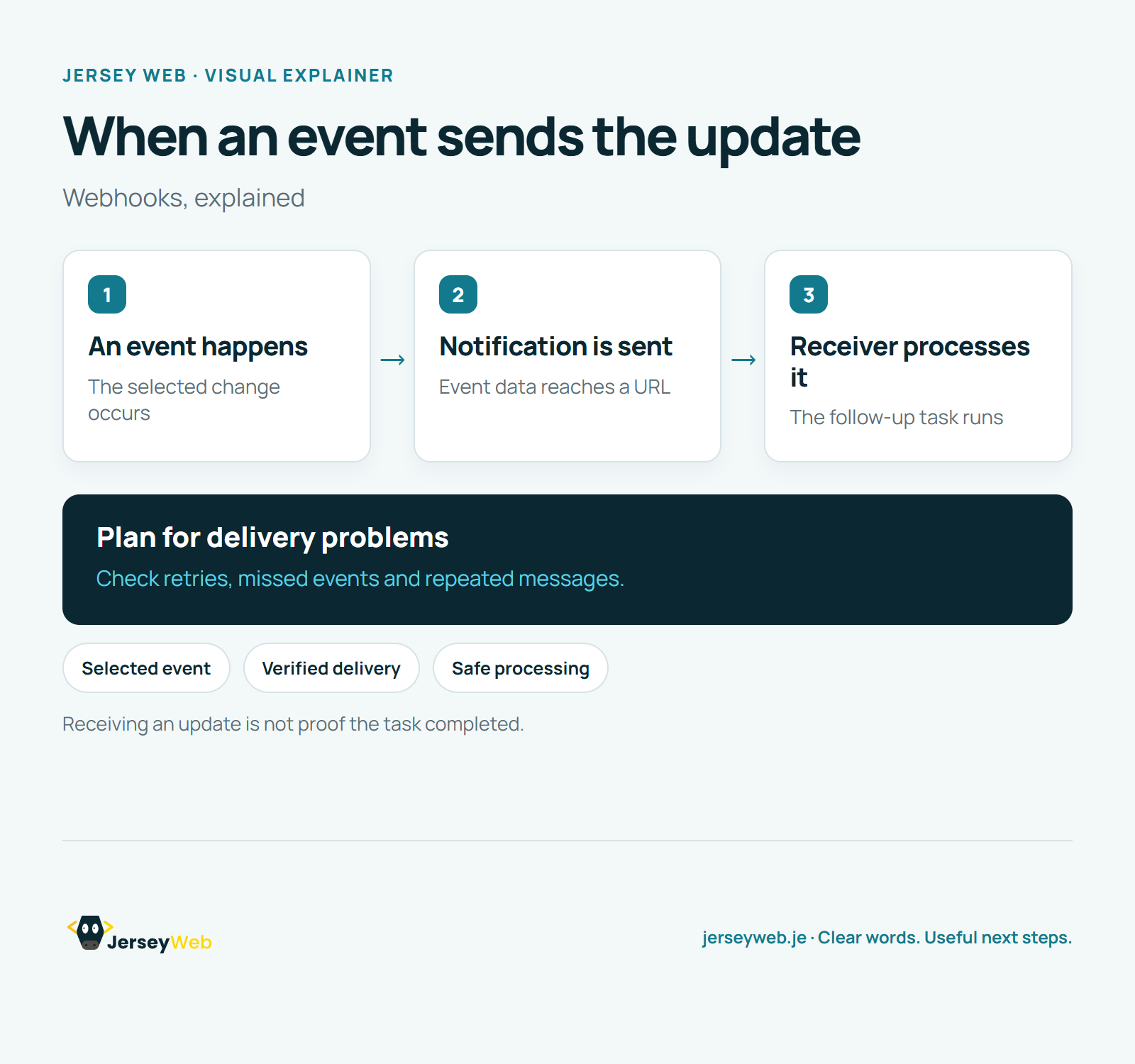
Read the diagram as text
- An event happens: The selected change occurs
- Notification is sent: Event data reaches a URL
- Receiver processes it: The follow-up task runs
Plan for delivery problems. Check retries, missed events and repeated messages.
Receiving an update is not proof the task completed.
Diagram by Jersey Web. Open full size · Source and further detail (opens in a new tab)
Common questions
How can one service tell another something changed?
A webhook sends an update when a chosen event happens. Check both delivery and the action that follows.
Go further
More video tips
All 205 videos →
What Is a CMS? Editing Your Website Content Explained
Content management, explained.
Static vs Dynamic Websites: What the Terms Actually Mean
Two ways to deliver pages.