Watch a related explainer
In plain English
Ownership is a Google Business Profile access role. Google’s owners-and-managers guide explains that a profile can have multiple owners and one primary owner, with managers unable to perform some administration tasks. Each authorised helper can use their own Google Account instead of sharing the owner’s password.
This is about control of the profile account. Keep it distinct from ownership of the trading business itself, the website’s hosting account and the domain registration. A practical handover should identify each relevant system and the person with authority to maintain it, including the actual role they hold on the business’s profile.
Why it matters for a Jersey business
The profile contains information customers may rely on for visits and contact. The business needs a usable route for maintaining that information when staff or suppliers change. An informal assumption that someone “looks after Google” leaves the owner uncertain about who can change users, approve a handover or respond to an access problem.
Give helpers a defined purpose and appropriate access. Record what they are expected to maintain and who approves significant public information changes. Review that arrangement when the work ends. The owner should understand how current maintenance continues and which access changes are required for the agreed transition.
A realistic Jersey example
Imagine a Jersey business changing the supplier that helps maintain its public profile. This is a hypothetical example. The owner reviews the existing users, their roles and the work each person performs. The incoming helper is given authorised access through their own account for the agreed maintenance duties.
The team confirms that the business retains the intended control and that the new helper can perform the required work. Any primary-ownership transition follows the supported process and relevant limits. After the handover, the owner reviews the actual access list and keeps a record of who is responsible for future profile updates.
Practical checks for profile access
Identify the existing profile. Confirm which business and location the handover concerns before reviewing users. Keep the public representation and management context clear. A similar business name or a remembered login is insufficient to establish that the team is working with the correct profile and the intended authority.
Review actual roles. Check who is the primary owner, who has other ownership access and who is a manager. Keep that result with the handover. Ask the current authorised person to explain which administration actions are available, rather than infer full control from someone being able to edit opening hours or reply to a review.
Use individual authorised accounts. Agree who needs access and the role appropriate to their work. Keep the invitation and acceptance result identifiable. The owner should be able to review the actual user list without relying on a shared password whose use cannot explain which person has the intended access relationship.
Plan primary-ownership changes. Google’s transfer guide describes transferring primary ownership to an existing owner or manager. Have the authorised primary owner review the route before the handover. Confirm the completed role in the account rather than treating a conversation, invitation or planned date as proof that control changed.
Allow for new-user limits. Google describes a seven-day restriction on certain administration actions for new owners and managers. Include the applicable timing in the handover plan when those actions are needed. Keep the actual account state visible to the owner so the transition is assessed through the supported process rather than repeated attempts without a clear explanation.
Use the supported request route. Google’s ownership-request guide describes requesting control when another person owns the existing verified profile, with a separate support route for service-area businesses. Review the actual business type and available instructions. Keep a request distinct from approval or completed verification, and retain the relevant status for follow-up.
Confirm ongoing maintenance. Identify who will review opening hours, services, contact routes and other important profile information after the change. Check that the person has suitable actual access and understands the owner’s approval process. The handover should leave a usable maintenance arrangement, with responsibilities that match the business’s operating needs.
Review outgoing access deliberately. Agree which roles remain necessary and have an authorised owner manage the changes. Inspect the final user list and record the result. Keep the profile’s public information review alongside the access handover so both account control and the customer-facing details have clear responsibility.
Common myths and mistakes
Being able to edit information does not necessarily mean a helper can administer ownership. Sharing an owner’s password also leaves the role arrangement unexplained. Another mistake is considering a pending invitation or ownership request a completed handover before the intended account can perform its authorised duties.
Our take
Keep profile control with an appropriate authorised person and give helpers clear individual roles. Review the real access list, follow supported transfers or requests and verify the result. Record the maintenance responsibilities so the business can keep its public information accurate through future staff and supplier changes.
See it in a diagram
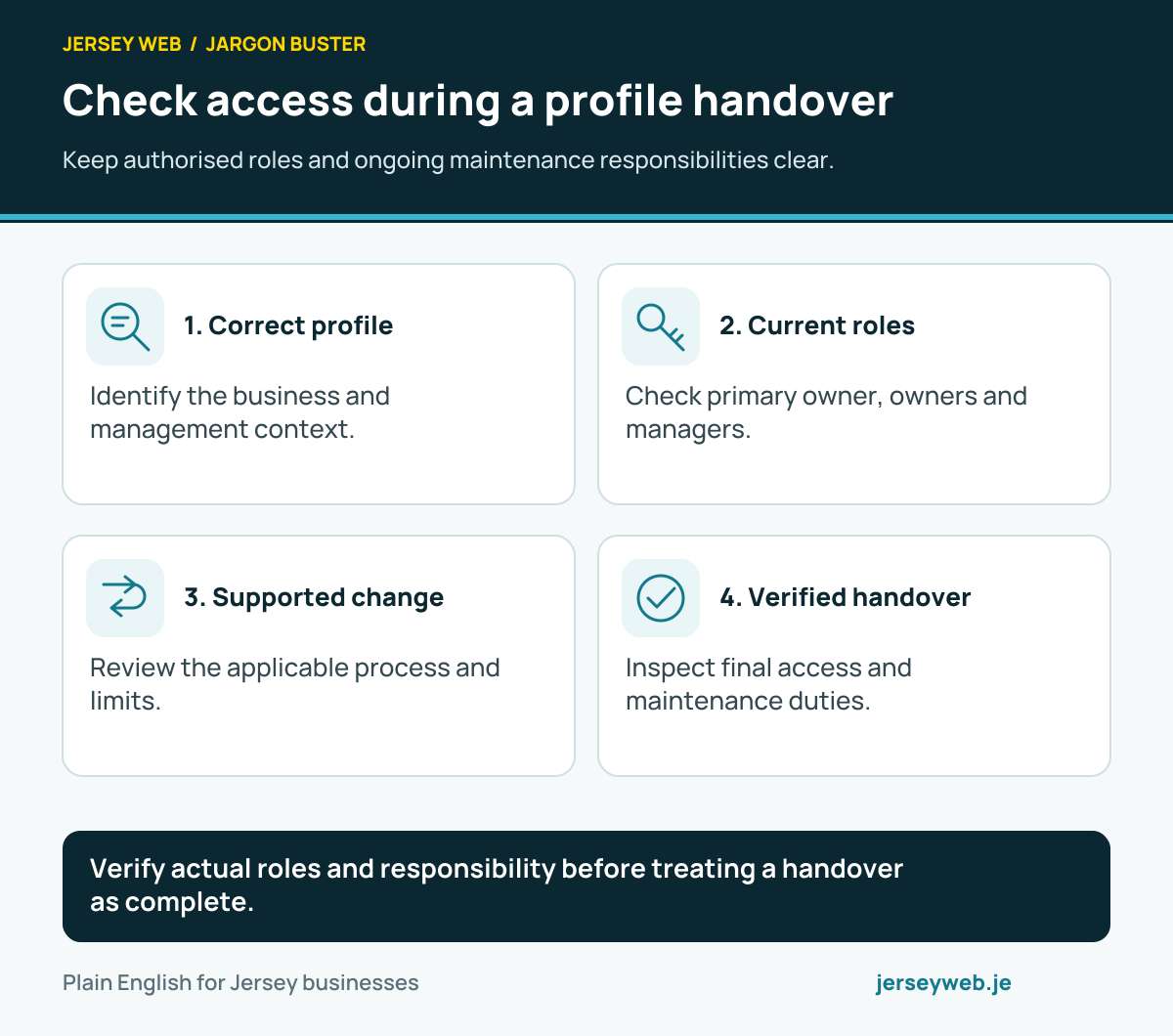
Verify actual roles and responsibility before treating a handover as complete.
Read the diagram in text
- Correct profile. Identify the business and management context.
- Current roles. Check primary owner, owners and managers.
- Supported change. Review the applicable process and limits.
- Verified handover. Inspect final access and maintenance duties.
Related terms
Learn more
Common questions
- Can several people help manage one profile?
- Yes. Owners can invite authorised users with their own Google Accounts and the appropriate role.
- Does a manager have the same administration rights as an owner?
- No. Google says managers cannot add or remove users or remove the profile. Review the role needed for the agreed work.
- Can primary ownership be handed over?
- Google provides a transfer process to an existing owner or manager, with applicable new-user limits. Verify the completed role change.
- What if another person owns the existing profile?
- Use Google’s supported ownership-request route for the actual business type. A request is separate from granted access.
Written by Jersey Web. Last reviewed 4 October 2026. Back to the Jargon Buster.