In plain English
Crawling is the process of fetching web content with automated software. A search crawler discovers an address and may request the page to inspect what is available there. Discovery and fetching are related steps, but knowing an address exists does not mean the crawler has successfully retrieved its contents.
Google’s explanation of how Search works describes crawling as one stage before indexing and serving search results. Internal links and sitemaps can help discovery. The search engine still decides which pages to fetch and how to process them, so no site configuration guarantees every stage.
For a business owner, the useful question is whether intended public pages are reachable and connected to the rest of the website. A page hidden behind a login or blocked by an unintended rule needs a different review from a page that was fetched but not indexed.
Why it matters for a Jersey business
A new service page can help customers only if they can find and use it. Give it a relevant route from the website’s navigation, related pages or a useful topic hub. Those routes serve people first and also provide addresses that supported crawlers can discover.
Crawling should be considered during a website move or release. A protection used on a development preview may be unsuitable for the public site. Review the actual live configuration before expecting a search engine to process new content, while retaining appropriate protection for private information and unpublished work.
A realistic Jersey example
Imagine a Jersey cleaning business publishing a new service explanation. This is a hypothetical example. The team links it from the relevant service list, checks the final address and includes the intended public page in the sitemap. It also reviews the public site’s crawl instructions after release.
The owner investigates the page through the supported search-console tools instead of assuming that it must already be indexed. If an access restriction remains, the maintainer resolves that specific configuration problem and verifies the page. The example does not promise a crawl deadline, ranking or traffic result.
What to check when a page is missed
Verify the actual address. Open the intended public route through an appropriate review process and check the HTTP response and content. A preview page or an old redirected address can describe a different resource. The investigation should name the specific URL and what the business expects it to serve.
Review useful internal links. Connect the page from relevant, already accessible content using meaningful wording. Google’s link guidance discusses crawlable links and descriptive anchor text. Avoid relying on an interaction that has no supported destination or adding unrelated links merely to increase a count.
Check crawl instructions. Inspect applicable robots.txt rules and their scope with the maintainer. Google’s robots.txt introduction explains their role and limitations. A crawl restriction differs from a noindex instruction, and neither should be confused with a proper control for confidential business records.
Inspect availability. Server or network faults can prevent a crawler from retrieving a page even if the owner previously saw it working. Review appropriate diagnostics and the response from the actual route. If a security service filters traffic, ask the maintainer to investigate its configuration using the provider’s supported process.
Keep the sitemap appropriate. List intended public canonical pages according to the site’s agreed configuration. Remove stale destinations and review meaningful additions during release. A sitemap supports discovery; it does not replace useful navigation or establish that a page satisfies indexing requirements.
Use the supported investigation tools. Review reported discovery, crawl and indexing information separately. Google’s recrawl guidance describes suitable routes for asking it to revisit content. Record the action and result without treating a request as a completed crawl.
Allow time and check the cause. Repeated requests do not resolve an inaccessible page or unsuitable instructions. Establish what changed, correct the relevant issue and review subsequent evidence over an appropriate period. Keep customer-facing routes working throughout the investigation and avoid promises about when a search engine will revisit them.
Common myths
Crawling guarantees indexing. They are different processing stages.
A sitemap forces every page to be fetched. It supports discovery without guaranteeing the outcome.
robots.txt protects private records. Confidential content requires suitable access controls.
Our take
Jersey Web’s view is to keep useful public content reachable, linked and consistently configured. When something is missed, investigate the address, access and reported processing stage. That gives the business an actionable review while keeping search-engine outcomes separate from configuration checks.
See it in a diagram
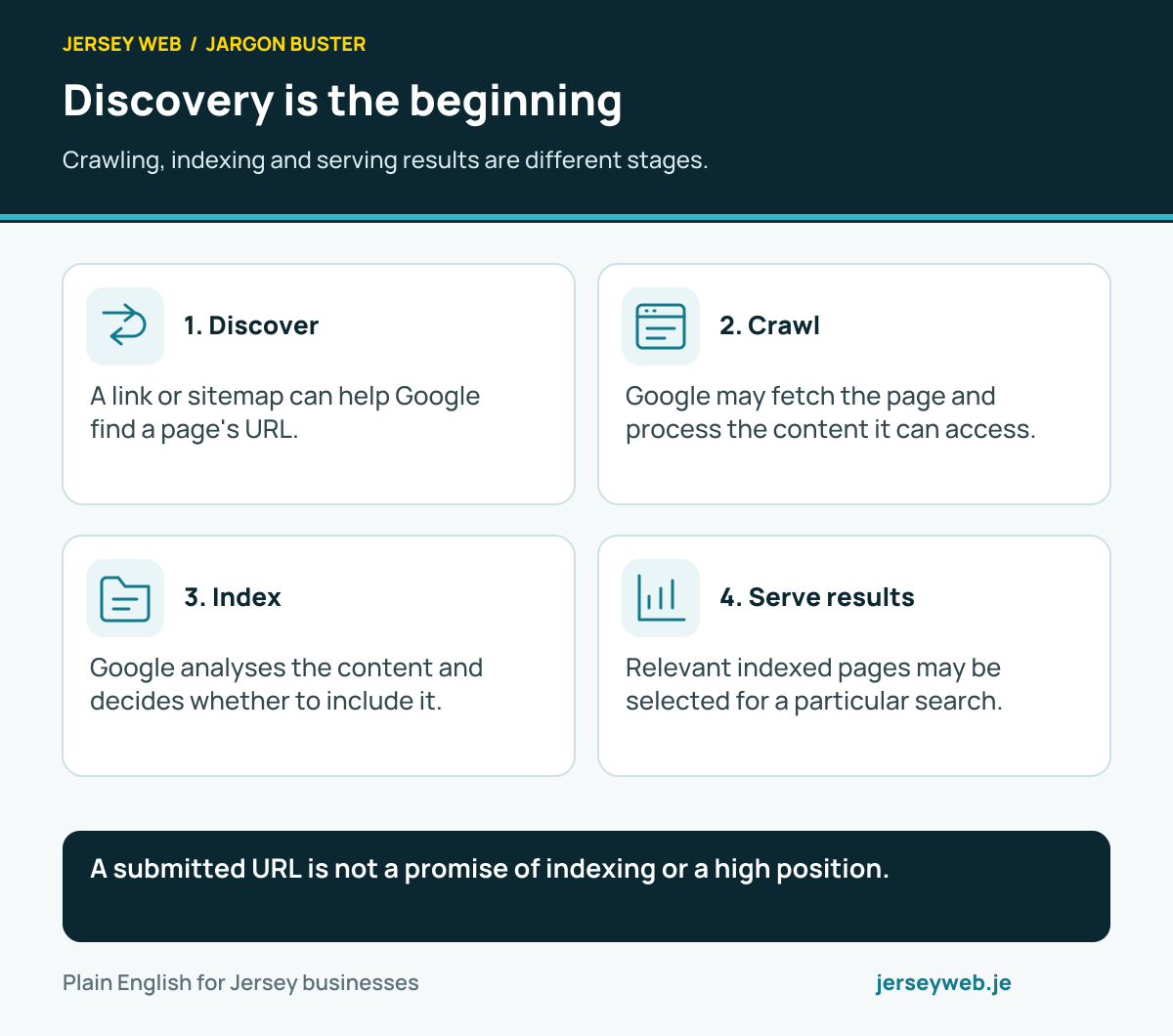
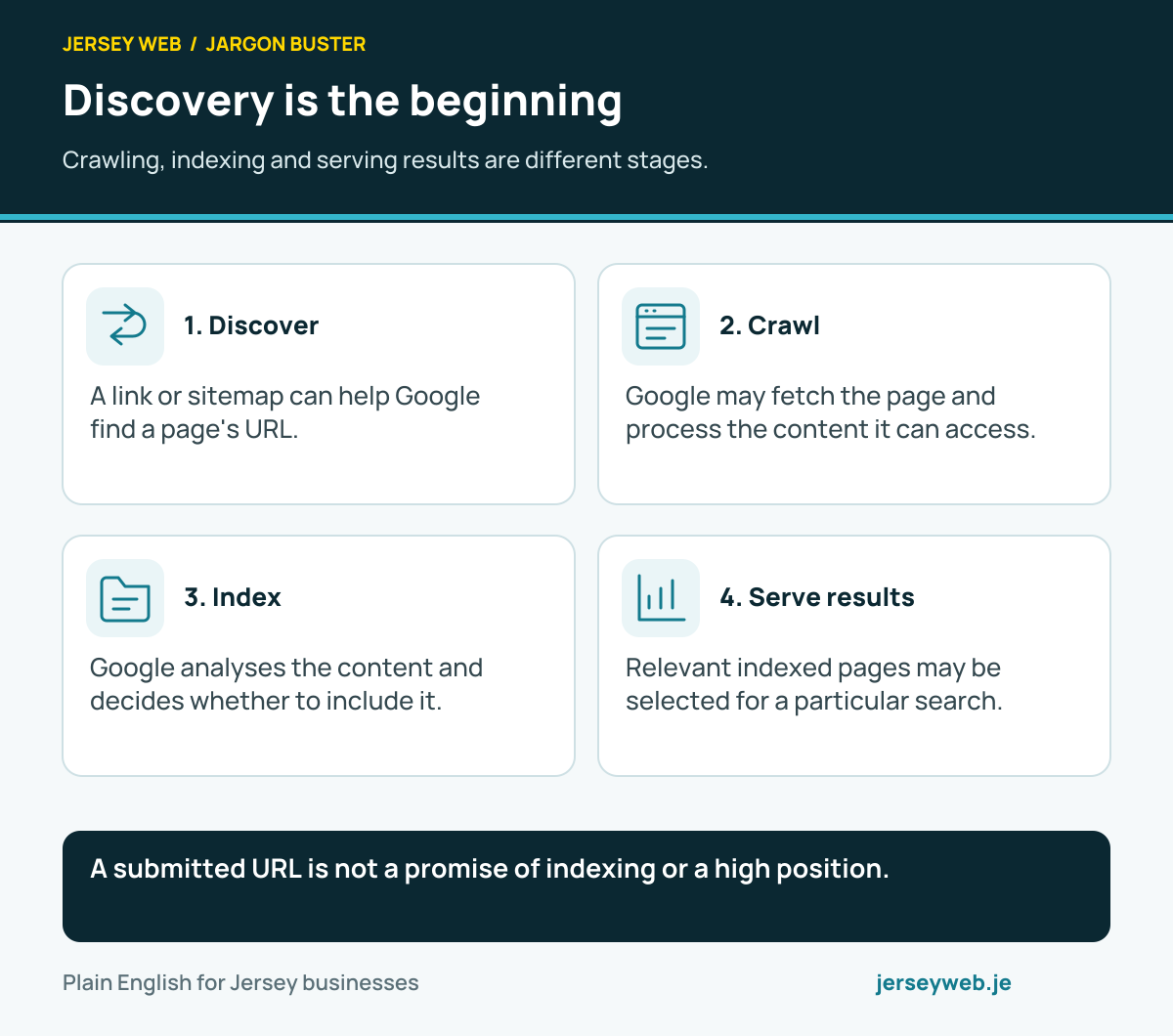
A submitted URL is not a promise of indexing or a high position.
Read the diagram in text
- Discover. A link or sitemap can help Google find a page's URL.
- Crawl. Google may fetch the page and process the content it can access.
- Index. Google analyses the content and decides whether to include it.
- Serve results. Relevant indexed pages may be selected for a particular search.
Related terms
Learn more
Common questions
- Does a crawl mean a page is indexed?
- No. Fetching a page and deciding to index it are separate stages. Use the search engine’s relevant tools to investigate the reported status.
- Does a sitemap guarantee a crawl?
- No. It can help a search engine discover addresses, but it is not a promise that every listed page will be fetched or indexed.
- Does robots.txt hide confidential content?
- No. Crawl instructions are not an access-control system. Private content needs suitable authentication and authorisation.
- Should I repeatedly request a crawl for the same page?
- Follow the search engine’s supported process. Google says repeated requests for the same URL do not make it crawl faster; address the underlying issue and allow appropriate time for processing.
Written by Jersey Web. Last reviewed 3 October 2026. Back to the Jargon Buster.