Watch a related explainer
In plain English
Robots.txt gives instructions to crawlers: automated software that requests website pages. A cooperating crawler reads rules for its user agent and decides which paths it may request. The file deals with access for crawling. It does not decide whether a customer can open a page or whether confidential information is adequately protected.
Think of a sign asking delivery vehicles to use particular entrances. The sign helps organise traffic, but it is not a locked door. Similarly, a robots.txt rule depends on the crawler following it. The file itself is public, so placing a private path in it can disclose that the path exists.
Google’s robots.txt introduction distinguishes crawling from search-result exclusion. A blocked URL can still be discovered through links. An appropriate noindex instruction serves a different purpose, and the crawler needs access to read it. Neither arrangement replaces authentication for genuinely private material.
Why it matters for a Jersey business
A website launch can involve several settings carried over from development. An accidental rule covering the entire live site may stop a cooperating crawler from requesting the pages the business intended to publish. That creates a technical obstacle even when the pages look normal to the owner in a browser.
A smaller Jersey website does not need a complicated set of exclusions simply to appear professional. Each rule should have a clear purpose. Ask the developer what it applies to, which crawler it addresses and how the intended public pages remain discoverable. Keep the explanation with the website’s handover notes.
A realistic Jersey example
Imagine a Jersey consultancy preparing a replacement website. This is a hypothetical example. Its test environment has private access controls, while its public launch checklist separately checks robots.txt, page indexing settings and the sitemap. The team verifies the deployed configuration after launch instead of assuming that a development setting changed automatically.
Later, the owner finds a missing service page in a search report. The developer examines the exact URL and its crawler access, rather than adding more keywords immediately. That investigation can establish whether a technical restriction exists before the business changes otherwise useful content.
What to check in a review
Identify the actual host. A file on one hostname does not automatically explain the configuration on another. Record the website’s preferred domain and inspect the file that the live host serves. If a platform generates the file, understand which platform setting controls it and how changes are published.
Read the scope of every rule. A short path can cover more pages than the owner expects. Ask for a plain-English description of affected URLs and test representative examples. Include a public service page, a new article and any intentionally restricted section in the review notes.
Separate crawler rules from security. Check how private staging content and customer information are protected. Do not assume that a path missing from navigation, or mentioned in a disallow rule, requires a login. Access control should match the information’s actual sensitivity and purpose.
Coordinate indexing settings. If the goal is excluding a public page from Google, review the appropriate indexing mechanism and the crawler’s ability to read it. If the goal is moving visitors to a replacement URL, review redirects. These tools solve different problems and can interfere when applied without a clear plan.
Verify the release and keep a record. Compare the intended configuration with what the production host returns. Document why each restriction exists and who can update it. A clear record makes a later investigation easier when the business changes its platform, domain or content structure.
Common myths
Disallow is a privacy lock. It relies on crawler cooperation and does not control ordinary visitor access.
Blocked pages cannot appear in search. A crawler may still know the URL from other links.
More restrictions improve SEO. Unnecessary restrictions can obstruct useful public content.
Our take
Jersey Web’s view is to keep crawler rules purposeful and understandable. A business owner should know what is restricted and why. Review robots.txt with the actual launch configuration, then use the appropriate separate controls for indexing, URL moves and private access.
See it in a diagram
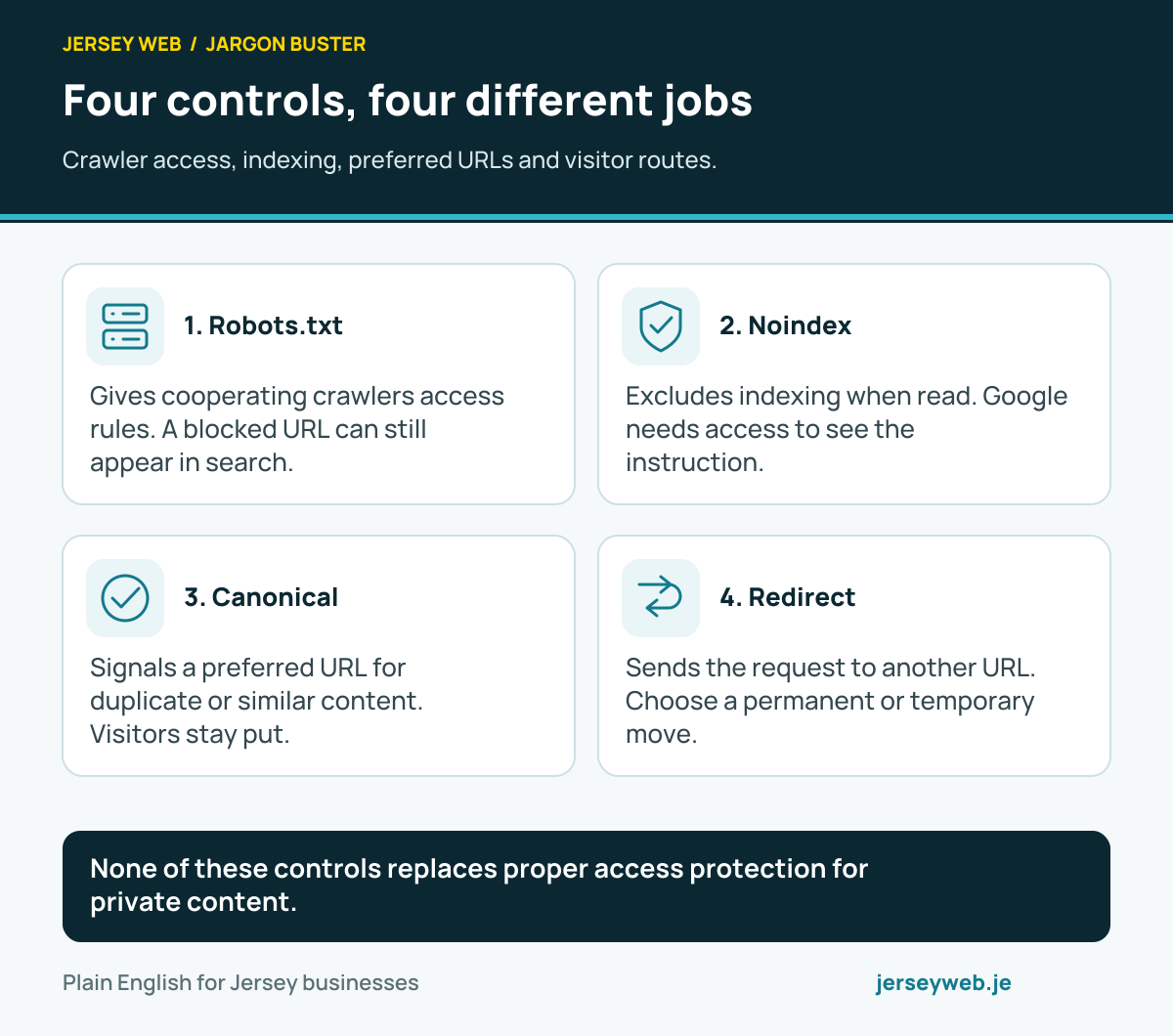
None of these controls replaces proper access protection for private content.
Read the diagram in text
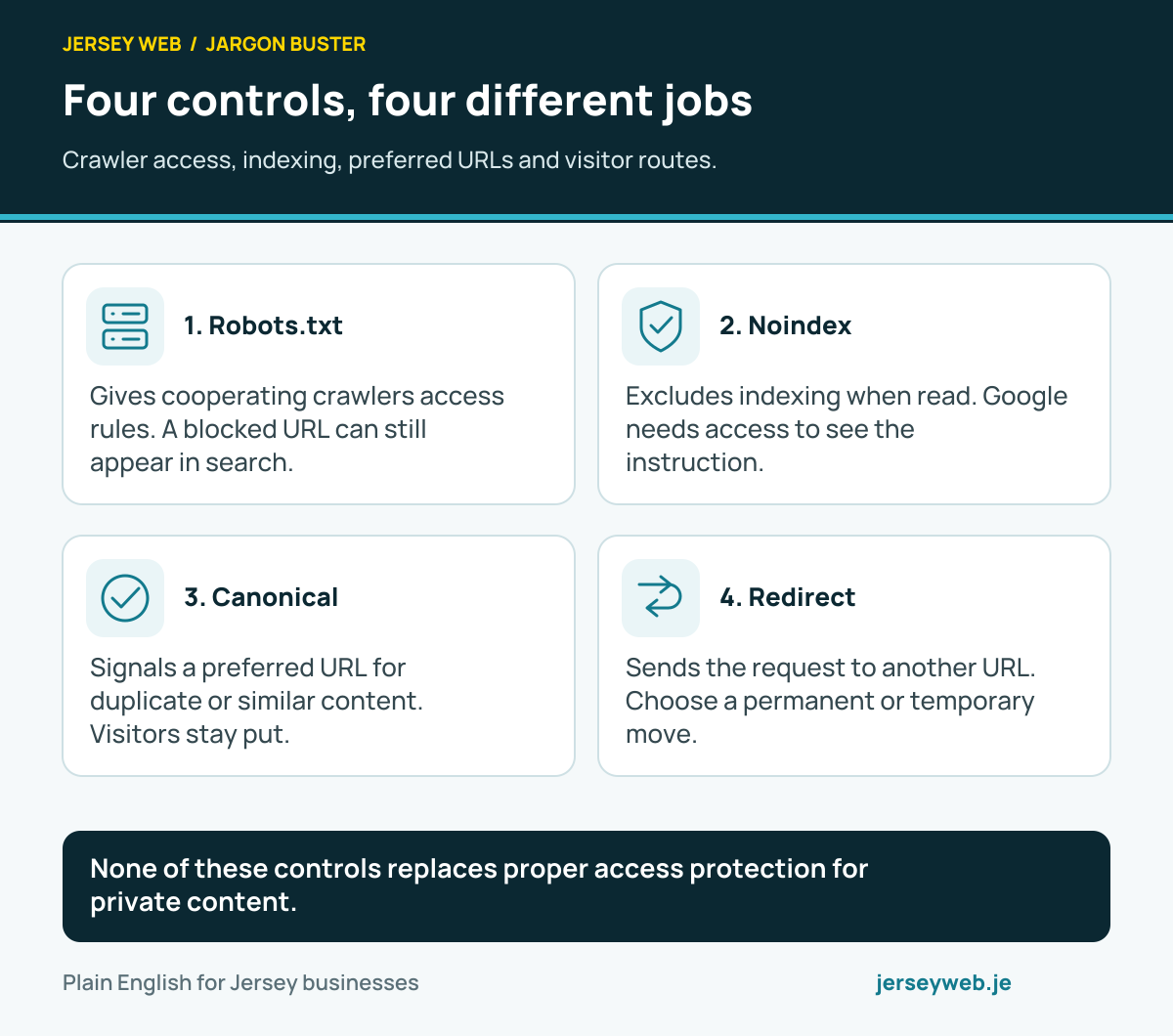
- Robots.txt. Gives cooperating crawlers access rules. A blocked URL can still appear in search.
- Noindex. Excludes indexing when read. Google needs access to see the instruction.
- Canonical. Signals a preferred URL for duplicate or similar content. Visitors stay put.
- Redirect. Sends the request to another URL. Choose a permanent or temporary move.
Related terms
Learn more
Common questions
- Does robots.txt hide a private page?
- No. The file provides crawler instructions and is publicly readable. Private information needs appropriate authentication and access controls.
- Can a disallowed URL still appear in Google?
- Yes. Google may discover a URL from links even when it cannot crawl its content. Robots.txt is not a dependable removal instruction.
- Should noindex pages also be blocked here?
- Google needs to access a page or resource to read its noindex instruction. Blocking that access can prevent Google from seeing the instruction.
- Who should change robots.txt?
- The person responsible for the website configuration should make a reviewed change and verify the actual deployed file. Platform controls may generate the file automatically.
Written by Jersey Web. Last reviewed 3 October 2026. Back to the Jargon Buster.