Watch a related explainer
In plain English
Noindex is a search-indexing instruction. It tells a search engine that supports the rule not to keep a particular page or resource in its index. The instruction can be delivered in a page’s HTML metadata or an HTTP response header. It is a publishing control with a specific purpose.
It is not a lock on the content. A person who knows a publicly accessible URL may still open it, share it or follow a link to it. Private client files, draft customer information and restricted workspaces need appropriate authentication and access restrictions, irrespective of whether they appear in search.
Google’s noindex documentation explains another important condition: Google must be able to request the resource to see the instruction. Blocking that request in robots.txt can prevent the instruction being read. Search removal also depends on the engine revisiting and processing the content.
Why it matters for a Jersey business
A website may deliberately exclude certain public utility pages while keeping service explanations available in search. The owner needs to understand that distinction. Otherwise a global development setting can remain active on the finished site and exclude content the business expected customers to find.
A Jersey business also needs to distinguish a search decision from an information-security decision. An instruction about indexing does not determine who may see a page. Agree separately which pages are public, which public pages should appear in search and which material needs genuinely restricted access.
A realistic Jersey example
Imagine a Jersey events organiser reviewing a new website. This is an illustrative example. Public event descriptions are intended for search, while a temporary test page is excluded from indexing. Staff preview the content successfully, but the release review also examines the delivered metadata rather than relying on appearance alone.
If a private planning document has been published accidentally, the team restricts its actual access and investigates the exposure. Adding noindex alone would not prevent somebody opening an existing link. Search-result handling forms one part of the response, separate from protecting the information itself.
What to decide and verify
Write down the page’s purpose. Should it be public and searchable, public but excluded from search, or available only to authorised people? Those choices require different controls. A short content inventory helps the owner and developer avoid using one global setting for several different needs.
Locate the controlling setting. A CMS option, template, plugin or hosting header may provide the instruction. Identify what it affects and who can change it. Check a representative delivered page or response rather than assuming that a setting’s label fully describes its scope.
Review crawler access. For Google to act on noindex, it needs to read the instruction. Examine robots.txt and other access restrictions alongside it. When several tools are involved, ask for a clear explanation of the request and response the crawler will encounter.
Check launch transitions. Development and live environments can have different purposes. Before release, confirm that intended service pages have the correct settings. After release, inspect the actual production output again; copying content successfully does not prove that every relevant configuration changed with it.
Align related publishing signals. Review sitemap entries and internal links against the decision about each page. A deliberately excluded page should not be mistaken for an important search destination merely because it appears in a generated inventory. Keep the rationale available for future content changes.
Monitor the appropriate reports. Search-console indexing information can help show whether Google encountered an exclusion instruction. It does not replace a direct access check or demonstrate that confidential information is protected. Use the report to answer the indexing question and investigate other concerns through their own evidence.
Common myths
Noindex prevents anyone viewing a page. Public access remains a separate matter.
Blocking crawling makes noindex stronger. It can prevent Google reading the instruction.
Removing a development setting from one page proves the whole launch is correct. Shared templates and headers can affect other pages.
Our take
Jersey Web’s view is to make each page’s publishing intention explicit. Check the delivered instruction and the crawler’s access, then verify the live launch configuration. Use proper access controls for private material and treat search exclusion as its own specific decision.
See it in a diagram
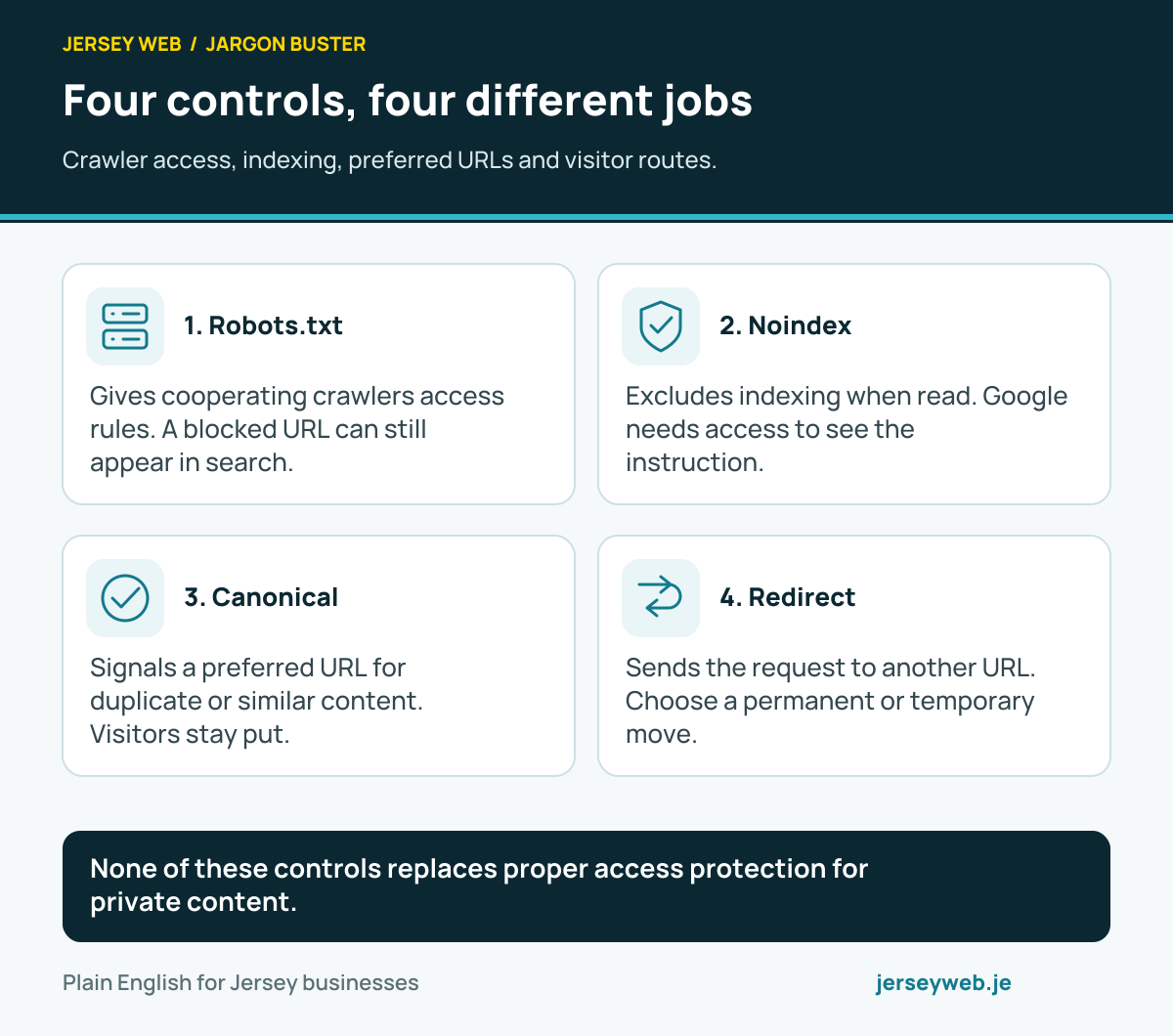
None of these controls replaces proper access protection for private content.
Read the diagram in text
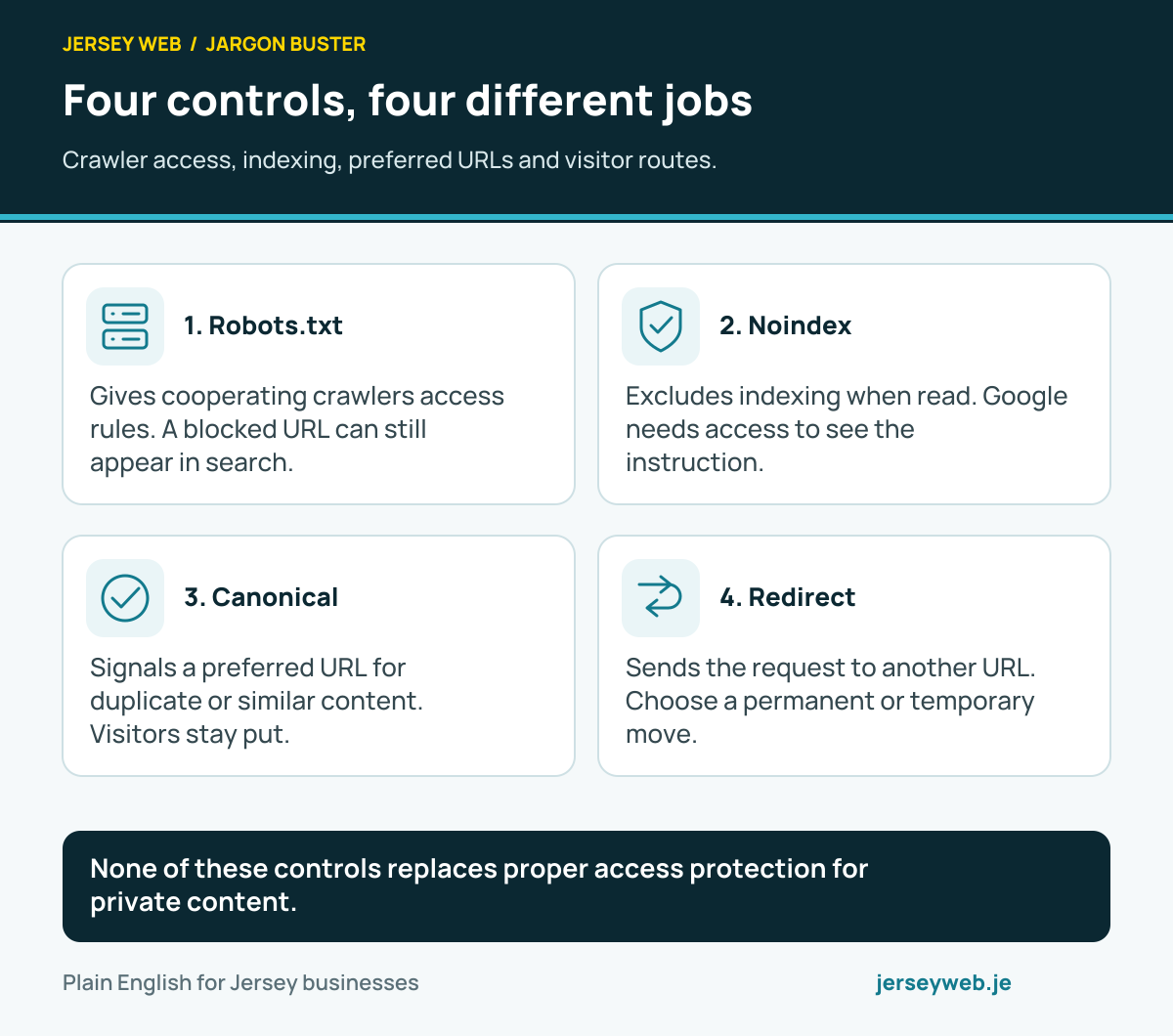
- Robots.txt. Gives cooperating crawlers access rules. A blocked URL can still appear in search.
- Noindex. Excludes indexing when read. Google needs access to see the instruction.
- Canonical. Signals a preferred URL for duplicate or similar content. Visitors stay put.
- Redirect. Sends the request to another URL. Choose a permanent or temporary move.
Related terms
Learn more
Common questions
- Does noindex make a page private?
- No. It affects supporting search engines, not ordinary access. Sensitive content needs proper access restrictions.
- Where can the instruction appear?
- It can be supplied in an HTML meta tag or an HTTP response header. A header can also apply to supported non-HTML resources.
- Can robots.txt stop Google seeing noindex?
- Yes. If Google cannot crawl the page or resource, it cannot read the instruction. Review access and indexing settings together.
- Does adding noindex remove a result immediately?
- No. Google needs to revisit the content and process the instruction. Its documentation describes separate removal tools for urgent search-result situations.
Written by Jersey Web. Last reviewed 3 October 2026. Back to the Jargon Buster.