Watch a related explainer
In plain English
HTML has heading elements from h1 through h6. An H1 represents the highest heading level and commonly carries the page’s main title. Further levels help express sections and subsections. The hierarchy describes relationships in the content; CSS separately controls how those headings appear visually.
MDN’s heading-element reference explains these elements. W3C’s page-structure guidance explains using headings to organise content and support navigation. A reader using assistive technology can benefit from heading structure when moving to the part of a page they need.
An H1 is distinct from a document’s title element, which supplies a title for uses such as the browser tab. Their wording can be similar, but one does not automatically supply the other. It is also distinct from a paragraph enlarged in an editor: visual prominence alone does not establish heading semantics.
Why it matters for a Jersey business
A useful page title tells a visitor what the page covers. Someone following a link to a service, guide or product should be able to confirm that they reached the expected content. A vague slogan can make that harder, especially when the rest of the page includes several different topics.
Supporting headings make longer information easier to navigate. Group eligibility, instructions, prices or contact details under titles that describe those sections accurately. The business should agree the content’s organisation before choosing decorative styles, so staff can edit it consistently and visitors can understand the relationships between sections.
A realistic Jersey example
Imagine a Jersey service business preparing a page about equipment repairs. This is a hypothetical example. The main heading identifies the repair service, while supporting sections explain accepted equipment, the enquiry process and what information customers should provide. Those headings help visitors find answers without reading every paragraph first.
The editor initially chooses a large-text style for a new section. The developer checks whether that style actually produces a heading element and corrects the content where necessary. The team reviews the resulting structure alongside the visible page rather than assume the appearance in the editing screen establishes its meaning.
How to review page headings
Start with the page’s purpose. Write a main title that accurately identifies the subject. Avoid promising a service the page does not explain or a result the business cannot support. A clear title works with the introduction and navigation to help a visitor understand why this page exists.
Outline the sections before formatting them. Decide which topics sit directly under the main subject and which are subsections of another topic. This gives editors a useful content map. For the repair page, information required for an enquiry can sit inside the enquiry section instead of appearing as an unrelated main subject.
Choose heading levels logically. Use the structure to express those relationships. Do not select a level merely because its default font size looks suitable. The designer can change visual styling while retaining the appropriate underlying element. Ask the maintainer how the site’s editor labels heading controls and handles component-generated titles.
Distinguish headings from emphasis. Bold text can highlight a phrase inside a paragraph, but a section title has a structural role. Review prominent labels and card titles in context rather than convert every visually strong phrase into a heading. The page’s overall organisation should guide that choice.
Check the rendered template. Navigation, banners, reusable blocks and the main content can each introduce headings. Inspect the complete output after publishing a draft. On this site we use one main H1 as an editorial template rule; that local rule should not be presented as a universal promise about search ranking.
Review navigation and readability. Check that section titles describe the following content and that relevant assistive-technology navigation reflects the intended outline. Read the headings on their own to see whether they form a useful summary. Then review the actual paragraphs, because a good outline cannot correct misleading or missing information underneath it.
Maintain the structure through updates. When adding a section, decide where it belongs and use the appropriate level. Give editors a short example from the real template so future changes remain consistent. Recheck pages after component changes that affect headings instead of relying indefinitely on an old screenshot.
Common myths
A large font makes a heading. The underlying structure also matters.
Every important phrase needs H1 status. Use levels to express relationships.
A heading tag guarantees ranking. Clear structure supports useful content without guaranteeing search outcomes.
Our take
Jersey Web uses headings to make a page understandable. Agree its main subject, organise supporting sections and verify the output visitors receive. Keep visual design and structural meaning aligned so an editor can improve the content without accidentally flattening its outline.
See it in a diagram
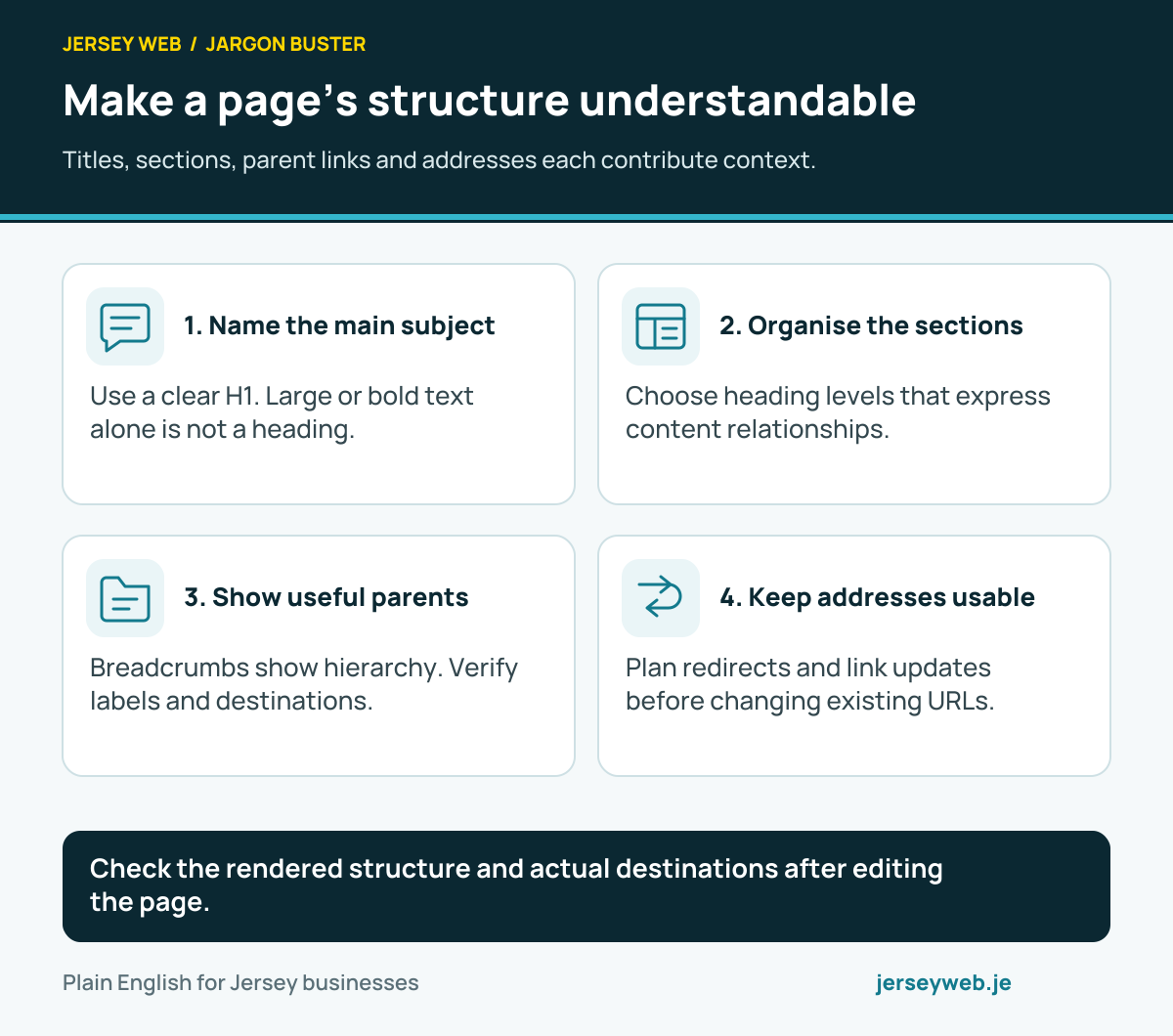
Check the rendered structure and actual destinations after editing the page.
Read the diagram in text
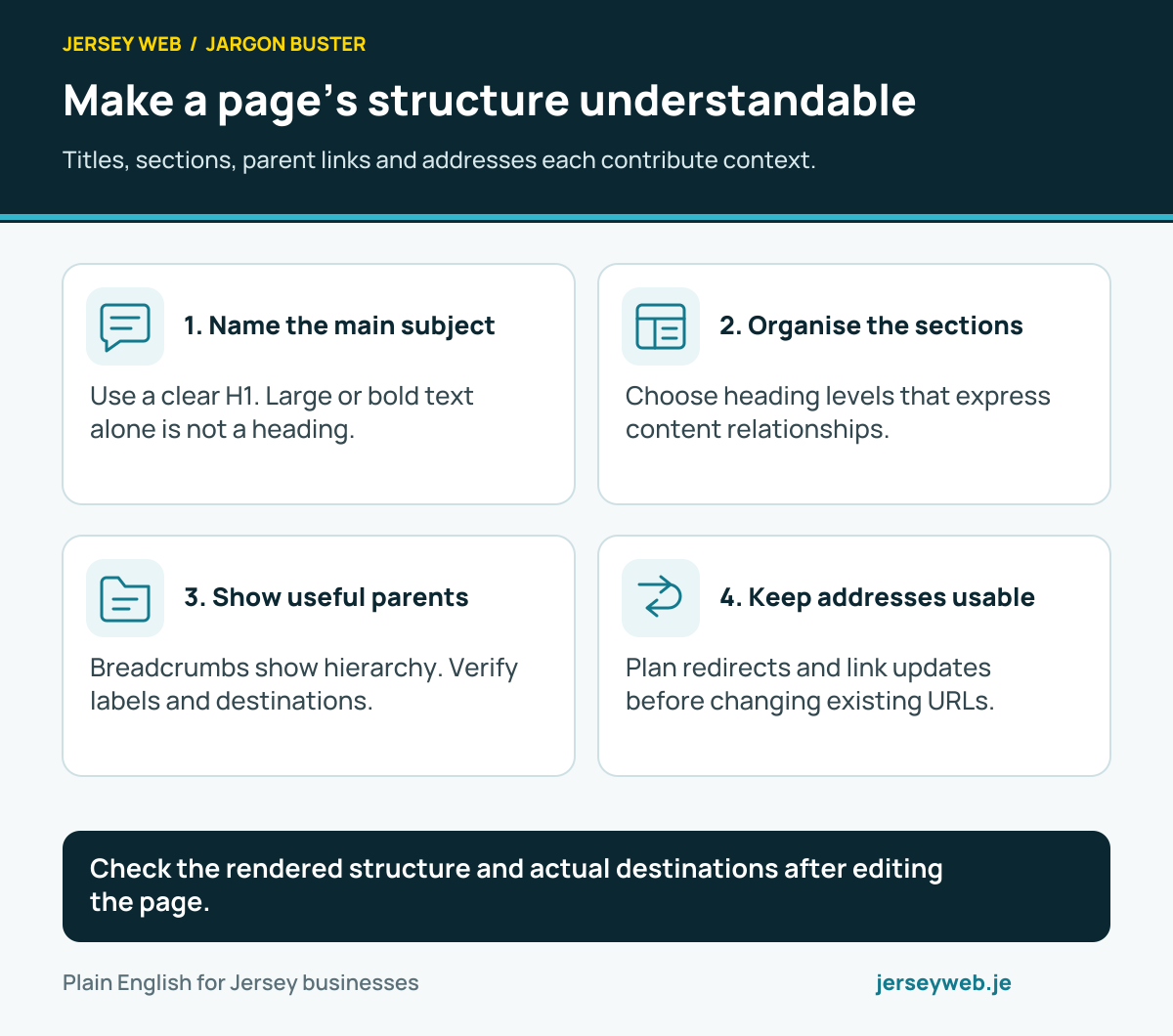
- Name the main subject. Use a clear H1. Large or bold text alone is not a heading.
- Organise the sections. Choose heading levels that express content relationships.
- Show useful parents. Breadcrumbs show hierarchy. Verify labels and destinations.
- Keep addresses usable. Plan redirects and link updates before changing existing URLs.
Related terms
Learn more
Common questions
- Is an H1 the same as the browser title?
- No. The H1 is a heading in the page’s content. The HTML title element supplies the document title used in places such as browser tabs. Review both because they serve related but distinct purposes.
- Does large bold text count as a heading?
- Only if the underlying structure identifies it appropriately. Styling alone does not create an HTML heading. Check the rendered markup and relevant assistive-technology behaviour.
- Must every heading be an H1?
- No. Supporting headings should reflect the page’s structure using appropriate levels. Turning every section into an H1 does not express the relationship between the main subject and its subsections.
- Does an H1 guarantee a better search position?
- No. A clear heading helps explain the content, but it is not a guaranteed ranking improvement. Review the title for visitors and the logical structure of the whole page.
Written by Jersey Web. Last reviewed 3 October 2026. Back to the Jargon Buster.