In plain English
Content design is the work of making information useful for a particular task. It involves the words, but also the decision about what belongs on a page, how someone finds it and what they can do next. The starting point is a person with a need rather than a blank space that needs filling.
GOV.UK’s content-design guidance connects user needs with appropriate formats, clear presentation and maintenance. That guidance describes government publishing. The business examples and review approach below are Jersey Web’s editorial application of those principles to a commercial website.
A useful page can answer a practical question without explaining every detail of the business. Different information may belong in a service description, a quotation conversation or instructions sent after booking. Content design considers where each piece helps the customer and whether repeating it creates conflicting versions.
Why it matters for a Jersey business
Local details often determine whether someone can use a service. A customer may need to establish the area covered, the equipment handled, what to prepare or which contact route to use. An accurate explanation saves that person from guessing and gives staff a clearer starting point when an enquiry arrives.
The business also needs content it can maintain. Opening hours, staff contacts and service availability can change independently. An owner should know which pages contain those facts and who can approve corrections. A polished paragraph has limited value if it sends a customer to an outdated appointment process.
A realistic Jersey example
Imagine a Jersey workshop preparing a repair-enquiry page. This is a hypothetical example. The draft contains the company’s history but leaves customers unsure which machine details to supply. The team identifies the immediate task: establish whether the workshop can assess the problem and prepare a useful enquiry.
It puts the supported equipment types, requested information and contact step together. It moves the longer history to an appropriate company page and names the workshop manager as the factual reviewer. The example illustrates a content decision; it does not claim that a particular layout increases sales or ranks better.
How to plan useful content
Write down the task in ordinary language. For example, a prospective customer needs to check whether a service covers their parish and find out what to send with a quotation request. Use a specific situation that staff can discuss. A goal such as adding more content gives the team little guidance about what the customer needs.
Gather the facts from someone who owns the service. Ask which statements can be published, which depend on an assessment and which information changes regularly. Mark unanswered questions before drafting. This creates a reviewable record and reduces the chance that attractive wording becomes an unsupported business promise.
Choose a format for the information. A sequence of preparation steps may suit an ordered list. Two clearly defined service options may suit a comparison. A form field may need a short example beside its label. Decide from the task and information rather than requiring every answer to become a large article.
Place the answer where it is needed. Review the route from a search result or relevant service page through to the action. If the same fact appears elsewhere, choose a maintained source or record the copies that need updating together. Links should make their destination understandable before a person follows them.
Review the wording for access and comprehension. W3C’s writing tips discuss headings, meaningful link wording, instructions and concise content. For the workshop example, check whether a first-time customer understands the requested equipment information and can identify the next step without relying on a decorative image.
Agree the maintenance process. Record the person who confirms service facts, the editor who applies changes and the circumstances that trigger review. Useful triggers include a new contact address or changed service coverage. The owner can then make a targeted correction instead of relying on someone to remember every page.
Common myths
More paragraphs always make a page more useful. Extra detail can obscure the answer someone came for.
A content review finishes at publication. Accurate service information needs continued ownership.
The first draft proves the need is met. Check the result with appropriate users and staff evidence.
Our take
Jersey Web’s view is to connect each content decision to a customer task and a maintainable business fact. Make the answer findable, give the person a clear next step and name someone who can keep it correct. This gives the website owner a practical basis for future changes.
A real Jersey example
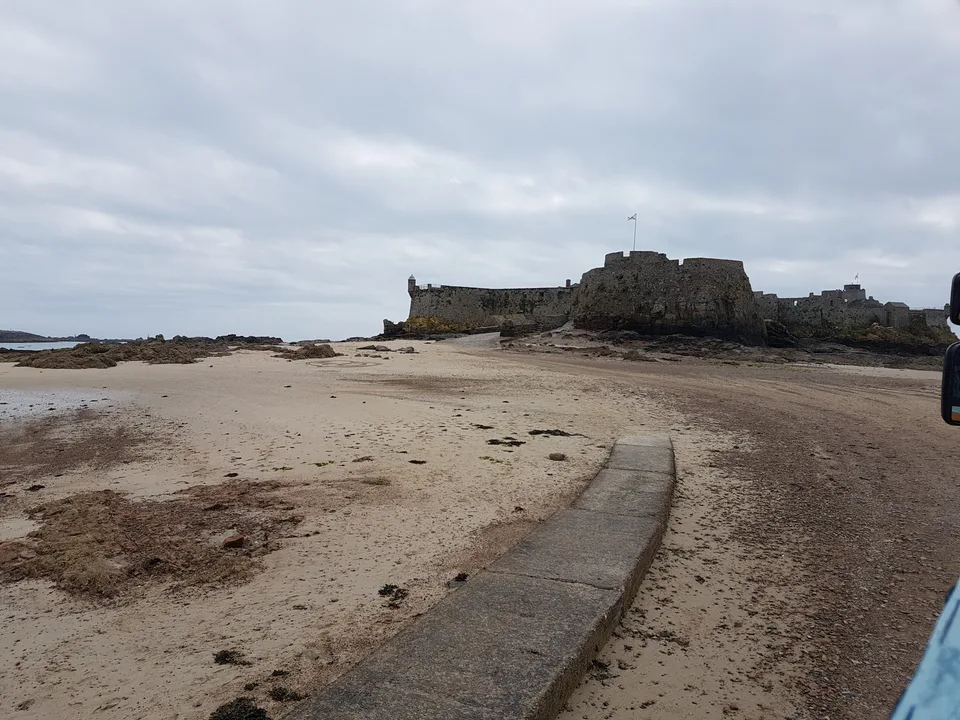
Choose a photograph that answers the reader’s need
This Elizabeth Castle view can help someone understand a coastal setting. It cannot explain a business’s opening hours, identify its entrance or show its products. Decide what the visitor needs to know, then use a photograph and nearby text that support that task. Check recorded dates before treating an older view as current visitor information.
Browse the original Jersey photo library → · Check photo usage terms
See it in a diagram
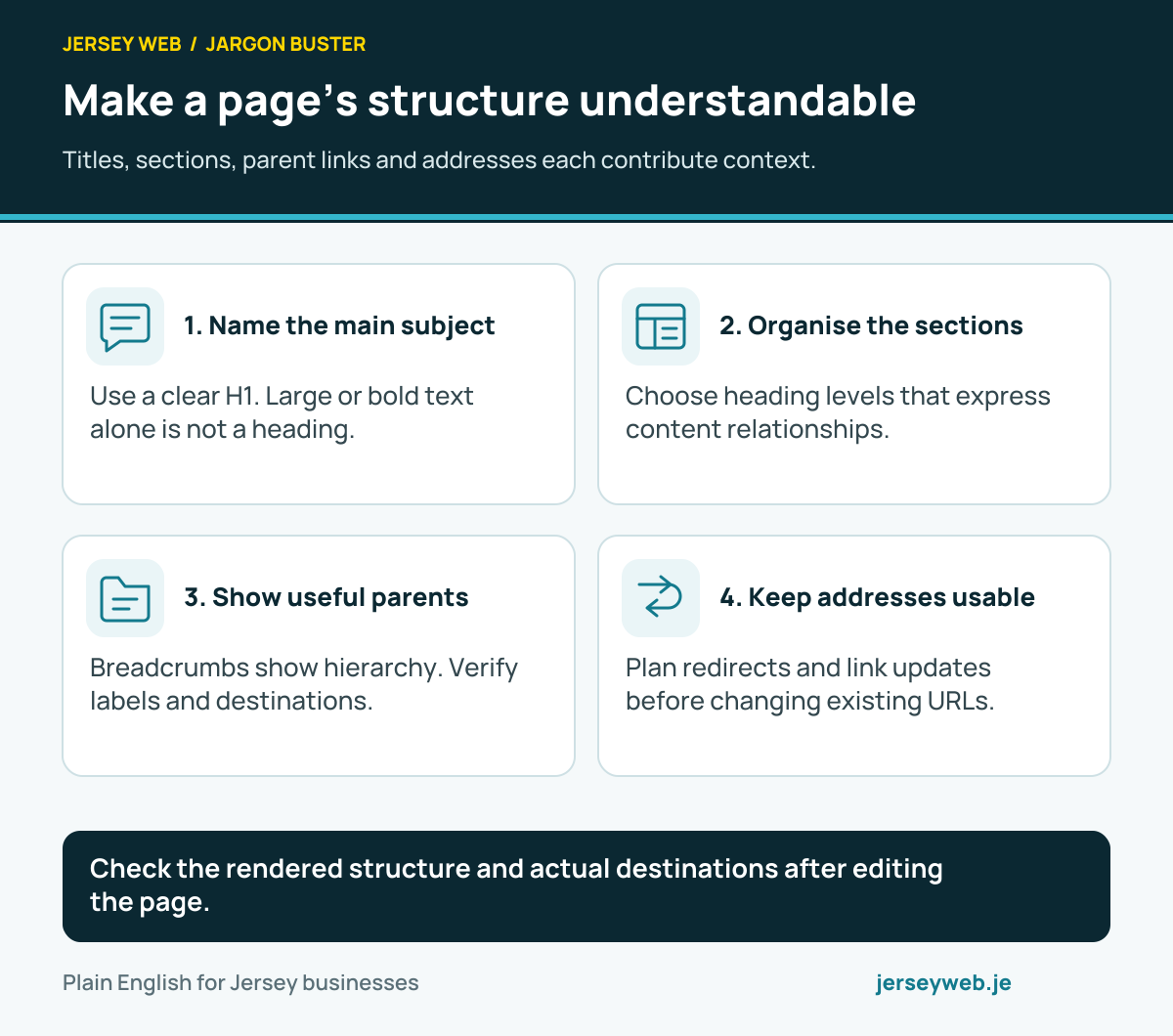
Check the rendered structure and actual destinations after editing the page.
Read the diagram in text
- Name the main subject. Use a clear H1. Large or bold text alone is not a heading.
- Organise the sections. Choose heading levels that express content relationships.
- Show useful parents. Breadcrumbs show hierarchy. Verify labels and destinations.
- Keep addresses usable. Plan redirects and link updates before changing existing URLs.
Related terms
Learn more
Common questions
- Is content design only about writing?
- No. It also considers what information is needed, its format, location and maintenance. A short explanation, comparison or form prompt may serve the task better than a long article.
- Does every user need a new page?
- No. Review whether an existing page can meet the need clearly. Create a separate destination when it has a distinct purpose and the website can maintain it accurately.
- Can search keywords decide the content?
- Search language can help reveal questions and describe a topic. Check it against the actual service and customer task, and avoid promising information or services the business cannot provide.
- Who should maintain the information?
- Name a business owner who can confirm facts and a person responsible for website updates. Record what triggers a review, including service, contact or availability changes.
Written by Jersey Web. Last reviewed 12 October 2026. Back to the Jargon Buster.