Watch a related explainer
In plain English
User experience describes how someone experiences using a product or service. For a website, that includes understanding what is offered, finding relevant information and completing the task that brought the person there. It also includes what happens when something goes wrong and what happens after an action succeeds.
Don Norman and Jakob Nielsen’s explanation of user experience treats it as broader than the interface alone. A website can have clear buttons and still disappoint someone if the needed information or service is missing. Looking at the whole experience helps identify the actual problem rather than assuming every difficulty needs a visual redesign.
The GOV.UK service manual’s guidance on learning user needs starts with the people using a service and the outcomes they need. That research approach can inform a business website too. The business-specific steps below are an editorial application, rather than a claim that a commercial Jersey website must follow a government service process.
Why it matters for a Jersey business
A customer may arrive to check a service area, understand appointment options or ask for a quotation. The website needs to help with that concrete task. If the location, eligibility or next step is unclear, the customer may need to telephone simply to resolve information the site could explain.
UX also includes the business response. A submitted enquiry that nobody receives produces a poor experience even if the form looked simple. Review the connection between the page, the receiving staff and the promised follow-up so that the online journey supports the real service.
A realistic Jersey example
Imagine a Jersey repair business reviewing its quotation form. This is a hypothetical example. A prospective customer wants to establish whether the business handles their equipment, which information to provide and when to expect a response. The review follows that task through the service page and enquiry process.
The team notices that an unfamiliar equipment label makes choosing a category difficult. It improves the wording, explains required details and checks the confirmation and staff receipt. The change addresses a specific difficulty. Its effect still needs observation; the example does not claim a measured increase in enquiries.
How to review the experience
Define a useful task. Start with what the customer needs to achieve, such as checking availability or requesting a suitable appointment. Avoid using a vague goal such as making the site modern as the only review criterion. A clear task gives the owner and designer something concrete to inspect.
Check the necessary information. Confirm that the service description, location and next step answer the customer’s practical questions. Use accurate local details where they matter. Staff knowledge can help identify assumptions, but it should not be treated as proof of what every customer understands or needs.
Observe appropriate users. A moderated task review can reveal misunderstandings that a team misses when it already knows the website. GOV.UK’s usability-testing guidance describes observing participants working through tasks. Plan suitable participation, information handling and a clear record of observations rather than leading people towards the desired answer.
Include accessibility. Review keyboard use, readable content, form labels and other relevant access needs alongside the task flow. W3C’s discussion of accessibility, usability and inclusion explains their relationship. A convenient experience for one person does not establish that the website works for disabled users.
Inspect errors and uncertainty. Check how a customer corrects an invalid field, goes back to change a selection or understands that a request has not succeeded. Preserve useful information where appropriate. Messages should identify the relevant problem and help the person continue without guessing what the system expects.
Follow the outcome. Review confirmation, staff receipt and the expected next contact. Make the page’s explanation consistent with the actual business process. If the business cannot promise an immediate reply, the website should communicate a truthful expectation rather than offer reassuring wording that staff cannot meet.
Review evidence after changes. Keep a record of the observed problem, change and subsequent checks. Suitable analytics may contribute, but a recorded click does not describe every aspect of the experience. Combine technical verification, task observations and business feedback according to the question being investigated.
Common myths
A new colour scheme fixes UX. The difficulty may involve missing information or the wider service.
The owner can represent every user. Familiarity with the business can hide assumptions.
A success message proves the journey worked. Check the receiving process and next step too.
Our take
Jersey Web’s view is to start with an important customer task and inspect its complete path. Make the information and next step understandable, include accessibility and verify the business response. That produces a review the owner can act on and check again after changes.
See it in a diagram
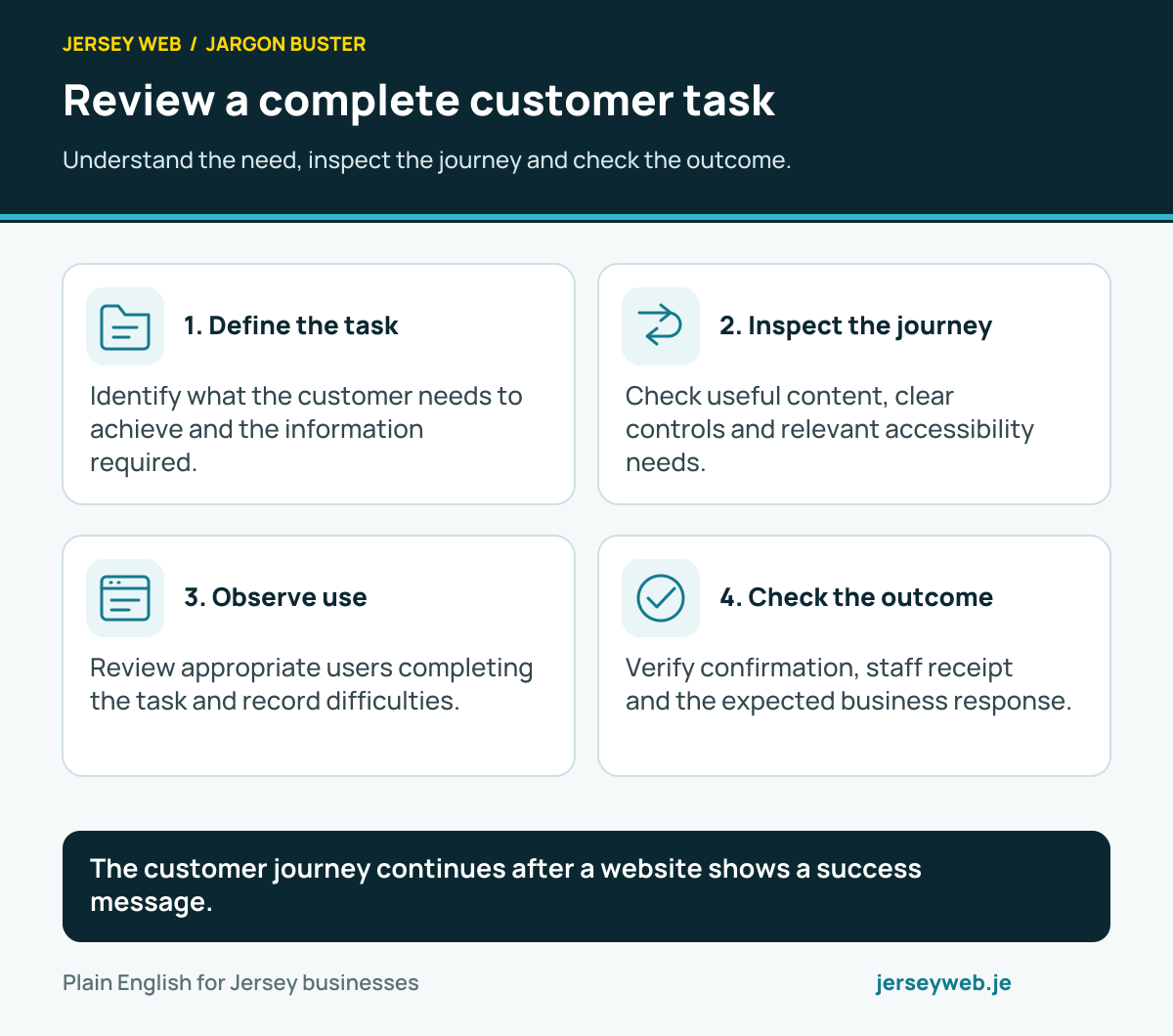
The customer journey continues after a website shows a success message.
Read the diagram in text
- Define the task. Identify what the customer needs to achieve and the information required.
- Inspect the journey. Check useful content, clear controls and relevant accessibility needs.
- Observe use. Review appropriate users completing the task and record difficulties.
- Check the outcome. Verify confirmation, staff receipt and the expected business response.
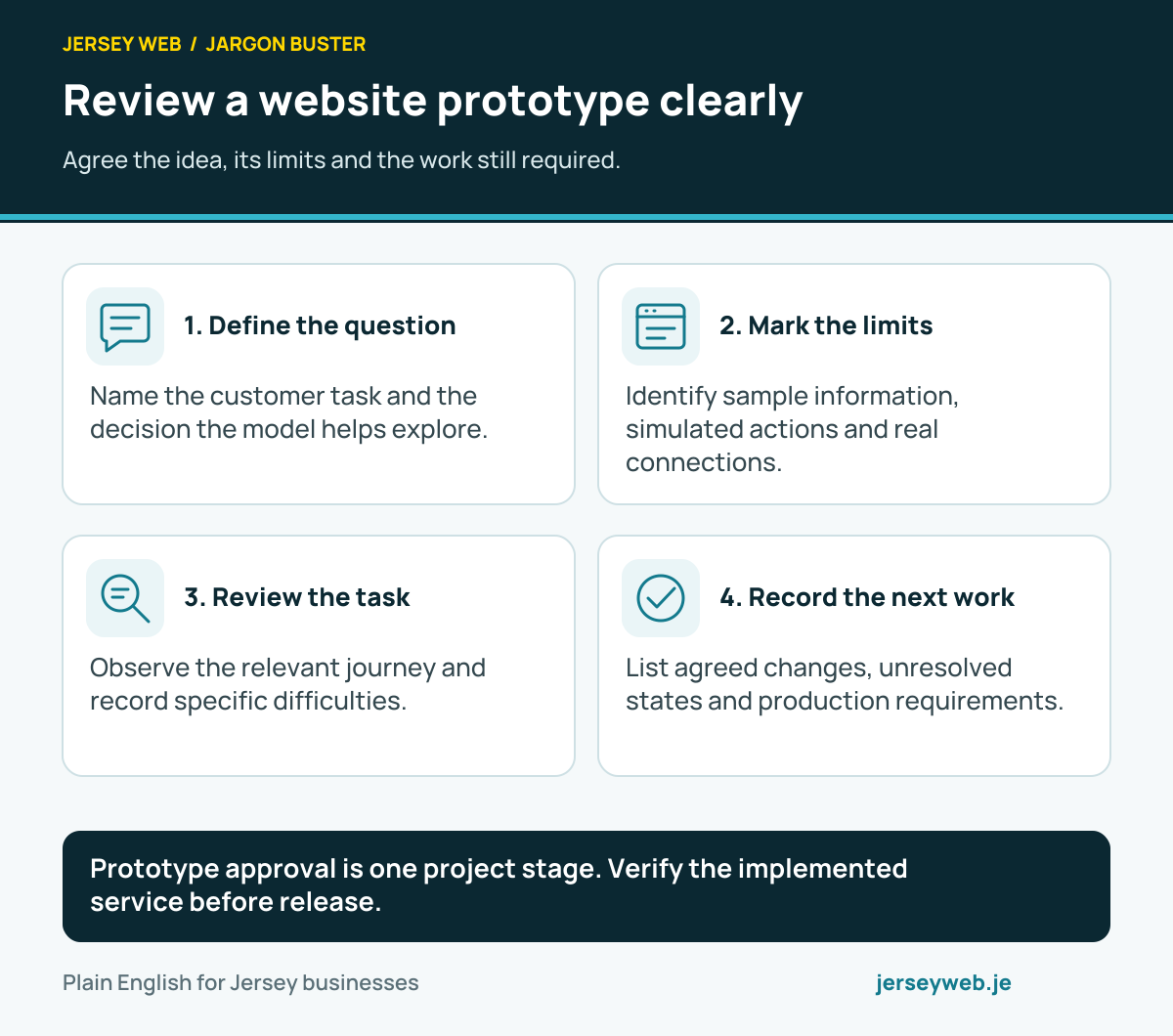
Prototype approval is one project stage. Verify the implemented service before release.
Read the diagram in text
- Define the question. Name the customer task and the decision the model helps explore.
- Mark the limits. Identify sample information, simulated actions and real connections.
- Review the task. Observe the relevant journey and record specific difficulties.
- Record the next work. List agreed changes, unresolved states and production requirements.
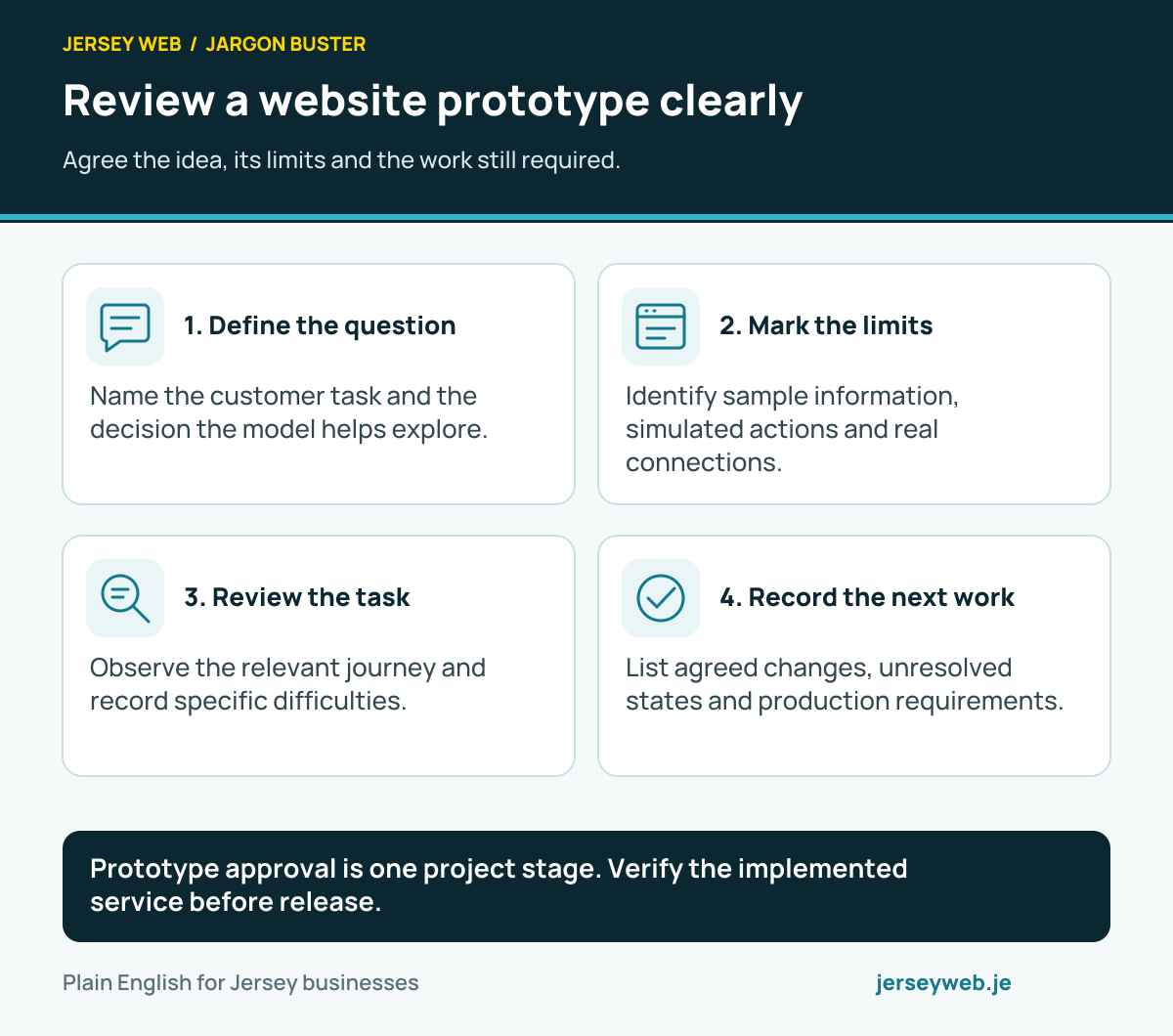
Diagram sources
Related terms
Learn more
Common questions
- Is UX the same as a website’s appearance?
- Appearance contributes to the experience, but UX also includes the information, task flow and wider service. An attractive page can still leave a customer unable to complete an enquiry.
- Is UX the same as accessibility?
- They are related concerns with different scopes. Accessibility addresses barriers faced by disabled people; a wider UX review also examines whether the service meets its users’ needs. Include both in the work.
- Can analytics explain every customer problem?
- No. Recorded activity can suggest where to investigate, but it does not automatically explain a person’s intentions or difficulties. Suitable user research and task observation add context.
- Does a successful form submission finish the customer journey?
- Not necessarily. Confirmation, staff receipt and the expected response also affect the experience. Review the service after the website’s immediate success message.
Written by Jersey Web. Last reviewed 3 October 2026. Back to the Jargon Buster.