Watch a related explainer
In plain English
Image compression changes how image information is represented to reduce the data needed for storage or delivery. Lossless methods preserve the represented information. Lossy methods discard some information, often achieving a smaller file with a quality trade-off. The appropriate choice depends on the image and how the website uses it.
Compression and resizing are different operations. Resizing changes the pixel dimensions of a raster image. A smaller photograph may then be exported using a chosen format and compression setting. Those steps work together, but increasing compression alone does not correct an image whose dimensions are unnecessarily large.
MDN’s image-format guide explains features and trade-offs across formats. Responsive-image guidance describes serving suitable image sources for different needs. Neither provides one universal setting that produces the best result for every photograph, logo or explanatory diagram.
Why it matters for a Jersey business
A website photograph can help a customer understand a product, place or service. If the delivery file is unnecessarily large, it adds transfer work. If it is compressed too aggressively, important detail can become unclear. The useful goal is an appropriate file that still communicates the intended information.
Brand artwork deserves review too. Fine lettering, transparent edges and diagrams can show problems that are less obvious in a general photograph. A Jersey business should inspect real assets in their actual page context, including the smaller presentation a customer sees on a phone.
A realistic Jersey example
Imagine a Jersey shop preparing product photographs and a delivery-zone diagram. This is an illustrative example. The team keeps original masters, then creates separate delivery exports suited to the website. They compare file sizes and inspect the details that a customer needs to distinguish the products.
The diagram receives a different review because it contains lettering and crisp shapes. The website also provides its important explanation as accessible text. The team checks which exported files the page actually uses, rather than assuming that a smaller file sitting in a folder is the one delivered to visitors.
How to choose and check an export
Start with the image’s job. Identify whether the asset is a photograph, logo, illustration or information diagram. Note what detail must remain clear and whether transparency or animation is needed. Choose format features that suit that purpose instead of converting every asset to one format automatically.
Prepare useful dimensions. Compare the intended display size and likely rendering needs with the master file. Avoid sending a very large original for a small thumbnail without a reason. Keep the aspect ratio and crop appropriate so the page does not cut away the subject the customer needs to see.
Compare quality settings. Inspect a few appropriate exports side by side rather than choosing a number from a generic checklist. Look for damaged edges, unclear lettering and lost product detail. The file size is a useful observation, while the visible quality determines whether the image still serves its task.
Provide suitable responsive sources. Where the page needs different file sizes, use the website’s supported responsive-image approach. Check the delivered markup and files against the intended layout. A browser can then choose among the available sources rather than every visitor receiving the same oversized resource.
Review the live presentation. Check phone and larger layouts, expected cropping and the page’s loading behaviour. Important images need appropriate descriptions, and necessary instructions should remain available in usable text. Image optimisation should not remove the information somebody needs to complete the journey.
Retain the master and record the workflow. Keep a suitable original for future changes and create delivery exports from it. Record where the master lives and how the website versions the exported files. That avoids repeated edits to a lower-quality copy when the business later changes its layout or branding.
Verify the actual result. Compare the exported asset with the file referenced by the page and inspect its dimensions and size. If a caching layer retains an older image, investigate that layer separately. A successful export does not prove that the released website has begun serving the new version.
Common myths
Compression and resizing are identical. They change different aspects of the file.
The smallest export is always suitable. Information and visual quality still matter.
One format works best for every asset. Different artwork has different requirements.
Our take
Jersey Web’s view is to inspect the result the customer actually receives. Choose dimensions, format and quality for the asset’s purpose, preserve a useful master and verify the delivered file. Smaller transfers are valuable when the artwork remains clear and usable.
A real Jersey example
Compare website exports of one photograph
These exports show the same Plémont photograph at different pixel widths. Their file sizes reflect both resizing and WebP encoding, so the difference is not a measurement of compression alone. Inspect the buildings and shoreline at the intended display size before choosing an export.

Actual delivery files
| Pixels | File size | Preview |
|---|---|---|
| 480 × 360 px | 23.3 KiB | Open 480 px export |
| 960 × 720 px | 85.6 KiB | Open 960 px export |
| 1600 × 1200 px | 211.4 KiB | Open 1600 px export |
| 1920 × 1440 px | 295.9 KiB | Open 1920 px export |



These are delivered file sizes, not a prediction of loading time or a like-for-like format benchmark.
Browse the original Jersey photo library → · Check photo usage terms
See it in a diagram
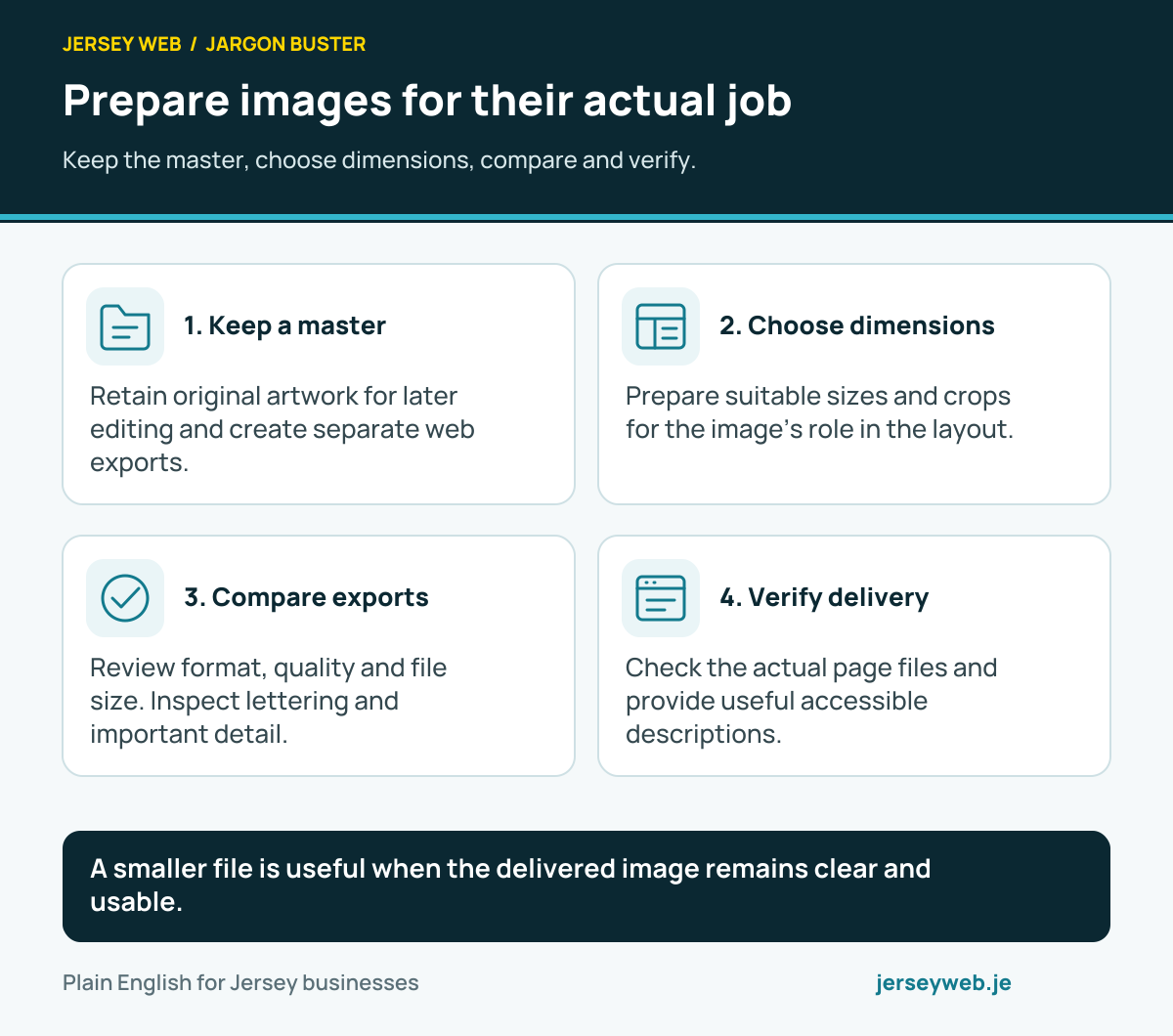
A smaller file is useful when the delivered image remains clear and usable.
Read the diagram in text
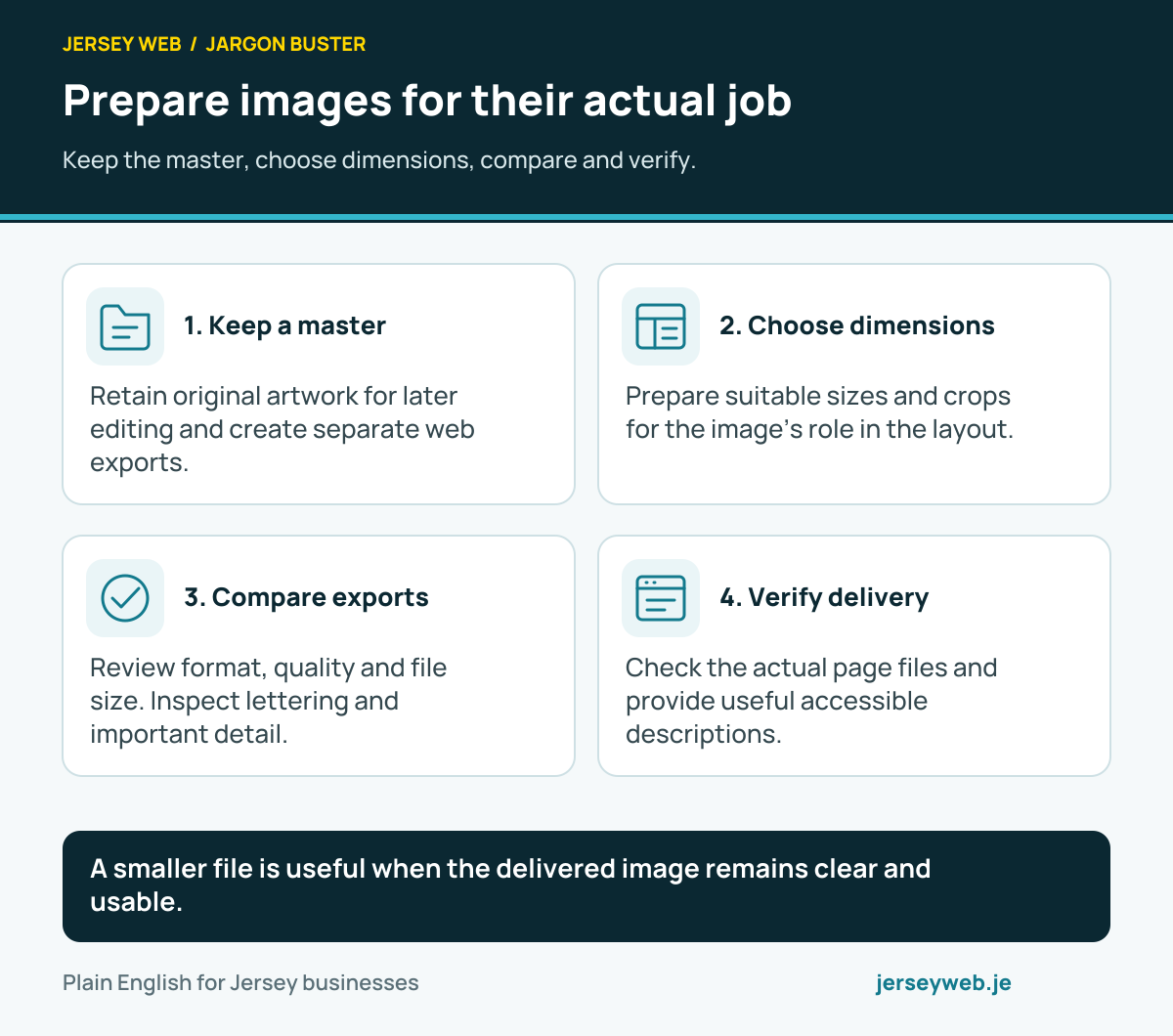
- Keep a master. Retain original artwork for later editing and create separate web exports.
- Choose dimensions. Prepare suitable sizes and crops for the image’s role in the layout.
- Compare exports. Review format, quality and file size. Inspect lettering and important detail.
- Verify delivery. Check the actual page files and provide useful accessible descriptions.
Related terms
Learn more
Common questions
- Is compression the same as resizing?
- No. Resizing changes pixel dimensions. Compression changes how information is represented or encoded. Both can affect the file delivered by a website.
- Does lossless mean every export remains identical to the original?
- Lossless describes the compression method. Other editing or export steps, such as resizing or colour conversion, may still change the image before that method is applied.
- Is the smallest file always the best choice?
- No. The delivered image still needs to communicate clearly at its intended size. Review detail, text and brand artwork alongside the transfer cost.
- Should I keep the original artwork?
- Yes. Preserve an appropriate original or master for future editing and make separate delivery exports. Repeated editing of compressed copies can reduce the available quality.
Written by Jersey Web. Last reviewed 12 October 2026. Back to the Jargon Buster.