In plain English
Managed hosting combines a hosting arrangement with agreed operational work by a provider or administrator. The important word is agreed: different offerings can include different tasks. AWS’s VPS explanation discusses managed and unmanaged virtual-server arrangements, while its web-hosting overview describes hosting service types.
A provider might maintain relevant server components while application work is handled by another team. Some services include additional support or recovery work. The label alone does not establish which updates, checks or incidents are covered, so the business needs a concrete description of the service it is receiving.
Hosting can also involve several connected products. The website application, database, stored files and notification service may have different operators. A managed arrangement should explain the roles that apply to this website rather than imply that one account controls every dependency.
Why it matters for a Jersey business
A local owner may want a reliable point of contact when the website needs help. Clarifying the management scope makes that expectation reviewable. Staff should know which contact handles an unavailable server, a broken application feature, an unwanted data change or a content update.
The distinction also makes proposals easier to compare. A list of resource allocations describes one part of hosting; the ongoing operational work describes another. Ask for included responsibilities and support arrangements in plain language so the business can assess the service around its actual enquiry, booking or selling tasks.
A realistic Jersey example
Imagine a Jersey consultancy arranging hosting for an enquiry website. This is a hypothetical example. The host maintains the relevant infrastructure. A website maintainer handles application updates, reviews the enquiry form and coordinates the recovery process. The business’s mailbox provider has its own support arrangement.
The handover records these boundaries and names the contact who coordinates an enquiry-delivery issue. The team checks that a permitted sample submission reaches the intended destination. It also records what recovery includes if a website change causes a problem. The owner can understand the support route without assuming that every service is covered by the same managed-hosting label.
Practical questions for the service agreement
Identify what is hosted. Record the website, application and relevant supporting services. A static website and a transactional application may have different operational needs. Keep the description tied to the service’s purpose so the owner can see which parts need maintenance and which features rely on another supplier.
Assign each maintenance task. Ask who handles the underlying infrastructure, operating system where relevant, application dependencies and application releases. AWS’s shared-responsibility model is a useful provider example of responsibilities varying by service. For your own arrangement, document the actual division and any tasks the business must request separately.
Clarify support. Record how an issue is reported, what information the maintainer needs and which contact coordinates investigation. Distinguish a service acknowledgement from an agreed resolution expectation. If the arrangement specifies support periods or incident priorities, keep those details accessible to the staff who will need them.
Review backup and recovery. Ask what information is copied, which settings are included and how the required website task is restored. Database records, stored files and application code may need different handling. Keep evidence of an appropriate recovery check rather than treating the existence of a backup option as proof that the full service can be resumed.
Define operational checks. Identify which signals the provider monitors and what they establish. A basic availability check may not cover successful enquiry delivery or a staff workflow. Agree how important tasks are reviewed after relevant changes and how a problem reaches the person responsible for it.
Keep account responsibility clear. Record who owns the service arrangement, who has administrative access and how a supplier change is handled. The business needs a practical handover route and continuity of the relevant records. This can be documented without putting access secrets into ordinary project notes or publicly accessible content.
Review changes to scope. When the website adds a shop, booking feature or integration, revisit the hosting responsibilities. A maintenance agreement written for the previous site may not describe new application components or data. Connect the updated scope to the new business task and confirm who checks it after a release.
Use a short responsibility table in the handover. For each component, identify the maintainer, the included work, the escalation contact and the evidence used for checks. That turns the word managed into an operational description staff can use when something requires attention.
Common myths and mistakes
Managed does not mean every supplier performs the same work. Avoid assuming that application updates, content edits or connected-service support are included merely because the server is maintained. Review the actual agreement and keep any separate role visible.
It is also a mistake to equate a running host with a fully working business website. The customer task can depend on software, data and external services. Define useful checks around those dependencies and retain a clear coordinator for issues that cross supplier boundaries.
Our take
Managed hosting is most useful when the management work is explicit. Record the components, responsible people and support route, then verify the website tasks and recovery outcome the business relies on. That makes the ongoing service easier to understand and maintain.
See it in a diagram
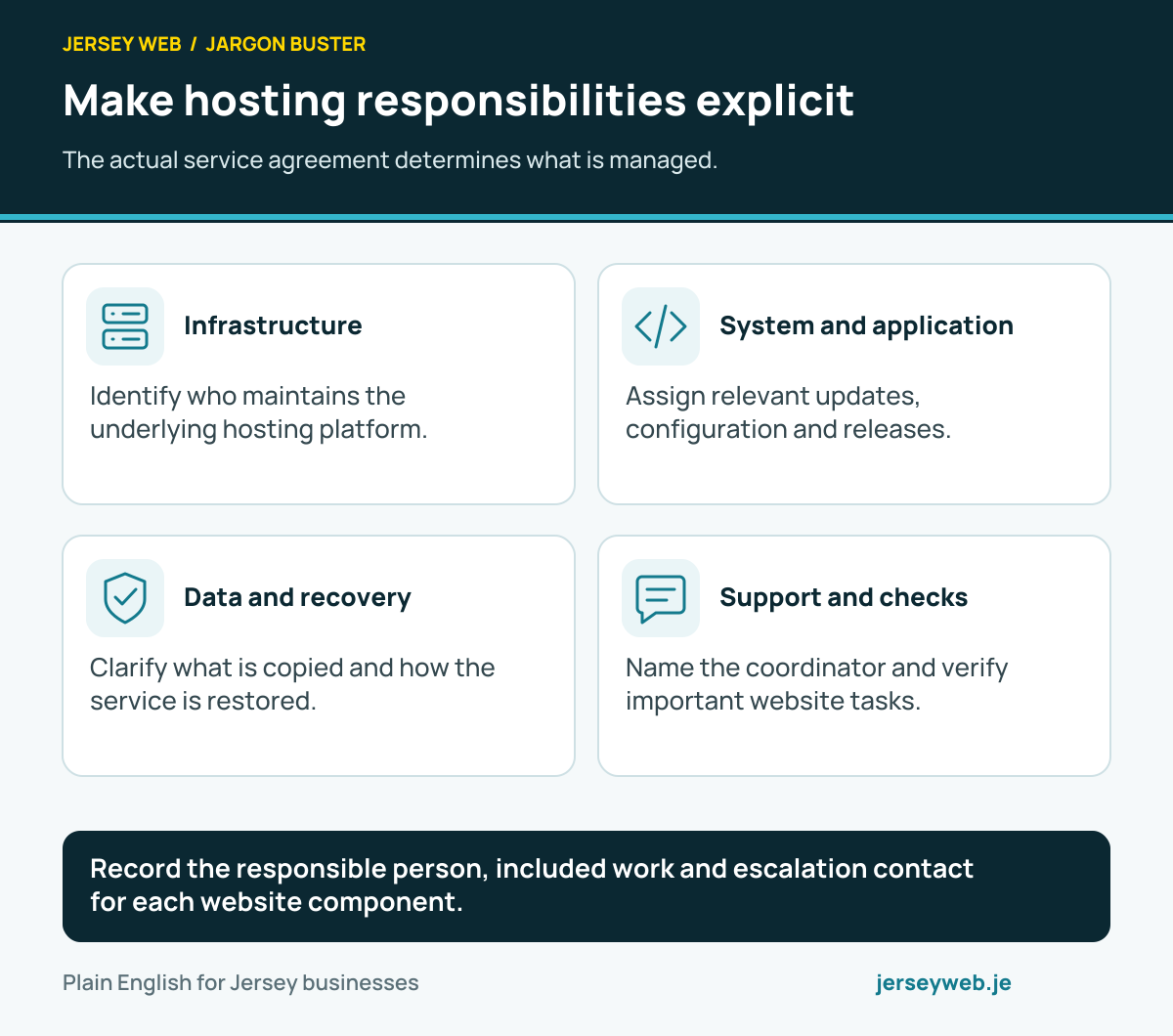
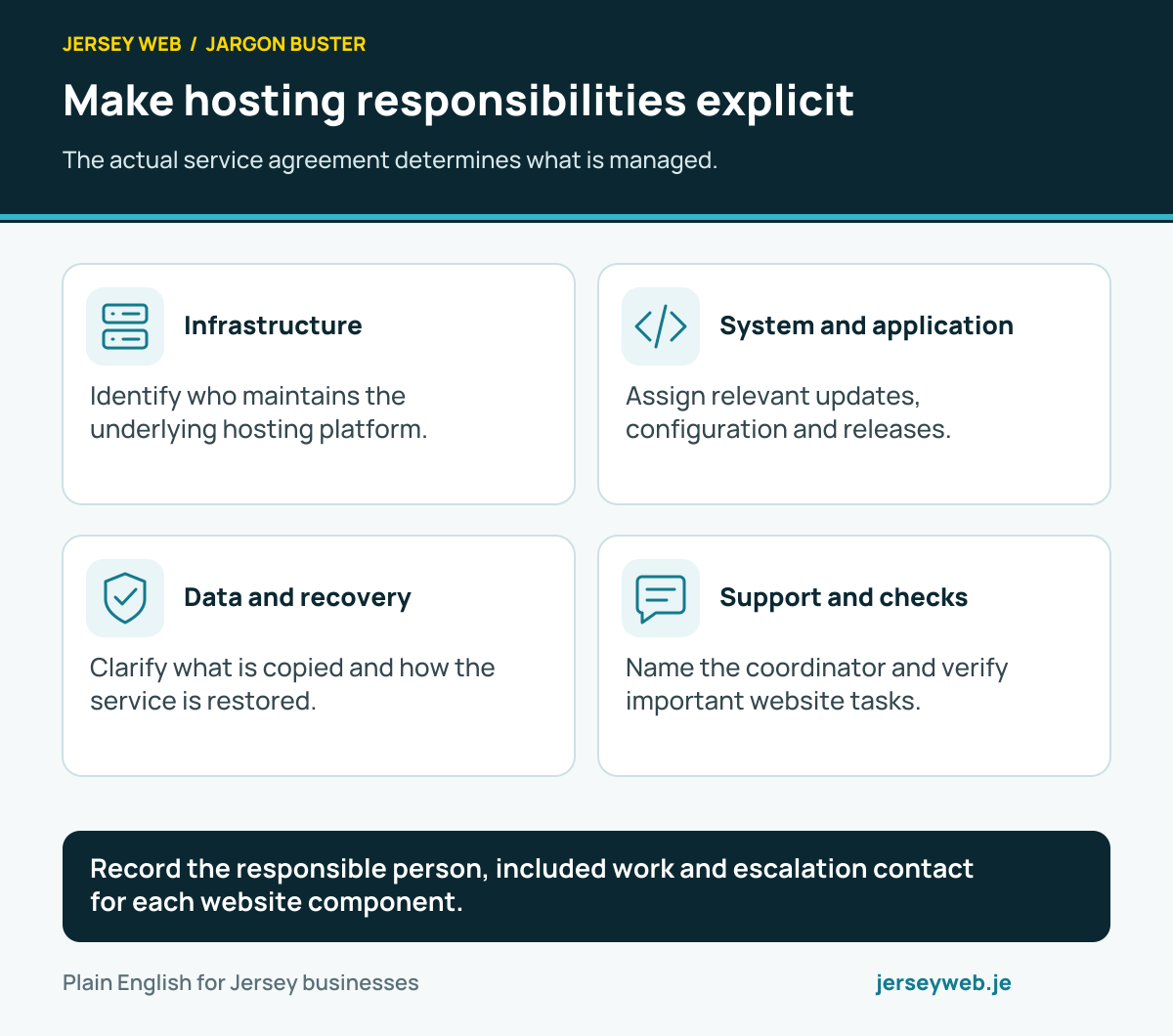
Record the responsible person, included work and escalation contact for each website component.
Read the diagram in text
- Infrastructure. Identify who maintains the underlying hosting platform.
- System and application. Assign relevant updates, configuration and releases.
- Data and recovery. Clarify what is copied and how the service is restored.
- Support and checks. Name the coordinator and verify important website tasks.
Related terms
Learn more
Common questions
- Does managed hosting mean the provider handles everything?
- No. The included tasks depend on the agreement. Confirm server maintenance, application work, data recovery and support responsibilities separately.
- Are website updates automatically included?
- Not necessarily. A service may manage underlying hosting while application or content changes have a separate scope. Ask who performs each type of update and how it is reviewed.
- Is a backup option enough to prove recovery works?
- No. Confirm what is copied, how the required service is restored and what evidence shows the recovery process works for the website’s needs.
- Can several suppliers share the hosting responsibilities?
- Yes. Record each supplier’s role and the person coordinating issues that cross those boundaries, such as an application problem involving a separate database or email service.
Written by Jersey Web. Last reviewed 3 October 2026. Back to the Jargon Buster.