Crawling vs Indexing: How a Page Can Reach Google Search Results
Does a published page automatically appear in Google? Discovery, crawling, indexing and serving results are different stages.

1:47 · No narration: the video shows each step as text on screen, and every step is written out below, with buttons that jump the video to it.
Prefer YouTube? Watch this video on our YouTube channel (opens in a new tab).
The six points in the video
This is a silent video. The headings, explanations and labels below reproduce the information on screen.
-
Step 2: Crawling retrieves content
A crawler can request the page to examine its content.
On-screen labels: Page request; Returned content; Crawler access.
-
Step 3: Indexing analyses the page
Google processes the content and decides what to store in its index.
On-screen labels: Content analysis; Canonical selection; Indexing decision.
-
Step 4: Serving answers a search
Relevant indexed information can be selected for a search query.
On-screen labels: Search query; Relevant information; Served result.
-
Step 5: These stages are not guaranteed
A discovered or crawled page may still not be indexed or shown.
On-screen labels: No automatic inclusion; No ranking guarantee; Check actual status.
-
Step 6: Investigate the right stage
Use Search Console evidence to understand the specific page status.
On-screen labels: Inspection result; Access problem; Content or indexing issue.
A practical check for your business
Check whether the issue concerns discovery, access, indexing or the way a result appears. Use evidence for the exact page before changing instructions intended for a different stage.
Sources and further detail
See it in a diagram
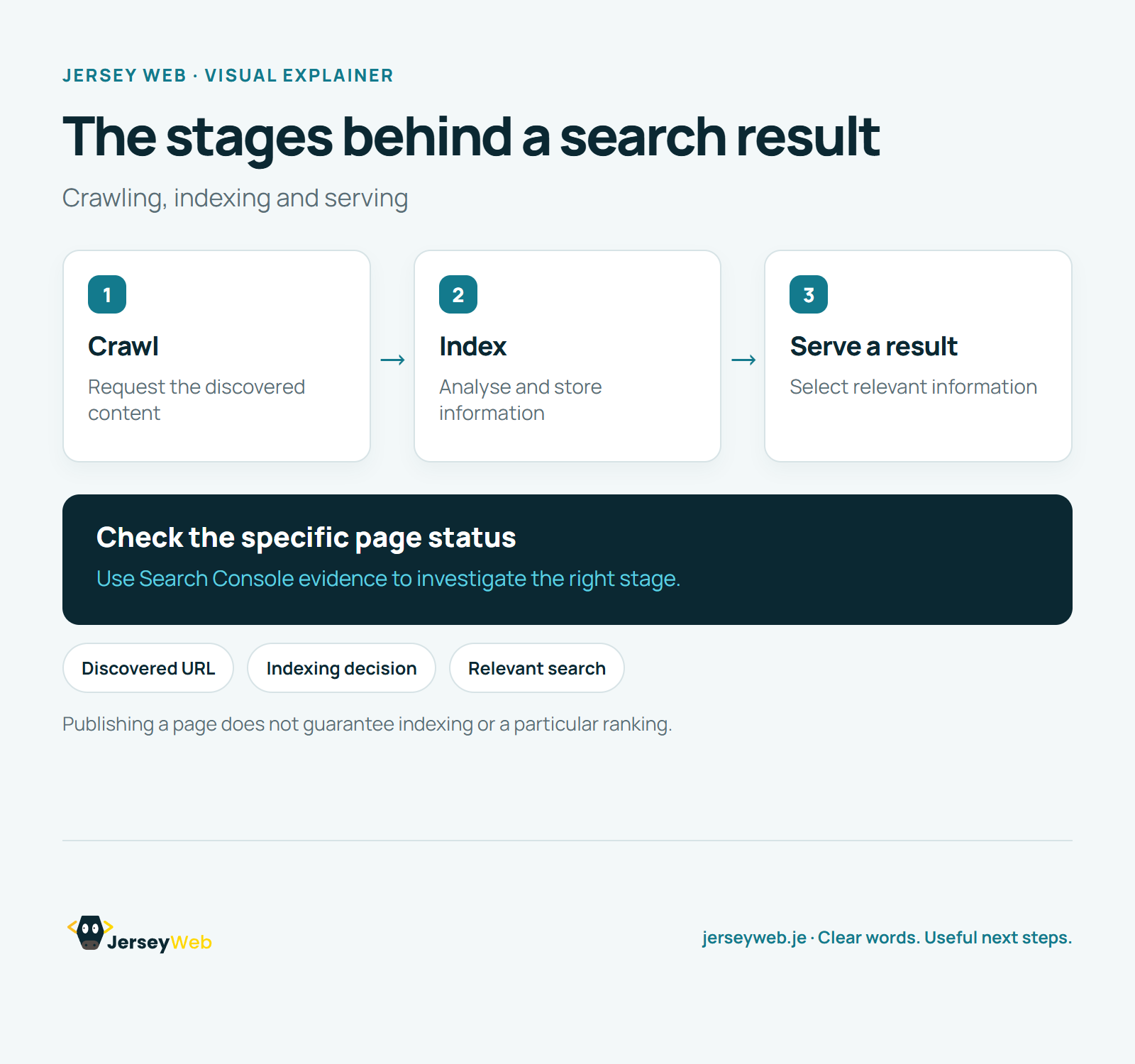
Read the diagram as text
- Crawl: Request the discovered content
- Index: Analyse and store information
- Serve a result: Select relevant information
Check the specific page status. Use Search Console evidence to investigate the right stage.
Publishing a page does not guarantee indexing or a particular ranking.
Diagram by Jersey Web. Open full size · Source and further detail (opens in a new tab)
Common questions
Does a published page automatically appear in Google?
Discovery, crawling, indexing and serving results are different stages. Check the page status before assuming a ranking problem.
Go further
More video tips
All 205 videos →
What Is a SERP? Search Engine Results Pages Explained
Search results, explained.
Search Impressions, Clicks and CTR Explained with a Simple Example
Search impressions and CTR.