Watch a related explainer
In plain English
A passkey changes how you prove to an online service that you can sign in. Instead of entering a password that could be copied into a convincing fake page, the sign-in process uses a cryptographic relationship between the service and your credential. The private part is protected by your device or credential manager, while the service uses the corresponding public information.
You normally approve the sign-in through your device’s own access check, such as a PIN, fingerprint or face check. That approval and the passkey are different things. The fingerprint is not a password sent to the website. The exact prompts and available features depend on the service, browser, device and credential manager.
The NCSC’s passkey guidance recommends passkeys where supported and explains their resistance to common phishing attacks. The FIDO Alliance’s explanation describes the standards-based approach. Some credentials can synchronise across trusted devices through a credential manager; the recovery and sharing arrangement should be checked for the particular product rather than assumed.
Why it matters for a Jersey business
Control of business email, domains and website administration can affect the whole operation. A convincing message that captures one important password may give an attacker a route to other accounts. A supported passkey can improve the sign-in process, but the business also needs to understand who owns the credential and how access is recovered.
An owner using a personal phone for every business login should consider what happens if that phone is lost, replaced or unavailable. Staff access needs planning too. Avoid treating one person’s device as the undocumented key to all administration. Use the service’s supported individual accounts, permissions and recovery features instead of improvising shared access.
A realistic Jersey example
Imagine a Jersey trades business reviewing its email and domain accounts. This is an illustrative example. The owner enables passkeys where the providers support them, confirms that a trusted second device can use the intended credential arrangement and records the recovery process securely.
An administrator has a separate authorised account with only the permissions needed for their work. When someone leaves the business, their access is reviewed. The passkey improves sign-in, while the access inventory keeps business responsibility clear. These tasks complement each other rather than replacing one another.
What to check before changing sign-in
Start with critical accounts and the documentation for each provider. Confirm whether passkeys are supported and which devices or credential managers you intend to use. Understand whether the credential is synchronised, tied to a particular authenticator or available through another supported method. A simple account list helps avoid missing the registrar or recovery mailbox.
Check recovery carefully. Record what the service requires if a device is lost and whether another trusted route has been set up. Protect any recovery codes or recovery account according to their importance. Do not remove a working access method until the supported replacement and recovery process have been verified.
Review existing password access as well. An account may still retain a password or other fallback after a passkey is added. The NCSC’s account guidance explains using strong unique passwords and two-step verification where appropriate. A weak remaining route can undermine the overall protection.
Keep devices updated and protect the account that synchronises credentials. Review administrator permissions and signed-in sessions through the provider’s supported controls. Passkeys reduce an important class of sign-in risk, but they do not make a stolen unlocked device, unsafe recovery process or excessive staff access harmless.
Common myths
A passkey is simply a saved password. It uses a different cryptographic sign-in mechanism.
Biometrics are sent to the website as the passkey. They can approve local use of the credential; they are not the credential itself.
There is no recovery planning to do. Availability and recovery still depend on the chosen service and credential arrangement.
Our take
Jersey Web’s view is to review sign-in and recovery together. Passkeys are useful where supported, especially for important accounts, and become more practical when the business can explain ownership, permitted access and the route back in after a device problem.
See it in a diagram
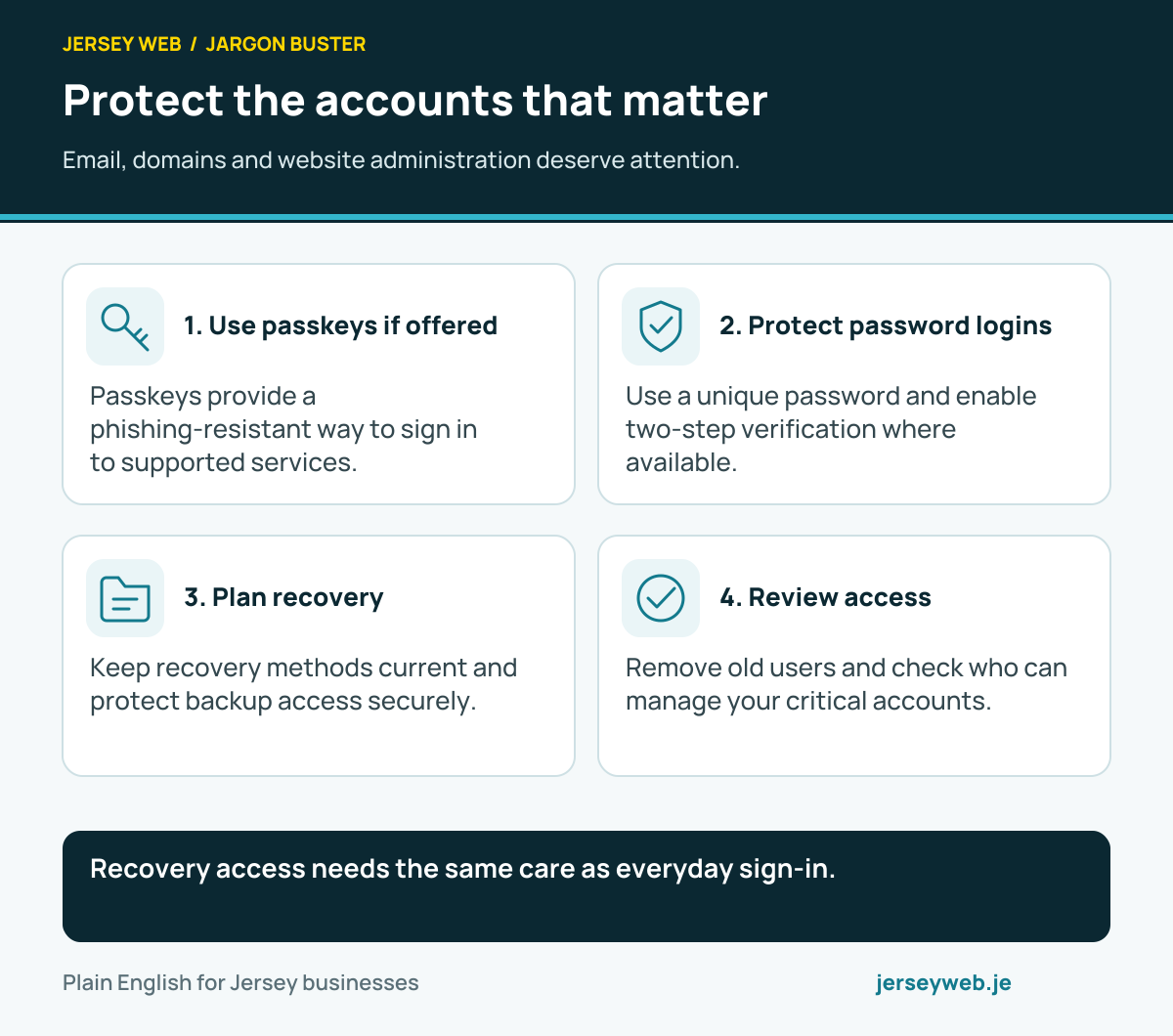
Recovery access needs the same care as everyday sign-in.
Read the diagram in text
- Use passkeys if offered. Passkeys provide a phishing-resistant way to sign in to supported services.
- Protect password logins. Use a unique password and enable two-step verification where available.
- Plan recovery. Keep recovery methods current and protect backup access securely.
- Review access. Remove old users and check who can manage your critical accounts.
Diagram sources
Related terms
Learn more
Common questions
- Is a passkey my fingerprint?
- No. A fingerprint, face check or device PIN can unlock use of the credential on your device. The passkey is the cryptographic sign-in credential, rather than the biometric itself.
- What happens if I lose my phone?
- Recovery depends on the service and credential manager. Some arrangements synchronise credentials across trusted devices; others require a separate recovery method. Check the supported process before relying on one device.
- Do passkeys make every account risk disappear?
- No. Device security, recovery access, permissions and signed-in sessions still matter. Phishing resistance addresses an important problem but is not complete account protection.
- What if a service does not offer passkeys?
- The NCSC advises strong unique passwords and two-step verification where passkeys are unavailable. Use the protection supported by the actual service, and keep recovery methods current.
Written by Jersey Web. Last reviewed 3 October 2026. Back to the Jargon Buster.