In plain English
WCAG means Web Content Accessibility Guidelines. It is a W3C standard concerned with making web content accessible to people with disabilities. Its success criteria provide a structured basis for evaluating content and functionality. The standard covers more than visual design, including how people perceive, operate and understand a website.
W3C’s WCAG overview explains its versions and conformance levels. WCAG 2 groups guidelines under four principles: perceivable, operable, understandable and robust. The success criteria use levels A, AA and AAA. A requirement should identify the applicable version and level so the team shares a meaningful reference.
The WCAG 2.2 standard includes conformance requirements. A list of a few repaired issues is useful evidence about those repairs, but it is different from a complete conformance claim. The review’s scope and methods need to be understandable, particularly where the site includes multi-step tasks or third-party interfaces.
Why it matters for a Jersey business
A clear accessibility requirement helps an owner discuss design, implementation and review with a supplier. “Make it accessible” leaves important decisions unstated. Specify what standard is intended, which content and journeys are included, what evidence will be supplied and who resolves barriers before relying on the website for customer tasks.
WCAG is a technical standard, so distinguish it from the business’s particular legal or contractual duties. Those depend on applicable circumstances. A Jersey owner should not assume that a legal explanation written for another jurisdiction transfers automatically. This glossary explains the technical vocabulary and practical commissioning questions rather than interpreting the business’s legal position.
A realistic Jersey example
Imagine a Jersey organisation commissioning an information website with an enquiry journey. This is a hypothetical example. The team agrees an accessibility reference, the relevant page templates and the complete enquiry process. It asks the reviewer to report observed barriers, correction priorities and the limits of the evaluation.
After fixes, the team checks the affected routes and records remaining work. It also gives editors guidance for new headings, images and form content. This describes an evidence-based review arrangement; it does not claim that a short audit sample or a passed automated scan establishes complete conformance for the entire site.
How to specify a useful accessibility review
Name the reference. Record the WCAG version and intended conformance level where relevant to the brief. Avoid an unexplained “WCAG compliant” label that leaves those details unclear. Ask the supplier to describe what its proposed evaluation and deliverables establish, using the standard’s actual requirements as the reference for any claim.
Define the content and tasks. Identify templates, representative content and important customer processes, including relevant errors and completion states. A booking or enquiry journey can cross several pages and services. Make clear where third-party interfaces enter the process and who can investigate or correct issues in those components.
Choose suitable methods. W3C’s evaluation overview describes different ways to assess accessibility. Automated tools can find some issues, while other questions need manual judgement and interaction. Relevant user involvement can reveal task barriers. The method should answer the review’s actual questions rather than produce a reassuring score without explanation.
Ask for actionable findings. A useful record identifies the affected content, observed problem, reproduction context and applicable requirement where appropriate. It should make the correction understandable to the person responsible. An owner needs to know whether an issue blocks a task, affects a shared component or concerns a particular content item.
Agree corrections and verification. Assign responsibility and review the affected behaviour after changes. A report is not the same as a repaired website. Keep the evidence tied to the actual version reviewed, and identify any limitations that remain. Where a component is reused, consider its relevant use across the site when verifying the correction.
Plan ongoing editing. Give staff practical guidance on image alternatives, headings, links, media and form wording. Define when a template or integration change triggers further review. Accessibility can be affected by ordinary content updates, so maintaining it requires understandable responsibilities after the initial website handover.
Keep claims proportionate. Describe what was evaluated and what the evidence supports. Do not turn a tool result, a small sample or a supplier’s general assurance into a wider conformance statement. The purpose of the review is to understand and remove barriers while making the scope of any formal claim clear.
Common myths
A score certifies WCAG conformance. Understand the methods and scope.
Accessibility ends when the site launches. Review relevant later changes.
A technical standard alone determines every legal duty. Assess applicable requirements separately.
Our take
Jersey Web uses explicit requirements and practical evidence when discussing accessibility. Name the reference, review meaningful tasks, fix barriers and keep editing responsibilities clear. The owner should be able to understand what was checked and what any conformance statement actually covers.
See it in a diagram
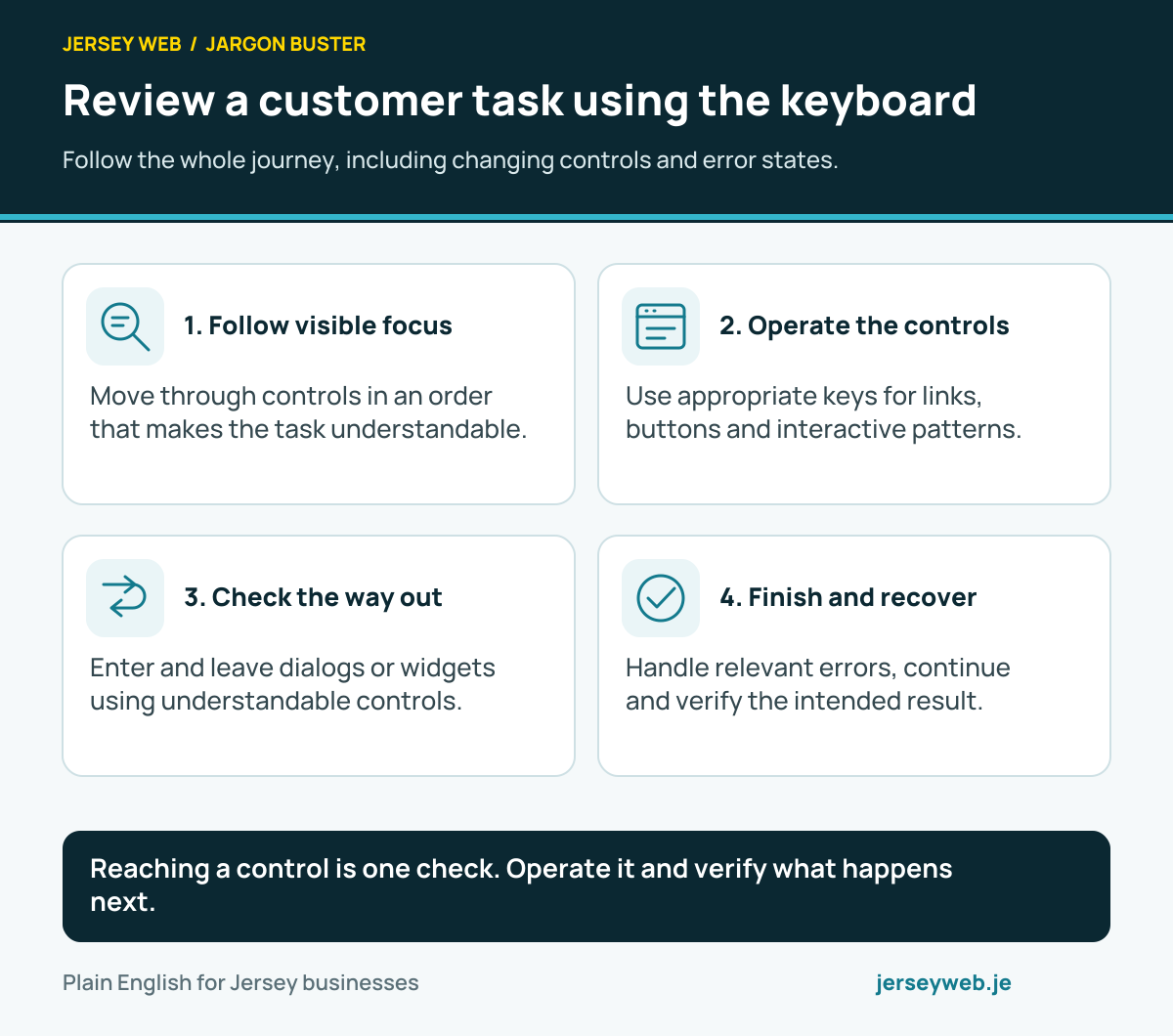
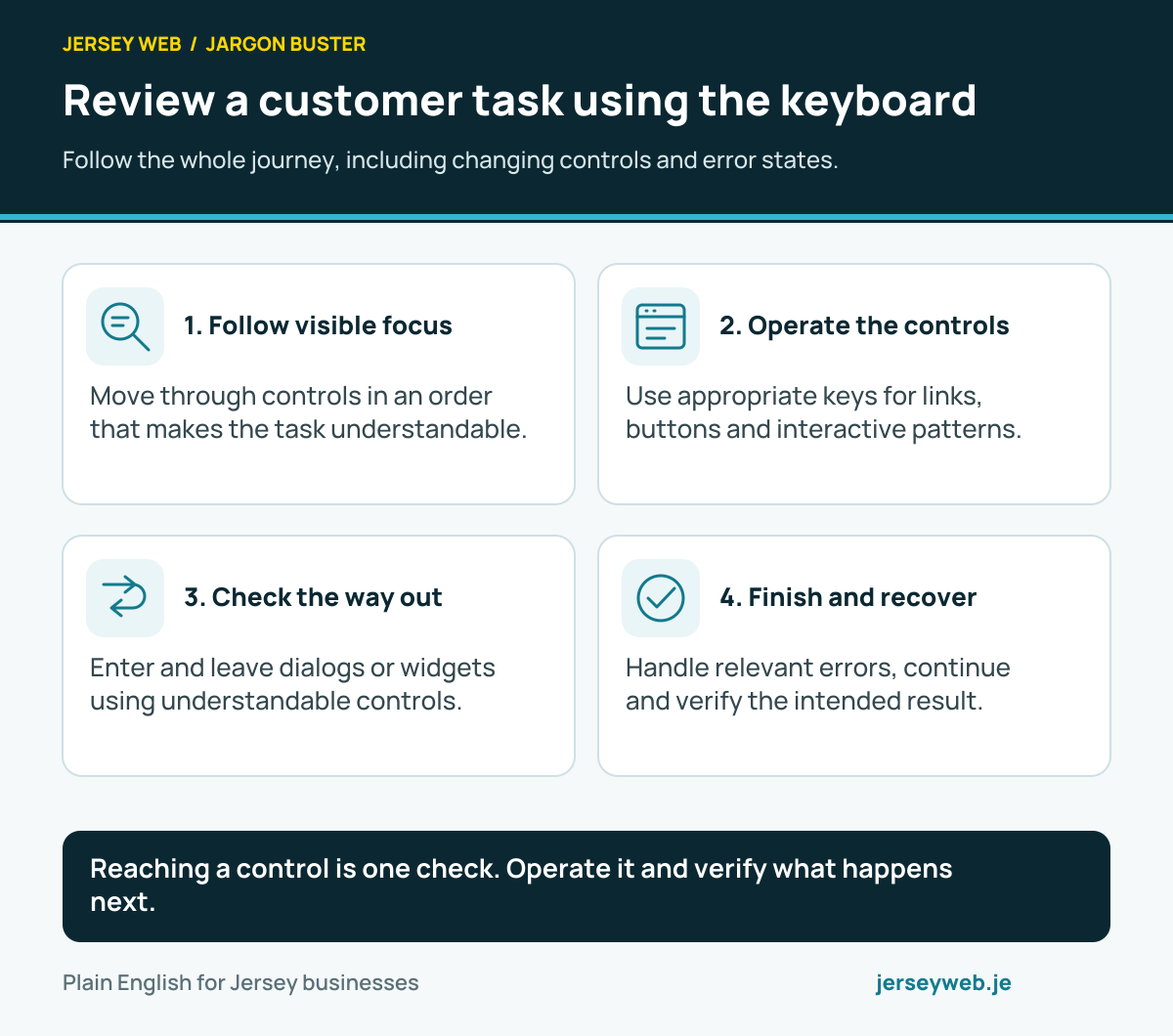
Reaching a control is one check. Operate it and verify what happens next.
Read the diagram in text
- Follow visible focus. Move through controls in an order that makes the task understandable.
- Operate the controls. Use appropriate keys for links, buttons and interactive patterns.
- Check the way out. Enter and leave dialogs or widgets using understandable controls.
- Finish and recover. Handle relevant errors, continue and verify the intended result.
Related terms
Learn more
Common questions
- What do A, AA and AAA mean?
- They are WCAG conformance levels. The success criteria and conformance requirements determine what a claim means. Specify the applicable version and level when commissioning a review rather than use a vague request to make the site accessible.
- Is an automated accessibility score a WCAG certificate?
- No. Automated tools detect some issues, but a score does not establish complete conformance. Appropriate manual evaluation and clear scope are needed to understand the evidence.
- Does the term WCAG establish a business’s legal obligations?
- No. WCAG is a technical standard. Legal and contractual requirements depend on the applicable circumstances and should be reviewed separately. Do not assume that wording for another jurisdiction applies automatically in Jersey.
- Can accessibility change after the initial build?
- Yes. Content, templates and third-party components can change the experience. Give editors useful guidance and review affected tasks when relevant changes are made.
Written by Jersey Web. Last reviewed 3 October 2026. Back to the Jargon Buster.